

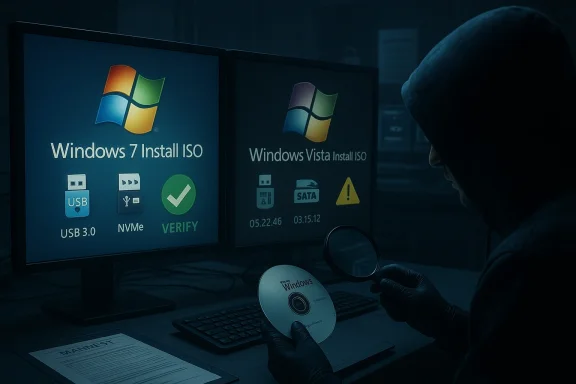
Someone on X has posted unofficial installation ISOs for both Windows 7 and Windows Vista that claim to include every available update up to January 2026, and those redistributions are already circulating on enthusiast sites and torrents — offering a ready‑made, fully patched installer for nostalgia builds, repair labs, or forensic use, but also raising immediate security, licensing and provenance concerns that every technician should weigh before downloading or using them. da.com](])
Background
For many in the Windows community, the idea of a single, fully patched ISO for older releases is highly attractive: it eliminates hours of post‑install updating, removes the need to rely on a failing Windows Update pipeline for legacy code, and makes imaging or testing simpler. That convenience is exactly what the new sets of ISOs promise: a single installation file containing years of rollups and patches installer can be fully up to date immediately after first boot.
That convenience must be understood against the lifecycle reality: Windows 7 reached official end of support on January 14, 2020, and Microsoft’s public update streams for the platform are intentionally closed for general customers. Windows Vista’s mainstream and extended support finished even earlier, though some enterprise customers purchased paid bridges that pushed vendor fixes out longer. Microsoft documentation and lifecycle pages note the Windows 7 EOL firmly as January 14, 2020. More recently Microsoft’s paid programs for very old code paths — notably Premium Assurance for the Vista/Server 2008 family — expired in mid‑January 2026, meaning the last paid vendor bridge for these NT 6.x codebases has now closed. Multiple independent outlets reported the Premium Assurance expiry as January 13, 2026, marking the practical end of any vendor‑issued security updates for Vista/Server 2008 after that date.
What’s been released and who posted it
The claim
The posts circulating on X (formerly Twitter) and mirrored across enthusiast blogs say the released ISOs are “fully updated” through January 2026. For Windows 7, the distribution reportedly includes a number of extra drivers to help installs on modern hardware — USB 3.x, NVMe storage drivers, and some network drivers — while the Vista images are described as updated but without the same driver injections. These details were shared directly by the poster and mirrored on community blogs and archive captures.
The poster
The account responsible for the posts and the publicly shared download links is known on X as @TheBobPony (also branded BobPony.com in many posts). The account has a history of publishing legacy Windows tips, community backports, and Windows‑centric tooling, including prior backports of modern clients and driver tweaks. That track record makes the account a familiar voice in legacy‑Windows circles, but familiarity is not the same as vendor provenance; community trustworthiness varies.
The packaging
Two package types are being discussed in public posts:
- Windows 7 ISO: described as ESU/updated baseline + some modern drivers (USB 3.x, NVMe, network). One post specifically noted no UEFI Class 3 or ACPI patches, meaning some modern motherboard boot modes will still be incompatible without extra work.
- Windows Vista ISO: described as containing shipped Vista updates up to the same cutoff, but without the extra driver injections found in the Windows 7 bundle.
These descriptions are drawn from the original X posts as mirrored by community blogs and archive captures; the exact contents of any distributed ISO must still be inspected at download time for a definitive manifest.
Why these ISOs matter (the practical case)
A consolidated, fully updated installer addresses three common pain points for legacy Windows use:
- Time savings — a patched ISO removes dozens (or hundreds) of post‑install update cycles and reboots during initial provisioning.
- Offline deployment — technicians rebuilding older machines or setting up lab VMs without internet access can install a near‑comreservation and testing** — forensic teams, software compat testing, and hobbyists can instantly reproduce a specific legacy build with a known update cutoff.
Those benefits are real and practical, which is why archivists, sysadmins and enthusiasts have been assembling similar “AIO” (all‑in‑one) ISOs for years. The community has reproducible tooling for this exact purpose (UUP Dump scripts, DISM integration workflows, and documented builder scripts). If you need an offline install baseline for testing or hardware recovery, a well‑documented ISO can be an excellent tool.
The risks — supply chain, licensing and security
While attractive, unofficial pre‑patched ISOs carry measurable and sometimes severe risks:
- Supply‑chain tampering — an ISO is just a binary bundle. If it isn’t built from Microsoft files or lacks a transparency, it could be repackaged with trojans, activation bypassers, or unwanted software.
- Pre‑activation and illegal copies — many AIO bundles in the wild are pre‑activated or come with activation cracks. Those images are illegal and commonly carry modified system files that are persistent and malicious.
- Broken servicing — integrating updates into an install image incorrectly can interfere with Windows Update’s ability to apply later fixes. Microsoft and community incidents show that certain custom ISO workflows can break future servicing.
- Driver and hardware mismatches — injected drivers mpatible, or simply the wrong version for your board; missing UEFI/ACPI patches can still prevent booting on many modern motherboards.
- Legal and compliance — obtaining and using installation media does not confer a license. Deploying an image without a valid product key or entitlement is a licensing violation for commercial environments.
If you intend to use one of these ISOs, treat it like any other third‑party binary: verify the manifest, compute and confirm cryptographic hashes, and scan before mounting or installing.
What can be verified and what cannot — immediate checks you should demand
The poster’s claim of “every update through January 2026” is plausible as a snapshot, but absolute statements like “every possible update” are usually unverifiable without published manifests. Here’s why:
- Microsoft publishes updates with KB numbers and package names; an ISO builder should provide a manifest that lists inclu exact build string and cutoff date.
- Some updates (especially rare OEM hotfixes or out‑of‑band patches) may not be included in community builds.
- If the poster does not publish SHA‑256 / SHA‑1 checksums and a full manifest, you cannot independently confirm the claim without rebuilding or extracting and cataloging the ISO yourself.
If a download lacks published checksums and an explicit manifest, treat the “every update” language as unverified promotional copy until you can confirm the contents locally.
How to evaluate an unofficial ISO safely — a step‑by‑step checklist
- Obtain the archive entry or download page and look for a detailed manifest (build strings, KB list, cutoff date).
- Only download from a mirror that publishes a SHA‑256 checksum; if none exists, do not trust the ISO for production use.
- After download, compute the ISO’s SHA‑256:
- PowerShell: Get‑FileHash -Path .\filename.iso -Algorithm SHA256
- Scan the ISO file with at least two modern anti‑malware engines (local scanner + online multi‑engine scan if available).
- Mount or extract the ISO in a sandbox or disposable VM and inspect:
- The install.wim / install.esd contents (check file timestamps, presence of unexpected sources\ folder for unsigned or non‑Microsoft DLLs/EXEs.
- Boot the ISO in a VM first and verify:
- Installation completes without pre‑activation bypasses.
- Windows Update behavior after first boot (does it attempt to re‑download updates; are there servicing errors).
- If the poster provides driver packs, verify driver signatures and the vendor source.
- Maintain offline isolation for any physical machine you install onto until you haveed the system baseline.
These steps are conservative but necessary when dealing with third‑party install images.
Safer alternatives — how to get a trustworthy fully updated ISO
- Build it yourself from Microsoft sources using reproducible tools like **UUP Dumporkflows. Building an ISO locally from UUP packages downloaded from Microsoft is the highest‑confidence approach because you control the source files and can inspect the scripts.
- Use official Microsoft refresh ISOs where available — Microsoft historically reissued refreshed Windows 7 media (notably the 2018 refresh baseline). When Microsoft‑issued media exist, prefer those and validate checksums with Microsoft or established archive mirrors.
- If you must use a community build, insist on:
- A complete manifest listing included KBs and build strings.
- Published SHA‑256 checksums and preferably PGP‑signed manifests.
- Reproducible build scripts you can run locally.
Deployment guidance if you proceed (practical tips)
- Use a VM or disposable environment for initial testing. Validate drivers, activation dialog behavior, Windows Update flow, and application compatibility before touching production hardware.
- Keep product keys and OEM recovery media on hand; installation media does not confer a license.
- Prepare external USB drivers for systems where the installer may not have USB3/NVMe support; sometimes injections don’t match specific controllers.
- Consider network isolation: keep any machine installed from an unofficial legacy ISO off sensitive networks until fully hardened and scanned.
- If the plan is to run legacy Windows for hobby use, gaming or nostalgia, prefer running it inside a virtual machine and avoid exposing older systems to the open internet.
Technical notes and gotchas
- Many modern motherboards use UEFI Class 3/ACPI features that legacy installers don’t natively support. A Windows 7 ISO, even with USB3/NVMe drivers injected, may still fail to boot on strictly UEFI systems unless additional ACPI or boot-mode changes are madehould be signed; unsigned drivers require kernel‑signature overrides and can destabilize or compromise a system.
- Integrating updates into an install image changes update fingerprints; Microsoft has documented instances where custom integrated images prevented subsequent updates from applying cleanly. When building images, follow best practices for SSU (Servicing Stack Update) and LCU (Latest Cumulative Update) integration.
The provenance question: community builds vs. official refresh media
There are three common ways fully updated ISOs are produced:
- Official Microsoft refresh/OEM lab images — the most trusted route (Microsoft‑issued media distributed to OEMs or MSDN).
- Reproducible builds from Microsoft UUP packages (UUP Dump style) — high trust if you run the scripts locally and verify everysoft servers.
- Community AIO repacks — convenient but the least trustable; these often add drivers, runtimes and sometimes activation tools.
If you want long‑term stability or use in a business environment, prefer either Microsoft official media or a locally built ISO from Microsoft packages. Community AIOs are useful for lab or hobby work but require full verification before production deployment.
Legal & ethical considerations
- Using the media itself is not illegal — distribution and possession of Microsoft installation ISOs is a gray area that hinges on whether the images are unmodified Microsoft files and whether you hold a valid license.
- Using a pre‑activated or cracked image is both illegal and unsafe. For businesses, the compliance risk of deploying unlicensed or tampered images is material.
- When in doubt, source your ISO from licensed channels (MSDN/Visual Studio subscriptions, OEM recovery media, or VLSC for enterprise deployments).
The community reaction and real‑world use cases
The reaction from hobbyists and legacy enthusiasts has been predictable: excitement for convenience, coupled with caution. Some users want these ISOs to reinstall old rigs or to keewithout hunting down months of rollups. Technicians welcome the condensed install path for repair work. Institutions running legacy, mission‑critical appliances that still rely on older drivers or software see a short window for controlled, offline reimaging or migration planning. But security teams continue to advise isolation and migration to supported platforms wherever possible.
Bottom line: when (if ever) to use these ISOs
- Use for: offline repair media, lab images, preservation, or controlled nostalgia setups inside VMs — but only after careful verification and checksumming.
- Avoid for: any internet‑connected production endpoitive data, or any environment where licensing or vendor support matters.
If you want to recreate an authentic legacy Windows experience safely, the most defensible route is to either build a patched ISO yourself from Microsoft packages or obtain a Microsoft‑issued refresh image and inject only the drivers you need while maintaining a strict verification regime.
Final verdict
The resurfacing of fully updated Windows 7 and Vista ISOs provides a useful tool for a narrow set of legitimate use cases: archival installs, VM labs, and repair scenarios where time and offline operation matter. The packages currently circulating — posted by a known community voice and mirrored widely — appear to match those claims in outline, specifically noting driver injections for Windows 7 and update bundles for Vista, but the claim that any community ISO contains “every possible update” is unverifiable without a published manifest and checksums. Treat these images as archival convenience artifacts, not as secure, production‑safe installers.
For technicians and enthusiasts who proceed, the necessary precautions are straightforward: demand manifests and hashes, build your own ISO when possible, test in VMs, and never expose legacy systems to sensitive networks without appropriate isolation and compensating controls. The nostalgia is understandable, and the convenience is tempting — but the reality of unsupported Windows code in a hostile, modern security environment means prudence must come first.