

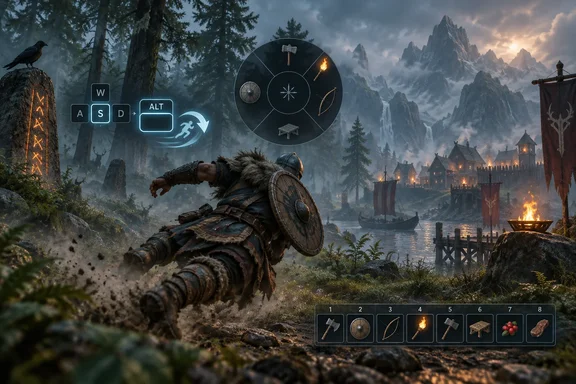
Iron Gate’s official patch notes describe the addition as an “Alternate dodge key,” while PC Gamer reported that the patch was already live on PC. Steam’s own community-announcement feed and SteamDB’s patch tracker also showed Patch 1.0.14 on September 17, providing a useful distinction from Iron Gate’s warning that it may take several days to reach every platform. Steam players should be able to update now; console players may still be waiting for certification or platform deployment.
The catch is that Iron Gate has not documented precisely how the alternate binding behaves. Its notes do not explicitly say it is a one-key dodge roll, identify a default key, or explain whether it preserves directional dodging in every situation. The practical result is still clear: PC players now have a supported configuration path that did not exist in the game’s settings menu, rather than having to translate a dedicated key press into the old block-and-jump input sequence.
The old dodge input created a real configuration problem
Before this patch, Valheim’s keyboard dodge required a combination: block, jump, and a movement direction. In the default layout, that commonly meant holding the right mouse button, pressing Space, and using WASD to choose the roll direction. Players accustomed to the layout could execute it reliably, but the design tied an evasive maneuver to a defensive input and made remapping movement controls more troublesome than it needed to be.
The player record shows this was not a new complaint manufactured by the 1.0 launch. A Steam Community thread requesting a separate dodge binding dates to February 4, 2021, just two days after the game’s Windows early-access release. Another thread from December 2022 describes players turning to gaming-keyboard macros, AutoHotkey scripts, Steam Input, and mods merely to place dodge on a dedicated key.
Those workarounds were functional but imperfect. Macros depend on input timing, mod compatibility changes with game updates, and controller-layer remapping can obscure the original control scheme or complicate troubleshooting. A native binding is safer for players joining mod-free servers and less likely to fail after an update.
The long delay also made the issue more than a matter of preference. Players using nonstandard layouts, compact keyboards, accessibility devices, or alternative movement clusters can be disproportionately affected by hard-coded or awkward multi-button actions. Iron Gate’s patch adds an accessibility option to toggle blocking as well, indicating that the studio is addressing input friction more broadly rather than treating dodge as an isolated complaint.
Hotbar and radial-wheel remapping fix newer 1.0 friction
Patch 1.0.14 also allows keyboard users to rebind hotbar slots beyond the default 1–8 mapping, rebind the radial wheel, and remove keybinds. Those additions matter because Valheim 1.0 introduced new interface elements that quickly collided with existing player setups.
Steam Community posts from the week following the 1.0 release show players reporting that the radial wheel’s default keyboard binding conflicted with controls they had already reassigned. One player using G for interact said the new wheel opened during routine actions; others said alternative movement layouts made the hard-coded assignment disruptive. Before this patch, a workaround circulated that involved editing a Valheim value in the Windows Registry—exactly the kind of solution that can be effective for an experienced user but should never be the expected route for a basic input preference.
Iron Gate’s native rebinding support should remove the need for that registry modification for affected PC installs. It also creates a cleaner path for players who want quick-access tools, weapons, food, or potions arranged around hardware they already use, such as mouse thumb buttons, a keypad, or an accessibility controller.
The patch note wording is important here, however. “Hotbar rebinding” means additional ways to trigger hotbar positions; it does not necessarily mean the game has redesigned inventory management or expanded the visible hotbar. Players should treat it as an input customization update, then verify their desired layout in the game’s control settings after the patch installs.
The patch carries fixes for multiplayer and Steam Cloud, too
The headline feature is the dodge binding, but the same update includes several fixes that are more consequential for players running or joining shared worlds. Iron Gate says it corrected a bug in which manually saving while connected to a server hosted by another player could fail to save a character correctly. It also disabled biomedata caching to resolve an invalid-cache condition that could make it impossible to join remote servers.
For Steam users, Patch 1.0.14 addresses a Steam Cloud problem in which the cloud state could remain invalid if the game crashed while saving. That is a meaningful repair, though players with an existing sync conflict should not assume an update can reconstruct a lost or overwritten character state. Backing up local characters and worlds remains prudent before testing a newly released update, particularly for hosts maintaining long-running multiplayer worlds.
Iron Gate also fixed an error that could flag player characters as temporary cheaters, which in turn caused monster drops to receive a cheated-origin marker. A related correction prevents cheated stackable items from mixing with ordinary stacks and contaminating them with that status. For servers that care about progression rules, this is more than housekeeping: it reduces the chance that a false positive turns routine loot into a moderation problem.
Performance claims are promising but narrowly defined
The update includes a targeted PC graphics optimization: Iron Gate says it eliminated unnecessary GPU overhead when tessellation is disabled. It also says heightmap shadows are now calculated more accurately at a lower cost, while main-menu particle systems have been optimized to reduce overdraw.
Those are welcome changes, but they should not be read as a blanket promise of higher frame rates across every Windows PC. The tessellation improvement is specifically relevant to players who have that option disabled, and terrain-shadow gains will vary with resolution, GPU, scene complexity, and graphics preset. Iron Gate did not publish benchmark figures, affected hardware classes, or an overall performance estimate.
The more concrete action for players is straightforward: update the game, open the keyboard bindings menu, assign the alternate dodge key and any hotbar or radial-wheel replacements, then test the layout in a safe world before taking it into a boss fight or a dedicated-server session. Players relying on dodge macros or control mods should also check whether those tools now duplicate the native binding.
For a patch built around modest quality-of-life work, Patch 1.0.14 fixes an unusually old gap in Valheim’s PC controls. The important change is not that every player must abandon the familiar block-and-jump roll, but that they finally have a supported choice.
References
- Valheim devs finally get around to reading 5 years of player feedback, let you remap dodge key PC Gamer · 2026-09-17T17:10:23+00:00