

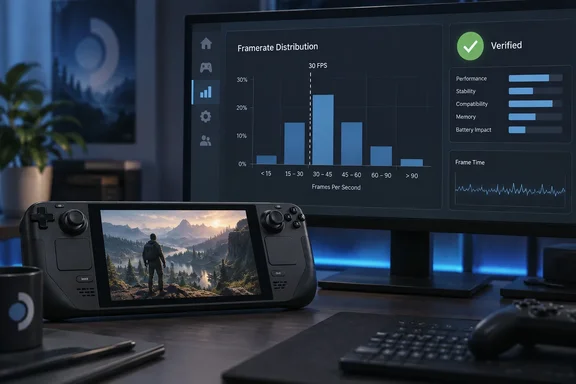
Valve's Steamworks announcement is dated October 1 and says the partner dashboard now carries more information on how games perform on Steam Deck. The data is currently limited to Steam Deck Verified titles. Developers reach it from the partner landing page under Technical Tools > Steam Hardware Compatibility Review. The tool is aimed at developers, not at Deck owners. It matters to anyone who builds or buys PC games that run on Linux-based handheld hardware through the Proton compatibility layer.
What the new chart shows
The earlier tools reported a single number. The April beta showed a trailing 30-day daily average, based on opted-in users who had logged playtime in the game. The new view is a distribution. It shows how much sampled gameplay falls into different FPS ranges. Valve says this gives a clearer picture than an average alone, especially when problems affect only part of a game or only some players.
Here is an example. A game averaging 45 FPS could be steady at 45. It could also be a mix of 60 FPS sessions and long stretches in the 20s. The average hides that difference, and the distribution shows it.
Valve says the chart should be read alongside the average framerate and customer feedback charts. It believes the three together give a clearer overall picture of what customers experience on Deck.
Where the data comes from
Valve says the data comes from Steam Deck players who opted in to anonymized framerate data. It also says a majority of Deck players have opted in, across a wide range of games and play styles.
Valve gives no percentage, device count or session count. MIXED Reality News also reports that Valve does not say whether the opt-in is on by default. HotHardware says players opt in within SteamOS. Treat "a majority" as Valve's own unquantified claim. Developers also can't tell how well a given title's sample represents its audience.
Valve's four caveats
Valve lists several reasons a low bar in the chart may not mean poor performance:
- Hardware ceilings. The Deck LCD tops out at 60 FPS and the OLED at 90 FPS.
- Player frame caps. Customers can change their frame limit. A game that holds 90 FPS on an OLED will still log lower-FPS sessions if some players cap it to save battery.
- Docked displays. Some players may be docked to an external display with a higher refresh rate than the Deck's own screen.
- Loading screens. MIXED reports that Valve also says the data includes all sampled time, including loading screens where framerate may drop sharply.
The practical reading is that a chart showing a big slice of time under 30 FPS is a prompt to investigate, not a verdict. Valve's own suggestion points the same way. If a significant amount of data lands in segments below 30 and players also report performance and stability problems, that could be a good signal to look into optimization or changing the default graphics configuration on Deck. The chart is most useful when low framerates coincide with complaints.
The Verified-only boundary
The gate is where this story gets awkward. Valve's compatibility checklist makes performance part of Verified status. The default configuration must reach 30fps at 800p on Deck and 30fps at 1080p on Steam Machine. Valve's compatibility documentation adds that most failures in the checklist leave a game with the Playable badge.
The consequence is that some games are shut out of the chart. A title whose default settings miss the 30 FPS bar is more likely to lose Verified status. It then loses access to the tool that would show how far it falls short. Two points temper that reading:
- Verified is broader than framerate. The checklist also covers controller support and glyphs, text entry, launchers, device warnings, Proton support, resolution and text legibility. A Playable game may have failed on any of those. Playable does not automatically mean slow.
- The blind spot isn't proven to be total. Nothing in Valve's announcement says the games that most need optimization are all excluded. The gap is real, but its size is unknown.
Valve's own wording is "currently", so the restriction isn't described as permanent. It has also said before that it wants to broaden the data. In April it said it planned to add variance data and to bring the same view to Steam Deck Playable titles in a future update. That is Valve's earlier stated plan, not a commitment made in this announcement.
Why start with Steam Deck
Valve defends the narrow scope in the announcement itself. As MIXED quotes it, Valve says it is starting with Steam Deck because every device has the same hardware configuration, which makes the data easier to understand. A fixed hardware target removes a large source of noise. A PC-wide version would have to untangle thousands of GPU, CPU and driver combinations.
HotHardware says the data could later extend to Steam Machine and Steam Frame. That is HotHardware's reading. MIXED reports that Valve promises no date and no equivalent for Steam Machine or general PC hardware. Treat expansion as possible, not scheduled.
What this means
For developers of Verified games:
- Check the distribution, not just the average.
- Set the chart against player feedback before changing defaults.
- Allow for the 60/90 FPS ceilings and user-set caps.
For developers of Playable games:
- You still can't see this chart.
- Your own telemetry and QA remain the main option. Fixing the issues that cost Verified status could also unlock the data.
For players:
- Nothing changes on screen. MIXED reports the chart is developer-facing only, so players can't see what their own sessions contribute.
- Valve says compatibility ratings affect how a game is presented. They don't affect whether you can buy or launch it on a Deck.
The feedback loop is a good one: players share anonymous data and developers get a more honest view of performance. It is still a loop that only runs for games that already cleared the performance bar.
References
- Valve now gives developers Steam Deck framerate data, but only for Verified games - MIXED Reality News MIXED Reality News · 2026-10-05T21:03:45+00:00
- Valve Arms Steam Deck Devs With FPS Data To Fix Bad Performance hothardware.com
- Steam Deck and Steam Machine Compatibility Review (documentación de Steamworks) partner.steamgames.com