

Pay attention to the labels. Several of the most interesting features are marked Experimental or Research Preview. Some are off by default, some only work in the Agents window, and some are available only to eligible users. Here's what shipped, what you need to turn on, and what IT admins should look at first.
The Copilot harness becomes a first-class agent
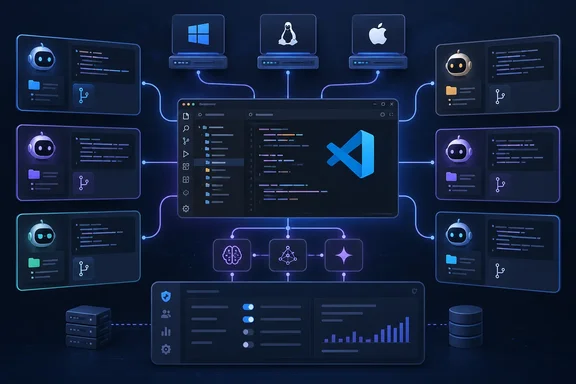
The biggest change is the new Copilot harness. Microsoft says it is built on the Copilot SDK, so it should behave the same way as the standalone GitHub Copilot app and the Copilot CLI. You select it from the harness picker in the chat input, and for some users it may already be the default.
Architecture is what makes it different. The harness runs in its own agent host process based on the Agent Host Protocol (AHP), so you can connect to the same agent session from several VS Code windows. NTCompatible explains why that matters: before this change, opening a second window meant it had to reload all its own infrastructure. 1.140 changes that by moving the Copilot harness into a dedicated Agent Host process. The same outlet notes the harness uses the Agent Host architecture the company introduced back in August.
For context, VS Code already offers several harnesses. The release notes list setting keys for Copilot, Claude and Codex agents, so Copilot is now one first-class option among several.
Section summary: The Copilot harness moves into a separate agent host process, keeps its behavior consistent with the Copilot CLI and app, and lets one session be shared across windows.
HydraFusion: model orchestration in Research Preview
HydraFusion is Microsoft's adaptive orchestration system. It picks the models and workflow for each coding task. It might finish a task with one model, hand it to a stronger model, or have a second model critique and revise the first one's output. Microsoft says the goal is better results while balancing speed and cost, without you having to coordinate models yourself.
Access is limited: only eligible users with preview features enabled can select it in the model picker. An automated tracker of Insiders builds recorded the UI work a week earlier, noting that HydraFusion added to the model picker UI directly below "Auto" (research preview tag), with matching behavior in the tabbed picker.
NTCompatible reports that HydraFusion aims at cutting estimated costs compared to a Claude Opus 5 baseline. Microsoft's release notes don't include that comparison or any benchmark numbers. Treat any savings as a claim to test on your own workloads, not a promise.
Multi-folder sessions and smarter delegation
Before 1.140, every chat in a multi-chat session used the same folder and checkout. Now each chat can have its own folder or worktree, and changes don't leak between chats. Each chat's terminal, tasks, changes, pull request and Agent merge state are tied to its folder. Chats that share a folder share that state.
Microsoft gives two example uses:
- Cross-repo features: the main chat works in one repository while a peer chat handles a second one.
- Competing approaches: the main chat creates peer chats that each get a fresh worktree of the same repo, with separate branches, changes and pull requests.
How to enable multi-folder sessions
The feature is experimental, off by default and hidden from the Settings editor. To turn it on:
- Open your user-scoped
settings.json. - Set the key for your harness to
true:- Copilot:
chat.agentHost.copilotAgent.multiRootEnabled - Claude:
chat.agentHost.claudeAgent.multiRootEnabled - Codex:
chat.agentHost.codexAgent.multiRootEnabled
- Copilot:
- Create a new session. You don't need to restart the Agent Host.
- There is no UI for adding a folder or choosing a peer chat's folder. Ask the main chat to create the peer chat, and tell it which repository or worktree to use.
If nothing seems to happen, check that you edited user settings rather than workspace settings and that you started a new session.
Microsoft also offers guidance on how to phrase delegation requests. It treats them as two separate decisions:
- Does this belong to the current session? Ask for a peer chat. To reuse the current checkout, say so in your prompt. That suits research or review work that won't change files.
- Is it unrelated work? Ask for an independent session. It doesn't inherit the source folder. If it needs a repo, name it, and ask for a worktree if its changes need to stay isolated.
Some quality-of-life changes come with this. Mark as Done now archives just one finished peer chat, not the whole session, and you can bring it back with its transcript through the Done filter. The Done list is now sorted by completion time, newest first. The editor window also gets a Sessions view that lists the main chat with its peer chats nested underneath, so multi-chat sessions are no longer limited to the Agents window.
Section summary: Each chat can now work in its own folder or worktree. Turning this on requires a hidden setting, and you pick folders by asking the agent in plain language.
Remote delegation: agents that hand work to other machines
This is the most IT-heavy agent feature in the release. From the Agents window, your agent can send work to connected remote agent hosts using four built-in tools:
| Tool | What it does |
|---|---|
list_agent_hosts | Finds hosts, models, resource capacity and session load |
create_remote_session | Starts a session on a named host, or places it automatically by OS (Windows, Linux or macOS), minimum memory, logical CPU count and optional model |
get_remote_session | Checks a remote session's status and latest response |
send_remote_message | Sends follow-up work, or reports results and questions back to the originating chat |
When several hosts match, automatic placement picks the one with the fewest running sessions and pending creations.
To enable remote delegation, turn on both chat.remoteAgentHostsEnabled and chat.remoteSessions.tools.enabled, then connect your hosts. Microsoft's sample prompt asks for a Linux host with at least 16 GiB of memory and eight logical CPUs, then asks it to report the installed Node.js and Python versions back to the chat.
Know these limits before you rely on it:
- Remote sessions have no workspace unless you give them one.
- The tools do not clone or copy your local workspace. Repository work needs an existing trusted folder on the target host, used directly or through a new Git worktree.
- Normal approval prompts still apply.
- The coordinating Agents window has to stay open and connected. Remote agents report back only through
send_remote_message, and their final answers are not forwarded automatically.
Separately, Microsoft says this release adds support for running workspace-less chats on a remote host. Also, remote folders also appear alongside local folders in the main picker. This makes frequently used remote workspaces easier to select without opening the Remote submenu. Both depend on sessions.chat.unifiedWorkspacePicker.enabled.
Microsoft has also loosened some guardrails. This release raises the process-wide limits for agent-created sessions, chats, inter-session messages, and recursive session creation. The chat.agentHost.agentOrchestrationLimits setting is on by default. Turning it off removes the limits entirely, though confirmations and input validation still apply. Hitting a limit blocks new orchestration actions but doesn't stop work already running. Security-minded admins should note that an agent spawning sessions recursively is now a supported pattern, not an edge case.
Worktrees get cheaper
If you use Git worktrees with a JavaScript project, you know every new worktree means another multi-gigabyte node_modules install. The experimental git.worktreeSymlinkFolders setting accepts .gitignore-style patterns. When VS Code creates a worktree, including one for an agent session, it symlinks matching ignored folders to the ones in your current checkout.
One caution from general engineering experience, not the release notes: symlinked folders are shared, not copied. If two worktrees need different dependency versions, they'll step on each other. Use this for worktrees whose dependencies match.
Worktree session creation also changed. The branch picker now defaults to your current branch's upstream (for example origin/main), and VS Code tries to fetch that remote branch first so the session starts from current code. Branches load once per workspace and are filtered locally, which Microsoft says cuts search latency a lot in large repositories.
For agents using Dev Containers (Agents window only), a container stops after all sessions using it have been idle for five minutes and restarts when you continue. It is removed when the last session is marked done or deleted. New containers can reuse cached VS Code Server and CLI downloads, so setup is faster.
Enterprise controls: versions, defaults and telemetry
This section is for administrators.
Minimum version messaging. Admins could already require a minimum VS Code version before AI features work, for example to get newer sandboxing protections. The Update Required dialog has been replaced with clearer messages in context:
- Chat shows the required and installed versions, plus an update action.
- Editor window shows a banner even when Chat is closed. Other editor features keep working.
- Agents window shows a blocking overlay with an Open Editor Window action.
If your organization disables built-in updates by policy, users are told to contact their administrator. Enforcement itself hasn't changed. The Insiders changelog summary on daily.dev also mentions this banner for minimum version restrictions on AI features.
Default Auto tier. The autoTier managed setting accepts efficiency, balance or intelligence. It sets the default for new chats in the Local harness and the Copilot agent host on the same machine, and shows as "Default" in the model picker. It is not a lock: developers can still pick another tier, and their choices stick if the managed default changes. If you want to control cost, this sets a starting point but won't enforce it.
Identity in OpenTelemetry. Organizations can now tie Copilot OpenTelemetry data to individual developers. When enabled, Local chat sessions add user.name to agent invocation spans (including subagents and inline chat), plus process.user.name and host.name as resource attributes. It is off by default and separate from content capture. It's controlled by the telemetry.capture.identity managed setting (CopilotOtelCaptureIdentity policy), which overrides COPILOT_OTEL_CAPTURE_IDENTITY and user settings. For now it covers only the Local harness. Agent host support is still being tracked.
Telemetry policy precedence has changed, so check your configuration. VS Code now uses the telemetry block from the single highest-priority channel only: native MDM, then server, then file. Fields missing from that block are no longer filled in from lower-priority channels. Managed telemetry.resourceAttributes now also override OTEL_RESOURCE_ATTRIBUTES. If you've been spreading telemetry settings across MDM and file-based policy, fields could quietly stop applying after this update. Audit before you roll it out widely.
Anyone deploying this in regions with strict privacy rules should also consider the human side. Tagging agent activity with usernames and hostnames is useful for cost allocation and auditing, but it is still per-person monitoring. Talk to your works council or privacy team before turning it on.
Everything else worth knowing
- Persistent progress (Experimental): keeps a progress indicator visible during long agent responses, shows reasoning in collapsible previews and keeps tool calls visible while they run. It's the default in Insiders and is rolling out gradually to Stable.
- Terminal reflow control: the new
chat.tools.terminal.outputReflowsetting (on by default) lets you switch back to fixed-width output with horizontal scrolling. - Portable MCP configs: the MCP: Add Server flow can save to
$COPILOT_HOME/mcp-config.json(or~/.copilot/mcp-config.json) for global servers, or to.mcp.jsonat the workspace root, so other Copilot tools can use the same configuration. - Launch URLs:
vscode://agents/new?prompt=...opens a new Agents session with a draft prompt that isn't sent automatically. Usevscode-insiders://for Insiders. It won't overwrite a composer that already has content. - Keybindings: Ctrl+K Ctrl+F focuses the workspace picker and Ctrl+K Ctrl+H focuses the harness picker on Windows and Linux.
- Editor: the new
editor.selectedTextMatchModesetting separates selection-match case sensitivity from the Find widget. - macOS: setting
terminal.integrated.fontRenderingtograyscalesharpens terminal text on high-DPI displays. - Accessibility: a new Confetti sound signal plays for chat thumbs-up confetti and when you mark a session done. Screen reader users can mute the optional welcome-heading announcement.
- Extension developers: a proposed API adds
authorizationServerto authentication sessions, so extensions that talk to both public GitHub and GitHub Enterprise can send each token only to the host that issued it. The built-in GitHub provider fills it in for public sessions too, so its presence alone doesn't mean a session is enterprise. - Deprecations: none.
An independent automated tracker of daily Insiders builds also recorded a Windows fix late in the cycle: cursor is no longer hidden when opening native dialogs. The same tracker logged a race-condition fix one day before the Stable release that prevents sandbox bypass approvals from being incorrectly rejected. These entries come from auto-generated Insiders notes, not Microsoft's curated release notes, so they are corroborating detail rather than confirmed Stable changes.
The bottom line
VS Code 1.140 matters most if you already use agents heavily or manage developer machines. If you just write code, you'll mostly notice a new harness picker default and maybe faster worktrees. If you're an admin, the telemetry precedence change is the one to test before rollout. The most ambitious features, including multi-folder sessions, remote delegation and HydraFusion, are opt-in and experimental for now, so you can try them when you're ready.
To update on Windows, use Help > Check for Updates. In managed environments, wait until your update policy allows it.
References
- Visual Studio Code 1.140 (Insiders) Visual Studio Code · 2026-09-30T17:00:00Z
- Visual Studio Code 1.140 Ships With AI Agents Front and Center ntcompatible.com
- GitHub Copilot in VS Code, September 2026 releases GitHub Changelog · 2026-10-01T19:09:10+00:00