

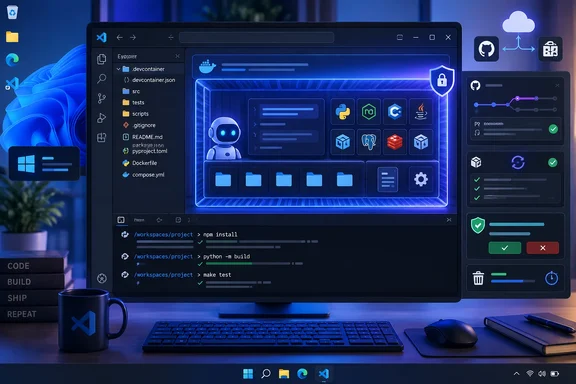
Neowin’s report on the release aligns with Microsoft’s 1.138 notes, but the practical story is narrower than a weekly feature roundup suggests: Dev Container execution is available only in the Agents window, requires Docker, and is being rolled out gradually. More importantly, a Dev Container makes agent work more reproducible; it does not automatically make that work safe.
Microsoft also includes an unusual warning at the top of the release notes: they were generated with GitHub Copilot and “might contain inaccuracies.” That does not negate the release itself, but it is a reason for administrators to validate behavior in a controlled repository before treating every setting and limitation in the notes as deployment-ready documentation.
Dev Containers Move the Agent to the Project Toolchain
The headline feature is controlled by chat.agentHost.devContainer.enabled. When it is enabled and a local folder has a supported Dev Container configuration, VS Code exposes a Use Dev Container action in the folder picker. Selecting it starts the agent session in that container.
The key architectural detail is that the Agent Host—the dedicated process used for supported agent sessions—runs inside the project container, while the Agents window remains on the local machine. File edits and terminal commands therefore execute where the Agent Host runs: in the container, with its installed tools and configured environment.
For teams that already keep a .devcontainer/devcontainer.json, Dockerfile, Compose configuration, or Dev Container Features in source control, that is a meaningful improvement. An agent asked to run tests against a Node version, Python toolchain, database client, or package manager is less likely to silently use a developer’s global installation instead of the version expected by the repository and CI pipeline.
It also reduces a common failure mode in agent-assisted coding: an agent reports that a build or test passed, but the result cannot be reproduced by another developer or the build system because the first machine had an unrecorded dependency, credential helper, environment variable, or different runtime version. VS Code 1.138 does not solve reproducibility by itself; the project’s Dev Container configuration must already be accurate. It does, however, give the agent a path to use that configuration rather than sidestepping it.
There are limits worth calling out. Microsoft says local Dev Container sessions are still rolling out gradually, so the setting may not be enabled by default even after updating to 1.138. The capability is also specifically described for local folders in the Agents window, not as a universal switch that routes every Copilot Chat interaction or extension-hosted agent into a container.
On Windows, Docker setup remains the operational prerequisite. Microsoft’s Dev Containers documentation says Windows container images are not supported by the Dev Containers workflow, and typical Windows installations rely on Docker Desktop with the WSL 2 backend. For organizations where Docker Desktop is restricted, absent, or centrally managed, 1.138’s most valuable addition may simply be unavailable on standard endpoints.
Reproducible Is Not the Same as Sandboxed
The release could be read as if moving an agent into a container is a complete security boundary. Microsoft’s own documentation draws a more useful distinction: its terminal-command sandboxing is separate from Dev Container isolation and from approval prompts.
Dev Containers can narrow the toolchain and put work in a known environment, but they are also configured code. A repository’s configuration can specify container images, extensions, features, mounts, environment variables, and lifecycle commands such as postCreateCommand. Microsoft notes that workspace files are commonly mounted into the container and that extensions running inside it have access to the container’s tools, platform, and file system.
That means teams should treat an unfamiliar .devcontainer configuration with the same caution they would apply to an unfamiliar Dockerfile or setup script. Running an agent in a container described by an unreviewed pull request can still cause that configuration to build images, install software, execute setup commands, or expose files through mounts. The toolchain is more consistent, but the trust decision has not gone away.
VS Code’s agent terminal sandbox is a separate control. Microsoft says approved terminal commands can otherwise run with the same operating-system permissions as the signed-in user. Sandboxing can constrain terminal commands’ file-system and network access, but Microsoft also states that it does not apply to built-in file tools or other agent tools, and it does not replace Dev Container or cloud-session isolation.
The Windows implementation has an additional maturity warning. It is marked Experimental, disabled by default, and Microsoft lists specific September 8, 2026 Windows security updates as prerequisites: KB5124008 for Windows 11 24H2 and 25H2, and KB5124012 for Windows 11 26H1. Administrators considering agent automation should not assume that installing VS Code 1.138 activates a hardened Windows execution environment.
A sensible pilot configuration is straightforward:
- Use a reviewed, version-controlled Dev Container configuration that mirrors the runtime and toolchain used by CI.
- Keep agent approval requirements in place until the team has verified which commands, tools, extensions, and MCP servers the workflow actually needs.
- Enable terminal sandboxing separately where supported, and restrict outbound network access rather than leaving it broadly open by default.
- Test agent edits in a disposable branch or isolated Git worktree before allowing work directly against a shared checkout.
Codex Sessions Can Cross Apps and Subscription Boundaries
The second major change is an expanded Codex harness within the Agent Host. Microsoft says developers signed into both GitHub Copilot and ChatGPT can switch between Copilot-backed and ChatGPT-backed models from VS Code’s model picker without losing the active conversation. A developer using only ChatGPT must also enable chat.agentHost.allowSignedOutWhenUsable if they are not signed into GitHub Copilot.
VS Code 1.138 also allows the same Codex session to move between VS Code and the ChatGPT desktop app. If the ChatGPT app is installed and already configured for computer use, Microsoft says the Codex harness in VS Code can reuse that setup to interact with desktop applications. That arrangement works with models tied to either subscription, according to Microsoft.
This is a workflow convenience, but it changes the administrative question from “which model is selected?” to “what capabilities can this session carry?” The Agent Host can use built-in VS Code tools, extension-contributed tools, and Model Context Protocol servers. With a ChatGPT-backed model, it can also invoke image generation in the session. Extensions only make their tools available in an editor window where the extension is actually running, which can create differences between a persistent session and the client window used to control it.
Microsoft’s Agent Host documentation makes another consequence clear: sessions are independent of an editor window’s life cycle. An active turn can continue after the user closes a window, provided the host keeps running. The Agent Host can also serve the same session to multiple VS Code windows and, in remote scenarios, run close to the workspace while a user connects over SSH or a development tunnel.
For developers, that means fewer abandoned conversations when changing context. For IT teams, it means approvals, tool availability, MCP configuration, credential exposure, and log retention need to be evaluated as session-level controls—not merely as characteristics of one open editor tab.
The update also lets an idle Codex quick chat become a workspace session by attaching a local folder, either directly or through an isolated worktree. Microsoft says the session keeps its title, history, current request, selected model, and permission mode. That prevents a user from having to restart a project-specific task, but it is another point where a previously workspace-free conversation gains access to repository files. The supported flow is limited to idle Interactive-mode chats and single-root workspace targets.
Cleanup Is Optional, and Deletion Is Not the Default
The final headline feature, session cleanup, is in preview. Once every pull request associated with an inactive session has merged, the Agents window can suggest that the user mark the session as done. That clears the session from the active work area while preserving its conversation for later reference.
The more consequential settings are disabled by default. chat.agentSessions.autoMarkAsDoneMergedSessionsAfterDays can automatically mark inactive merged sessions as done after a defined number of days, while chat.agentSessions.autoDeleteArchivedMergedSessionsAfterDays can delete archived merged sessions after a separate grace period. Microsoft has not positioned this as a broad retention-policy system, and it should not be mistaken for one.
Teams subject to audit, incident-response, or code-review retention requirements should determine where agent conversations, tool output, changesets, and related pull-request context are stored before enabling deletion. A merged pull request may preserve the resulting code, but it does not necessarily preserve the reasoning, commands, approvals, or failed attempts that led to it.
The optional confetti setting is harmless, and it respects reduced-motion preferences. The cleanup controls are the portion administrators should inspect before users turn them on: automation that removes finished work from view is useful, while automation that removes the record of work needs an explicit retention decision.
VS Code 1.138 is rolling out through the normal update channel, with Check for Updates available to pull it sooner. For Windows developers already using Docker-backed Dev Containers, the immediate payoff is clear: agents can now run against the project environment rather than the workstation’s accidental state. The responsible next step is to validate the container configuration, agent permissions, and session-retention settings together—because the new workflow joins all three.