

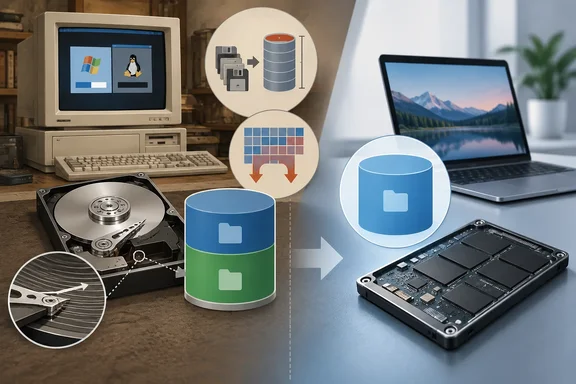
Not every Windows user partitioned a drive, and partitions haven't become useless. The four cases are historical workarounds. Most of them depended on the Windows version, the file system or the formatting tool in use.
1. FAT16 capacity limits and cluster slack
FAT16 was the file system of MS-DOS and early consumer Windows. It has two awkward traits. The first is a ceiling of roughly 2 GB per volume. A Microsoft Q&A answer on partitioning history attributes this to FAT16 using 16 bits for addressing. How-To Geek adds that Windows NT could reach about 4 GB with 64 KB clusters.
The limit varied by OS and cluster size, so treat 2 GB as the typical figure rather than a universal one. A Microsoft Win32 reference for Windows Virtual PC gives a similar number. It requires FAT16 virtual disks to be under 2,000 MB. That is a different context but the same era of limits.
The practical result was simple. If a 6 GB drive ran an OS that could only use FAT16, such as the original Windows 95, you split it into several volumes to use all of it.
The second trait was cluster slack. A 1 KB file on a very large volume with 32 KB clusters still takes a full 32 KB cluster. The Microsoft Q&A answer says FAT16 cluster sizes grew with partition size, from 512 bytes on tiny volumes up to 32 KB for partitions of 1 GB or more. Space is allocated in whole clusters, so on average each file wastes about half of its last cluster. The answer's example is 10,000 files on a 2 GB volume, which wastes about 160 MB.
Smaller partitions got smaller clusters, which cut the waste. Keeping each partition under 512 MB brought clusters down to 8 KB, and the waste to a quarter of the original figure.
FAT32 and NTFS removed this pressure by allowing much smaller clusters on large volumes. A forum post with a FAT32 cluster chart shows the earlier tradeoff: bigger volumes meant bigger clusters.
2. Multiboot setups and the FAT32 32 GB quirk
FAT32 supports volumes far larger than FAT16 does. In practice Windows imposed its own limit on creating them. Microsoft's Windows XP knowledge base article on FAT32 limitations is clear about this. Windows XP can mount FAT32 volumes larger than 32 GB, but the Format tool cannot create one larger than 32 GB during Setup. The article's advice for bigger volumes was to format them with NTFS.
Two distinctions matter here:
- The limit was a tool limit, not a file-system limit. The Ridgecrop FAT32 formatter's author notes the 32 GB cap belongs to the Windows XP formatter. FAT32 itself should be fine to about 2 TB.
- It did not apply identically everywhere. One forum summary says the limit did not apply to Windows 2000 and XP outside of Setup. Another says Windows ME had no such limit. A separate summary says Windows 2000 and XP could read and write FAT32 of any size, but their format program stopped at 32 GiB. Sources differ on exactly which tool enforced it, so I wouldn't state one rule for every Windows release.
Why choose FAT32 at all when XP supported NTFS? The reason was compatibility. In the dual-boot era, people kept DOS or Windows 9x around for old software and games. Those systems couldn't read NTFS. Windows 2000, XP and Server 2003 had built-in FAT32 support, and Windows NT 4.0 did not.
Separate partitions alone did not make file systems mutually readable. A data volume shared between two operating systems had to use a file system both could access. FAT32 often filled that role.
An aside shows how long this quirk lasted. In a 2024 Canary-channel build, Microsoft's release notes said the format command's FAT32 limit would rise from 32 GB to 2 TB. GIGAZINE reported that this covered only the command-line route, not the graphical formatter. It also noted that Canary features don't always reach release builds. I haven't verified the current retail behavior, so check your own build before relying on it.
3. Keeping Windows apart from personal files
The most common reason was to reserve C: for Windows and use D: for documents, photos and music. Reinstalls were a routine fix back then. A fresh install could cure driver trouble, accumulated clutter, bugs or malware. Recovery tools were also weaker than they are now.
If you reformatted only C:, your files on D: could survive. That also made moving to a new Windows version less nerve-racking.
The same Microsoft Q&A answer is blunt about the limits of this approach. It calls the data-safety part a false comfort. Safety, it says, comes from a strong backup regimen, not from how you partition. Its reasoning is worth keeping in mind:
- Same physical drive. A second partition still dies with the disk. Drive failure, physical damage or formatting the wrong volume takes both partitions down.
- Applications. The answer says installed programs usually leave registry entries and files inside the Windows folder. So putting programs on another partition didn't spare you from reinstalling them.
- Backup style. It argues that a data-only partition helps if you back up only data. If you image the whole drive, it adds little. The author acknowledges that well-respected people disagree and recommend a separate Windows partition regardless.
So the honest summary is that the layout reduced the chance of a reinstall wiping your files. It was never a substitute for a backup.
4. Short-stroking mechanical drives
The fourth case was the niche one. Short-stroking means confining data to a small, usually outer, part of a hard disk. On a hard drive, outer tracks hold more sectors per revolution. The Wiley paper on stochastic analysis of disks describes this as zone bit recording. A request placed on the outer tracks incurs less transfer time. Short-stroking also gives the head fewer tracks to scan.
The price is capacity. How-To Geek describes creating a partition of about 10–20% of the disk and leaving the rest unallocated. On a 1 TB drive that leaves roughly 100–200 GB.
How-To Geek says this could raise throughput by "around 20–30% or more," depending on the drive and workload. Treat that as an estimate rather than a general result. Independent measurements are more modest and metric-specific.
- A hands-on microbenchmarking study on the StuffedCow blog tested random access. I'm quoting nothing here; the figures are paraphrased. Using the faster start of the disk, random IOPS improved by about 20% when half the disk was used. It improved by about 55% when 10% was used.
- The same study says that because seek time is highly non-linear with distance, the random-access gain is small unless only a very tiny fraction of the disk is used.
- Halving the seek distance cut the worst-case access time by only 22% in that test.
Those numbers come from one set of drives and one test method. They are not a promise for every disk or workload. They do suggest the gain depends heavily on what you measure. A 20–30% figure is plausible for some metrics and drives, but the evidence I found doesn't establish it as typical.
On SSDs the whole idea falls apart. They have no spinning platters or moving heads, so the mechanical basis for short-stroking is gone. The StuffedCow author noted in 2019 that a low-end SSD offered about 500 times the random IOPS of a hard drive. That is a point-in-time figure, but it shows why the trick lost its audience.
Where this leaves modern partitioning
How-To Geek's conclusion is that most people are better off with a single partition today. The main annoyance of multiple partitions is running out of space on one while another sits half empty. It still allows legitimate cases such as dual-booting Windows and Linux. The Microsoft Q&A answer takes a similar view of that case, saying separate partitions per operating system are essential.
That doesn't mean multiple partitions are never useful. It means the four classic reasons, FAT16 limits, cluster waste, short-stroking and reinstall insurance, mostly no longer apply. If you want to protect your files, use real backups, which a second partition does not provide.
Quick recap
- FAT16: the roughly 2 GB limit and large clusters made splitting disks worthwhile. Exact limits varied by OS and cluster size.
- FAT32 and dual-boot: 32 GB was a limit of Windows' formatting tools, not of FAT32. Older and newer Windows versions didn't always read the same file systems.
- Separate C: and D: this reduced the risk to files during a reinstall but never replaced backups.
- Short-stroking: this gave real but workload-dependent gains on hard drives, at a steep capacity cost, and SSDs ended the practice.
References
- Hard drive partitions used to solve 4 big problems that don't exist anymore How-To Geek · 2026-10-06T15:30:16+00:00
- Partition my (c) Drive with 450GB into three new volumes with 123GB Each - Microsoft Q&A learn.microsoft.com
- A Stochastic Analysis of Hard Disk Drives - Cady - 2011 - International Journal of Stochastic Analysis - Wiley Online Library onlinelibrary.wiley.com