

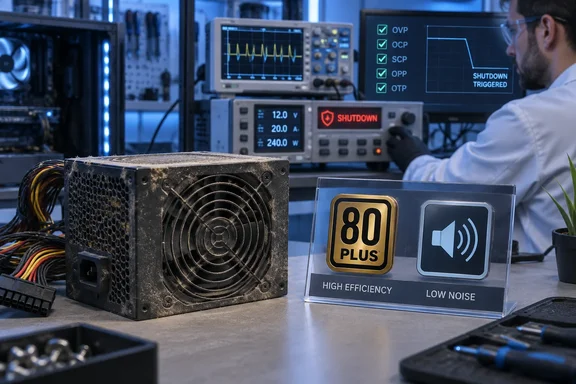
That is one writer's experience, not a failure statistic. The independent evidence below does support the narrower point, that a PSU's condition and safety behavior are hard for an ordinary buyer to verify.
The used-parts argument in brief
Khan's reasoning follows a ladder of "how easy is this to check?"
- CPU: He calls it probably the safest used part. He says it has no moving parts and rarely degrades unless it has been overclocked hard or physically damaged.
- RAM: He suggests running a tool such as MemTest86 to look for errors.
- GPU: He says testing takes more effort, with benchmarks and temperature checks, but that a card that passes is generally fine to buy.
- PSU: He says it contains many wear-prone parts and that its history can't be judged at a glance. He describes thorough testing as impractical for a normal user.
His opening claim is that AI-driven memory and storage shortages have raised prices across all PC components. I couldn't independently verify that market claim, so treat it as his framing. The PSU advice doesn't depend on it.
Why a clean case proves little
Khan says a dust-free exterior says nothing about the internals. He lists capacitor aging, stressed switching transistors, loosened solder joints, oxidized connectors and dust buildup. He also says you would need an oscilloscope and a load tester to know the real condition.
Those component-level claims are his own and I haven't confirmed them. The general point about testing is better supported. Cybenetics, the independent PSU lab, describes its evaluations as needing expensive equipment and an operator who understands PSU design. Its published method warms the unit up and then steps through well over a thousand load combinations on the +12V, 5V and 3.3V rails over several hours. Plugging a used PSU in and seeing the PC boot is nowhere near that.
Practical takeaway: Don't open a PSU or probe mains-voltage circuitry to "check" it. If you can't verify a used unit's history and condition, you are guessing.
What the protection acronyms mean
Khan notes that even PSUs with OVP, OCP and UVP can still damage a PC. Seasonic's support documentation defines the common protections:
- OCP (over-current): Seasonic's knowledge base is not in the results, so see below.
To keep this accurate, here are the definitions as Seasonic's knowledge base describes them. OCP watches the output rails and shuts the PSU down if the load exceeds preset limits. OVP shuts it down if rail voltages pass a trigger point based on ATX specifications. UVP shuts it down if the +12V, +5V or +3.3V rails drop below preset limits. OPP/OLP shuts it down if the system pulls more than the PSU's rated capacity. OTP shuts it down on excessive internal heat. SCP shuts it down on a short circuit.
These are one manufacturer's descriptions. Thresholds and implementation vary by model. The listed protections also don't make a PSU immune to every failure.
Efficiency and noise badges aren't safety ratings
Khan tells readers to look for the 80+ badge and to check Cybenetics' ETA (efficiency) and LAMBDA (noise) ratings. That's reasonable, but it needs a caveat. Cybenetics says its SAFE program is a companion to ETA and LAMBDA, but answers a different question: whether the PSU is safe to operate and behaves correctly under normal and reasonably foreseeable fault conditions. Cybenetics' own documentation states that ETA and LAMBDA make no judgement about safety or protection behavior. A PSU can hold ETA, LAMBDA or both and have no SAFE certification.
In practice:
- 80 Plus and ETA tell you about energy conversion.
- LAMBDA tells you about noise.
- Neither one tells you the unit shuts down correctly in a fault.
What SAFE checks
Cybenetics SAFE is a pass/fail safety certification for budget power supplies. It checks protections, wiring, and whether the PSU's safety marks are genuine. Hardware Busters reports the standard is live at Revision 1.2, dated July 2026. The published requirements include:
| Area | Example requirement |
|---|---|
| Over-current protection | Trips at 130% or less for single +12V rail designs (135% or less for multi-rail) and never below 100% |
| Over-power protection | At 130% or less of rated power |
| Over-voltage protection | Engages before the ATX v3.1 limits of 15.6 V on +12V, 7.0 V on +5V and 4.3 V on +3.3V |
| PWR_OK signal | Must never stay asserted after a rail leaves regulation |
| Ripple | Within ATX limits, for example 120 mV on +12V |
| Cabling | At least 18 AWG on the 24-pin, EPS and PCIe 6+2 connectors, and 16 AWG on 12V-2x6/12VHPWR |
| Marking | Printed regulatory marks must be genuine, current and for the correct model |
Back2Gaming notes that a false "power good" reading can let a system keep running on collapsing voltage rails. That helps explain why Cybenetics treats a faulty PWR_OK signal as an automatic fail.
Some limits apply:
- SAFE has no tiers or scores. A single failure in any sub-item fails the whole unit.
- It is voluntary, and it supplements the mandatory regulatory certifications such as UL, CE and CB rather than replacing them.
- It is newly published, so many PSUs on shelves today won't have it. I can't say how broad its coverage is.
- Cybenetics says SAFE targets affordable AC-DC power supplies. Check whether your exact model has been evaluated.
A buying checklist that holds up
Khan's advice mostly holds. Here it is, tightened:
- Buy on the exact model, not just the brand. He names NZXT, Cooler Master, Gigabyte, Seasonic, Corsair and be quiet! as reputable. That is his list. I found no comparison that ranks them, and brand reputation doesn't guarantee every model in a line is good.
- Check the protections for the specific unit. Confirm OCP, OVP, UVP and, ideally, OPP, OTP and SCP are documented. Better still, look for independent test evidence that they work.
- Use ETA and LAMBDA for what they measure. They cover efficiency and noise. Look separately for SAFE or independent reviews for safety.
- Read the warranty. Khan suggests at least five years. That is his rule of thumb, not a standard. A long warranty doesn't prove safety, and terms vary by model and region.
- Size it properly. Seasonic notes that OPP only kicks in when the system draws more than the PSU's maximum rating. Make sure capacity and connectors match your GPU and CPU.
- Save money on looks, not on engineering. Khan suggests non-RGB, non-sleeved, semi-modular models. Those are aesthetic and cable-management trade-offs. They don't determine electrical quality, and prices vary.
Used RAM and GPUs: useful, not guaranteed
MemTest86 is a sensible screening tool for used memory, but its maker, PassMark, cautions about its limits. Its FAQ says it can't diagnose many PC failures. It also says some reported errors don't necessarily mean the memory is bad, and may reflect memory that can't run reliably at high speed. Sometimes more conservative timings on the motherboard fix them. So a pass is good news, not a lifetime guarantee, and a fail deserves follow-up before you blame the seller.
I found no authoritative procedure that proves a used GPU healthy. Sensible habits include inspecting the card, running a sustained load, watching temperatures and stability, and comparing performance against credible results for that exact card. Don't treat any single temperature number as a pass/fail line without a model-specific source.
Bottom line
Khan's rule holds up as a risk-management heuristic, not a law of nature. A used CPU or stick of RAM can be screened with consumer tools. A used PSU's electrical behavior can't be verified without lab-grade gear, and the downside includes a damaged or dead PC. A new unit gives you a warranty and documentation, and possibly independent test data.
The best correction to the original advice is to read the badges carefully. Efficiency and noise ratings are not safety ratings. Look at the protections, the warranty, and SAFE or independent review evidence for your exact model, and spend your savings from the used parts there.
References
- I’m all for saving money on PC builds, but this is the one part I always get new MakeUseOf · 2026-10-07T15:00:14+00:00
- Safety features of Seasonic power supplies - Seasonic Knowledge Base knowledge.seasonic.com
- Cybenetics Launches SAFE: a Pass/Fail Safety Standard for Budget Power Supplies - Back2Gaming back2gaming.com