

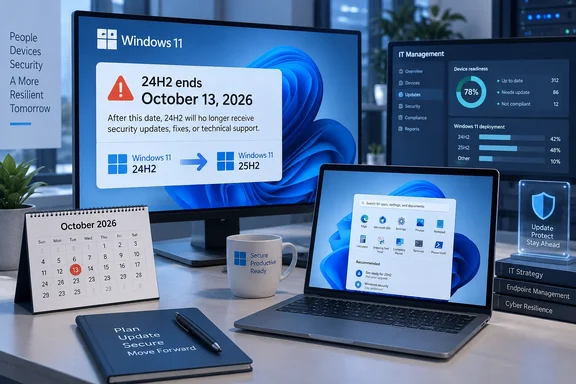
BleepingComputer reported Microsoft’s reminder this week, and the underlying Microsoft release-health notice confirms both the cutoff and the planned migration path: unmanaged Home and Pro devices on 24H2 are to receive Windows 11 version 25H2 automatically. The immediate practical issue is not whether Windows 11 itself is supported. It is whether an individual PC is still on build 26100, the 24H2 code line, when the October security release arrives.
Microsoft’s own lifecycle records make the deadline clear, if slightly untidy in presentation. Its Windows release-information page lists October 13, 2026 as the end-of-updates date for 24H2 Home and Pro-family editions. The separate lifecycle page displays an end timestamp of October 14 in Pacific Time, while Microsoft’s support and release-health notices consistently describe October 13 as the final update cutoff. For patch-management purposes, organizations should treat the October 13 Patch Tuesday as the line they cannot cross.
There is a more consequential distinction buried in the notices: IT management can stop Microsoft’s automatic upgrade, but it does not extend Windows 11 Pro support. A managed Windows 11 24H2 Pro fleet still reaches end of servicing next month unless its administrator deploys a newer feature update.
The deadline applies to more editions than the reminder suggests
Microsoft’s consumer-facing language often shortens the affected population to “Home and Pro,” but the Home and Pro lifecycle listing covers more than those two editions. Windows 11 24H2 Pro Education, Pro for Workstations, and Windows 11 SE share the same October 2026 retirement date. Microsoft also says 24H2 is the final supported Windows 11 release for SE, leaving schools that bought the education-focused edition without a subsequent Windows 11 feature-update path for those machines.
Windows 11 24H2 initially became generally available on October 1, 2024. Under Microsoft’s annual Windows servicing model, Home and Pro-family releases receive 24 months of servicing, while Enterprise, Education, Enterprise multi-session, and IoT Enterprise receive 36 months. This is therefore the expected end of the 24-month window, not an emergency retirement caused by a single defect or security incident.
The impact is still significant because feature-update support is now part of routine Windows security maintenance. Microsoft does not offer an Extended Security Updates program for ordinary Windows 11 24H2 Home or Pro installations. After the deadline, a machine can retain Microsoft Defender, third-party antivirus, and previously installed patches, but it will not receive newly issued Windows security fixes. For an Internet-connected endpoint, that is an unsupported state rather than a safe holding pattern.
Enterprise and Education deployments on 24H2 have an additional year. Microsoft lists their end date as October 12 or October 13, 2027 depending on the lifecycle page’s time-zone presentation. Windows 11 Enterprise LTSC 2024 is a separate servicing product altogether: it uses the 24H2 build family but is supported through October 2029, while Windows 11 IoT Enterprise LTSC 2024 continues into 2034. An OS build number alone is not enough to determine the support date; the installed edition and servicing channel matter.
Windows 11 25H2 is the intended off-ramp
Microsoft directs 24H2 Home and Pro users to Windows 11 version 25H2, the Windows 11 2025 Update. One detail in the initial reporting needs correction: 25H2 did not become generally available in September 2024. Microsoft’s release history places its general availability on September 30, 2025. Windows 11 24H2 was the release that arrived in October 2024.
That date error does not change the upgrade recommendation. For PCs already on 24H2, 25H2 is a deliberately low-friction transition. Microsoft says the versions share a servicing foundation, and eligible systems move through a small enablement package rather than a conventional full operating-system replacement. The installed version changes from 24H2 to 25H2, and support for Home and Pro extends to October 12, 2027.
That shared foundation explains why the September 2026 out-of-band cumulative update has parallel builds: 24H2 is build 26100.9457 and 25H2 is build 26200.9457. The versions are not identical, but their monthly update cadence and much of their underlying servicing work are aligned. For a properly patched 24H2 PC with no compatibility hold, moving to 25H2 should be substantially less disruptive than a jump across unrelated Windows releases.
Microsoft’s automated rollout is limited to Home and Pro editions of 24H2 that are not managed by an IT department. The company says people can choose when to restart and can postpone the update, but it does not offer an indefinite consumer opt-out from a supported feature upgrade. That is consistent with Windows Home’s servicing rules: Microsoft does not support long-term feature-update deferrals for Home, and Home machines normally receive a newer version before their current one expires.
Windows 11 version 26H1 also exists in Microsoft’s current release table, but it is not the alternative upgrade path for this population. Microsoft explicitly says 26H1 is scoped to new devices that entered the market in early 2026 and is not designed as an in-place update for existing 24H2 or 25H2 PCs. The fact that it appears newer on a release chart does not make it the correct target for an existing 24H2 desktop or laptop.
Managed Pro devices need an actual deployment plan
The automatic-upgrade exclusion is where a routine end-of-servicing notice becomes an operations problem. Microsoft excludes IT-managed devices from the consumer automatic rollout because administrators may use Windows Update for Business, Intune, Windows Autopatch, Windows Server Update Services, Configuration Manager, or another management layer to control feature updates. But the exclusion is a deployment-control decision, not a support benefit.
A company with Windows 11 Pro endpoints on 24H2 should verify that its feature-update policies actually target 25H2 and that deferral settings or version locks do not strand devices on 24H2 past October. The same applies to a small business where a third-party remote-management tool has marked PCs as managed: Windows Update may no longer advance the machine automatically, while no one may have assigned the successor release.
Administrators should also resist the temptation to treat a missing 25H2 offer as a reason to bypass Windows Update with installation media immediately. Microsoft uses safeguard holds to withhold feature updates from devices with known compatibility problems. The company’s documentation says administrators can override those safeguards for validation purposes, but warns that doing so can create the poor update experience the hold was intended to avoid.
A sensible last-month checklist is short:
- Confirm the edition and release on representative machines by running
winveror checking Settings > System > About; 24H2 systems report version 24H2 and use the 26100 build series. - Identify unmanaged Home and Pro PCs that should receive 25H2 automatically, then check Windows Update rather than assuming the rollout has completed.
- Review Windows Update for Business, Intune, Autopatch, Configuration Manager, and Group Policy settings for managed Pro devices, especially any target-version or feature-update deferral policies.
- Investigate devices held back from 25H2 for compatibility reasons instead of blindly disabling Microsoft’s safeguards, and test any workaround with representative hardware and line-of-business software.
- Verify upgrade completion through version reporting, not merely a successful download notification; the target is Windows 11 25H2, build series 26200.
Microsoft’s notice itself has a stale label
Microsoft’s 24H2 release-health page calls its status “current as of March 27, 2025,” despite containing later guidance for Windows 11 25H2, which was released on September 30, 2025, and continuing to host current known-issue entries. The stale status label is a documentation problem, not evidence that the retirement notice has been withdrawn: Microsoft’s release-information table, a July 2026 cumulative-update notice, and the company’s message-center reminder all repeat the October 13, 2026 cutoff.
Still, that mismatch is a reason to validate against the lifecycle table and current release history rather than rely on an isolated banner or an old internal wiki. Windows servicing dates are edition-specific, and Microsoft has separate paths for Home and Pro, Enterprise and Education, LTSC, and special-purpose releases such as 26H1.
For Windows 11 24H2 Home and Pro users, the decision is straightforward: move to 25H2 before October 13, 2026, while normal Windows Update remains the supported, low-risk route. For administrators, the priority is finding managed Pro devices that Microsoft will deliberately leave out of the consumer auto-upgrade process—and moving them before their final supported monthly patch cycle ends.