

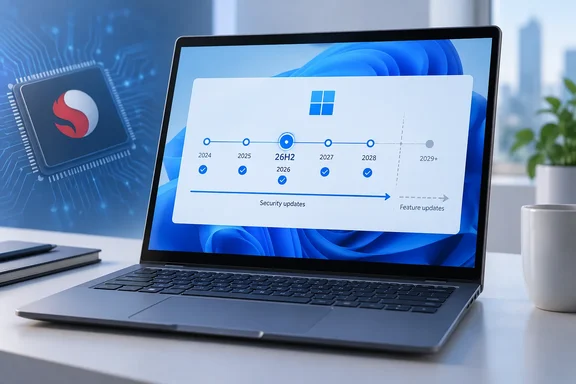
This isn't a surprise shutdown. The PCs keep receiving security updates for as long as 26H2 is serviced. Owners now have a clear timeline, and for a 2018 laptop, a support date in 2028 is a decent run.
What Microsoft actually changed
Windows Central spotted the change first. It reported that the news was published on the Windows 11 Lifecycle Policy page. The notice is on Microsoft's Windows 11 Home and Pro lifecycle page, which covers Home, Pro, Pro Education, Pro for Workstations and SE. It appears alongside an older note saying 24H2 was the last supported version for Windows 11 SE. Microsoft has now used that same kind of short notice twice to set a hard ceiling for a specific group of devices.
In practice:
- Now: Snapdragon 850 PCs on Windows 11 24H2 or 25H2 can install 26H2.
- Next year: According to Windows Central, these PCs will not be offered the 27H2 feature update.
- Until 26H2 support ends: Monthly security updates continue.
Summary: 26H2 is the last supported version for the Snapdragon 850. Installing it gives these PCs the longest supported runway they can get.
How long you actually have
The phrase "two years of updates" needs a caveat about editions. Microsoft's own 26H2 announcement says installing the update means support for two years on Home and Pro versions, and 36 months for Enterprise and Education, as ITdaily summarised it.
Microsoft's Home and Pro lifecycle table puts the end of 26H2 servicing at October 10, 2028. Techdows reached the same conclusion: Snapdragon 850 owners get no version after 26H2, so October 10, 2028 is the last update date for those devices on Home and Pro.
| Edition | 26H2 servicing length | What it means for Snapdragon 850 |
|---|---|---|
| Home / Pro (and related editions) | 24 months | Updates until October 10, 2028 |
| Enterprise / Education | 36 months | Longer runway; check the Enterprise and Education lifecycle page for the exact date |
Staying on your current version doesn't help. Microsoft's lifecycle table shows 24H2 Home and Pro support ending on October 14, 2026, which is about two weeks away. 25H2 ends on October 13, 2027. If you have a Snapdragon 850 machine on 24H2, update now.
A short history of the Snapdragon 850
The chip matters more to Windows on Arm history than its benchmark numbers ever did. Windows Central notes that the Snapdragon 850 is notable as being the first "built-for-Windows" chip from Qualcomm. The Snapdragon 835 that powered Windows PCs first was a recycled smartphone chip.
Microsoft's developer blog welcomed the platform in November 2018. It said Lenovo and Samsung were shipping Snapdragon 850 devices, which it described as "second-generation ARM64 devices" that could run the wider Windows app library through an x86 emulation layer. The best-known examples, from general industry knowledge, were Lenovo's Yoga C630 and Samsung's Galaxy Book2. Both were early always-connected, LTE-equipped Arm laptops. One thing to note: Surface Pro X owners are not affected. Those machines use Microsoft's SQ1, SQ2 and SQ3 chips, which appear separately on Microsoft's supported processor list.
Windows 11 support for the 850 always came with a condition. Microsoft's supported Qualcomm processor list includes it with a footnote: these devices may not ship with Windows 11 preinstalled and may only be upgraded to Windows 11 by the customer. So the 850 was allowed onto Windows 11 but never fully treated as a Windows 11 chip. Windows Central also points out that Windows 11 had already dropped support for the Snapdragon 835 a while ago.
Summary: The 850 was the first Arm chip Qualcomm designed for Windows. It has lasted about eight years, which is a long time for early hardware.
Why now? What we know and what we're guessing
Microsoft hasn't given a reason. Windows Central suggests 27H2 may be built on a new platform rather than delivered as an enablement package, but says that's unclear. That fits with what has happened on Arm this year, though it's still a guess.
Here's what is documented:
- 26H2 is an enablement package. Microsoft says for many eligible devices, moving to version 26H2 is as simple as installing a small enablement package, with a minimal download size, quick installation, and a single restart. 26H2 shares its codebase with 24H2 and 25H2, so it carries no big changes under the hood.
- Arm got its own branch this year. Tom's Hardware reported that 26H1 runs on a different (newer) codebase than Windows 11 25H2, codenamed Bromine. That release was limited to new hardware such as Snapdragon X2 systems.
- The branches don't mix. Windows Latest noted that Windows 11 26H1 is based on a different platform/servicing branch, and it would not get Windows 11 26H2.
Here's the analysis. If the Germanium-based 24H2–26H2 line ends with 26H2 and a newer platform takes over, it's reasonable for Microsoft to stop at that point rather than port and test an eight-year-old SoC on a new kernel. Drivers are probably part of the reason too. Windows on Arm depends heavily on OEM and Qualcomm drivers, and nobody is still putting engineering effort into a 2018 Yoga C630. Neither Microsoft nor Qualcomm has confirmed this, though.
Could you bypass the block?
Windows Central notes that an unsupported chip doesn't necessarily stop newer versions from running if you get around the requirements. Many people have run Windows 11 on unsupported x86 hardware for years.
There's another side to that. Arm is not x86. Bypass tricks that work with generic Intel and AMD drivers may not carry over to a platform where every device depends on specific firmware and a board-specific driver package. Nobody has shown that 27H2 will boot, stay stable or keep getting updates on a Snapdragon 850. We don't recommend planning around a bypass. At best it's an experiment for a spare machine.
Summary: A bypass may or may not work. Anything outside Microsoft's support terms is at your own risk.
What Snapdragon 850 owners should do now
- Check your chip. Open Settings > System > About and look at the processor listed under device specifications.
- Check your build. On the same page, look at the OS build. Techdows advises that if it starts with 26100 or 26200, install all pending updates from Windows Update. Those builds are 24H2 and 25H2, which are both eligible for the enablement package.
- Get 26H2. Go to Settings > Windows Update, turn on Get the latest updates as soon as they're available, and select Check for updates. When your device becomes eligible, the 26H2 download option appears.
- If it doesn't show up, be patient. Microsoft is rolling 26H2 out gradually and may place safeguard holds on devices with known compatibility issues. Check that all cumulative updates are installed and look at the Windows release health hub.
- Mark your calendar. On Home or Pro, October 10, 2028 is the last day of support. Plan to replace the machine before then, especially if it handles banking, work accounts or anything else sensitive.
For IT administrators
Most businesses retired Snapdragon 850 hardware long ago. Some kiosks, field devices and LTE-equipped laptops may still be around, though.
- Inventory Arm devices by SoC. Don't lump every Arm device together. SQ-series Surface devices, Snapdragon 8cx systems and X-series Copilot+ PCs have different timelines.
- Deploy 26H2 to Snapdragon 850 devices first. Microsoft's normal deployment advice applies: 26H2 is available through Windows Autopatch and existing management tools, and Microsoft recommends targeted pilots before a broad rollout.
- Budget for replacements. Enterprise and Education editions get 36 months of 26H2 servicing, which gives you until late 2029 at the latest. It's still a fixed date. Put it in your hardware refresh plan now.
The bottom line
Microsoft is handling this sensibly. A formal notice gives owners roughly two to three years of warning, depending on edition, instead of leaving them to discover later that no feature update is coming. The Snapdragon 850 was an important early step for Windows on Arm, but it is now far behind the Snapdragon X generation.
If you own one, install 26H2, keep the security updates coming and start thinking about a replacement. If the machine is only a spare, it has a couple of good years left.
References
- Microsoft to drop support for Snapdragon 850 powered PCs with the next version of Windows - Windows Central Windows Central · 2026-09-30T12:06:18+00:00
- Windows 11 26H2 on ARM64 and Copilot+ PCs - Techdows techdows.com
- Microsoft Ends Snapdragon 850 Support in Windows 11 After Version 26H2 - gHacks gHacks · 2026-10-01T03:12:07+00:00