

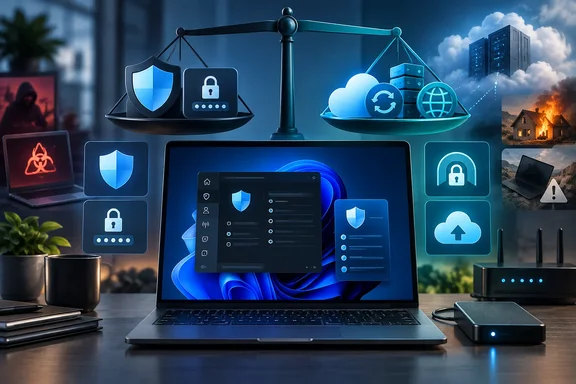
For a single technically capable Windows PC owner, that transfer can be rational. For a household with several devices, a small business, or anyone who has never performed a backup restore or maintained a public-facing VPN endpoint, it can turn a recurring bill into an operational obligation. The practical question is not whether Norton 360, 1Password, NordVPN, or Backblaze can be replaced with free software. They can. It is whether the specific service being canceled was providing a capability the free tool does not replace.
MakeUseOf correctly identifies four different jobs—endpoint protection, credential management, remote access, and backup—but the remedies are not interchangeable. The clearest savings are in duplicate antivirus coverage. The riskiest alleged saving is cloud backup, where a local drive and a backup program do not protect against the same failures as an off-site managed service.
Microsoft Defender is a credible replacement for antivirus-only buyers
The strongest part of MakeUseOf’s argument is the recommendation to reassess a paid antivirus subscription on a well-maintained Windows 11 PC. Microsoft documents that Defender Antivirus is built into Windows 11 and includes real-time, cloud-delivered, behavior-based, and heuristic malware protection. Windows also includes the firewall and SmartScreen protections that warn about known malicious sites, suspicious downloads, and phishing attempts.
AV-TEST’s May–June 2026 Windows 11 consumer evaluation backs up the core claim. The lab gave Microsoft Defender Antivirus 4.18 a 6.0 score for protection and usability, with 5.5 for performance. Its published results show 100 percent detection in both months for the widespread-malware reference set and the real-world zero-day scenarios tested.
That is meaningful evidence that a paid suite is not automatically necessary for malware detection on a current Windows 11 installation. It is also a narrower conclusion than “paid antivirus is useless.” Norton’s current product pages, for example, package multi-device coverage, a VPN, dark-web monitoring, cloud backup, password management, and scam-related features alongside antivirus. A user who genuinely uses those services may be buying a bundle rather than duplicate malware scanning.
There is a second practical issue: third-party antivirus programs typically cause Defender Antivirus to disable its active protection. The customer is not normally running two independent real-time engines and receiving twice the protection; they are paying for a replacement security stack plus bundled services. Before canceling, Windows users should check which features they actually use rather than treating the Norton icon as the entire subscription.
For a Windows 11 system where the paid suite’s VPN, identity monitoring, support, parental controls, and cloud storage are unused, canceling at renewal and relying on Windows Security is a defensible move. The user should first confirm that real-time protection, cloud-delivered protection, tamper protection, SmartScreen, and automatic Windows updates remain enabled.
KeePassXC replaces a hosted vault only if the owner can replace the service around it
MakeUseOf presents KeePassXC as a free alternative to a 1Password Individual subscription. The comparison is valid in one important respect: KeePassXC is an open-source password manager that stores credentials in an encrypted local database rather than requiring a vendor-hosted account. It supports password generation and browser integration, and its database can be placed in storage chosen by the user.
Its security pedigree deserves a careful reading. KeePassXC confirms that version 2.7.9 for Windows 10 received France’s ANSSI first-level security certification, reference ANSSI-CSPN-2025/16, on November 17, 2025, with validity through November 17, 2028. That is more useful than generic claims that open source alone makes a password manager trustworthy.
But the certification is tightly scoped. It applies to KeePassXC 2.7.9 on Windows 10, not to every later version, every operating system, every browser extension workflow, or every third-party mobile client that can open a KeePass-compatible vault. It should be read as evidence of a reviewed version and configuration, not a blanket certification of an entire password-management arrangement.
The larger omission in the subscription-cancellation pitch is that a hosted password manager is not merely encrypted storage. It is account recovery, controlled synchronization, device onboarding, family sharing, breach alerts, and a support path when a phone is lost or a vault password is forgotten. KeePassXC deliberately leaves much of that to the owner.
That is a good trade for users who already know how they will synchronize the database, maintain version history, protect the synchronization account with multifactor authentication, and keep emergency recovery material. It is a poor trade for someone who stores the only copy of a vault on one PC, assumes a cloud-sync folder is itself a backup, or needs effortless access across Windows, Android, iPhone, and a work machine.
A local vault can be more private and more portable than a subscription account. It can also be less recoverable. Anyone moving from 1Password should export and import cautiously, verify a sample of high-value logins and passkeys where applicable, set up a second tested copy of the encrypted database, and make sure every needed device has a working client before ending the old plan.
WireGuard is remote access software, not a commercial VPN substitute
The VPN section is directionally correct and unusually explicit about the distinction most subscription comparisons miss. WireGuard is free software for creating encrypted tunnels between peers. A commercial VPN is an operated network of servers, usually marketed for routing traffic through an exit point in another city or country.
Those are different purchases.
A self-hosted WireGuard server at home is excellent for securely reaching a NAS, Remote Desktop host, Home Assistant installation, printer, or other service on a private network while traveling. WireGuard’s own documentation makes clear that the administrator configures peer keys, permitted IP ranges, and endpoints. The tunnel is encrypted, but WireGuard does not supply a worldwide fleet of exit nodes, an account-recovery desk, or a provider to maintain the server on the other end.
MakeUseOf’s stated NordVPN comparison also contains a warning sign: its $14.99 monthly figure becomes $179.88 when multiplied by 12, despite being described as an annual price. That does not establish a discounted annual rate, and it is not enough information for readers to judge a current commercial VPN’s actual renewal cost. Security subscription comparisons should distinguish introductory offers, list prices, renewal prices, and monthly billing rather than treating them as one number.
More importantly, routing all traffic through a WireGuard server at home means websites see the home connection’s public IP address. It does not make traffic appear to originate in another country, and it does not provide separation from the home ISP. A user seeking remote access should consider WireGuard. A user needing a foreign exit server, public Wi-Fi privacy without exposing a home endpoint, or a provider-managed service is shopping for something else.
Running WireGuard safely also means maintaining the home router or server, applying updates, preserving private keys, handling dynamic DNS or changing public IP addresses, and restricting which internal devices remote peers can reach. The software is free; reliable remote access is not maintenance-free.
Restic can replace backup software, but external drives cannot replace off-site backup
The most important correction to the original article concerns Restic. Restic is capable backup software: it can create encrypted snapshots, target different repositories, restore selected files or whole snapshots, and check repository consistency. Its documentation recommends regularly using its check function and performing restores.
That makes Restic a strong option for people who want control over their backup process. It does not turn an external drive into a replacement for Backblaze Personal Backup.
Backblaze’s $99-per-year Computer Backup service includes managed, off-site storage for a computer, continuous backup tooling, and a recovery workflow. Restic costs nothing to download, but the user must still provide storage and ensure it survives the same events that could destroy the PC. A USB drive beside the desktop protects against some drive failures and accidental deletion. It does not protect adequately against theft, fire, water damage, electrical damage, or a ransomware incident that reaches both the PC and a connected backup disk.
The saving is real only when the user already has a properly separated storage destination: a second location, a trusted remote server, or paid object storage whose cost has been counted. A NAS in the same house is useful, but it is not off-site. A second external drive rotated to another location is better. Two independent destinations are better still.
Restic also requires the work that a managed backup product is meant to remove:
- The owner must automate backups and monitor whether scheduled jobs actually complete.
- The owner must protect the repository password and recovery material separately from the PC being backed up.
- The owner must run integrity checks and restore files to a test location, rather than assuming a successful backup log proves recoverability.
- The owner must budget for enough storage, retention, and bandwidth to recover after a full-device failure.
For enthusiasts and administrators, that control may be the point. For people who have irreplaceable files and no tested restoration process, canceling managed cloud backup to rely on one local disk is a downgrade masquerading as savings.
Cancel subscriptions by capability, not by category
The useful lesson from MakeUseOf is to inventory what each subscription actually does on a particular PC. Windows 11 owners should not keep paying a security vendor merely because it has always been installed. Defender’s current independent test performance means antivirus-only subscriptions deserve especially close scrutiny.
The rest of the list needs a stricter test. KeePassXC is a replacement for a hosted password vault only when synchronization, recovery, and multi-device access have been deliberately designed. WireGuard is a replacement for remote access to a home network, not for a global VPN provider. Restic is a replacement for backup software, not for the storage, monitoring, and disaster recovery practices wrapped into a managed backup subscription.
The subscription worth canceling is the one that duplicates a capability already working on your systems. The one worth keeping may be the service that ensures somebody—or something—will still be there when the PC, password vault, router, or primary backup fails.