

Windows 11 Experimental Channel Gets Per-App Privacy Controls for Win32 Desktop Apps
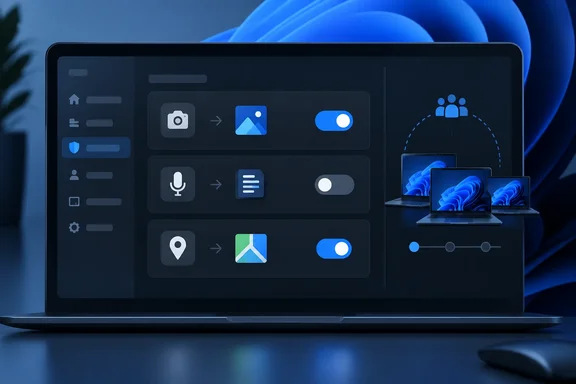
The change is simple to describe. According to Microsoft's post, Experimental-channel Insiders can see which desktop apps have asked for camera, microphone or location access, change those permissions one app at a time, and go back to them later in Settings. Microsoft says the goal is to extend the per-app privacy controls Store apps already have to traditional desktop applications.
Microsoft's official release notes for Windows 11 Insider Experimental Preview Build 26340.9233 describe the same feature. Windows Insiders can now manage camera, microphone, and location permissions for individual desktop apps. Previously, access for traditional desktop applications was managed through a single device-wide setting. The notes give the location: Settings > Privacy & security > Camera, Microphone, or Location. From there you can allow or deny each desktop app separately.
In practice, you can now give a video-calling app your webcam while blocking a browser or a utility you rarely trust. Betanews described that split as a distinction previously impossible without third-party software. It also noted that per-app hardware permissions of this kind have been standard on iOS and Android for more than a decade.
The scope is narrow. This is a Windows 11 Insider feature on the 26H2 development branch in the Experimental channel. Nothing here applies to shipping Windows 11 PCs today, and nothing applies to Windows 10. Microsoft notes that support for Windows 10 has ended on October 14, 2025.
How the Old "Let Desktop Apps Access Your Camera" Toggle Worked
To see what is changing, look at what Windows does now. Microsoft's current support page for camera and microphone privacy tells users that if an app is missing from the per-app list, it's likely a desktop app. Desktop apps cannot be individually toggled, but access for those apps can be controlled using Let desktop apps access your camera. The microphone page uses the same wording.
That shared switch dates back several years. The support page explains that starting with Windows 10 version 1903, an additional setting is available on camera and microphone settings pages that provides limited control over desktop apps that access your camera and microphone using supported methods. The weakness is in how it applies: Turning the setting on or off will impact all apps listed under this setting.
So users had two options. They could turn desktop-app access off and break Teams, Zoom, OBS and every other legitimate program that uses the webcam, or leave it on and let every desktop program through. Windows Latest summarised the old model: Store apps always got their own switch, while desktop apps collectively were behind one shared "Let desktop apps access your camera/microphone" toggle that applied to everything at once.
Microsoft's documentation also admits the old setting was never a complete barrier. It warns that desktop apps may not always appear in the list of apps available on the Camera and Microphone settings pages or might still be able to access your camera or microphone even when these settings are turned off. Neither the new blog post nor the Build 26340.9233 release notes says whether per-app controls close those bypass routes. Treat the new switches as a better control over the supported access paths, not as a hardware kill switch.
There are also built-in exceptions that the support page documents today. If you turn on Windows Hello, it will use your camera to sign you in even if the setting that allows apps to access your camera is turned off. Windows features that use a device through a system component show that component instead of the feature. The documentation's example is Cortana appearing as "Speech Runtime Executable". Microsoft has not said how these cases behave under the new model.
From Hidden Flag in Build 26340.9212 to a Documented Feature
The IT Pro Blog post is the formal announcement, but the feature was spotted weeks earlier. The capability surfaced inside Windows Insider Preview Build 26340.9212 for Windows 11, version 26H2, which Microsoft released to the Windows Insider Program's Experimental channel on Aug. 17, 2026. Microsoft's official release notes for that build documented several other changes, including the removal of the Windows Management Instrumentation Command-line tool, known as WMIC, but included no entry describing new privacy controls for desktop apps.
Windows Central reported that the change was spotted by X user @jakub25050. Well-known Windows sleuth @phantomofearth confirmed that the change appears on their system as well when running build 26340.9212 and after enabling Win32SignatureIdentity (60730253). Jakub said he did not have to enable any feature flag. Windows Latest said it reproduced the change on our Experimental Insider PC running Build 26340.9212 and confirmed the same behavior across camera, microphone, and location.
The feature became official in the next flight. NTCompatible reported that on August 21, Experimental moves to 26340.9233 for 26H2, and that this flight introduces highly requested per-app camera, microphone, and location permission toggles for traditional Win32 desktop applications. Microsoft's own release notes for Build 26340.9233 confirm this. The September 23 blog post names no build number. The practical minimum is therefore 26340.9233 in the Experimental channel, where the feature is officially documented. Earlier builds showed it only unofficially or behind a flag.
Rollout is not uniform. Betanews noted that several Insiders replied to the discovery post to say the toggles were missing on their machines. That fits Microsoft's usual practice of enabling features for a subset of testers first. Microsoft itself calls the first Insider release an iterative rollout meant to improve app identification and usability before wider availability.
One aside from the early coverage: Betanews reported that the controls also covered voice activation. Microsoft's announcement covers only camera, microphone and location, and that is the scope readers should rely on.
Existing Permissions Carry Over, and New Apps Get a First-Use Prompt
The biggest practical worry with a privacy change like this is that it breaks working apps. Microsoft says nothing changes unless you change it: apps that already had access keep it, and apps that were blocked stay blocked. Upgrading to a build with the feature should not suddenly cut your conferencing software off from the webcam.
New software behaves differently. Microsoft says newly installed apps will ask the first time they need the camera, microphone or location. The Build 26340.9233 notes say the same: apps that haven't yet accessed a resource prompt for permission the first time access is requested. Windows Latest published screenshots of the prompt, describing the new centered permission dialog asking for microphone access, for a desktop app, including one for the Brave browser.
This is a real change in behaviour for Win32 software. Before, a newly installed desktop program got the camera silently as long as the global desktop toggle was on. Now it has to trigger a consent dialog first. Microsoft's post does not explain edge cases such as whether an app update keeps its earlier grant. Test the apps you depend on rather than assuming.
On enforcement, Windows Latest reports that the permissions are handled by Windows' Capability Access Manager component, the same privacy broker that already manages Store-app permissions. Microsoft has not described the internal enforcement model in either its blog post or its release notes.
The "Unsigned" Label and App Attribution Are the Rough Edges
Store apps come with a package identity, so it is always clear what "Camera: Spotify" means. Win32 programs have no such identity, and much of this preview is about working out what to call the thing asking for your microphone.
Microsoft addresses this in two ways. First, if Windows cannot verify the publisher of an app requesting access, the app is labelled Unsigned. Microsoft says this does not necessarily mean the app is unsafe, only that Windows has less information about where it came from. Its advice is to check that you recognise the app, got it from a trusted source, and are comfortable letting it use the camera, microphone or location before you allow access. My inference, not something Microsoft has said: the hidden Win32SignatureIdentity flag that PhantomOfEarth had to enable suggests code-signing data is central to how Windows names these apps.
Second, Microsoft admits attribution is still imperfect. It expects most desktop apps to appear under a clear, recognisable name. Apps built on shared or browser-hosted components may show up differently while it improves accuracy. That covers a large share of modern desktop software, including Electron and WebView-based apps and anything that uses a system component for audio or video. If you see an entry you don't recognise, it may be attribution noise rather than a hidden program spying on you. The current support page offers one tool that may help: you can select an app in the existing list to get details about the specific file on your device that accessed the camera or microphone. Microsoft has not said whether that detail view carries over to the new per-app interface.
Enterprise Policy Stays Put While Microsoft Weighs New Management Options
For IT administrators, the key line in Microsoft's post is that existing enterprise policy controls stay in place. Any Group Policy or MDM configuration you already use to govern app access to cameras, microphones and location is unaffected by this preview. Microsoft says it is exploring more management options to give organisations flexibility over time and will share details soon. It gives no policy names, CSP paths or timeline.
That leaves a gap for managed fleets. Per-app decisions currently sit with the user in Settings. Nothing documented so far lets an administrator pre-approve a conferencing client or pre-deny an unsigned utility across a fleet at the per-app level. The feature is also limited to the Experimental channel, which few organisations run on production machines. Enterprise IT can treat this as a heads-up, not something to act on yet.
The first-use prompt does matter to help desks, though. When per-app controls reach broadly deployed builds, users who click "deny" on a surprise dialog could lose camera or microphone access in a line-of-business app. Microsoft has not said whether policy will be able to suppress or pre-answer those prompts. That is what administrators should watch for in the promised management update.
What this means for you
For most people the answer is to wait. The feature is limited to Experimental-channel Insiders, arrives in stages even there, and has no public release date. If you already run an Experimental build, it is worth trying, and Microsoft wants feedback on exactly the parts that are unfinished: app names and the unsigned label.
If you are testing it, open Settings > Privacy & security, then Camera, Microphone or Location, and go through the desktop apps listed. Anything wrong, such as a misattributed app or a confusing prompt, should go to Feedback Hub (Win + F) under Settings > Privacy Settings, which is the category Microsoft named.
- Per-app desktop privacy controls are officially documented in Windows 11 Insider Experimental Build 26340.9233 on the 26H2 branch, and are not available on shipping Windows 11 or on Windows 10.
- Seeing no toggles on an Experimental build is expected during the staged rollout, and Microsoft has published no eligibility checklist or troubleshooting steps.
- Your existing camera, microphone and location decisions carry over unchanged, and newly installed desktop apps will show a consent prompt the first time they request access.
- An "Unsigned" label means Windows couldn't verify the publisher, not that the app is malicious, so only allow access for software you recognise and got from a trusted source.
- Apps built on shared or browser-hosted components may appear under unfamiliar names during the preview, so check what an entry is before assuming unexpected access.
- Existing enterprise Group Policy and MDM controls are unaffected, and Microsoft has promised, but not yet detailed, new per-app management options for organisations.
Microsoft has had per-app privacy for Store apps since the Windows 10 era, while the Win32 programs people actually use sat behind one switch that Microsoft's own documentation calls "limited". This preview is the first time Win32 apps get the same treatment. The pieces that decide whether it works at scale are still missing: reliable app naming, clarity on bypass paths, and admin controls. The next concrete step is Microsoft's promised enterprise management update. Until that arrives and the feature leaves the Experimental channel, the old all-or-nothing desktop toggle is still what protects every production Windows 11 PC.