

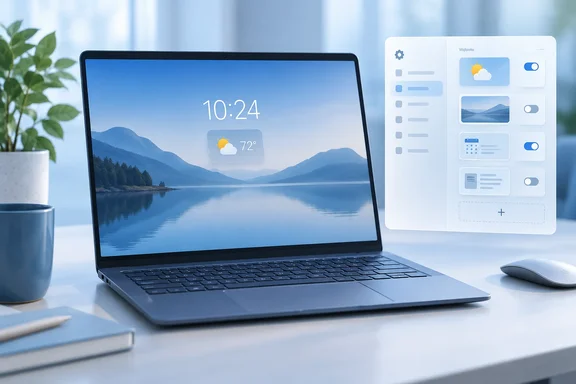
Here's what changed, which updates actually document it, and how to put back the widgets you liked or turn them all off.
What changed
Microsoft's official note, filed under the Widgets section of the Windows 11 release notes, says: "To provide a quieter, more focused Widgets experience on the lock screen, Weather is now the only widget shown by default. You can add other widgets in Settings > Personalization > Lock screen. This change began rolling out to new users in July and is now rolling out to existing users."
Before this, the lock screen showed a lot more. Windows Latest, which first spotted the note, says Windows 11 originally put Weather, Sports, Money, and other MSN-powered cards on the lock screen, and while Microsoft later let people customize which widgets showed up, the default experience was cluttered. The same outlet adds that lock screen settings used to list Weather plus cards such as Daily Wonder, Daily Discovery and Events Near You, all switched on by default.
Two points keep this in proportion:
- It's a new default, not a limit. You can still add more widgets or turn them all off.
- It only affects the lock screen. Microsoft's support guidance treats lock-screen widgets separately from the Widgets board and the taskbar entry point. Nothing in the documentation says those other places changed.
In short: the lock screen now starts with just Weather, and everything else is opt-in.
The update timeline, corrected
Several reports, TechJuice's included, describe a three-step rollout: new users in July, the KB5120998 preview in August, then the mandatory KB5124008 update in early September "completing" the rollout. The first two steps match Microsoft's documentation. The last one goes further than the evidence does.
| Update | Date | Type | Builds | Role in the widget change |
|---|---|---|---|---|
| (no KB named) | July 2026 | Gradual rollout | n/a | Microsoft says the change started reaching new users |
| KB5120998 | August 27, 2026 | Optional non-security preview | 26100.9278 / 26200.9278 | Widget note added to its release notes on September 14 |
| KB5124008 | September 8, 2026 | Monthly security update | 26100.9445 / 26200.9445 | Includes KB5120998's improvements, but its notes don't mention the widget change |
Microsoft's own pages show this. The KB5120998 page applies to Windows 11 24H2 and 25H2, all editions, and its change log shows the widget note was added on September 14, more than two weeks after the update shipped. The KB5124008 page says that security update rolls in the improvements from KB5120998, which is how preview fixes normally reach everyone the following Patch Tuesday. Its own notes list security fixes, the mouse cursor and desktop background fixes, and a Morocco time zone change. Lock-screen widgets aren't mentioned.
BetaNews described the relationship accurately: KB5120998, released at the end of August, serves as a preview of the mandatory KB5124008 update released in early September. It also noted confusion about quite why Microsoft did not include the information in the release notes from the start.
Microsoft still calls this a gradual rollout to existing users, and nowhere says it's finished. Installing September's update gets you the code. It doesn't guarantee the new default has switched on for your PC yet. The KB5120998 notes describe this kind of phased delivery directly: features "reach devices over time instead of all at once, meaning availability varies by device."
In short: KB5120998 is where the change is documented. KB5124008 carries the same code to everyone, but neither page says the rollout is complete.
This was announced back in May
The change was planned, even if few people noticed. In a May 1, 2026 Windows Insider blog post, Windows Insider Program lead Marcus Ash described an effort to make Widgets and the Discover feed "quieter by default." He said Microsoft would "soon also be reducing the default set of Widgets on lock to just Weather." The same post covered calmer launch and badging defaults for Widgets, a higher bar for notifications, and memory savings for the Widgets process.
So it's fair to call it a quiet rollout, but not a secret. The one real failure is the release notes: Microsoft added the line weeks late, after Windows Latest had already noticed the change.
TechJuice also says the change was a response to months of user complaints. That's plausible, and reviewers have grumbled about the clutter since 2024. However, Microsoft's own wording only talks about "calm" and "quieter, more focused" defaults. It doesn't put a number on complaints or say they triggered this particular change.
How to customize lock screen widgets
Microsoft's support guidance gives these steps for Windows 11:
- Open Settings (Win+I).
- Go to Personalization > Lock screen.
- Under Widgets, look over the current list. Weather may be the only one there now.
- Select Add widget to open the catalog. Microsoft says only widgets that support a small size can be added.
- Drag widgets to reorder them.
- Use a widget's More options (three dots) menu to remove it, or to customize it if the provider allows that.
- To clear the lock screen completely, turn the Widgets toggle off.
There's also a limit to know about. The community guide at ElevenForum says the lock screen only supports a maximum of 4 widgets, and you will have to remove a widget to add a new one. Microsoft's support page doesn't state this, so treat it as a community finding.
A note on privacy: Microsoft says lock-screen widget content may be tailored using your estimated location. That estimate comes from the Windows Location service if it's on, or from your internet connection's IP address if it isn't. Selecting a widget and signing in opens the full details in whatever landing page the widget's provider chooses.
For admins: WOSHub has reported that lock-screen widgets can be blocked with a registry value called LockScreenWidgetsEnabled, set to 0, under the PersonalizationCSP key. That guidance predates this change, so test it on your current builds before deploying it widely.
Don't install the preview just for this
If you don't have the new default yet, installing the optional KB5120998 preview probably isn't worth it. Microsoft lists real known issues on that update:
- Black screen or desktop failing to load after sign-in. This mainly affects Azure Virtual Desktop hosts using FSLogix. The workaround is to open Task Manager and run
explorer.exe. Managed environments can apply a Known Issue Rollback. - Reset mouse settings on non-English installs and black desktop backgrounds. Both are fixed in updates from September 8 onward, such as KB5124008.
There's also a bigger deadline. Microsoft says Windows 11 24H2 Home and Pro reach end of updates on October 13, 2026, eleven days from now. Enterprise and Education editions get support until October 12, 2027. If you're on 24H2 Home or Pro, moving to 25H2 matters far more than a tidier lock screen.
Our take
This is a sensible change that was badly communicated. The lock screen exists to show you the time, notifications and a sign-in box. It never needed a news feed. Showing just Weather is a reasonable default, and nothing has been taken away from anyone who wants more.
Still, noting a visible default change weeks late in the change log of a preview update isn't much in the way of transparency. That's awkward given Microsoft's own Insider blog opened by saying users want more of it. Microsoft deserves credit for the calmer lock screen, but it should have announced the change properly the first time.
Summary
- What: Weather is now the only default widget on the Windows 11 lock screen.
- Who: Windows 11 24H2 and 25H2 users. New users started getting it in July; existing users are getting it gradually.
- Documented in: the KB5120998 preview notes (added September 14). KB5124008 includes the same improvements but doesn't mention this change.
- Correction: Microsoft's documentation doesn't support claims that KB5124008 "completed" the rollout.
- Your options: go to Settings > Personalization > Lock screen to add, reorder or remove widgets, or turn them off entirely.
References
- Microsoft Quietly Cleans Up Windows 11 Lock Screen With Just One Widget - TechJuice TechJuice · 2026-10-02T10:19:43+00:00
- August 27, 2026—KB5120998 (OS Builds 26200.9278 and 26100.9278) Preview support.microsoft.com
- September 8, 2026—KB5124008 (OS Builds 26200.9445 and 26100.9445) | Microsoft Support support.microsoft.com