

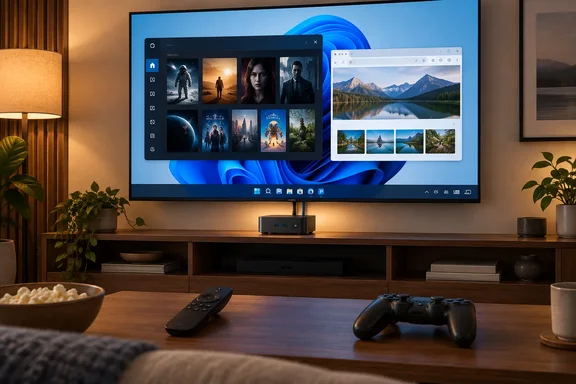
What follows is one person's living-room setup, not a lab test. It's still a useful case study for Windows users wondering whether a small PC can replace a streaming stick. It can do a lot more, and it also adds some rough edges. The details are below.
Why the Fire TV had to go
The old box itself checks out. Amazon's developer specifications say the Fire TV (2nd Gen) came out in September 2015, supports 4K, uses a set-top box design with a USB port and a built-in Ethernet port, and runs Fire OS 5. Amazon now sells it only refurbished.
Rice-Jones also says Amazon's guaranteed updates for his unit ended in 2021. Amazon's general policy promises security updates until at least a model-specific date, or for four years after a new purchase from Amazon, whichever comes later. The model-specific date for this unit wasn't confirmed, so treat 2021 as his claim.
The more interesting part is why he didn't just buy a new Fire TV Stick: Vega OS. Independent reporting backs up that concern:
- AFTVnews explained at launch that unlike Fire OS, which is an Android-based operating system, Vega OS is a Linux-based operating system. That means Fire OS apps don't run on Vega devices unless developers rebuild them for Vega.
- A July 2026 report from TechMyMoney said Amazon's own developer site now confirms that, starting with the Fire TV Stick 4K Select, all future Fire TV Sticks will run on Vega OS.
- Current Vega models include the 2025 Fire TV Stick 4K Select and the 2026 Fire TV Stick HD.
Saying Vega "doesn't sideload at all" goes a little too far, though. Amazon's own Vega documentation says Developer Mode allows you to sideload apps and test development builds on your device. The catch is how much work it takes. AFTVnews found that to even just reveal developer options on the Fire TV Stick 4K Select, which is required for sideloading apps, you have to register the device as a developer device under your Amazon developer account. It also found no option to allow apps from unknown sources, like there is on Android-based Fire TVs. And even with that access, Vega's Developer Mode can install Vega development packages, not Android APKs.
So the accurate version is this: Vega kills the casual "push an APK and go" workflow. What's left is a testing process meant for developers.
The app catalog is thinner too. Rice-Jones cites about 3,000 Vega apps versus about 40,000 on Fire OS. TechMyMoney credits those numbers to Digital Trends, which reported that the UK Vega storefront lists roughly 3,000 apps, compared with about 40,000 on Fire OS. Amazon disputes whether that gap matters. In the same report, an Amazon executive argued that the real question is "whether the apps they want to watch are there."
Not every Fire TV is locked down, either. According to FireStickHacks, every other current Fire TV Stick, plus the Fire TV Cube and Fire TV smart TVs, still runs Fire OS and supports sideloading normally. Anyone who wants to keep sideloading without buying a PC still has options, at least for now.
Section summary: Rice-Jones's reasons hold up. New Fire TV Sticks run Vega, Vega can't run Android APKs, and its sideloading path is built for developers, not viewers.
The replacement: what the Beelink EQ Mini actually is
Beelink's product page lists this EQ Mini configuration:
| Spec | Beelink's listing |
|---|---|
| CPU | Intel Core 3 304 (5 cores / 5 threads, up to 4.3GHz) |
| GPU | Intel Xe3-LPG |
| Memory | 12GB LPDDR5-5600 |
| Storage | 512GB UFS 3.1, plus two M.2 2280 slots (PCIe 4.0 x2 and x1, up to 4TB each) |
| Display | HDMI (up to 4K 60Hz), two Thunderbolt 4 ports, triple-display support |
| Networking | 10Gbps Ethernet, Bluetooth 5.2 |
| OS | Windows 11 Pro |
| Power | Built-in 45W power supply, Wake-on-LAN listed |
Two details need care. XDA describes the machine as having both 10GbE and 2.5GbE ports. Beelink's page mentions dual LAN, but the only speed it lists is the 10Gbps port. Beelink's marketing also says Wi-Fi 6E, while its spec table lists a Wi-Fi 6 MediaTek MT7922 card. If either detail matters to you, confirm your exact model before buying.
XDA says the RAM is soldered, and LPDDR5 is usually soldered to the board, so plan on keeping 12GB for the life of the machine. Storage is where you get room to grow.
What changed in the living room
Here's what Rice-Jones says the mini PC does that the Fire TV didn't:
- Installs anything. Any Windows app works, from the Microsoft Store or not. He runs Jellyfin full-screen.
- Uses a real browser. Desktop Firefox with uBlock Origin puts sites without TV apps on the big screen, including niche streaming services, broadcaster sports streams and a Home Assistant dashboard. He compares it to Amazon's Silk browser, which doesn't support extensions.
- Handles local media. He points to a CNX Software review of the EQi, a related model on the same Core 3 304 chip, which reportedly played files from 4K30 up to 8K60 smoothly, including AV1 and VP9. That review tested the EQi, not the EQ Mini, and says nothing about every file or player app.
- Adds storage. The Fire TV 2 had 8GB plus microSD, according to XDA. The EQ Mini has 512GB and two open M.2 slots.
- Brings his gaming PC to the couch. The mini PC doesn't run games itself. It streams from his RTX 5090 desktop over wired Ethernet using Moonlight or Steam Link, runs Xbox Cloud Gaming in a browser and uses Steam Big Picture for controller navigation.
- Works overnight. When the TV is off, the box keeps running as a Tailscale subnet router and a backup Technitium DNS server. He says it's quiet and uses little power at idle, but he doesn't give measurements.
On networking, Rice-Jones says the Fire TV 2's 10/100 port couldn't keep up with high-bitrate 4K Blu-ray remuxes from his NAS. That's plausible, since peak bitrates on some UHD discs can top 100Mbps. Whether it's a problem for you depends on your files. His actual use for the dual-port setup is practical: one port on a media VLAN and the other on the main LAN.
The trade-offs, which are real
Rice-Jones is upfront that this isn't a clean win:
- HDR and Dolby Vision. He says streaming-app HDR support is patchier on a PC than on a dedicated box. He also says Netflix 4K works in Edge, and in Chrome since August 2026. That Chrome detail wasn't independently confirmed, so check your own hardware, browser and display before counting on 4K. (General industry knowledge: PC streaming quality often depends on codec support, GPU, HDCP-capable displays and browser DRM.)
- No HDMI-CEC. Many mini PCs don't support it, and XDA says the EQ Mini is one of them. Your TV remote won't control the PC. He hasn't set up an IR blaster yet.
- Input. A D-pad isn't enough for desktop browsing. You'll want an air mouse or a similar remote.
- Windows promotions. Windows 11 shows its own recommendations and tips. He turned them off under Settings > Personalization > Start. That cleans up the Start menu but doesn't remove every Microsoft promotion elsewhere in Windows.
His input workaround is Xbox mode. According to Xbox Wire, it started rolling out to Windows 11 PCs in select markets on April 30, 2026, as a full-screen, controller-friendly interface. You can switch between it and the desktop, and it pulls your library together from Game Pass and other installed PC stores. Microsoft recommends turning on "Get the latest updates as soon as they are available" in Windows Update to get it sooner. It's designed for games, but it also makes a Windows PC much easier to use from the couch with a controller.
The verdict
The appeal here is control, not raw power. A streaming stick is cheap, runs one company's software and shows that company's ads. A $400-plus mini PC runs whatever you install, but you become the IT department. That means setting up remotes, checking which services play in 4K and HDR, and living without one-remote CEC control.
Want the easiest setup and the best HDR support? A dedicated box still makes sense. Want sideloading on the cheap? A Fire OS model or a Google TV device will do it. If you already run a NAS, use Tailscale or stream games from a desktop, a Windows mini PC under the TV can easily pay for itself. Rice-Jones isn't going back. For the right reader, that's hard to argue with.
References
- I replaced my Fire TV with a mini PC, and now my TV does things Amazon never intended XDA · 2026-09-27T17:30:16+00:00
- Run your app on Vega Virtual Device or Fire TV Stick - Amazon Vega Docs developer.amazon.com
- Amazon launches Vega OS for Fire TV — Here’s how it affects new & old Fire TVs, apps, and sideloading | AFTVnews aftvnews.com