

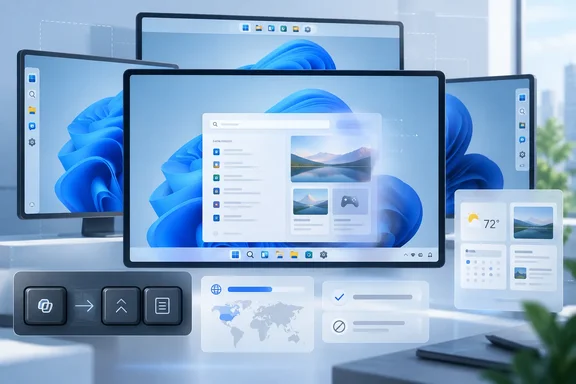
The important correction is that this is not one finished “Windows 11 customization update” arriving for every PC. Microsoft began previewing parts of the work in March 2026, placed early taskbar and widget changes in its Experimental channel, and is gradually moving individual features outward. The September 10 Release Preview builds, 26100.9539 and 26200.9539, added the Copilot-key restoration setting, but Microsoft’s own July status update said broader availability would begin in the fall. For admins and ordinary users, that means the experience on a production PC may remain materially different from the one shown in Insider screenshots.
Neowin is right about the broader direction: Windows 11 is gaining useful control after years in which familiar shell options disappeared. The more revealing story is where Microsoft has drawn hard boundaries—and where it has left the door open.
The Copilot-key fix repairs a hardware decision
The most concrete change is the new setting that lets a dedicated Copilot key function as Right Ctrl or the Context Menu key. Microsoft’s support documentation acknowledges why the option exists: beginning in 2024, some Windows 11 hardware replaced one of those physical keys with the Copilot key, creating problems for people who rely on keyboard shortcuts and assistive technology.
This is more than a cosmetic preference. Right Ctrl is part of established shortcut habits, particularly for users who work one-handed, use certain international layouts, or depend on keyboard-driven software. The Context Menu key is similarly relevant for accessibility workflows and for applications where a right-click equivalent is faster than using a touchpad or mouse.
Microsoft calls the new mapping an accessibility and workflow-preservation measure, which is an unusually candid admission that the original hardware substitution imposed a cost on users. It also documents a limitation that deserves more attention than the announcement received: when the key is remapped to Right Ctrl, some combinations involving the physical Left Shift and Right Ctrl may not work consistently on all keyboards. Microsoft advises using the physical Right Shift key for those shortcuts.
That caveat means the setting is a meaningful repair, not a perfect restoration. On a laptop whose firmware and scan-code handling were designed around a dedicated Copilot function, Windows can emulate the missing key but cannot necessarily reproduce every electrical and layout-specific behavior of an original Right Ctrl key.
Neowin also argues that Microsoft should allow unrestricted reassignment to any app or shortcut. Windows already goes further than the article suggests in one narrow category: Microsoft’s enterprise documentation says the Copilot key can launch an MSIX-packaged, signed app that has registered itself as a Copilot hardware-key provider. Users can select Search, a custom compatible app, or an existing mapping through Settings, while IT administrators can manage the key with policy or configuration service provider settings.
The limitation is structural, not merely a missing dropdown menu. Microsoft requires an app to be packaged, signed, and explicitly registered for the hardware key. That excludes much of the classic Win32 software catalog and prevents the key from becoming a universal launcher through Windows Settings. The company presents that restriction as a security and privacy safeguard, but the practical result is the same: the built-in option is not equivalent to a general-purpose remapper.
For machines where the new choices are insufficient, Microsoft’s own PowerToys documentation identifies the Copilot key as a remappable shortcut on hardware that exposes it as the appropriate key sequence. That is a workable route for enthusiasts, though it is not the same as a supported firmware-level restoration and should be tested against organization-specific shortcut and accessibility requirements.
Taskbar flexibility comes with visible gaps
Microsoft’s return of top, left, and right taskbar positions is the clearest reversal of a Windows 11 design decision. In its May announcement, the company described alternate positions as one of the most requested features and said users could choose bottom, top, left, or right placement, with centered or aligned icons depending on the edge.
For developers and multitaskers on wide displays, a vertical taskbar can make practical sense. It trades a little horizontal space for additional vertical room in editors, terminals, browsers, and document windows. Microsoft also restored labeled, uncombined taskbar buttons across positions, which makes a vertical layout substantially more usable than a column of indistinguishable icons.
But this is where the “unfinished” characterization has the strongest factual grounding. Microsoft says touch gestures, the full Search box, and Ask Copilot support for alternate taskbar positions remain in progress. Auto-hide and the touch-optimized taskbar are not supported in alternate positions. The smaller taskbar setting works only at the top and bottom, not when the taskbar is vertical.
Those omissions matter more than the absence of a precise size slider. A user who moves the taskbar to the left or right must accept feature regressions in an interface that Windows uses constantly. This is not hidden fine print: Microsoft explicitly identifies the gaps in its release notes. The company has also said it is evaluating per-monitor taskbar positions and drag-and-drop behavior, but it has not committed to shipping either.
The new size choice is similarly limited. Windows offers a default taskbar and a small taskbar, reducing both icon size and bar height. That is useful on compact laptops, but it is a binary preference rather than a scalable control. Microsoft’s current design favors supportable presets over the almost infinitely variable taskbar metrics enabled by third-party shell tools. Whether that is good design depends on the user; for managed fleets it reduces configuration complexity, while for power users it leaves a familiar customization gap.
Cleaner Search does not mean fully local Search
Microsoft’s July 13 Windows Insider announcement made a specific promise for Search: promotional content would be removed from web results, local matches would receive stronger priority when they were the better match, and users could choose whether web and Microsoft Store suggestions appeared alongside local results.
Those changes address a long-running complaint about Windows Search: a feature used to find installed applications, files, and settings often devoted prime visual space to web results, Store prompts, and commercial material. The ability to disable web and Store suggestions is particularly useful for people trying to keep a work machine’s search path focused on local content.
Yet this remains a change to the Search box experience, not a wholesale replacement of Windows Search’s web integration or a guarantee of identical behavior in every shell surface. The rollout is gradual in the Experimental channel through Controlled Feature Rollout, so even eligible Insiders may not receive it immediately. Microsoft explicitly said some users would need to reboot to see it, and that the changes were also reachable through feature flags.
Neowin’s complaint about the fixed-size Search window may be valid as an observation of the current preview, but Microsoft has not announced window resizing as part of this work. Its published scope is clearer result provenance, less clutter, control over web and Store suggestions, and improved local ranking. Readers should judge the update against that limited commitment rather than treat a wider layout redesign as promised and missing.
There is a useful administrative distinction here. Toggling web and Store results in a user-facing settings page is an improvement in choice; it is not a substitute for an organization-wide search policy strategy. Businesses that need consistent behavior across a fleet should continue to validate what the final settings expose to management tools before presenting the preview as a deployable standard.
Widgets are quieter, but still a separate Microsoft surface
The Widgets work is largely about reducing unwanted interruptions rather than making the board radically more configurable. Microsoft’s May preview disabled opening on hover and taskbar badging by default, made Widgets open to the widget experience on first launch, and limited alerts until someone actively engaged with the feature. It also said it was continuing to separate widgets and the Discover feed into more distinct destinations.
That is a meaningful change for people who found the existing board too eager to surface news and content. Microsoft’s current support documentation still lets users add, remove, move, resize, and configure individual widgets. It also allows the Discover dashboard to be personalized, with controls to hide stories, block publishers, and tune interests.
What Microsoft has not announced is a resizable outer Widgets board. The board can therefore remain visually oversized when someone strips it down to a small collection of useful widgets, the exact awkwardness Neowin describes. The distinction between resizing a widget and resizing the board that contains it is the type of design detail that determines whether “more customizable” feels sufficient in daily use.
There is also no evidence for the article’s suggestion that Microsoft is withholding deeper controls simply to create future announcements. Microsoft has publicly described the changes as incremental rollouts with ongoing feedback, and its taskbar release notes identify concrete engineering work still in progress. The record supports a more ordinary conclusion: Microsoft is shipping narrowly bounded pieces of a shell overhaul, with consistency and feature parity lagging behind the headline options.
What to expect this fall
The practical takeaway is to separate what has shipped in preview from what has merely been discussed. The Copilot-key mapping in Release Preview is the most mature of these changes, though affected users should test the Right Ctrl caveat. The alternative taskbar positions, compact taskbar, quieter Widgets defaults, and redesigned Search experience have all been shown publicly, but their channels, feature flags, and incomplete edge cases vary.
Windows 11 is moving in a more user-respecting direction: fewer promotions in Search, fewer Widget interruptions, more taskbar placement choices, and a path to recover keys that hardware makers removed. Microsoft now needs to make those controls coherent across screen positions, input methods, and managed environments before it can claim that the shell is genuinely customizable rather than selectively configurable.