

The "Activate Windows" Watermark in Putin's Duma Vote Clip
The main facts are well corroborated. Putin voted from his Kremlin office on the first day of elections for the ninth State Duma, which ran from September 18th through September 20th. In the filmed appearance, the president comments, "You can't go wrong," as he clicks on his choice of candidate. Runtime Wire, which reviewed the copy of the footage published by Russian outlet RBC, adds that he thanked the computer after completing the ballot.
The screen detail spread mainly through a post on X. "Putin's computer is running an unlicensed copy of Windows," news aggregator Visegrad 24 posted on X. "In the video of his online vote, the 'Activate Windows' watermark is clearly visible. A legal copy of Windows 11 starts at $139." Tom's Hardware, TechRadar, TechSpot and Cybernews then covered it. Tom's Hardware did the most useful checking. It went back past the viral crop to Russian sources: it found established Russian media sources with the video recording, like Komsomolskaya Pravda, and "there does indeed appear to be a watermark present" on Putin's screen at the end of the voting clip.
Tom's Hardware also flagged a problem with the magnified image that went viral. It shows a screen effect that looks very similar to the Windows activation reminder watermark, but another overlay on the screen is obviously from a different computer and is dated 2018. In other words, the most-shared image was not a clean frame from the Kremlin footage. The watermark shows up in the original Russian broadcasts, but the composite that did the rounds mixes in material from elsewhere.
The outlets also disagree on how far to go. Tom's Hardware's headline calls the software "unlicensed Windows". TechRadar calls it "an unlicensed version of Windows 10". TechSpot says "unactivated". Cybernews is the most careful: it says the pop-up in the corner resembles the Windows activation reminder watermark, suggesting that the software may not be properly licensed or activated, or that the product key has expired.
Why an Unactivated Windows 10 or 11 Install Is Not Proof of Piracy
"Unactivated" and "unlicensed" mean different things, and Microsoft spells out the difference in its activation documentation for Windows 10 and Windows 11. Activation is a technical step that pairs a product key or digital entitlement with a particular hardware configuration. Microsoft says that step does not assess whether a copy is authentic and does not guarantee the copy is genuine. It only confirms that the key or entitlement is valid for that hardware. A separate process, validation, checks that important licensing files haven't been damaged or removed, and some updates and downloads require it.
A licence and an activation state can therefore be out of step in either direction. Microsoft lists several routine ways a legitimate install can end up unactivated:
- A technician chose "I don't have a product key" during setup and never entered one.
- The edition that was installed doesn't match the licence. A Windows 11 Home entitlement won't activate Windows 11 Pro, for example.
- A major hardware change, such as a motherboard swap, broke the link between the device and its digital licence.
- On a refurbished PC, the refurbisher rather than Microsoft is responsible for supplying the product key.
Other reporting lists more causes. According to one explainer carried on AOL, the watermark can appear when Windows was installed without entering a valid serial number, a temporary, trial, or blocked product key stopped working, there were temporary communication errors with Microsoft's activation servers, or a recent system update occurred. Organisations that run volume licensing can see a similar gap between buying licences and getting every machine activated, although nothing in the footage shows how this machine was licensed.
The watermark also doesn't stop the machine from working. As Gadget Review describes it, Microsoft lets an unactivated install run almost fully functional but plants the watermark permanently on the desktop to nudge users toward buying a key. For a PC used for a few minutes on camera, nothing would force anyone to activate it. The watermark sits on screen, the ballot page loads, and the vote goes through. The software asset management firm EasySAM makes the same point: the footage does not independently establish why the operating system was not activated.
The accurate description is that the Windows install shown on camera appeared to be unactivated. Words like pirated or counterfeit are guesses about the machine's history, and the footage can't answer them.
The Dell Branding Identifies a Display, Not the PC or Its Provenance
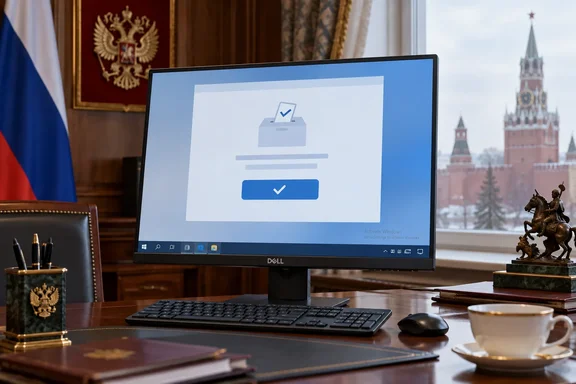
The second half of the joke is the hardware. After voting is complete and the camera zooms in on the screen, there's a visible logo for the American technology company Dell on the monitor. Headlines turned that into "an American Dell PC". Runtime Wire is more precise: the visible Dell branding identifies the monitor, rather than necessarily identifying the computer driving it. The same outlet notes that the clip does not show which Windows version was installed, what computer was connected to the Dell monitor or how the voting workstation was linked to government systems.
This affects the Windows 10 detail as well. TechRadar says the machine was running Windows 10, and the activation watermark looks much the same on Windows 10 and Windows 11. None of the corroborating coverage confirms the version from the footage, so "Windows 10" remains TechRadar's identification rather than an established fact.
The policy angle rests on reporting, not documents. Tom's Hardware writes that by law, Russian officials must use computers with certain levels of localization, so it might be reasonable to assume this machine was set up entirely for Putin's voting publicity clip. It suggests the installation was likely a fresh, clean copy of Microsoft's OS run separate from any government network. TechRadar makes a similar guess: that the PC came out of a back room and had an old copy of Windows installed quickly for the shoot. TechSpot takes the long view: Russia might have spent more than a decade trying to drop US technology in favor of home-grown alternatives, yet a Dell display and Windows ended up in an official Kremlin video.
All three explanations are plausible, and none is confirmed. Runtime Wire notes that claims that the machine was assembled specifically for the filmed appearance remain speculation. A clip showing a Dell logo can't show whether any procurement rule was broken, who owns the equipment, or whether it is ever used for anything else.
What the Kremlin Clip Shows About Russia's Remote Voting System
Very little. The footage shows a browser session and a confirmation screen. It doesn't show how Russia's remote electronic voting works behind that screen. Two reported facts help. First, Russia made remote electronic voting available in 33 regions for the parliamentary election, and Putin has used online voting since 2021, according to Interfax. Remote voting was therefore a regional option alongside in-person and postal voting, not the only way to vote. Second, the president has voted this way before, so the filmed session is part of an established routine rather than a one-off demonstration.
One inference is reasonable here. On any web-based voting service, the voter's operating system is an endpoint, and activation status has no bearing on the server side. An unactivated Windows install can reach a website as well as an activated one. Whether that endpoint was secure, patched or isolated is a different question, and the clip doesn't answer it. Coverage that treats the watermark as evidence about the security of the election system goes further than the footage allows.
The political dispute over the election is outside what the screen can show. TechRadar notes that Australia, Canada, New Zealand, Norway and the United Kingdom condemned the voting held in occupied Ukrainian territories as "sham elections". According to TASS, as quoted by Tom's Hardware, the Donetsk, Luhansk, Kherson and Zaporizhzhia regions took part in Duma elections for the first time.
What this means for you
The practical lesson is to check your own machines rather than read too much into someone else's desktop. If you manage Windows PCs, especially shared, kiosk, demo or presentation machines, the watermark is a sign to check. It doesn't prove a machine is unlicensed. The Activation page in Settings shows the actual status. That is also where the error message appears that explains why a machine failed to activate.
If a Windows 10 machine appears in your own screenshots or videos, the bigger issue is support, not activation. Microsoft ended Windows 10 support on October 14, 2025. The PCs still work, but they no longer get technical support, feature updates or security updates, and Microsoft says that leaves them at greater risk from viruses and malware. The free upgrade to Windows 11 is only offered to PCs running Windows 10 version 22H2 that meet the minimum hardware requirements. Machines that can't upgrade can join the consumer Extended Security Updates (ESU) programme, which covers Windows 10 devices until October 12, 2027. Separate ESU terms apply to organisations.
- To check activation on Windows 10, open Start, then Settings > Update & Security > Activation, and read the status shown next to Activation.
- To check activation on Windows 11, open Start, then Settings > System > Activation, and read the Activation status line.
- If a licensed PC shows "Windows is not activated", check that the installed edition matches the licence (Home or Pro) before buying anything. Also check whether a recent hardware change broke the link to the digital licence.
- On Windows 10 and Windows 11 PCs signed in with a personal Microsoft account, link the account to the digital licence. That lets the Activation troubleshooter reactivate Windows after a major hardware change.
- Treat activation and support as separate problems. Activating a Windows 10 machine doesn't restore security updates after October 14, 2025. Only enrolling in ESU or upgrading to Windows 11 does.
- Before any machine appears in a public recording, whether a webinar, a demo or a press event, check what's visible on the desktop. The Kremlin clip shows how one small on-screen prompt can overshadow everything else.
The watermark was a real detail in an official broadcast, and the jokes it prompted were predictable. The accurate version of the story is narrower than the headlines: a Windows install that appeared unactivated, connected to a Dell-branded display, used for a few minutes on camera in a remote-voting session Putin has done before. For Windows users, the useful points are Microsoft's own: activation doesn't prove a copy is genuine, a missing activation doesn't prove piracy, and any Windows 10 machine still in service needs ESU or a Windows 11 upgrade whatever its activation status.