

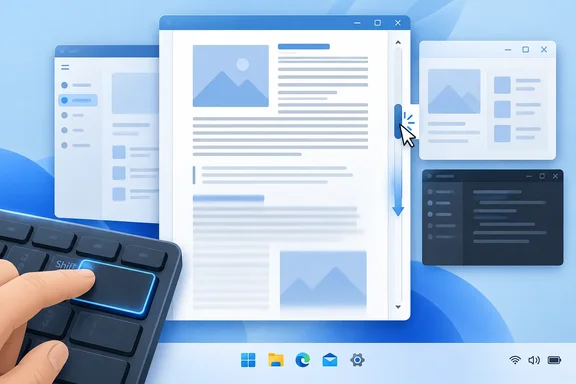
Chen writes that an "even-more-hidden" shortcut arrived at the same time as the right-click menu: Shift+click jumps the thumb directly to the clicked spot. He adds that he didn't know about it until recently. The catch is that it doesn't work in every app, as the compatibility section below explains.
What the shortcut does
The classic Windows scrollbar is simpler than you might expect. Chen describes five mouse targets. The end arrows scroll by a line, the regions between the thumb and the arrows scroll by a page, and the thumb itself can be dragged to a specific position.
Shift+click adds a sixth behavior. Instead of grabbing the thumb and hauling it down a long track, you hold Shift and click where you want to land. The thumb, and the content with it, goes there.
How to try it:
- Find an app with a long, scrollable view, such as a big folder in File Explorer.
- Hold Shift.
- Click on the scrollbar track at the position you want.
- If it works, the view jumps there instead of paging one screen at a time.
How it differs from the right-click menu
Chen says Windows 2000 added a right-click menu to the scroll bar. It gave you four options that matched existing mouse operations, two that matched existing keyboard operations, and one new operation.
The options, as Chen lays them out:
| Menu option | Equivalent action |
|---|---|
| Scroll Here | Jump to the point you right-clicked (the new operation) |
| Top | Drag the thumb to the start; Home on the keyboard |
| Bottom | Drag the thumb to the end; End on the keyboard |
| Page Up | Click the upper gutter; PgUp |
| Page Down | Click the lower gutter; PgDn |
| Scroll Up | Click the up arrow; Up arrow key |
| Scroll Down | Click the down arrow; Down arrow key |
"Scroll Here" is the one that matches Shift+click. You right-click the target spot and pick the command. Shift+click does the same job in one gesture, with no menu in the way. Chen says he used the context menu a lot for long jumps before he found the shortcut.
Where it works and where it doesn't
Chen's main point is that almost nobody uses Win32 scroll bars any more, and apps instead ship custom scrollbars from their frameworks. His framework-by-framework notes:
- Electron and other web apps: They use the Chromium scroll bar. It doesn't implement the context menu, but it does implement Shift+click.
- WPF XAML: It appears to implement both the context menu and Shift+click. Chen hedges with "appears," so treat it as a strong lead and not a guarantee.
- WinUI XAML: It has neither the context menu nor the Shift+click shortcut. Chen notes that at least one person has asked for it.
- Qt: Behavior is up to each app's developer. Chen names three style hints: SH_ScrollBar_ContextMenu, SH_ScrollBar_LeftClickAbsolutePosition and SH_ScrollBar_MiddleClickAbsolutePosition. These are developer settings, not something you can toggle in Windows.
One reader comment on Chen's post reports trying it in Windows 11's File Explorer, where it worked. The same commenter said it didn't work in Edge. Another reader replied that Edge is Chromium-based, which would fit Chen's note that Chromium supports Shift+click. Those are anecdotes from the comment thread, not controlled tests. I haven't tested it myself, so check it in your own apps.
Why it matters beyond the trivia
For everyday users, this is a small speed-up for long documents, folders and web pages. It's also a reminder that two scrollbars that look alike can behave differently depending on the toolkit underneath.
For developers, Chen's post is a useful reminder about custom controls. When you replace a native control, you also drop behaviors users may not know they rely on. Chen's own take is wry: by the time he learns the shortcut, the ecosystem has fragmented so much that he can't rely on it working. OSNews picked up the story and framed it as the state of Windows scrollbars making even longtime Microsoft engineers sad.
The comment thread also had some sharper criticism. One commenter argued that Microsoft's own succession of GUI frameworks helped cause the fragmentation. That is an opinion from a reader, not something Chen says. Still, WinUI's lack of both behaviors, which Chen himself notes, gives the complaint some weight.
Bottom line
- Shift+click on a scrollbar track jumps straight to that position. Chen dates it to the Windows 2000 era.
- It is separate from the right-click "Scroll Here" command, though the two do much the same job.
- Support depends on the framework. Chromium-based apps support the shortcut, WPF appears to support it, WinUI doesn't, and Qt varies by app.
- If nothing happens, you haven't done anything wrong. The app's scrollbar probably just doesn't implement it.
Next time you're deep in a long document, give it a try. After 30-odd years of Windows, it's a free shortcut.
References
- Long time Windows users amazed as senior Microsoft engineer discovers "hidden" shortcut Neowin · 2026-10-02T11:00:04+00:00
- The state of scrollbars in Windows makes even longtime Microsoft engineers sad osnews.com
- A brief history of Windows scroll bar shortcuts - The Old New Thing devblogs.microsoft.com