

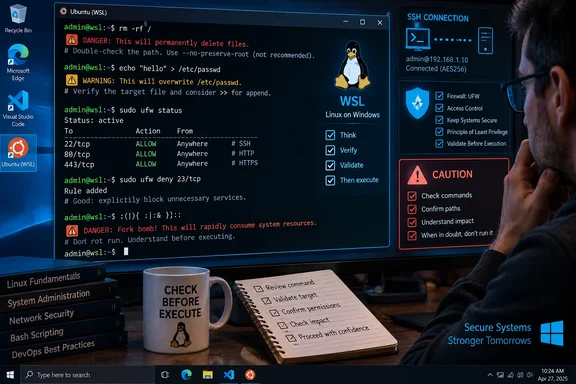
That matters for Windows users running WSL, admins maintaining Linux virtual machines from a Windows desktop, and developers hopping onto cloud hosts with SSH. The terminal is not inherently reckless. It is literal. A safe workflow is less about memorizing a blacklist of scary commands than learning when a command has destructive scope and validating that scope before pressing Enter.
There is also a small editorial mismatch in the original: it promises “top five picks” but documents four commands. The missing fifth item is less important than the practical gap: readers need recovery limits and safer operating habits, not merely a tour of catastrophic syntax.
rm -rf turns whitespace into a target change
The command rm -rf ~/Downloads/old is a normal way to remove a directory tree under the current user’s home directory. In Bash, ~ expands to the current user’s home directory when it begins a word, so the intended argument becomes a single pathname such as /home/alex/Downloads/old.
Insert a space after the tilde, though, and the shell receives two paths: ~ and /Downloads/old. GNU Bash’s own manual confirms that a standalone tilde expands to the user’s home directory. rm will therefore recurse through the entire home directory as its first target, including dot-directories such as .config, .ssh, and .local when they are encountered as children of that directory.
The immediate cost can be greater than lost documents. A deleted home directory can remove browser profiles, SSH keys, shell history, editor settings, local Git configuration, and application data. On a managed workstation, the operating system may still boot; the user profile is what becomes effectively unusable.
The second path, /Downloads/old, is also a warning sign. It is an absolute path beginning at filesystem root, not a Downloads folder beneath the current user’s account. It may not exist, and an unprivileged user may lack permission to delete it, but neither outcome protects the home directory already supplied as the first argument.
A few habits reduce this class of mistake substantially:
- Use
pwdandprintf '%q\n' -- ~/Downloads/oldto inspect the directory context and the exact expanded pathname before a destructive command. - Prefer
rm -rIwhen deleting an unfamiliar tree; it asks for one confirmation before removing more than three files or recursing. - Add
--before paths when a file name could begin with a hyphen, as inrm -rf -- ~/Downloads/old; this prevents option-like file names from being read as switches, though it does not fix a misplaced space after~. - Use a desktop trash utility or a command-line equivalent for ordinary cleanup when immediate, unrecoverable deletion offers no operational advantage.
No command-line confirmation is a backup strategy. Once rm has deleted data on an SSD, recovery may be impractical, especially if discard or subsequent writes occur.
A single > can truncate a live configuration file
How-To Geek correctly distinguishes >>, which appends standard output, from >, which redirects standard output by opening the destination for writing. The important operational detail is harsher than “replaces its contents”: in Bash, a normal > redirection truncates an existing regular file to zero bytes before the command’s output is written.
That sequence matters in scripts and remote sessions. If someone enters:
echo "a new line of text" > imp.config
the prior contents of imp.config are gone even though echo itself is a harmless built-in command. A typo in a shell redirection can wipe a complex Nginx virtual-host file, a .bashrc, a crontab export, a service environment file, or a deployment manifest in an instant.
This is one area where the original guide’s advice needs a qualification. >> is not automatically safe: it can create duplicate settings, append malformed data, or add a directive after a configuration block where it no longer has the intended effect. The right operation depends on whether the file is a log, a line-oriented list, a machine-generated artifact, or an ordered configuration file.
For configuration changes, use a temporary file and validate it before replacing the original. For example, generate content into a new file, run the relevant application’s syntax check, then install it with controlled permissions. On systems where it fits the workflow, version control is even better: a bad change becomes a visible diff and a reversible commit rather than a vanished file.
Bash also offers a limited guardrail through set -o noclobber, which makes an ordinary > fail when the target already exists as a regular file. It is useful interactively, but it should not be treated as universal protection: commands can explicitly override it with >|, and shell settings vary between interactive sessions and scripts.
Enabling UFW remotely requires an access rule first
The UFW example is the most directly useful for server administrators, but the source overstates its certainty. Running sudo ufw enable over SSH does not automatically disconnect every administrator on every host. The outcome depends on the existing UFW rules, the default incoming policy, the SSH port, and whether stateful rules preserve an already-established session.
It can, however, prevent a new SSH connection—and Ubuntu’s own firewall documentation has long warned administrators to allow remote access before enabling UFW. Under the common default-deny-incoming setup, activating the firewall without a rule for SSH is a straightforward way to lock out future remote access. Existing sessions should not be trusted as a recovery path; firewall changes can disrupt them, and a dropped Wi-Fi link or terminal close may leave the administrator stranded.
The safe order is to create a narrowly scoped management rule, inspect the rules, and only then enable the firewall. On a system using OpenSSH’s default configuration, that often means allowing the OpenSSH application profile or TCP port 22. If SSH runs on a non-default port, allowing the generic ssh profile may be wrong; the actual listening port must be checked first.
Administrators should avoid exposing SSH to every source address when they have a fixed VPN range, office address, or bastion host. A constrained rule is better than a broad emergency exception, and a cloud virtual machine may also need matching ingress permission in its provider firewall or security-group layer. UFW only controls the host; it does not replace network-edge controls.
The recovery plan should exist before activation. For a local server, that may mean console access through a hypervisor. For a cloud instance, it may mean a provider serial console, out-of-band management, or an approved rescue workflow. If none exists, enabling a firewall remotely is a change-management event, not a one-line housekeeping task.
The Bash fork bomb is a resource-limit test, not a magic spell
The compact Bash expression :(){ :|:& };: defines a function named : and invokes it. Each invocation launches two more calls through a pipeline in the background, causing the number of runnable processes to grow rapidly. The resulting pressure is not confined to the shell window: it can prevent desktop services, SSH daemons, databases, and routine administrative tools from obtaining process slots or CPU time.
The common description—“hard reboot required”—is often true on an unprotected desktop, but it is not guaranteed. Per-user process limits can contain the damage. Linux environments commonly enforce such limits through PAM configuration, container controls, systemd service limits, or shell-level ulimit settings. Those controls are especially relevant on shared servers, CI runners, lab machines, and WSL installations where one user’s runaway process tree should not be able to starve every workload.
The practical message is broader than avoiding this famous prank. Do not paste opaque shell syntax into an interactive terminal, particularly commands containing shell operators such as |, &, ;, $(), redirections, or encoded text. Those characters determine execution flow; they are not decoration.
Before executing a command copied from a forum post, AI response, chat message, or issue tracker, identify the command being run, every path it touches, the account privileges involved, and whether it starts background jobs or alters network access. If the command cannot be explained, it belongs in a disposable virtual machine—not a production shell.
For Linux users on Windows-managed estates, the consequence is simple: treat Bash, WSL, SSH sessions, and cloud consoles as real administrative surfaces. A one-character error may be limited to a user profile, a configuration file, a remote access rule, or a temporary resource outage—but each is enough to turn routine terminal work into an incident.
References
- 4 innocent-looking Linux commands that can ruin your day How-To Geek · 2026-09-18T20:30:13+00:00