

First, check which Series X you own
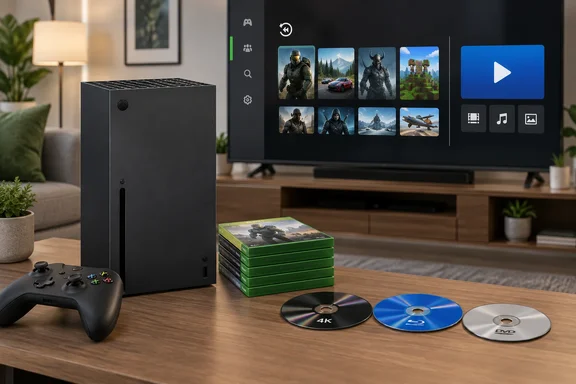
Microsoft's Series X product page lists the 4K UHD Blu-ray drive as the optical drive on the Carbon Black and 2TB Galaxy Black Special Edition models. The same page also shows an all-digital Series X in Robot White with a 1TB SSD. That model has no disc drive, so no game or movie disc will work in it. The Series S is also disc-free. Microsoft's own wording is that it is designed for disc-free gaming.
If you're buying used or pulling a console out of a cupboard, confirm the drive before planning a disc night.
Game discs: what plays
| Disc type | Plays on a disc-drive Series X? |
|---|---|
| Xbox Series X | S game discs |
| Xbox One game discs | Most of them. Microsoft's catalog page says most Xbox One games are playable on Series X |
| Xbox 360 discs | Only titles in the backward compatibility catalog |
| Original Xbox discs | Only titles in the backward compatibility catalog |
| Kinect-dependent titles | Not usefully, because the console doesn't support the sensor (see below) |
Microsoft states that Series X|S backward compatibility is free. It covers select Xbox 360 and original Xbox games, plus Xbox One games you already own. Microsoft says the Series X includes a 4K UHD Blu-ray optical disc drive, and the BGR piece makes the same point in comparing it with the Series S.
How an older disc actually works
Inserting an older disc doesn't run the old code directly. Microsoft's FAQ says that for disc-based games in the catalog, you insert the disc and the console begins downloading the game to its hard drive. It adds that you still need to keep the disc in the drive to play after the download finishes.
In practice:
- Insert the disc.
- Let the console download the game. You need an internet connection and free storage space for this.
- Leave the disc in the drive when you launch the game.
A disc for a game that isn't in the catalog won't become playable just because the drive can read it. For Xbox 360 and original Xbox titles, search the official backward compatibility library for the exact game before you assume anything. The library has separate Xbox One, Xbox 360 and original Xbox filters.
Microsoft also notes some limits for original Xbox games:
- Xbox Live services such as online multiplayer and in-game marketplaces aren't available.
- Offline modes such as co-op, split-screen and system link work where the original game supported them.
- There are no achievements for original Xbox games.
- Original Xbox game saves don't transfer to the new consoles.
About that "over 600 games" figure
BGR says the library contains over 600 games. That number comes from a Microsoft post dated June 10, 2019. Microsoft's Xbox Wire said then that the backward compatibility catalog had grown to over 600 titles. That post was about the Xbox One program, and Microsoft said it had no plans to add more Original Xbox or Xbox 360 titles to the Xbox One catalog after that week. It was not a current Series X count.
Microsoft's current Series X page describes compatibility with "thousands" of games across four generations. Treat 600 as a historical milestone, not today's total. For any single game, the catalog search is the authoritative check.
What you get from the older games
Microsoft's 2020 announcement said backward compatible games run natively on the Series X and S with the full power of the CPU, GPU and SSD. It also said there is no boost mode and no downclocking. The company promised faster load times, and Auto HDR for SDR-only titles. It also described techniques that can effectively double the frame rate on select titles, with Fallout 4 as its example.
Microsoft is explicit that these gains vary by game. The current catalog page says specific features vary by title and offers filters and listings for FPS Boost, higher resolution and Auto HDR. BGR's line that you'll get faster loading, better frame rates and higher resolution is therefore a fair summary of the possible gains. It isn't a guarantee for every disc.
The Kinect caveat
BGR says Kinect-exclusive games aren't supported. The safer wording is that Kinect-dependent gameplay is the problem. Microsoft's Xbox store lists the Kinect Mega Bundle: 4 in 1 as playable on both Xbox One and Xbox Series X|S, so a game carrying a Kinect label can still show up as compatible. I found nothing in the reviewed Microsoft pages saying the Series X supports the Kinect sensor itself. If a game needs motion tracking, plan on it not working as intended.
GamesRadar likewise says all Xbox One titles except Kinect games should be compatible. Check the individual game's store page and the excluded-games list rather than relying on the label.
Movies and music
The drive reads more than games. BGR says it supports 4K UHD Blu-ray, standard Blu-ray and DVD, with one catch. You must install Microsoft's free Blu-ray Player app from the Microsoft Store first. Best Buy's FAQ and GamesRadar's guide say the same about the app. A third-party guide puts the app at about 28.4MB and says the console should prompt you to install it the first time you insert a media disc. Another guide's search steps are to open the Store, search for "Blu-ray Player", and select Get or Install.
- 3D Blu-ray: BGR says the Series X can't play 3D Blu-ray discs because Microsoft dropped support. Best Buy's FAQ agrees, noting that the Xbox One S and One X do support 3D Blu-ray.
- Audio CDs: BGR says the Series X plays them and tells readers to install Windows Media Player from the Microsoft Store. I couldn't corroborate this with a Microsoft page, so treat it as BGR's claim and check the Store listing for your console.
- Region locks: GamesRadar says most Blu-ray films are locked to the console's region, while Ultra HD Blu-rays are region free. This comes from a single outlet and I didn't verify it against Microsoft documentation. If you import discs, test one before buying a stack.
- Wrong app for the disc: a game disc opened in the Blu-ray app produces an error telling you to launch it from your games instead (per the Xbox fandom wiki). That's expected, not a fault.
Disc to digital licensing
Microsoft's page describes a separate disc-to-digital program, available in select markets. Eligible Xbox One and Series X game discs can claim a digital license when you sign in, insert the disc and play. Once the license is claimed, you no longer need the disc to play, and the license stays linked to the disc.
Microsoft says Xbox 360 and original Xbox discs are not supported by this program. It also says license eligibility varies and is subject to change. That is the exception to the rule above that older discs must stay in the drive. It applies only to supported Xbox One and Series X discs, not to older-generation backward compatible games.
How the PS5 compares
BGR contrasts the Series X with the PS5. By its account the PS5 handles only PS5 and PS4 discs, while older PlayStation games need a Premium PlayStation Plus subscription. It also says the PS5 doesn't play audio CDs. Both consoles support 4K UHD Blu-ray, Blu-ray and DVD, according to BGR. These are BGR's claims about Sony hardware, which I didn't independently verify.
Quick troubleshooting checklist
- Nothing happens when you insert a disc. Confirm you have a disc-drive model, not an all-digital one.
- A movie disc won't play. Install the Blu-ray Player app from the Store.
- An old game won't start. Look it up in the backward compatibility catalog. If it isn't listed, it won't run.
- The game starts downloading and then asks for the disc. That's normal. Leave the disc in the drive.
- A Kinect game launches but doesn't respond. The sensor isn't supported on the Series X.
Bottom line
A disc-drive Series X will run Series X and most Xbox One discs. It runs Xbox 360 and original Xbox discs only if the title is in Microsoft's catalog. It also plays Blu-ray, UHD Blu-ray and DVD once you install the free app. Skip the all-digital model if physical media matters to you. Ignore the 600-game figure and check the catalog for any game you care about.
References
- What Discs Can You Play On Your Xbox Series X? bgr.com · 2026-10-04T15:47:00+00:00
- XBOX Backward Compatible Games | XBOX xbox.com
- XBOX Series X | XBOX xbox.com