

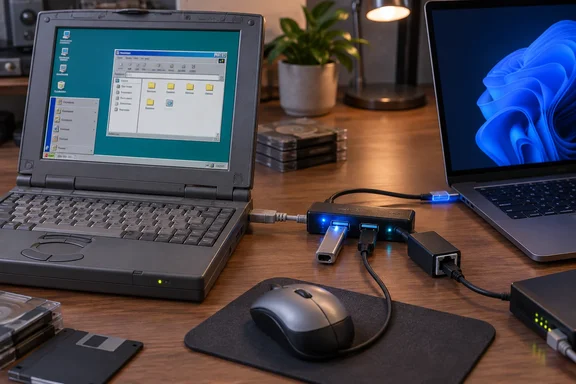
xHCI98 Puts a Modern Controller Under Windows 98's Existing USB Stack
The problem xHCI98 solves is a hardware generation gap. Neither Windows 98 nor Windows 2000 has native xHCI support, so even basic devices like keyboards, mice and flash drives do not work out of the box without BIOS support. Even with BIOS support, those devices cannot be hotplugged, and devices like Ethernet and audio are not supported. The project README explains the history. Windows 98 shipped with UHCI/OHCI drivers for USB 1.1 and later got EHCI (USB 2.0) support through the community back-ported NUSB stack. Windows 2000 gained EHCI natively in Service Pack 4. PCs from the mid-2010s onwards dropped EHCI entirely and use only the xHCI (eXtensible Host Controller Interface) design that came with USB 3.0.
Meng didn't write a whole new USB stack. He wrote only the bottom layer. The existing usbport.sys the driver depends on does not support USB 3.0, and neither does anything above it; xhci98.sys is only the miniport underneath that stack. In practice, the OS's own port driver still handles the root hub, device enumeration, USB Request Blocks and the interface to class drivers. xhci98.sys translates all of that into the commands an xHCI controller understands.
This design has a consequence that's easy to miss: xHCI98 gives you a working controller, not drivers for every device. Class and device drivers still come from the OS or from whatever third-party packages exist for it. Meng's own testing shows a Sound Blaster X4, a USB Audio Class 2.0 device, enumerating correctly on Windows 98 but failing to bind because no suitable Windows 98 or 2000 driver exists for it. If a device never worked on Windows 98 over EHCI, it won't start working on xHCI either.
Meng's write-up is open about how the driver was built. He developed it with heavy AI assistance over about two months of spare time. The code is C89/C90, built with MSVC 6.0 and the Windows 2000 DDK for x86 and with WDK 7.1 for x64. The GitHub page states that Kheng Meng directed the work, ran the hardware validation on real machines and reviewed what went in, and it warns that the project is from a solo human with AI-assistance only so bugs are not unexpected. It also lists ReactOS's usbport implementation as the primary reference for the usbport.sys miniport interface (undocumented by Microsoft). The source code is licensed under the GNU General Public License, version 2. Hackaday calls the AI use a "demonic pact" but notes that, unlike purely vibe-coded projects, Meng intends to address bugs reported on the repository.
Why xHCI98 Leaves Every USB 3.0 Port Unpowered
The "USB 2.0 only" limit is a direct result of the design, not an unfinished feature. According to the README, SuperSpeed would mean rewriting the entire USB HCD (Host Controller Driver) for both operating systems, which is significantly more work than this driver for a speed that most machines running Windows 98 or Windows 2000 are unlikely to effectively use.
The workaround relies on how xHCI hardware is laid out. Every USB 3.x connector (USB4/Thunderbolt included) also carries the USB 2.0 wires, and xHCI exposes them as a separate logical port per connector. The driver manages those USB 2.0 ports and leaves the USB 3.x ones unpowered. A SuperSpeed-capable device plugged in therefore falls back to the High-Speed USB 2.0 pairs. Meng's physical test laptops show what this looks like: each exposes 18 controller ports, and xHCI98 manages the 12 USB 2.0 logical ports while leaving the six USB 3.0 ports dark.
Some videos and forum posts have described this as Windows 98 getting "USB 3" support. That framing is loose. The controller is a USB 3.0 controller, but everything plugged into it runs at USB 2.0 speed or slower. A 2020 USB 3.0 flash drive works, just as it would in a USB 2.0 port.
Windows 98 SE Is Proven on Real ThinkPads, and Most Other Targets Only in VMs
The list of supported systems is much wider than the list of systems tested on real hardware. Readers should weigh the two separately.
The physical Windows 98 SE demonstrations use two Intel xHCI-only laptops: a 2016 ThinkPad E460 with a Skylake/Sunrise Point-LP xHCI 1.0 controller, and a 2020 ThinkPad P14s Gen 1 with a Comet Lake PCH-LP xHCI 1.1 controller. The README shows the 2020 ThinkPad P14s Gen 1 (Comet Lake xHCI, no EHCI) on Windows 98 SE, with a 7-port hub, USB Ethernet, USB Audio, a USB-to-SATA bridge, two flash drives and a mouse all using the xHCI controller. The E460 device list includes a Logitech USB Optical Mouse, a Microsoft Wired Keyboard 600, a SanDisk U3 Titanium and two USB 3.0 flash drives, a Transcend StoreJet USB-to-SATA bridge, an ASIX AX88772A USB Ethernet adapter, a Sound Blaster Play! 2 and several hubs. The Ethernet adapter got a DHCP lease and passed traffic. The StoreJet bridge passed a file write and read-back check.
Most development happened in QEMU using its qemu-xhci emulated controller, with an automated test matrix that repeatedly plugs and unplugs virtual devices and records pass or fail. The README's current status for the other targets is:
| Target | Test status per the project README |
|---|---|
| Windows 98 SE | Real hardware (two Intel ThinkPads) plus VMs, with NUSB and SweetLow's stack |
| Windows ME | One VM with SweetLow's stack; never tested on physical hardware |
| Windows 2000 SP4 | VMs only, including a two-CPU SMP guest and Driver Verifier; standby/resume untested |
| Windows XP SP3 x86, XP SP2 x64 | One VM per target; never tested on physical hardware |
| Windows Vista SP2 x86/x64 | One VM per target; never tested on physical hardware |
| Windows 7 SP1 x86 | VM, plus one physical ThinkPad E460 run on September 19, 2026 |
| Windows 7 SP1 x64 | VM only |
The one Windows 7 x86 hardware run passed installation, mouse, flash drive and USB audio tests, both at a root port and behind USB 2.0 hubs, as well as reboot and shutdown. The first attempt to disable the controller hung.
Support for chipsets beyond Intel is also narrow. The driver is developed based on Intel's xHCI specification and tested mainly on Intel machines so far; no guarantees have been made on xHCI implementations from other vendors, though a tester named Omores has tried it on some AMD AM4 and AM5 platforms. The README lists those third-party results as OK on B550, B360 and X670 boards and not OK on an X570. Intel 7- and 8-series chipsets that use the XUSB2PR port multiplexer have not been tested at all.
XHCIQUAL and the xHCI98 Install Path, Windows 98 SE Through Windows 7
The most important step happens before you install anything. Older Windows versions can't use MSI interrupts, so xHCI98 depends on the controller's legacy INTx interrupt line. xHCI controllers usually prefer MSI/MSI-X and keep INTx as a fallback. The README warns that a controller reporting no legacy interrupt pin cannot be driven, and that there is no software workaround. Meng ships a DOS tool, XHCIQUAL, to check this first.
Prerequisites by operating system
- Windows 98 SE needs a USB 2.0 stack installed first: either NUSB 3.3 or 3.6, or SweetLow's stack. For SweetLow's stack, you right-click its root USB2.INF and choose install, then reboot if asked.
- Windows ME must use SweetLow's stack only.
- Windows 2000 SP4 and XP SP3 x86 need nothing extra, because both already include the stack at those service-pack levels.
- XP SP2 x64, Vista SP2 and Windows 7 SP1 need nothing extra either. On Vista x64 and 7 x64, you have to disable driver signature enforcement because xHCI98 is unsigned.
- On an xHCI-only Windows 98 SE or ME machine, keep the Windows installation CD, or a copy of its files on disk, within reach. Windows may ask for files while installing the driver or the USB devices you plug in afterwards.
Qualifying the controller with XHCIQUAL
- Boot into real DOS, not a DOS box inside Windows.
- Run
XHCIQUAL --probe-only --no-page --log PROBE.LOG. This probe is read-only: it takes ownership of nothing and writes no PCI configuration register. - If the probe doesn't crash the machine, run
XHCIQUAL --no-page --log FULL.LOG. This full check takes over the controller, resets it and resets its ports. Use a PS/2 keyboard for it, and don't write the log to a drive attached to the controller you're testing. - Check the verdict at the end of the run. If you file a bug or hardware report, attach FULL.LOG, or PROBE.LOG if the full run didn't finish.
Installing the driver
- Copy the unzipped package to somewhere the machine can read without USB, such as a floppy, a CD or a shared folder. Use
release-x86\for 32-bit Windows (98 SE, ME, 2000, XP, Vista, 7) andrelease-x64\for XP x64, Vista x64 and 7 x64. Thedebug-directories are troubleshooting builds; install them only if the developer asks you to. - In Device Manager, find the unrecognized xHCI controller. It usually sits unclaimed with a yellow mark under "Other devices", often named "Universal Serial Bus Controller".
- Open Properties, then Driver, then Update Driver, choose "Specify a location" or "Have Disk", and point it at the matching release directory.
- A successful install shows "USB 2.0 eXtensible Host Controller (xhci98)" with a "USB Root Hub" underneath it, and neither should have a warning mark. Reboot if prompted.
On Windows 98 with NUSB, do not disable, remove or upgrade the driver in Device Manager. The README says each of those actions blue-screens the system. It blames NUSB's usbport.sys, the Windows 2000-derived build of the stack, which can't stop a running controller, and notes that Microsoft's own USB drivers behave the same way on that machine. The documented workaround is to rename XHCI98.SYS and reboot before removing it. With SweetLow's stack, the same machine survives all three operations. If you expect to update the driver often, SweetLow's stack is the safer choice on Windows 98 SE.
xHCI98 1.1.1.0 Fixes the Slow Storage Speeds Seen at Launch
Meng's original write-up reported about 18 MB/s read and write in ATTO Disk Benchmark with a USB 3.0 flash drive on the P14s. That is well below what USB 2.0 High-Speed can usually deliver, and at the time he suspected the controller's interrupt moderation setting. A later release confirmed it. According to the version 1.1.1.0 release notes, the install sets a shorter default interrupt moderation interval of 500 (0.125ms), so transfer speeds should approach 33 MB/s, near the practical maximum of USB 2.0; previously this was hardcoded at 4000 (1ms) and only managed 18 MB/s. The README reports about 33 to 34.6 MB/s read and write from 64 KB transfers upward with an MSSU10-128GSR flash drive at the new setting. These are the developer's own benchmark figures.
You can change the setting. It's a DWORD named XhciImodInterval250ns, measured in units of 250 nanoseconds, stored in the controller's driver key:
- On Windows 98 SE and ME, it's under
HKLM\System\CurrentControlSet\Services\Class\USB\NNNN. - On Windows 2000 through 7, it's under
HKLM\SYSTEM\CurrentControlSet\Control\Class\{36FC9E60-C465-11CF-8056-444553540000}\NNNN. NNNNis the subkey whose DriverDesc reads "USB 2.0 eXtensible Host Controller (xhci98)". The number varies from machine to machine.
Valid values run from 10 to 4000. Anything outside that range is replaced by 4000, the controller's power-on default, so a mistyped zero can't switch moderation off. The README notes that Linux's xHCI driver defaults to 160, and says xHCI98 ships at 500 to be more conservative. The trade-off is audio: USB audio playback may be more likely to stutter during heavy USB traffic like file transfers at the default moderation interval, so if you prefer to prioritise audio quality, increase the value or change it back to 4000. The same release adds an Advanced tab to the controller's Device Manager properties, with a "Disable USB error detection" checkbox and a "Bandwidth Usage" button.
Known xHCI98 Faults on Vista, Windows 7 and Rapid Hotplug
The documented bugs mostly depend on topology, and most can be worked around by changing where you plug things in.
- The release notes say that on Vista and 7, an old USB 1.1 hub plugged straight into the PC will crash Windows once you use a mouse or keyboard behind it. Plug those devices directly into the PC, or use a USB 2.0 hub. The README identifies this as a STOP 0x7E in USBPORT.SYS and says Windows 98, 2000, XP and XP x64 aren't affected.
- On XP and later, a USB sound card or headset plugged straight into the PC plays no sound, even though Windows shows it playing. Plugged in through a USB 2.0 hub, it works. Windows 2000 plays such devices at a root port.
- On Windows 7, disabling the USB controller in Device Manager can hang, and so can the restart after it. This was seen on the one real machine tried, the cause is not known yet, and users should save their work first and be ready to hold the power button.
- A device at a root port is always reported as High Speed even if it's slower, because reporting its true speed crashes usbport. As a result, a slower device's polling interval may be 1, 2 or 4 ms. Putting the device behind a hub lets its real speed be reported.
- Sustained rapid plugging and unplugging, about twice a second, can freeze Windows 98. On the E460, three fast replug cycles of the USB Ethernet adapter wedged the machine. The README says ordinary use is fine.
A hub turns out to be the most useful accessory for this driver. A USB 2.0 hub works around the audio, speed-reporting and Vista/7 USB 1.1 hub problems all at once.
What this means for you
Whether to try xHCI98 comes down to your OS and your chipset. A Windows 98 SE install on a recent Intel laptop is the case with real-hardware evidence behind it. ME, 2000, XP, Vista and 64-bit Windows 7 are experiments on the strength of VM results. If your desktop still has a PCI or PCIe slot, the older route still works: Hackaday points out that desktops can use a PCI card with a USB 2.0 controller, and Meng used such a card through adapters before this project. On the ThinkPad-class laptops xHCI98 was built for, there's no slot to use, so this driver is the only way to get working USB ports.
- Run XHCIQUAL from real DOS before installing. A controller with no legacy INTx interrupt pin can't be driven, and no software fix exists.
- On Windows 98 SE, install NUSB 3.3/3.6 or SweetLow's stack first. Choose SweetLow's if you want to be able to disable, remove or update the driver without a blue screen.
- On Vista x64 and Windows 7 x64, you have to disable driver signature enforcement because xHCI98 is unsigned.
- Install version 1.1.1.0 or later if you use USB storage. Its default moderation setting of 500 raises the developer's measured throughput from about 18 MB/s to about 33 MB/s. Raise the value toward 4000 if audio stutters.
- Keep a USB 2.0 hub handy. It avoids the root-port audio silence on XP and later, the USB 1.1 hub crash on Vista and 7, and the incorrect speed reporting for slow devices.
- Treat AMD systems as unproven. Third-party results were fine on B550, B360 and X670 and failed on X570, and no general AMD support is claimed.
xHCI98 turns the last decade of xHCI-only laptops into realistic Windows 98 SE machines, with USB 2.0 working on hardware that had no USB under that OS before. The project has moved fast. It started with Windows 98 and 2000, XP SP3 support arrived with 32-bit Windows XP SP3 added for completeness and tested in virtual machines only, and later releases added the 64-bit targets and the storage-speed fix. What decides how far this goes is real-hardware test reports for Windows ME, 2000, XP and Vista, plus more chipset results. Those reports come from users running XHCIQUAL and filing logs on the repository.