

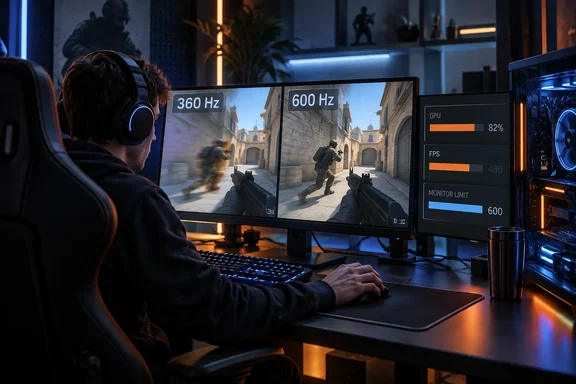
Luminosity's CS2 players on 240 Hz, 360 Hz and 600 Hz monitors
PC Gamer's Jacob Fox reports that at Logitech's G Play event (featuring a Counter-Strike 2 tournament) in Warsaw, he spoke to Oscar Bell, AKA 'Azuwu', and Simon Boije, AKA 'yxngstxr', who both play for Luminosity. Logitech's event site confirms that G PLAY ran September 22–23 at EXPO XXI in Warsaw. Its main event was Logitech G PLAY Connect, a Counter-Strike 2 tournament with a $100,000 prize pool that counts toward Valve's regional standings. The event site does not confirm the interviews themselves. The quotes below appear only in PC Gamer's report.
Azuwu described a pattern many players will recognise. When he owned a 240 Hz monitor, trying 360 Hz didn't impress him much. After switching to 360 Hz, though, he said he couldn't go back. He called 360, 400 and 600 Hz "all pretty similar." He named 400 Hz as a nice spot and 600 Hz as "extra nice," and added that many PCs won't reach 600 frames per second.
Yxngstxr was more doubtful. He called the benefit "kind of a placebo, personal thing." He also said that a 600 Hz panel paired with about 300 fps "doesn't even matter," because most systems rarely reach 600 fps anyway.
Both players agree that gains shrink at the top end and that the PC limits them. On the exact number they disagree. One leans toward 400–600 Hz, and the other questions whether chasing refresh rate is worthwhile at all. Two interviews give you practitioner opinion. They don't prove that any one number is the right answer for everyone.
PC Gamer's earlier 360 Hz argument grew out of Zowie XL2586X+ testing
The Warsaw interviews follow a June 14, 2026 PC Gamer column in which Fox wrote that 360 Hz is the sweet spot before real diminishing returns start to kick in, but it's also a little more complicated than that. He first discovered this when testing the Zowie XL2586X+. That column also argued that there are diminishing returns to upping your refresh rate, but they don't diminish as drastically or as quickly as a lot of people seem to think they do.
The June column was also clear about budget. Fox said 240 Hz isn't much worse if you're on a tight budget, and he singled out the $250 Alienware AW2525HM, which has a 320 Hz refresh rate. He wrote that although DyAc 2 and better-tailored panels do give Zowie monitors the edge, as long as a panel is generally accurate and clear, he'd take a cheaper one with a similarly high refresh rate.
The new article's own evidence is modest. Fox says in it that his earlier case rested on nothing but his own testing and "a big bottle of 'trust me bro'." The published pieces don't include a formal method, such as the maps used, run lengths or frame-time captures. Treat the 360 Hz verdict as an experienced reviewer's judgement, now supported by two players' comments.
CS2 frame rates decide how much of a 600 Hz panel you actually use
Yxngstxr's point depends on the difference between two numbers. Refresh rate is how many times per second the monitor redraws the image. Frame rate is how many new images the game renders each second. A 600 Hz monitor can redraw 600 times per second, but if CS2 only renders 300 frames, many of those redraws have no new game frame to show.
Fox's own system shows how hard this is even on high-end hardware. He runs CS2 on a Ryzen 7 7800X3D with a Radeon RX 9070 XT and says he usually can't reach 600 fps, even at 1280 × 960 or 1080p. He typically sees around 500 fps. These are his informal observations, not a standard benchmark, but they suggest a 600 Hz panel would sit partly unused even on a current top-tier gaming PC.
Zowie's own requirements for the XL2586X+ point the same way. For 600 Hz, the company recommends at least an Nvidia RTX 40 series or AMD RX 7000 series graphics card and a 14th-generation Intel or AMD Ryzen 7000 series CPU. Those are recommended specs for driving the panel. They don't promise that CS2 will hold 600 fps.
The arithmetic also explains the shrinking returns. Each refresh interval at a given rate is simply one second divided by that rate:
| Refresh rate | Time between refreshes | Saving vs. previous tier |
|---|---|---|
| 240 Hz | 4.17 ms | — |
| 360 Hz | 2.78 ms | 1.39 ms |
| 400 Hz | 2.50 ms | 0.28 ms |
| 600 Hz | 1.67 ms | 0.83 ms |
The move from 240 Hz to 360 Hz alone saves more time per refresh (1.39 ms) than the whole jump from 360 Hz to 600 Hz (1.11 ms). These figures describe display intervals only. They are not measurements of total input lag, which also depends on the mouse, the game engine, the CPU and GPU, and panel response. They help explain why Azuwu found 360, 400 and 600 Hz "pretty similar."
Zowie DyAc 2 targets motion blur, and the two pros disagree on it
The interviews also touched on a feature that has nothing to do with refresh rate. According to PC Gamer, Yxngstxr said Zowie's DyAc technology makes a noticeable difference. He said "the edge of the players" become more visible, and PC Gamer reports that the whole team uses Zowie monitors partly for that reason. Fox wrote that he noticed the same when he tested the 600 Hz Zowie XL2586X+, describing DyAc as a proprietary kind of backlight strobing that helps improve motion clarity.
His teammate wasn't convinced. Azuwu says, "I have it on, but it's hard to tell." So the two players on the same team don't agree about the same feature. Fox's own view is that for most uses it's overkill, but for a pro gamer he can see why it would be useful.
Zowie describes DyAc 2 on the XL2586X+ as a dual-backlight design meant to reduce blur while giving a softer light output. The monitor's specifications also show what you give up. Variable refresh rate and flicker-free operation are both listed as available only with DyAc 2 turned off. In practice, you choose between strobing for motion clarity and VRR for smoothing out frame-rate swings. That matters most on a PC that can't hold a steady frame rate near the panel's maximum, which Fox's 500 fps experience suggests is common even with strong hardware.
The XL2586X+ itself is a 24.1-inch TN panel running 1920 × 1080 at up to 600 Hz over HDMI 2.1 or DisplayPort 1.4. Zowie notes that consoles such as the PS5 and Xbox Series X|S top out at 120 Hz on it. Zowie promotes it as the official monitor of IEM Katowice 2025. That is marketing, but it fits the June column's observation that big tournaments often use them across the board, so it makes sense to practice with them. For a pro, practising on the same hardware used on stage is a strong reason to buy Zowie that has nothing to do with the refresh-rate debate.
Windows 11 version gates the XL2586X+ at 600 Hz
One detail on Zowie's product page matters directly for Windows users. Zowie says that running the XL2586X+ at 600 Hz requires Windows 11 updated to the latest version. It says Windows versions released before November 1, 2023 aren't compatible with 600 Hz and are limited to a maximum of 500 Hz. Zowie also advises asking your graphics card maker about GPU support for 600 Hz.
For anyone buying at the top end, this is a real prerequisite. A PC left on an old Windows build, or running an older Windows version, will reportedly cap the panel at 500 Hz. Zowie's page covers Windows 11 only. It doesn't say how Windows 10 behaves, so don't assume either way. Zowie's note is specific to this model, and other 500–600 Hz monitors may have their own requirements.
Even at 500 Hz, a PC averaging around 500 fps in CS2, like Fox's, would lose little. The Windows cap is most likely to matter for the small number of systems that can sustain well above 500 fps.
What this means for you
Match the monitor to the frame rate your PC actually sustains in the games you play, and treat anything beyond 360 Hz as a personal preference rather than an automatic upgrade. If your system holds well above 360 fps in CS2 at your usual settings, a 400–600 Hz panel may appeal to you, as it does to Azuwu. If it doesn't, the extra headroom mostly goes unused. If you're on a budget, PC Gamer's own guidance is that 240 Hz is only slightly worse and that cheaper 320 Hz panels are competitive.
Check your in-game frame rate on the maps and settings you really play before buying. An average number doesn't tell you much about the dips during busy rounds. It's also worth confirming in Windows 11's advanced display settings that your current monitor is actually running at its rated refresh rate, since a monitor stuck at a lower mode makes any comparison meaningless.
- A 600 Hz monitor only shows its full benefit when the PC renders close to 600 fps, and a Ryzen 7 7800X3D with an RX 9070 XT typically managed about 500 fps in CS2 in PC Gamer's informal use.
- Going from 240 Hz to 360 Hz cuts the time between refreshes by 1.39 ms, which is more than the 1.11 ms saved by going all the way from 360 Hz to 600 Hz.
- Zowie says 600 Hz on the XL2586X+ needs an up-to-date Windows 11, and Windows versions from before November 1, 2023 are limited to 500 Hz.
- DyAc 2 on the XL2586X+ can't run at the same time as variable refresh rate or flicker-free mode, so strobing and VRR are an either-or choice on that monitor.
- The two Luminosity players disagreed on both high refresh rates and DyAc, so their comments are useful opinions, not a verdict that applies to everyone.
The Warsaw interviews add practitioner voices to a debate that has usually relied on spec sheets. On the evidence available, the main finding is that returns shrink above 240–360 Hz and that the PC's frame rate sets the real limit. PC Gamer's specific pick of 360 Hz is a reasonable choice within that, not the only defensible one. Until faster CPUs and GPUs make 600 fps in CS2 routine, most competitive players will get more out of a 360 Hz panel their PC can keep fed than from a 600 Hz panel it can't, and on the XL2586X+ that also means keeping Windows 11 fully updated.