

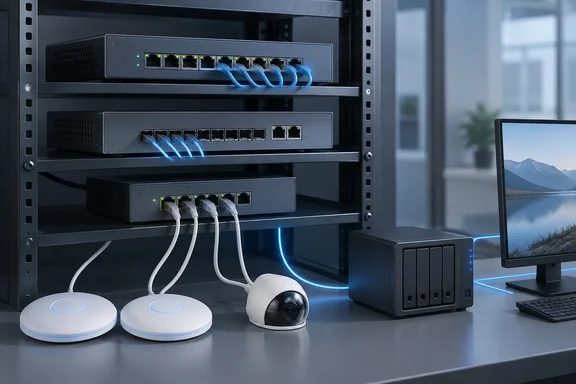
The announcement began as a Zyxel press release. TechPowerUp republished it on September 23. The Tech Revolutionist has also covered the launch, and retailer listings plus Zyxel's own product pages give the port layouts. Zyxel has published no independent benchmarks, so the performance claims here are the company's.
Zyxel XS1935 Series: Three 10G Switches Built for Different Jobs
All three models share one idea: 10G on every port in a 10- or 12-port chassis. Zyxel says the copper ports support multi-gig speeds from 100 Mbps up to 10 Gbps. The company presents this as a way to allow "seamless network upgrades without replacing existing infrastructure". In practice, the copper ports can negotiate at 100M, 1G, 2.5G, 5G or 10G, so older gigabit PCs, 2.5GbE desktops and newer 10GbE workstations or NAS units can all plug into the same switch.
Zyxel's product page lists these port layouts:
| Model | Copper ports | Fiber (SFP+) slots | PoE | Status on Zyxel's product page |
|---|---|---|---|---|
| XS1935-10 | 8 × 10G multi-gig RJ-45 | 2 × 10G SFP+ | None | Listed |
| XS1935-12HP | 8 × 10G multi-gig PoE++ plus 2 × 10G multi-gig RJ-45 | 2 × 10G SFP+ | 802.3bt, 90 W/port, 400 W total | Coming soon |
| XS1935-12F | 2 × 10G multi-gig RJ-45 | 10 × 10G SFP+ | None | Listed |
Zyxel's target list covers the gear that tends to outgrow a gigabit switch. The press release names Wi-Fi 7 access points, high-performance servers, NAS and storage systems, professional AV-over-IP devices, and what it calls "AI multi-camera appliances for smart cities." The Tech Revolutionist describes the compact 10- and 12-port formats as aimed at networks connecting that kind of bandwidth-intensive equipment.
The small port counts are deliberate. Zyxel already sells the XGS1935 line, which covers a different need. That series pairs gigabit connectivity with four 10GbE uplinks in 24- and 48-port chassis. The XS1935 takes the opposite approach, with fewer ports that all run at 10G. An office that needs many desk drops at gigabit speed and a fast uplink fits the XGS1935. An office with a few endpoints that each need more than a gigabit fits the XS1935.
The XS1935-12F Is Mostly Fiber, With Two Copper Ports
Zyxel's release calls the XS1935-12F "an all-fiber option" that "provides 10G fiber connectivity across every port." Its own product page shows a different layout: ten 10G SFP+ slots and two 10G multi-gig RJ-45 ports. A UK retailer's listing for the model describes the same "ten (10) 10G SFP+ ports and two (2) 10GbE RJ45 ports". The 12F is therefore a fiber-heavy aggregation switch with two copper ports, not a 12-port all-fiber unit.
The mixed layout is useful. Zyxel positions the fiber variant for "edge deployments and smaller aggregation environments", where the SFP+ slots link other switches, reach distant wiring closets, or connect servers over fiber or direct-attach cables. The two copper ports let an administrator connect a local 10GbE device, such as a NAS or management workstation, without buying an SFP+-to-RJ-45 transceiver. Zyxel's point is that an SMB can build this kind of aggregation layer without moving up to a larger enterprise switch.
The retailer listing adds some details the press release leaves out. According to Broadband Buyer, the 12F has a smart fan design the retailer calls near silent. It also has five-color LEDs that show each port's link speed, and an ECO button that turns off the Ethernet port LEDs. The same listing says VLANs, enhanced QoS, link aggregation, IPv6, DoS prevention and IPv4/IPv6 Layer 3 static routing can all be configured through the web interface without a command line.
The listing also points to availability. The 12F is already on sale through at least one UK channel, while Zyxel's product page still marks the other models as "coming soon."
Only the XS1935-12HP Carries PoE++, and 400 W Is the Real Ceiling
The launch copy lists PoE++ at 90 W per port alongside the family's other features, so a reader could assume every XS1935 powers devices. Only one model does. Zyxel's product page says the XS1935-12HP delivers PoE++ at up to 90W per port across eight ports, using the IEEE 802.3bt standard. The XS1935-10 and XS1935-12F have no PoE.
The 12HP's total budget matters more than its per-port peak. Eight ports at 90 W would need 720 W, and the switch supplies 400 W. The Tech Revolutionist notes that the power available in any deployment still depends on the combined load and the PoE requirements of each connected device. As a rough example, a few high-draw Wi-Fi 7 access points and a PTZ camera fit comfortably. Eight devices all asking for the full 90 W will not.
Zyxel also compares the 12HP with older hardware. It says 90 W is "nearly 6x more power than traditional PoE (15.4W)", and the product page claims the switch offers up to ten times the bandwidth of a traditional 1G network. The target devices are Wi-Fi 7 access points, pan-tilt-zoom cameras, smart IoT hardware and video-conferencing systems. The release adds that carrying power and data on one cable reduces cabling and simplifies installation. That is true for each device, but it moves the planning work to the switch's power budget.
The 12HP is also the model buyers can least count on finding right now. Zyxel's product page labels it "coming soon." A US reseller listing for the part number exists, but that does not confirm it is shipping in every region.
NebulaFlex and Lite-L3 Cover the Basics; the Access L3 License Covers the Rest
All three models use Zyxel's NebulaFlex management. An administrator can run the switch standalone through its local web interface or move it to Zyxel's Nebula cloud platform, and can switch between the two at any time. That lets a small installation stay locally managed while giving organisations with several sites an option for centralised remote monitoring and configuration. Zyxel's product page also describes setup through the Nebula mobile app, using a step-by-step wizard.
Nebula cost matters for small IT budgets. The 12F retail listing describes Nebula cloud management as "licence-free", which matches how Zyxel markets NebulaFlex on its other switches. Basic cloud management should therefore add no subscription cost. Features that go beyond the standard set are a separate question.
The standard "Lite-L3" set covers VLANs, QoS, link aggregation and Layer 3 static routing. For a small office, that is enough to put cameras, guest Wi-Fi and staff PCs on separate VLANs, route between them with static routes, and bond two ports to a server or NAS for extra throughput or redundancy.
Two features need extra payment. Advanced L3 routing and NetworkedAV mode for professional AV-over-IP deployments are unlocked through an additional Access L3 License. NetworkedAV is Zyxel's dedicated switch mode for AV-over-IP installations such as digital signage and video distribution. The product page says it is available on select switches and requires an additional license. Zyxel has not published the license price or said exactly which advanced routing protocols it adds. Anyone who expects to need dynamic routing or AV-over-IP should get a quote for the license along with the hardware.
Where a 10G Switch Upgrade Actually Fixes a Windows Network
Zyxel frames the launch around familiar complaints: slow file transfers, stalled backups, lag when several users access the network at once, and buffering security-camera footage. It argues that the older switch, not the server, access point or camera, is often the cause. That can be true, but these are the company's examples, and it has published no throughput or latency tests to back them.
A general networking rule applies before buying. A link runs at the speed of its slowest end. A Windows PC with a 1GbE adapter still connects at 1 Gbps on a 10G port. A new switch also does nothing for the speed of the internet connection behind it. The upgrade pays off when both ends of a busy link can go faster than a gigabit. Typical cases are a 10GbE NAS serving several 2.5GbE or 10GbE workstations, a Wi-Fi 7 access point whose wireless throughput exceeds its gigabit uplink, or a backup server copying large images over SMB.
Before buying, check whether the switch is really the constraint. On Windows, the Speed column in the adapter status dialog or the Ethernet page in Task Manager shows the negotiated link speed. If the adapters in both the client and the NAS are already running at full rate and the transfers are still slow, the problem lies elsewhere. If a 2.5GbE or 10GbE NAS shows a 1 Gbps link because the switch only supports gigabit, a multi-gig switch like the XS1935 fixes that directly.
The multi-gig range also allows a gradual upgrade. Because the copper ports accept 100M through 10G, existing gigabit devices keep working, and faster adapters can be added one machine at a time. The switch does not force a full cabling or endpoint overhaul.
Zyxel also claims the new packaging cuts packaging-related carbon emissions by 30% compared with the previous-generation XS1930 series. The footnote explains that this is a per-unit packaging figure calculated with generic emission factors. It says nothing about the switch's power consumption or total lifecycle emissions.
What this means for you: Pick the XS1935 Model by Ports and Power
The decision comes down to matching a model to the endpoints you have. SMB administrators with a 10GbE NAS or Wi-Fi 7 access points stuck behind a gigabit switch are the obvious buyers. Offices where every PC still has a 1GbE adapter gain little until they upgrade those adapters. Anyone who needs PoE right away should confirm that the 12HP is actually available locally, because it is the model Zyxel still lists as coming soon.
- The XS1935-10 suits copper-only multi-gig desktops, servers and NAS units. It has eight 10G RJ-45 ports and two SFP+ uplinks, with no PoE.
- The XS1935-12HP is the only PoE model. Add up the draw of all connected devices against its 400 W total budget rather than assuming 90 W on all eight ports.
- The XS1935-12F is a fiber aggregation switch with ten SFP+ slots and two copper 10G ports. Budget for the SFP+ transceivers or direct-attach cables it will need.
- Basic Nebula cloud management and the standard Lite-L3 features come with the switch. Advanced L3 routing and NetworkedAV need the separately sold Access L3 License, and Zyxel has not published its price.
- Before buying, check the negotiated link speed on your Windows clients and NAS to confirm the switch is the bottleneck.
- Zyxel has not announced regional pricing or a full availability schedule, so get quotes from local resellers for the exact model.
The XS1935 series brings all-10G switching down to a size and feature set that fits a small business network, and the careful choices are in the details: which model has PoE, how the 400 W budget is shared, and which features need the Access L3 License. With the 12F already at retailers and the 12HP still listed as coming soon, the next milestones are 12HP shipments, published license pricing, and independent throughput tests.
References
- XS1935 Series | 10/12-port 10G Multi-Gigabit Lite-L3 Smart Managed Switch | Zyxel Networks zyxel.com
- Zyxel Networks launches XS1935 series to remove network bottlenecks for growing SMBs | Zyxel Networks zyxel.com
- Zyxel XS1935-12F 10-Port Smart Managed 10G SFP+ Aggregation Switch w/ 2 x 10GbE RJ45 Ports & NebulaFlex broadbandbuyer.com