
The practical message is simple: Chrome versions below 149.0.7827.197 on Windows and macOS, below 149.0.7827.196 on Linux, and below 149.0.7827.197 on Android should be treated as needing an update. Google shipped the affected Chrome 149 Stable builds on June 23, 2026, with the Windows and macOS release line moving to 149.0.7827.196/197 and Android receiving 149.0.7827.197. Google’s Android release post confirms the Android version, while its desktop advisory confirms the corresponding Windows, Mac, and Linux rollout.
For enterprises, this is not a case for waiting on a monthly maintenance cycle. Browser vulnerabilities reachable through ordinary web content have a uniquely broad exposure surface: a malicious page, compromised advertising resource, hostile document portal, or poisoned search result can become the initial delivery mechanism. The vulnerability’s user-interaction requirement does not make it trivial; it means the attack generally depends on a person loading attacker-controlled web content, rather than requiring local access or prior authentication.
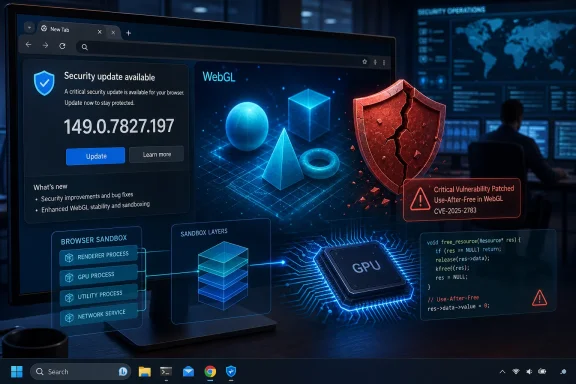 What CVE-2026-13028 Is—and Why Its Classification Matters
The official description labels CVE-2026-13028 as a use-after-free flaw in WebGL. In Chrome on Android prior to version 149.0.7827.197, a remote attacker could potentially use a crafted HTML page to achieve a sandbox escape, according to the NVD entry. Chromium categorized the vulnerability as Critical, its highest severity tier in the release bulletin. Google’s advisory
The bug is also mapped to CWE-416: Use After Free. This weakness occurs when software continues to access memory after the object or allocation associated with that memory has been released. That can produce crashes, data corruption, information disclosure, or—in sufficiently controlled circumstances—code execution. MITRE’s CWE-416 definition
A use-after-free flaw is especially serious in browser code because browsers process a remarkable amount of hostile input. HTML, JavaScript, CSS, images, audio, video, fonts, documents, network responses, and graphics commands may all originate from a site the user has never previously trusted. WebGL adds another complex input surface: it allows websites to issue graphics operations that interact with the browser’s rendering and GPU-handling stack.
The NVD page currently shows a CISA ADP-assigned CVSS v3.1 score of 9.6 out of 10, rated Critical. Its vector is CVSS:3.1/AV:N/AC:L/PR:N/UI:R/S:C/C:H/I:H/A:H, which conveys several important qualities:
- AV:N — Network attack vector: the attacker can reach the target remotely, typically through web content.
- AC:L — Low attack complexity: the published assessment does not require unusual environmental conditions.
- PR:N — No privileges required: the attacker does not need an existing account or access to the victim’s device.
- UI:R — User interaction required: the victim generally must navigate to or interact with the crafted content.
- S:C — Scope changed: the impact can cross a security boundary.
- C:H/I:H/A:H — High confidentiality, integrity, and availability impact: a successful exploit could have broad consequences. NVD’s CVE-2026-13028 metrics
That score should be interpreted carefully. A CVSS score expresses potential technical impact under its scoring assumptions; it is not proof that commodity exploit code is circulating or that every visit to a WebGL site is dangerous. Still, the combination of remote web delivery, no prior privileges, and possible sandbox escape explains why security teams should regard the patch as urgent.
Why WebGL Bugs Can Be So Consequential
WebGL is not merely a visual feature
WebGL is the web platform’s graphics API for rendering interactive 2D and 3D content. It powers browser games, product configurators, mapping tools, visualization dashboards, CAD-style applications, virtual showrooms, data-heavy educational content, and a growing number of creative and AI-assisted web applications.
On a Windows PC, Chrome’s graphics pathway is not simply a website drawing pixels in a tab. Chromium uses a multi-process design in which renderers, browser services, and GPU-related components have distinct responsibilities and security boundaries. The Chromium Project explains that renderer processes are deliberately restricted, while GPU services may require broader operating-system access to interact with the Windows graphics stack. Chromium’s Windows sandbox documentation
That architecture is a strength. It limits the damage from many ordinary browser vulnerabilities by preventing a compromised renderer from freely accessing a user’s files, Windows APIs, or other protected resources. Chromium’s sandbox documentation describes renderer processes as being locked down with tightly restricted operating-system access, forming a major secondary defense if malicious web content manages to exploit a bug. Chromium’s sandbox overview
But this is also why the phrase “sandbox escape” carries weight. An exploit that crosses or bypasses an intended containment boundary can turn a browser-only problem into something with greater potential impact on the operating system, user data, or follow-on attack chain.
The graphics stack brings complex lifecycle management
Chrome’s architecture routes graphics work through dedicated GPU-handling mechanisms. Chromium’s technical documentation describes the renderer as serializing graphics commands into shared command buffers, while GPU-side components parse those commands and call the relevant platform graphics APIs. WebGL itself uses the GL client-side infrastructure for this path. Chromium’s GPU compositing design documentation
This separation is designed to improve both robustness and security. The renderer cannot simply make unrestricted direct calls into the operating system’s 3D API surface; the browser uses a controlled pipeline for graphics requests. Chromium’s GPU architecture description
However, a graphics pipeline has numerous objects with lifecycles that must be managed correctly: textures, buffers, rendering contexts, shared memory areas, command queues, synchronization points, and references that can be created, passed between components, released, and reused. Chromium’s documentation specifically discusses resource sharing, texture references, synchronization, and destruction in the GPU command-buffer model. Chromium’s GPU-process documentation
A use-after-free condition is fundamentally a lifecycle failure. One component releases an object, while another path still expects it to be valid. If an attacker can manipulate timing and memory reuse predictably enough, stale references can potentially be redirected toward attacker-influenced data. That is why this class of defect remains a central security concern in C and C++ codebases, including high-performance browser subsystems. MITRE’s CWE-416 guidance
The Android Description Does Not Make This a Windows Non-Issue
One point requires particular clarity for WindowsForum readers: the NVD description is specifically worded around Google Chrome on Android prior to 149.0.7827.197 and says the consequence is a potential sandbox escape. NVD’s vulnerability description
Yet Google’s June 23 Stable-channel desktop update lists CVE-2026-13028: Use after free in WebGL as a critical security fix in the Chrome 149 release for Windows, macOS, and Linux. Google’s Chrome 149 desktop bulletin The Android update notice, meanwhile, says Android releases carry the same security fixes as their corresponding desktop release unless noted otherwise. Google’s Chrome for Android update post
The most defensible operational conclusion is therefore:
- Android: the NVD’s directly described affected configuration is Chrome before
149.0.7827.197. - Windows and macOS: Google’s official desktop bulletin places the CVE in Chrome
149.0.7827.196/197, so organizations should ensure users have received that release or a newer one. - Linux: Google’s bulletin identifies
149.0.7827.196as the relevant Stable build. - Other Chromium-based browsers: the CVE is a Chromium/WebGL issue, but Chrome’s release bulletin is not a universal vendor advisory for every Chromium-derived browser. Administrators should use each vendor’s own security release notes and version guidance rather than assuming Chrome’s build number maps directly to Microsoft Edge, Brave, Vivaldi, Opera, or an embedded WebView product.
That last point matters because Chromium is widely reused, but downstream vendors control their own integration, testing, packaging, rollout schedules, and patch backports. A Chrome security update is a valuable signal for the wider ecosystem, not a substitute for validating every browser’s installed build.
Chrome 149 Fixed More Than One Critical Problem
CVE-2026-13028 was not an isolated issue in Chrome 149. Google’s desktop release bulletin identifies 18 security fixes in the June 23 Stable update, including four critical vulnerabilities:
- CVE-2026-13028 — use after free in WebGL
- CVE-2026-13032 — use after free in WebGL
- CVE-2026-13033 — out-of-bounds read in Blink Interest Groups
- CVE-2026-13038 — use after free in Autofill Google’s Chrome 149 security-fix list
The same bulletin includes additional high-severity issues across GPU handling, navigation, DevTools, file system functions, Web Authentication, passwords, Bluetooth, Blink, WebView, Autofill, and Digital Credentials. Google’s complete June 23 Chrome 149 bulletin
That broader patch set changes the remediation calculus. Even if an organization concluded that its users rarely encounter WebGL-heavy sites, the release contains fixes affecting several browser subsystems unrelated to 3D graphics. Updating Chrome is not merely a targeted mitigation for CVE-2026-13028; it is a security-baseline update for the entire browser.
A third-party analysis from F5 Labs likewise characterizes the issue as affecting Chrome versions before the fixed Chrome 149 builds across Windows, macOS, Linux, and Android, while recommending organizations use inventory or vulnerability-management tools to verify compliance. F5 Labs’ June 2026 threat bulletin
Exploitation Status: Serious, But Avoid Overstatement
The published CISA ADP SSVC data attached to the NVD record classifies exploitation as “none,” automatable as “no,” and technical impact as “total.” NVD’s SSVC change history for CVE-2026-13028 This entry should be read as the status recorded in the vulnerability record on June 24–25, 2026, not as a perpetual guarantee that exploitation will never emerge.
The available public information supports a balanced assessment:
- There is a vendor patch.
- The vulnerability is rated Critical.
- The attack can begin through crafted web content.
- The issue is tied to a sandbox-escape scenario in the Android description.
- The published SSVC data at the time of the NVD update indicated no known active exploitation.
- Chrome’s release notes retain restricted issue access until a sufficient portion of users have updated, a common practice intended to reduce the immediate utility of technical bug details to attackers. Google’s security-fix disclosure note
The absence of a published exploit should never become a reason to defer a browser update. Patch adoption itself often changes the risk picture: once fixed and vulnerable versions can be compared, attackers may gain more opportunities to analyze the corrected code path and build a reliable exploit. That is a general patch-management reality, particularly for high-value browser vulnerabilities.
How Windows Users Should Verify and Apply the Fix
Check the installed Chrome version
On Windows, open Chrome and navigate through:
- Select the three-dot menu in the upper-right corner.
- Open Help.
- Select About Google Chrome.
- Allow Chrome to check for updates.
- Select Relaunch if Chrome offers it.
Google states that Chrome checks for updates on the About page and that Windows users should close all Chrome windows and relaunch the browser to apply an update. Google’s Chrome update instructions
For the fixed Chrome 149 branch, Windows users should be at 149.0.7827.197 or later. Because Chrome has moved beyond that release line over time, the normal target should always be the newest Stable version offered through Chrome’s updater—not merely the minimum secure Chrome 149 build.
Do not confuse download with deployment
Chrome normally updates in the background, but a downloaded update may remain pending until the browser is restarted. Google explicitly notes that users who have left Chrome open for an extended period may have an update waiting to be applied. Google’s update guidance
This gap is significant in managed environments. A device can appear healthy in a software catalog if the updater has fetched a package, while the running browser processes continue using an older vulnerable executable. Security teams should validate running version, not simply update availability.
Recommended enterprise response
For Windows administrators, a proportionate response should include the following:
- Inventory Chrome versions across Windows endpoints and identify installations below the organization’s current approved Stable baseline.
- Prioritize devices that browse external content, including kiosks, frontline systems, executive laptops, developer workstations, and endpoints with elevated access to sensitive cloud services.
- Force or prompt a Chrome relaunch where policy allows, since pending updates do not fully protect users until the new browser version is active.
- Review Chrome update policies for systems that have deferred automatic updates or use extended maintenance windows.
- Validate secondary browsers separately, especially Chromium-based products managed by different teams or installed outside standard software deployment channels.
- Include Android enterprise fleets in the same remediation action, because the NVD’s explicit affected configuration centers on Android Chrome before
149.0.7827.197. NVD’s affected configuration information
Chrome Enterprise administrators should also examine whether policy settings are delaying updates. Google’s enterprise documentation notes that automatic update behavior can be managed through policy and that users can initiate an on-demand check through the Chrome settings help page. Google’s Chrome Enterprise update-management guidance
Sensible Temporary Risk Reduction—Without Breaking the Web
There is no substitute for installing the patched Chrome release. Disabling hardware acceleration or attempting to disable WebGL globally may reduce exposure to some graphics-driven content, but such actions are not a documented vendor workaround for CVE-2026-13028 and can disrupt legitimate applications.
WebGL is used by more sites than many users realize. Turning it off can impair mapping, remote visualization, browser gaming, modeling tools, design portals, and some business dashboards. It can also shift rendering workloads in ways that create performance complaints and support overhead without delivering the assurance of a vendor patch.
A better approach is to concentrate on controls that retain normal browser functionality:
- Apply Chrome updates promptly.
- Keep Windows itself current, since browser containment benefits from operating-system process mitigations and security features. Chromium notes that sandbox protections and available process mitigations vary by Windows generation and configuration. Chromium’s Windows sandbox analysis
- Use endpoint protection capable of detecting suspicious browser-child-process behavior.
- Limit local administrator rights, reducing the opportunity for a browser compromise to become a full-device compromise.
- Train users to treat unexpected sign-in prompts, fake update pages, and unfamiliar download requests as suspicious—even when the initial lure is a normal webpage.
These measures are defense in depth, not evidence that patching can be postponed.
The Larger Lesson for Chromium Security
CVE-2026-13028 illustrates why browser security is a moving target. Modern browsers must combine JavaScript engines, rendering engines, networking, media parsers, sandboxing, authentication tools, password managers, hardware acceleration, platform APIs, and increasingly sophisticated graphics capabilities—all while safely processing untrusted internet content.
Chrome’s multi-process architecture and sandboxing model are meaningful strengths. Chromium intentionally isolates rendering work, separates browser services, and constrains renderer privileges to contain damage when bugs occur. Chromium’s sandbox documentation Its GPU architecture similarly limits direct renderer access to platform 3D interfaces through a designed command-processing pathway. Chromium’s GPU-process design documentation
At the same time, CVE-2026-13028 shows that containment layers are not a license for complacency. A critical flaw in a component that bridges web rendering and graphics operations can place pressure on exactly the boundaries browsers rely on to protect users. Security engineering is therefore both architectural and operational: robust isolation reduces the blast radius, but rapid patch deployment closes the known hole.
For Windows users and administrators, the conclusion is clear. Verify that Chrome is on a current Stable build, ensure pending updates have been relaunched into service, and treat Chrome 149’s WebGL security fixes as part of a broader browser-hardening requirement—not as an Android-only footnote.
