
The Microsoft Security Response Center published the advisory on August 11. Microsoft’s Office security release notes independently place CVE-2026-68795 in the Excel portion of that release and identify the updated Microsoft 365 Apps, retail, and volume-license builds. As of August 12, the public record confirms the fix and the affected product family, but it does not provide technical root-cause detail, a proof of concept, or evidence that the vulnerability has been exploited in the wild.
That lack of public exploit detail should shape triage without weakening the patching decision. “Remote code execution” describes the potential result of a successful attack; it does not by itself establish that Excel can be compromised over the network without user interaction, nor does it prove that a malicious workbook is the vector. Administrators should avoid converting a product-category label into an unsupported claim about attack path, while still treating the update as a priority for endpoints that receive spreadsheets from outside the organization.
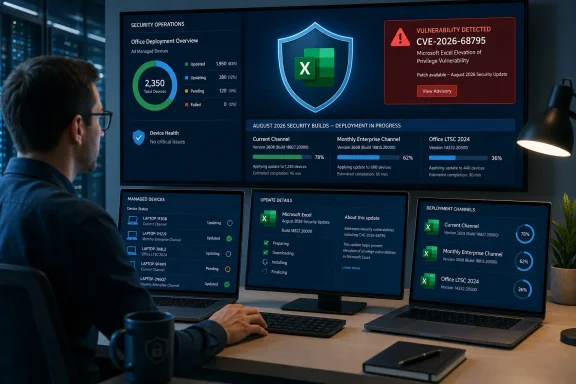 The August Excel release contains 27 separate CVEs
CVE-2026-68795 arrived amid an unusually dense Excel patch set. Microsoft’s August 11 release notes list 27 Excel vulnerabilities, including a consecutive block from CVE-2026-68793 through CVE-2026-68817, alongside CVE-2026-65807 and two later-assigned entries, CVE-2026-70327 and CVE-2026-70328.
That grouping changes the deployment calculus. An organization that tries to determine whether a particular department is exposed to CVE-2026-68795 before patching may spend time on a distinction that does not alter the remediation: the same Office build moves Excel past the entire August set. This is particularly relevant for finance, operations, legal, and reporting teams, where workbooks commonly arrive through email, shared storage, ticketing systems, supplier portals, and collaboration platforms.
Microsoft’s published release notes make no claim that CVE-2026-68795 is being exploited, publicly disclosed before the patch, or associated with a specific threat actor. No independent technical reporting located for this advisory has established those points either. It should therefore be treated as a newly patched vulnerability with a potentially serious impact, rather than represented as a confirmed zero-day.
The fixed Office builds are the practical remediation map
For Click-to-Run, retail, and volume-license Office installations, the following August 11 builds are Microsoft’s published security destinations for the release containing CVE-2026-68795.
| Office servicing channel or edition | August 11, 2026 security build |
|---|---|
| Current Channel | Version 2607, Build 20228.20190 |
| Monthly Enterprise Channel | Version 2607, Build 20228.20188 |
| Monthly Enterprise Channel | Version 2606, Build 20131.20206 |
| Monthly Enterprise Channel | Version 2605, Build 20026.20266 |
| Semi-Annual Enterprise Channel receiving Monthly Enterprise builds | Version 2607, Build 20228.20186 |
| Semi-Annual Enterprise Channel | Version 2508, Build 19127.20730 |
| Office 2024 Retail | Version 2607, Build 20228.20190 |
| Office 2021 Retail | Version 2607, Build 20228.20190 |
| Office LTSC 2024 Volume Licensed | Version 2408, Build 17932.20910 |
| Office LTSC 2021 Volume Licensed | Version 2108, Build 14334.20848 |
| Office 2019 Volume Licensed | Version 1808, Build 10417.20197 |
The practical verification point is the installed Office build, not merely the Windows cumulative-update status. Excel Click-to-Run servicing is independent of the monthly Windows quality update process, and an endpoint can be fully current on Windows while still waiting for an Office channel update or held back by an enterprise deployment ring.
For managed environments, confirm the channel first. A device deliberately pinned to Semi-Annual Enterprise Channel will not match Current Channel build numbers, and treating the higher Current Channel number as the only success condition will generate false compliance failures. Conversely, an Office inventory that only records “Microsoft 365 Apps installed” without channel and build information is not sufficient to establish that this Excel fix is deployed.
Office 2019’s inclusion is an exception, not a new support promise
One detail in Microsoft’s release notes deserves attention from administrators who still have Office 2019 deployments. Office 2019 reached end of support on October 14, 2025, yet the August 11 release includes Office 2019 Volume Licensed build 10417.20197.
Microsoft’s own release-note guidance says it may issue updates for Office 2019 after end of support at its sole discretion. That means the presence of this month’s build is useful for immediate remediation, but it cannot be converted into a lifecycle strategy. Organizations relying on Office 2019 should deploy the update while it is available and treat the release as a reminder that future security coverage is not assured.
The same principle applies to isolated devices running Office editions outside the release-note scope. Do not assume that an older perpetual installation receives the Excel remediation because a newer Click-to-Run device does. Verify the installed edition, architecture, servicing method, and actual build before closing the vulnerability-management ticket.
What Microsoft has not disclosed
The MSRC advisory identifies CVE-2026-68795 as an Excel remote code execution issue, but the currently available public material does not establish the vulnerable feature, the file format or content needed to trigger it, the privilege context gained after exploitation, or whether Protected View, Mark of the Web, Attack Surface Reduction rules, or macro policies interrupt the attack chain.
Those omissions are normal for a freshly published Microsoft Office vulnerability, but they leave a meaningful limit on compensating-control advice. Security teams should not claim that blocking macros fixes this specific CVE: a flaw in Excel’s parsing or object handling can be independent of VBA macro execution. Likewise, telling users to use Protected View may be prudent defense-in-depth, but it is not a vendor-confirmed mitigation for this identifier.
The most defensible short-term control is to reduce unnecessary exposure to untrusted spreadsheets while updates deploy. That includes enforcing existing attachment filtering, maintaining Mark of the Web handling for downloaded documents, retaining Office macro restrictions, and ensuring that users do not routinely bypass document warnings for external files. These controls lower common document-delivery risk, but they are not substitutes for the patched Office builds.
Patch the application, then validate the workflow
Excel security updates frequently intersect with the most customized Office estates: legacy COM add-ins, financial reporting integrations, Power Query connectors, data-provider plug-ins, workbook automation, and line-of-business tools that specify a narrow Office channel or 32-bit architecture. Those dependencies justify a pilot deployment, not an indefinite hold.
A sensible rollout sequence is straightforward:
- Update a representative pilot ring that includes 32-bit and 64-bit Excel, the business-critical add-ins, and the organization’s supported Office channels.
- Confirm the installed build after Office updates complete, because an update download alone does not demonstrate that the security build is active.
- Exercise workbook opening, refresh, add-in loading, VBA-dependent workflows, and any automated Excel tasks used by scheduled reporting systems.
- Expand deployment promptly once those workflows pass, with priority given to users who handle externally supplied workbooks.
CVE-2026-68795 is not a reason to rebuild an Excel security program around one newly assigned number. It is a reason to make sure Office patch compliance is measured at the channel-and-build level, because Microsoft’s August release corrected 26 other Excel issues at the same time. The immediate success condition is simple: systems that run supported, in-scope Excel should reach their applicable August 11, 2026 Office security build without waiting for a technical write-up or a public exploit to make the risk feel more concrete.