
The important detail is that Microsoft’s own documentation does not describe the affected product consistently. The Security Update Guide entry supplied for CVE-2026-70312 calls it a PowerPoint issue, while Microsoft Learn’s August 11 Office security-release notes place the same CVE under “Office suite,” not under the separate PowerPoint section. That mismatch changes the deployment reading: organizations should not limit verification or remediation to devices where users actively create or present slide decks.
Microsoft’s August Office release notes list CVE-2026-70312 among the fixes delivered through the Office servicing channels. They identify the following August 11 builds as the applicable release generation:
- Current Channel: Version 2607, Build 20228.20190.
- Monthly Enterprise Channel: Version 2607, Build 20228.20188; Version 2606, Build 20131.20206; and Version 2605, Build 20026.20266.
- Semi-Annual Enterprise Channel: Version 2607, Build 20228.20186, alongside the Version 2508 servicing line.
- Office 2024 Retail and Office 2021 Retail: Version 2607, Build 20228.20190.
- Office LTSC 2024: Version 2408, Build 17932.20910.
- Office LTSC 2021: Version 2108, Build 14334.20848.
- Office 2019 Volume Licensed: Version 1808, Build 10417.20197.
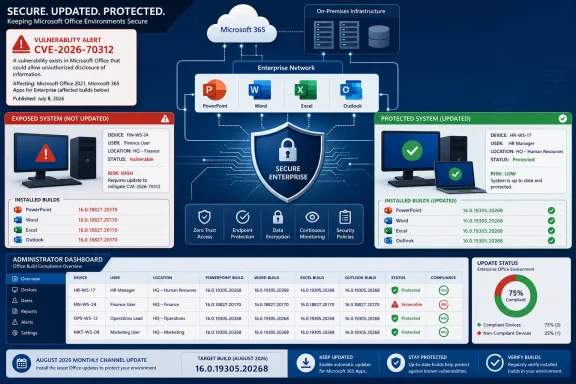 Microsoft has not published the technical mechanism
The public record establishes that Microsoft assigned CVE-2026-70312, characterized its impact as information disclosure, and shipped a security fix on August 11. It does not presently tell defenders what data could be exposed, what PowerPoint or Office feature is involved, whether a malicious presentation is required, or whether a preview, rendering component, embedded object, or another shared Office code path is implicated.
That absence is more significant than the generic “information disclosure” label suggests. In Office security triage, the attack path determines whether a flaw belongs primarily in an email-attachment campaign model, a downloaded-file model, an internal SharePoint or Teams file-sharing model, or a local post-compromise model. Microsoft has not supplied that distinction here.
The descriptive material associated with the advisory explains the meaning of CVSS report-confidence metrics in general terms, but that boilerplate is not itself proof that a proof-of-concept exists, that exploitation has been observed, or that the vulnerability is publicly known in detail. Administrators should avoid turning the presence of the word confirmed in a CVSS glossary into an “actively exploited” assessment. Microsoft has not publicly stated that CVE-2026-70312 is under attack, and no independent technical analysis or public proof-of-concept was identifiable at publication.
This leaves the vulnerability in a familiar but uncomfortable patch-management category: a vendor-confirmed issue with a fix, but without enough technical disclosure to create a precise compensating control. The correct response is patching, not speculation about file types or user behavior.
The “PowerPoint” label should not narrow the rollout
Microsoft Learn’s placement of CVE-2026-70312 under the Office suite section is the clearest operational clue available. It may mean the vulnerable functionality is shared across Office applications, or it may simply reflect how Microsoft grouped the update internally. Either way, it is enough to reject a narrow remediation plan that targets only standalone PowerPoint installations.
That distinction matters most in managed environments where Office updates are assigned by product channel and servicing ring, not application-by-application. Microsoft 365 Apps installations generally receive the fix through their assigned update channel; Office LTSC and volume-license deployments may depend on enterprise update management, Microsoft Configuration Manager, Windows Server Update Services, or manually approved Office update packages. A system can have PowerPoint installed and remain behind the security baseline because its Office servicing channel is paused, its content delivery network update has not completed, or a management policy holds it on an older build.
The documentation also shows why inventory based solely on application usage can mislead. A workstation used mainly for Word, Outlook, or Excel may still have the affected Office shared components installed. Conversely, a machine with no user-facing PowerPoint workflow may receive the correction through a suite-level update. Treat the Office build as the control point.
For organizations that restrict feature changes but permit security servicing, the August release is especially relevant because it spans Current Channel, Monthly Enterprise Channel, Semi-Annual Enterprise Channel, Office 2021, Office 2024, and LTSC branches. The release is not limited to subscription-only Microsoft 365 Apps.
Office 2019 is included despite its support status
Microsoft’s release notes carry a separate warning that support for Office 2019 ended on October 14, 2025. Yet the August 11, 2026 notes still list an Office 2019 Volume Licensed build, Version 1808 Build 10417.20197, among the month’s Office security releases.
That does not restore Office 2019 to supported status or create an entitlement to future patches. Microsoft explicitly says any post-end-of-support updates are issued at its discretion. But it does mean organizations running Office 2019 should not assume that its age automatically excludes it from this month’s security servicing; they should check whether Build 10417.20197 is available through their normal update path and deploy it where applicable.
There is a broader management consequence. A one-off security update can reduce immediate exposure, but it does not solve the unsupported-product problem. Office 2019 estates should be tracked separately from supported Office 2021, Office 2024, LTSC, and Microsoft 365 Apps deployments, with a migration plan rather than a policy of waiting for discretionary patches.
Verify the build, not merely the update job
For Microsoft 365 Apps and retail Office, administrators can check the installed version through File > Account > About in an Office application. Enterprise teams should use their normal inventory and endpoint-management telemetry to confirm the version after the deployment window; an update reported as successful is not the same thing as every endpoint reaching the intended build.
The immediate validation target is the August 11 release generation for each servicing channel. Devices on Current Channel and Office 2021 or Office 2024 Retail should report Version 2607 Build 20228.20190 or later. Monthly Enterprise Channel systems should be aligned to the appropriate August-serviced build for their approved channel, while LTSC 2024 and LTSC 2021 estates should be checked against Builds 17932.20910 and 14334.20848 respectively.
Where update deployment is delayed for business testing, organizations should apply the usual document-handling safeguards during the gap: block or quarantine unexpected Office attachments at the mail gateway, require Mark of the Web handling for internet-originating files, and keep Office macro and application-control policies enforced. Those controls are sensible defense in depth, but Microsoft has not disclosed enough about CVE-2026-70312 to represent any of them as a documented mitigation.
The unresolved issue is Microsoft’s inconsistent product labeling. Until the Security Update Guide and Office release notes converge on whether CVE-2026-70312 is specifically a PowerPoint bug or a suite-level Office issue, the defensible course is to patch the entire supported Office estate to the August 11, 2026 security baseline and record the installed build.
