
The important detail is what Microsoft has not yet made readily visible outside its Security Update Guide entry. The advisory identifies the impact as remote code execution, but the public record available on August 12 does not provide a publicly indexed technical write-up, proof-of-concept, affected build list, severity score, exploit status, or a corresponding NVD record. No independent security outlet appears to have published technical analysis of CVE-2026-70313 yet.
That absence is meaningful, but it is not a reason to defer deployment. Microsoft’s publication of the CVE is confirmation that the issue exists and has a supported remediation path. It is not confirmation of public exploitation, and organizations should avoid escalating this into a “zero-day in the wild” narrative without evidence that Microsoft has not supplied.
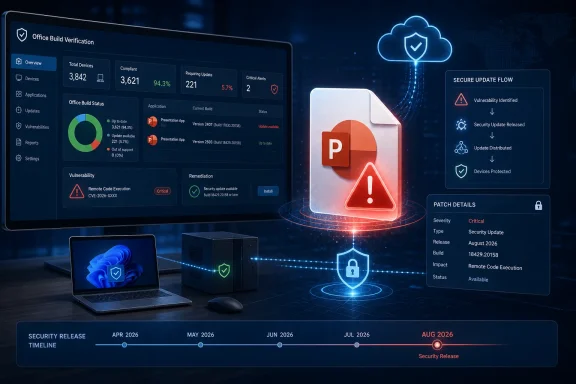 The practical risk is a PowerPoint document reaching a user
A PowerPoint remote code execution flaw generally puts the user-facing document path at the center of the risk: an attacker needs a target to process malicious presentation content in a vulnerable PowerPoint client. That can arrive through a phishing attachment, a file-sharing link, cloud storage, a collaboration platform, or a presentation copied from a removable device.
“Remote code execution” describes the potential result of successful exploitation, not necessarily a network service exposed to the internet. In most Office document scenarios, the attacker’s first hurdle is getting the file opened or otherwise processed. The code ordinarily runs with the privileges of the affected user, which can limit damage on a well-managed standard-user endpoint but remains serious: user-context execution can steal data available to that user, install persistence, abuse browser sessions, or become the starting point for a later privilege-escalation or lateral-movement chain.
For security teams, the immediate exposure is concentrated among users who frequently receive external presentation files: sales, marketing, recruiting, finance, executive assistants, training teams, and help desks. Shared kiosks and systems running automated document-conversion, preview, indexing, or content-inspection workflows also warrant verification, because a vulnerable PowerPoint component may process files without the familiar user double-click.
Microsoft’s advisory confirms the flaw, but leaves key triage details unanswered
The supplied MSRC entry was published on August 11, 2026, the same date as Microsoft’s monthly security release. Microsoft’s Security Update Guide is the company’s authoritative vulnerability record, but its web interface often separates the CVE summary from the specific update packages and product mappings administrators need for deployment verification.
As of this reporting, the entry’s public presence supports several firm conclusions:
- Microsoft has assigned and published CVE-2026-70313 as a PowerPoint remote code execution vulnerability.
- The vulnerability was disclosed as part of the August 11, 2026 Microsoft security release.
- The available public record does not establish active exploitation, public disclosure before patch availability, or an exploit chain that bypasses normal Office protections.
Just as important are the unanswered questions. Microsoft has not yet made a broadly searchable explanation of the vulnerable PowerPoint feature or parser, so defenders cannot reliably build a precise detection rule around a file extension, embedded object type, or specific malformed presentation structure. There is also no public evidence yet identifying whether Preview Pane-style handling, embedded media, legacy formats, or cloud rendering paths are involved.
That makes speculative mitigations a poor substitute for patching. Blocking all .ppt and .pptx files may reduce exposure but can disrupt ordinary business processes while providing no assurance that every delivery or processing route has been addressed. Use existing attachment filtering, Protected View, Mark-of-the-Web enforcement, and sandboxing as defense-in-depth controls; do not present them as a verified fix for this specific CVE.
Microsoft 365 Apps requires build verification, not a Windows Update check
The operational trap here is familiar: Office updates do not necessarily follow the same deployment path as Windows cumulative updates. Microsoft documents that Microsoft 365 Apps receives its updates as cumulative builds through the Office servicing model; individual Office security updates are not supplied through Windows Update in the way traditional MSI-based Office updates were.
For Microsoft 365 Apps deployments, administrators should check a device’s Office update channel and installed build from an Office application’s File > Account page, then compare it with Microsoft’s August 2026 Microsoft 365 Apps release information once CVE-2026-70313 is mapped there. In centrally managed environments, confirm that the Office update engine is functioning and that clients can reach the intended source, whether that is the Office Content Delivery Network, Configuration Manager, Intune, or an internal update location.
Microsoft’s own current channel guidance says that security updates are cumulative and that organizations should move to the newest supported build for their assigned channel. This has a direct consequence for CVE-2026-70313: a machine can be fully current on Windows while still missing the relevant PowerPoint security update if its Microsoft 365 Apps channel is stalled, its update task is disabled, or its management configuration is pointing at an outdated build.
The current servicing change adds another check for enterprises. Starting in July 2026, Microsoft changed Semi-Annual Enterprise Channel servicing so it receives feature and security updates monthly on the same basis as Monthly Enterprise Channel. Organizations that still model Semi-Annual as a long-gap security channel should revisit their reporting and pilot rings. The August update should be available through the assigned channel, but availability is not the same as installation.
Unsupported Office 2016 and Office 2019 deserve a separate inventory report
The more uncomfortable finding is the likely gap on older perpetual Office installations. Microsoft ended support for Office 2016 and Office 2019, including PowerPoint 2016 and PowerPoint 2019, on October 14, 2025. Those versions no longer receive security updates under their normal lifecycle.
This does not prove that CVE-2026-70313 affects either version; Microsoft’s detailed affected-product mapping must determine that. But it does mean organizations still running them cannot assume an August 2026 PowerPoint fix will arrive. Any inventory that reports “Office is installed” without separating Microsoft 365 Apps, Office LTSC editions, Office 2019, and Office 2016 is inadequate for this response.
Administrators should identify endpoints with PowerPoint installed, then segment them by product family, version, update channel, and last successful Office update. The report needs to distinguish machines that have installed the August Office build from machines that merely received the August Windows patches. For unmanaged or remote endpoints, enterprise teams should also confirm the Office Automatic Updates 2.0 scheduled task is enabled and that update policy has not frozen the client on an older build.
Deploy first, then refine controls when Microsoft supplies more detail
CVE-2026-70313 is presently a patch-and-verify event rather than an incident-response emergency. Microsoft has confirmed a PowerPoint RCE vulnerability, but the public record does not currently establish exploitation or furnish the technical artifacts needed for narrowly targeted hunting.
The immediate action is to deploy the August 11 Microsoft 365 Apps security build through every active channel, verify the installed build rather than relying on Windows Update compliance, and isolate unsupported Office 2016 and Office 2019 systems in the resulting exposure report. Until Microsoft publishes affected-product and build details, that is the defensible line between a confirmed remediation effort and wishful compliance.