

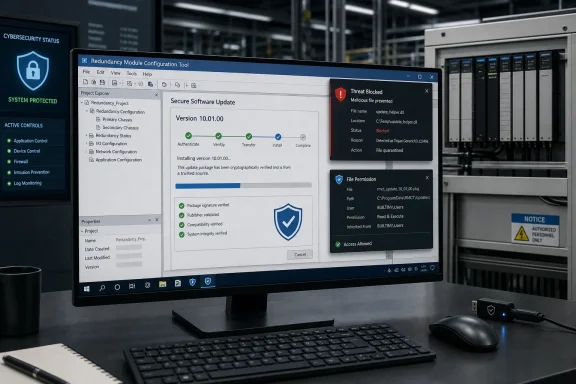
CISA published the advisory on September 1, 2026, republishing Rockwell Automation’s SD1800 security advisory. The two CVEs, CVE-2026-9633 and CVE-2026-9634, have separate affected executables: RM3ConfigTool.exe in version 10.00.00, and RMConfigTool.exe across versions 9.00.00 through 10.00.00. Both weaknesses are classified as CWE-276, incorrect default permissions, and carry a CVSS 3.1 base score of 7.3.
The practical risk is not an internet-facing takeover of a controller. CISA says the flaws are not remotely exploitable and had no known public exploitation as of the advisory’s publication. They are instead a Windows workstation problem with potentially severe consequences: a user who already has local access can arrange for code to be loaded at Administrator or SYSTEM level when a privileged operator later launches the configuration tool.
Two executables mean version 10 needs two checks
CVE-2026-9633 concerns RM3ConfigTool.exe, which CISA lists as affected in Redundancy Module Configuration Tool 10.00.00. CVE-2026-9634 concerns RMConfigTool.exe and covers the broader range from 9.00.00 through 10.00.00. Rockwell’s supplied fix is the same in both cases: upgrade to version 10.01.00.
That distinction is easy to miss in an asset inventory that records only “RMCT 10.00.00” or a software suite name. Version 10.00.00 falls within the range for CVE-2026-9634 and is separately named for CVE-2026-9633. The records describe different binary names, so teams should not treat the two CVEs as duplicate entries simply because they share an attack pattern and a remediation version.
This matters especially where older and newer ControlLogix redundancy hardware is supported from the same engineering workstation. Rockwell documentation has historically distinguished Redundancy Module Configuration Tool releases used with pre-1756-RM3 modules from tooling for newer redundancy hardware. The current advisory does not spell out which controller or redundancy-module families are paired with each vulnerable executable. Administrators should therefore inventory the actual files and installed product version rather than assuming that a particular production line or controller generation falls outside the advisory.
The vulnerable condition is a writable DLL search path
According to CISA’s technical description, each affected executable searches directories in the Windows system path for a required DLL. At least one searched directory can be writable by non-administrator users because of the product’s default permissions. An attacker can place a DLL bearing the name the application expects into such a location. When an administrator subsequently runs the tool, Windows loads the attacker’s library into the elevated process.
This is commonly called DLL search-order hijacking, but the important operational detail here is the permissions error. The attacker does not need to replace the signed Rockwell executable, alter a PLC program, compromise a domain controller, or exploit a network service. They need the ability to write to one of the locations the process searches, then an elevated launch of the configuration application.
CISA’s CVSS 3.1 vector reflects those prerequisites: local access, low attack complexity, low privileges, and user interaction. The required interaction is not necessarily a careless click on a document or a phishing link. It can be routine work: an engineer or technician opening the configuration tool with administrative rights during commissioning, troubleshooting, firmware work, or a redundancy maintenance window.
Once the DLL is loaded, the impact is the full confidentiality, integrity, and availability of the elevated Windows context. In a well-administered environment, that could still mean local administrator access. In a poorly segmented engineering environment, it can become a jumping-off point for credential theft, software tampering, remote-access persistence, or lateral movement toward the systems that manage industrial operations.
Network isolation does not remove the immediate Windows risk
CISA’s standard industrial-control recommendations appear in the advisory: minimize exposure, segregate control networks from business networks, use firewalls, and secure remote access. Those remain sound practices, but they should not be mistaken for a fix for these two CVEs.
A workstation can be fully isolated from the public internet and still be vulnerable if an unprivileged local account can write to a directory searched by RMConfigTool.exe or RM3ConfigTool.exe. The relevant boundary is Windows file-system access combined with the organization’s privilege model. Shared engineering stations, contractor accounts, maintenance laptops, kiosk-style access arrangements, and technicians working with local administrator credentials all deserve special scrutiny.
The advisory also does not identify the exact writable path entries, DLL names, installation directories, or whether the unsafe permissions can persist after an in-place upgrade. That omission means organizations should validate the installed 10.01.00 release rather than declaring success from a deployment report alone. A product-version upgrade is the vendor’s prescribed remedy, but the file-system condition is what security teams must confirm has changed.
What Windows and OT administrators should do now
The fastest safe response is to treat this as a patch-and-permissions incident on systems that host the Rockwell tool, not as a controller firmware campaign. Before making changes, follow normal plant change-control procedures and consider the effect on active redundancy administration. CISA explicitly advises impact analysis and risk assessment before deploying defensive measures in industrial environments.
A focused response should include the following actions:
- Identify every Windows workstation, virtual machine, jump host, and maintenance laptop with Redundancy Module Configuration Tool installed, then record whether the installed release is 9.00.00, 10.00.00, or 10.01.00.
- Check for both
RMConfigTool.exeandRM3ConfigTool.exeon version 10.00.00 systems, because the CVEs name different executables and version 10.00.00 is implicated by both records. - Deploy Rockwell Automation’s version 10.01.00 fix through the same controlled software-distribution process used for engineering tools, retaining a rollback path appropriate to the site’s operations.
- Until patching is complete, do not run the affected configuration tools elevated from a workstation where standard users can sign in or write to shared directories included in the Windows DLL search path.
- Review access-control lists on directories reachable through the affected process’s DLL search order. Ordinary users should not have modify, create-file, or create-folder rights in locations from which an elevated engineering application can load libraries.
- Review endpoint telemetry for unexpected DLL files in writable path locations and for suspicious child processes spawned by
RMConfigTool.exeorRM3ConfigTool.exe, particularly when the parent process ran under an administrator account. - Separate routine user activity from administrative engineering activity wherever possible. A dedicated, tightly controlled engineering account reduces the chance that a low-privilege interactive session can prepare an elevation trap for a later privileged session.
The last point is a compensating control, not a substitute for updating. Removing local administrative rights from routine accounts can interrupt the attack chain, but it does not correct the unsafe default permissions described by Rockwell and CISA.
The advisory leaves one deployment question unanswered
Rockwell has supplied a clear target release—10.01.00—but neither the CISA notice nor the public CVE descriptions says whether the tool is delivered only as a standalone update, bundled with a broader redundancy package, or dependent on a particular version of related Rockwell software. The public notice also does not say whether legacy version 9 installations have a supported direct upgrade path to 10.01.00.
Those are deployment details that OT teams need before scheduling work on production engineering stations. They should be confirmed with Rockwell’s product support and tested on a representative non-production system, especially where the workstation is tied to older redundancy hardware or validated software baselines.
The immediate conclusion is more straightforward: version 10.01.00 is the required remediation, and version 10.00.00 deserves priority because it is explicitly covered by both CVE-2026-9633 and CVE-2026-9634. Until the update is installed and the relevant Windows directory permissions are verified, running either configuration tool as administrator can turn a local foothold into control of the engineering workstation.