

About this tag
The system building tag on WindowsForum.com covers discussions and tutorials related to assembling custom PCs from individual components. Topics include selecting compatible hardware like CPUs, motherboards, RAM, and graphics cards, as well as step-by-step build guides for Intel Core i7 systems. Community members share experiences with PC Building Simulator as a learning tool, troubleshoot issues such as sleep mode problems after building a system, and discuss managing multiple operating systems on a single machine. The tag also addresses practical concerns like replacing failing hard drives in a RAID setup. These threads provide insights for both novice and experienced builders seeking advice on hardware selection, assembly techniques, and post-build troubleshooting.
-

PC Building Simulator
Whilst probably not for the more experienced system builders this application/game allows you to build a pc from the bottom up. I've only played the tutorial so far and whether you get to use the latest parts to build your pc is uncertain. The controls are a bit elusive but so far F1 seems to...- kemical
- Thread
- 3d modeling accurate interaction beginner bugs components control games gaming community interactive parts ordering pc building simulator pre alpha preview build simulation system building tutorial
- Replies: 8
- Forum: General Computing
-
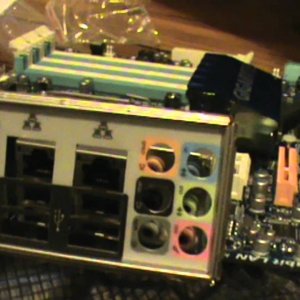
How to Build a Intel Core i7 System from Start to Finish
More on parts here: http://bit.ly/cISTCL Build a system to last the test of time. In this demonstration, I show you how to install an Intel Core i7 on a Gigabyte GA-X58-A UD5 (Socket LGA1366) with 8GB DDR3 RAM using a CoolerMaster Centurion 534, CoolerMaster 600W Power Supply (PSU), and Cooler...- Mike
- Media item
- centurion coolermaster crucial demonstration diy esata gigabyte guide hardware intel radeon sapphire sata ssd system building ud7 usb 3.0 vaporx
- Comments: 0
- Media category: Windows 7 Forums
-
O
Windows 8 Pleasantly Surprised of Windows 8 and all other OSes too
Hi all, I have been using Windows 8 release preview for about 3 weeks, installed on its own drive, and I have Unbuntu and XP installed on another drive, and a 1 TB drive with windows 7 installed. I must say that in order to get some of my legacy apps to run I just boot into one of the...- optidude
- Thread
- boot manager development dual boot gratitude legacy applications mac multi-os performance review software compatibility system building tech community ubuntu update user experience virtual environment windows 7 windows 8 zippy
- Replies: 2
- Forum: Windows Help and Support
-
M
Windows 7 Pending HDD Failure - Need assistance with procedure to change C: to alternate internal HDD
Hi guys, I am running W7 64 on a raid0 setup with two 74GB raptors as my C: Recently their performance has begun to wane significantly and now I'm being spammed by S.M.A.R.T. Monitoring saying failure is imminent and to back up immediately. I am not a system builder and while I'm plenty...- MarcAntonyy
- Thread
- assistance backup bios c drive d drive evga external drive failure hdd installation internal drive performance procedure raid s.m.a.r.t. system building windows 7
- Replies: 2
- Forum: Windows Upgrade and Installation
-
A
Windows 7 Windows 7 Random Sleep Issues Even After Reinstall & New Keyboard & Mouse & BIOS Default Settings
I built a system a year ago, & sleep has always worked fine until a few weeks ago when Windows 7 began to start waking instantly the moment I put it to sleep. Now I have to turn off the power management settings of the mouse & keyboard to stop it from waking. Sometimes it works in reverse...- AkashaJSummer
- Thread
- asus bios device settings hardware issues instant wake keyboard mouse pc build power management reinstall sleep issues sleep mode system building troubleshooting user experience windows 7 windows issues
- Replies: 8
- Forum: Windows Help and Support
-

Windows 7 System Building Tutorial
Get the most out of a powerful new system with this system building tutorial. With careful precision, and the right parts, you can have a new future-proof system up and running within anywhere from 2-4 hours or less. Link Removed- Mike
- Tutorial
- computer parts diy future-proofing hardware installation performance setup system building tech tips tutorial
- Replies: 0
- Forum: Windows Tutorials