

TechRadar's 2025 roundup redefined what a mini PC can be: these compact systems are no longer mere media boxes or budget curiosities, but legitimate desktop replacements that span budgets and use cases — from affordable home servers to AI-capable workstations and even gaming rigs with external-GPU support.
Mini PCs have evolved quickly over the last few years. What once meant salvaged laptop silicon in a tiny chassis now routinely includes high-performance mobile APUs, dedicated NPUs for on-device AI, multi‑gig Ethernet, USB4/Thunderbolt-style ports, and PCIe upgrade paths that let compact systems punch well above their physical weight. The 2025 crop shows that manufacturers such as Geekom, GMKtec, Minisforum, and Lenovo are refining designs that balance thermals, upgradeability, and I/O to serve real professional workflows.
That shift matters because it changes purchasing logic. Buyers no longer choose a mini PC solely to save desk space; they choose one to replace a full tower or a docked laptop, or to run local AI workloads for privacy and latency benefits. But the trade-offs remain important: limited internal thermals, occasional soldered memory, and vendor marketing that leans on headline metrics (TOPS, synthetic scores) make careful specification checks essential.
That said, buyers must be pragmatic. When workloads are sustained, or when absolute raw GPU rendering speed is required for long timelines, a full-size workstation or cloud GPU instances remain superior. For on-device AI, the presence of an NPU is promising — but actual end-user experience hinges on software ecosystem maturity and memory capacity more than a single TOPS marketing number.
Source: TechRadar The 11 top-performing mini PCs that actually impressed us in 2025
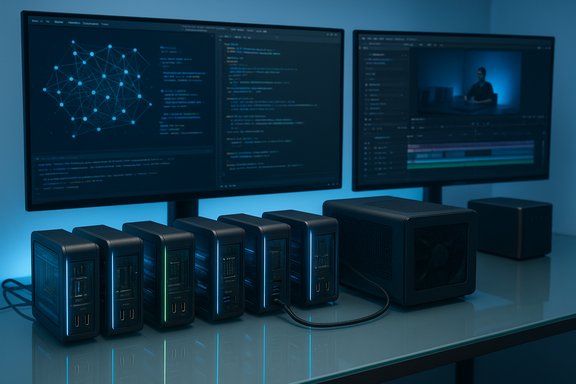 Background / Overview
Mini PCs have evolved quickly over the last few years. What once meant salvaged laptop silicon in a tiny chassis now routinely includes high-performance mobile APUs, dedicated NPUs for on-device AI, multi‑gig Ethernet, USB4/Thunderbolt-style ports, and PCIe upgrade paths that let compact systems punch well above their physical weight. The 2025 crop shows that manufacturers such as Geekom, GMKtec, Minisforum, and Lenovo are refining designs that balance thermals, upgradeability, and I/O to serve real professional workflows.That shift matters because it changes purchasing logic. Buyers no longer choose a mini PC solely to save desk space; they choose one to replace a full tower or a docked laptop, or to run local AI workloads for privacy and latency benefits. But the trade-offs remain important: limited internal thermals, occasional soldered memory, and vendor marketing that leans on headline metrics (TOPS, synthetic scores) make careful specification checks essential.
How we verify claims and test mini PCs
Testing small systems requires more than single-run benchmarks. The modern verification approach combines:- Industry synthetic benchmarks (Cinebench, SPEC-like runs) for peak CPU/GPU comparisons.
- Sustained workload tests (multi-hour video renders, batch photo exports) to reveal thermal throttling and cooling stability.
- Storage throughput and sustained write testing for NVMe performance under creative workloads.
- Practical application tests (Premiere Pro, DaVinci Resolve, Photoshop) to gauge real-world responsiveness.
- Networking and I/O checks (2.5GbE throughput, USB4 behavior, eGPU interoperability).
This methodology was applied consistently in the 2025 roundups and informed the selection of the 11 standout machines.
The 11 mini PCs that stood out in 2025 — quick snapshot
Below are the models called out as the most impressive performers in 2025’s testing. Each entry includes verified specs, practical strengths, and where to watch for limits.1) GMKtec NucBox M5 Plus — Best value midrange mini PC
- Key verified points: AMD Ryzen 7 5825U, common retail SKUs shipping with 16GB RAM expandable to 64GB, dual M.2 storage support and modern I/O for the class.
- Why it matters: Exceptional price-to-performance in the midrange bracket; user-friendly internals make upgrades realistic for small offices or home studios.
- Strengths: Solid multi-core responsiveness, dual 2.5GbE options on certain SKUs, quiet operation in balanced modes.
- Caveats: Fan speeds ramp under sustained heavy loads; thermals will limit long-duration high-TDP tasks compared with larger workstations.
2) Geekom A9 Max — High-performance Windows mini (top Windows pick)
- Key verified points: AMD Ryzen AI 9 HX 370 APU, integrated Radeon 890M-class iGPU, 50 TOPS NPU figure reported by manufacturers, 32GB DDR5 typical in retail units with upgradeability to 128GB SO‑DIMM configurations, and dual USB4 ports plus modern networking.
- Why it matters: Targets users who want a Windows 11 mini that can deliver desktop-like responsiveness and practical on-device AI acceleration (Copilot+ scenarios) without moving to a full tower.
- Strengths: Rare combination of CPU, GPU, and a substantive NPU in a compact chassis; SO‑DIMM slots and dual NVMe slots set it apart from many sealed minis.
- Caveats: TOPS numbers are directional — real-world LLM latency depends heavily on memory, driver/tooling maturity, and model quantization; buyers should treat NPU figures as capability indicators rather than guarantees.
3) GMKtec G10 — Best on a budget
- Key verified points: AMD Ryzen 5 3500U APU, 16GB RAM in tested SKUs (expandable to 64GB via SO‑DIMMs), dual NVMe slots, practical port mix with HDMI 2.1/DisplayPort and 2.5GbE on some SKUs.
- Why it matters: The G10 demonstrates that even budget minis can be genuinely upgradeable and usable for everyday office and media tasks.
- Strengths: Outstanding value; friendly to IT teams and DIYers who want to extend device life with extra RAM or an added NVMe.
- Caveats: Uses older-generation mobile silicon (Ryzen 5 3500U); not optimized for heavy 4K editing or modern on-device AI.
4) Lenovo ThinkCentre Neo Ultra — Pro workstation in a mini package
- Key verified points: Enterprise-focused chassis with options up to Intel Core Ultra 9 processors and NVIDIA RTX 5060-class GPUs in higher-tier SKUs; built for manageability and serviceability.
- Why it matters: For businesses that need warranty-backed, serviceable mini workstations with RTX-class GPU options, Lenovo’s Neo Ultra offers predictable lifecycle support and expandability.
- Strengths: Enterprise features (support, service options), larger thermal headroom relative to consumer minis when configured in pro SKUs.
- Caveats: Higher MSRP; buyers should balance the premium against in-house support needs and expected refresh cycles.
5) Minisforum MS‑S1 Max — Best for local AI and LLM workstations
- Key verified points: Positioned as a workstation-capable mini with integrated CPU/GPU/NPU resources, abundant storage and PCIe expansion options on certain SKUs — designed for local model runs and training at smaller scales. (Editorial note: this model was reviewed late in the year and added to the updated guide.
- Why it matters: For users who want to run or fine-tune LLMs locally — avoiding cloud costs and addressing privacy — this class of mini PC delivers practical on-prem performance.
- Strengths: Workstation-level I/O and upgrade paths; strong for developers and AI hobbyists who value offline inference.
- Caveats: Price premium and power/thermal limits compared to full-size desktops; model size and training complexity remain bounded by on‑package memory and cooling.
6) GMKtec EVO‑X1 — Best for gamers who want eGPU flexibility
- Key verified points: Solid base performance with dedicated OCuLink (or equivalent) port for external GPU enclosures, supporting up to three 8K displays in some configurations.
- Why it matters: Offers a mainstream mini that can be a quiet, small daily driver and a high-performance gaming/content-creation rig once paired with an eGPU.
- Strengths: Versatility — modest out-of-the-box performance with an upgrade path to serious GPU power.
- Caveats: eGPU implementations depend heavily on enclosure compatibility and driver support; not all games or creative apps gain identical benefits from eGPUs.
7) Bosgame M4 — Reliable mid-range workhorse
- Key verified points: Available in multiple configurations; top tested SKU uses Ryzen 7 8745HS and 32GB DDR5 (expandable to 64GB) — a balanced choice for mixed workloads.
- Why it matters: Strong day-to-day performance across office and creative apps while maintaining a friendly price/performance ratio.
- Strengths: Good thermal design for its class; versatile configurations for buyers seeking a stable mid-range platform.
- Caveats: For GPU-heavy rendering, a discrete GPU or eGPU remains preferable.
8) GMKtec NucBox K12 — Content-creation-friendly mini
- Key verified points: H‑series silicon options, Radeon iGPU performance tuned for content work, plus OCuLink/eGPU readiness and dual-NVMe expandability.
- Why it matters: Designed for creators who want to edit multi-stream 4K timelines without immediately committing to an expensive full workstation.
- Strengths: Good media-centric I/O and storage ceilings; upgradeability with eGPU for heavier color‑grade and render tasks.
- Caveats: For multi-hour 4K renders or heavy GPU-accelerated workflows, a discrete GPU or full workstation will still be faster and thermally steadier.
9) Geekom A8 Max — Top-performer alternative
- Key verified points: High-end Ryzen laptop-class processors, strong integrated GPU and an NPU presence that performed well in creative and media editing tasks during testing. This model was noted for its ability to handle daily creative workflows and even light AAA title gaming.
- Why it matters: Provides a slightly different balance from the A9 Max — exceptionally capable for editing and creative workloads in a compact design.
- Strengths: Great day-to-day responsiveness and AI-accelerated tasks.
- Caveats: For sustained heavy AAA gaming, invest in eGPU or a discrete-GPU mini.
10) Geekom IT15 — Office powerhouse
- Key verified points: Geekom’s IT15 is oriented toward office and administrative workflows with powerful CPU configurations that excelled in tested productivity tasks.
- Why it matters: Ideal for corporate or administrative deployments where CPU horsepower and manageability beat raw GPU throughput.
- Strengths: Excellent performance for spreadsheets, database workloads, and multi-app office use.
- Caveats: Falls short of robust GPU workloads; not the right choice for heavy rendering or gaming without external GPU support.
11) GMKtec NucBox G9 — Home lab and NAS-friendly mini PC
- Key verified points: Very competitive price point, dual-boot capability (Windows 11/Ubuntu), and I/O suited to NAS/media-server duties.
- Why it matters: Acts as an accessible home server for labs, small NAS setups, and developers wanting a compact always-on machine without the usual tower footprint.
- Strengths: Low cost, practical server-friendly features.
- Caveats: Consumer-grade reliability differs from enterprise NAS appliances; ensure backups and redundancy for important data.
Trends and technical analysis (what’s really new in 2025)
NPUs and the arrival of practical on-device AI
A defining trend in 2025 is the inclusion of NPUs (Neural Processing Units) or XDNA-style accelerators in mainstream mobile APUs. The Geekom A9 Max’s marketed 50 TOPS NPU figure is emblematic: it places modern mini PCs in the class that Microsoft’s Copilot+ guidance cites for practical on-device features. However, TOPS is not a substitute for end-to-end benchmarking — software runtimes, quantization formats, memory bandwidth and driver/tooling maturity determine actual model performance — and editorial testing requires realistic model runs to validate vendor claims. Treat TOPS as a directional spec, and demand hands‑on model latency numbers where possible.I/O: USB4/Thunderbolt, OCuLink, and multi‑Gig Ethernet are standardizing
High-end minis now include USB4/Thunderbolt‑equivalent ports, OCuLink lanes for eGPU enclosures, and 2.5GbE (or dual 2.5GbE) to support bandwidth-hungry storage servers. These ports are the difference between a disposable mini and a long‑term compact workstation: USB4 brings high-speed docks and eGPU options, while 2.5GbE makes NAS-like deployments realistic without enterprise switches. Buyers should verify port implementation — USB4 behaves differently across vendors — and validate eGPU compatibility with specific enclosures and drivers.Thermal engineering remains the gating factor
No design can escape physics: the smaller the chassis, the tighter the thermal budget. Many minis throttle under sustained multi-hour media renders or extended gaming sessions. Good designs mitigate this with tuned fan curves, clever heat pipes, and dynamic power delivery, but buyers must match expectations: short bursts of heavy work (compiling, rendering small segments, editing) are often fine; long-endurance workloads benefit from tower workstations or eGPUs in well-ventilated enclosures. Editorial testing surfaced these limits repeatedly during validation.Practical buying guide — match your mini PC to the job
- Business / Office
- Minimum: 16GB RAM, modern U-series CPU or Intel Core i5 equivalent, 512GB NVMe.
- Prefer: 2.5GbE, front USB‑C, vendor service options.
- Picks: Geekom IT15, GMKtec NucBox M5 Plus.
- Content Creator
- Minimum: 32GB RAM, H‑series or Apple M4 Pro, dual NVMe, USB4/OCuLink for eGPU.
- Prefer: Discrete GPU or eGPU-ready chassis, robust thermal design.
- Picks: GMKtec NucBox K12, Geekom A8/A9 variants.
- Gaming / Streaming
- Minimum: discrete GPU or eGPU support, high-wattage PSU compatibility, PCIe Gen4 NVMe.
- Prefer: cooling tuned for sustained frame rates.
- Picks: Minisforum AtomMan G7 PT, GMKtec EVO‑X1 (with eGPU).
- AI / Local LLM Work
- Minimum: On-package NPU or strong GPU, 32–64GB RAM for inference, fast NVMe.
- Prefer: SO‑DIMM upgradeability and USB4 for accelerator add-ons.
- Picks: Geekom A9 Max, Minisforum MS‑S1 Max.
Risks, red flags, and what to verify pre-purchase
- TOPS and marketing metrics:
- Flag as directional. TOPS don’t measure software integration. Validate with real model runs for the frameworks you plan to use (PyTorch, ONNX, Ollama, Llama.cpp, etc..
- Upgradeability claims:
- Confirm whether RAM is SO‑DIMM or soldered, and whether all NVMe slots are full-length 2280 vs 2230. Manufacturer SKUs differ; don’t assume universal expandability.
- eGPU and USB4 behavior:
- Not all USB4 implementations equal Thunderbolt; eGPU results vary by vendor driver support. Test or confirm compatibility lists for your chosen enclosure.
- Thermal throttling in compact chassis:
- For heavy sustained workloads, assume reduced clocks over long runs unless the vendor provides tested thermal profiles or third‑party long-run benchmarks.
- Proprietary PSUs and non‑standard connectors:
- Some vendors use custom PSUs or internal connectors that complicate DIY upgrades; verify before assuming a standard ATX-style upgrade path.
Final verdict — where minis make sense, and where they don’t
Mini PCs in 2025 are no longer niche toys; they are practical, workable options for a broad range of users. For office fleets, home studios, and pros who value small form factors plus upgrade paths, several of the year’s top performers represent real value and capability. The Geekom A9 Max and Minisforum MS‑S1 Max push the envelope for local AI and desktop replacement use cases, while GMKtec’s line (G10, M5 Plus, K12) proves that budget and midrange buyers can maintain upgradeability without breaking the bank. Lenovo’s ThinkCentre Neo Ultra remains the sensible pro/workstation pick for enterprise buyers who value serviceability and formal support.That said, buyers must be pragmatic. When workloads are sustained, or when absolute raw GPU rendering speed is required for long timelines, a full-size workstation or cloud GPU instances remain superior. For on-device AI, the presence of an NPU is promising — but actual end-user experience hinges on software ecosystem maturity and memory capacity more than a single TOPS marketing number.
Buying checklist (quick — printable)
- Confirm RAM type (SO‑DIMM vs soldered) and max supported capacity.
- Verify storage slots (dual NVMe? full-length 2280? and drive thermal concerns.
- Check for USB4/Thunderbolt equivalence and OCuLink availability if eGPU is planned.
- Validate NPU TOPS claims by requesting real-world model latency or independent inference tests where AI is a requirement.
- Ensure PSU and internal connectors match any intended upgrade path.
- Compare vendor warranty and enterprise options if this is a fleet or business purchase.
Conclusion
The 2025 mini PC landscape is mature, diverse, and — importantly — practical for real professional workloads. The models highlighted in TechRadar’s roundup demonstrate how compact design no longer mandates compromises that matter for most users: the right mini can be a true desktop replacement, a capable local AI workstation, or a nimble gaming/content-creation hub with the right accessories. Buyers should prioritize measurable upgradeability, verified I/O behavior, and real-world workload benchmarks over glossy headline figures. When those boxes are checked, mini PCs offer a compelling, space-saving alternative to traditional desktops — and a credible answer to the question of whether a compact chassis can genuinely replace a full tower on the modern desk.Source: TechRadar The 11 top-performing mini PCs that actually impressed us in 2025
