

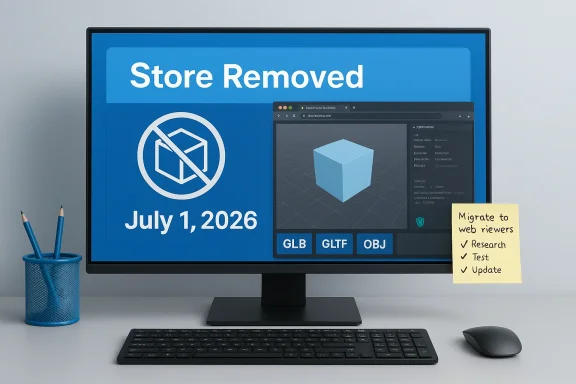
Microsoft has quietly marked the long-lived 3D Viewer app as deprecated and set a firm removal date: the app will be delisted from the Microsoft Store on July 1, 2026, although existing installations will continue to operate for the time being without future updates or maintenance.
3D Viewer began life during Microsoft’s “Creators” era, arriving as a lightweight model inspector so casual users, makers, and educators could open and preview common 3D formats without launching a heavy digital‑content‑creation (DCC) package. It was introduced around the Windows 10 Creators Update cycle and persisted as a small, useful utility long after Microsoft curtailed larger mixed‑reality investments.
The deprecation of 3D Viewer continues a multi‑year pattern: Microsoft already deprecated Paint 3D and removed that app from the Store in late 2024, and Windows Mixed Reality has been substantially scaled back in recent years. Taken together, these moves reflect a shift away from niche first‑party creative utilities toward web‑first, cross‑platform tooling and higher‑priority investments in cloud and AI.
That official entry also points users to browser‑based viewers (notably the Babylon.js Sandbox) and other third‑party tools as practical replacements for Windows‑native 3D viewing. The deprecation entry is explicit and should be treated as the canonical timeline for IT planners and administrators.
For enterprises and institutions the consequences are operational and security‑related. A deprecated app that remains installed but unpatched becomes a potential attack surface over time. Microsoft’s deprecation policy makes clear the company will not provide updates after removal; that converts any production use of 3D Viewer into a short‑term technical debt that must be tracked, mitigated or replaced.
Classrooms and makerspaces are a special case: many educational environments relied on the simplicity of a first‑party viewer to reduce setup time and student friction. With the Store listing removed, schools will need to bake an alternative into system images, or rely on a preinstalled copy that will eventually be unsupported — a tradeoff that carries security and compliance implications.
Importantly, Microsoft disabled default support for FBX insertion into 3D Viewer in early 2024 after a security vulnerability in FBX file handling — a mitigation that reflects a clear precedent: when a vulnerability is discovered in an underused client scenario, Microsoft may limit or disable functionality rather than continue to ship a risky feature. The vendor support note explains that FBX is no longer supported by default in 3D Viewer beginning in February 2024 and that GLB is the recommended alternative. The underlying CVE (CVE‑2024‑20677) was tracked and assigned a high severity score.
That episode matters now because it demonstrates two risks for any deprecated app that remains installed: first, features can be turned off server‑side or by policy when they are risky; second, the app will not receive future security fixes after being removed from the Store. Both increase the operational cost and potential exposure of keeping 3D Viewer in managed images past the removal date.
Native alternatives and community tools to consider:
For security teams this leads to predictable actions:
Shifting a small utility to web‑first alternatives reduces Microsoft’s per‑app servicing costs and lets the company steer users toward cross‑platform tools without maintaining another desktop client. For users this is both pragmatic and inconvenient: pragmatic because web viewers are broadly accessible and cheaper to run; inconvenient because the seamless “in‑box” experience for casual 3D inspection disappears.
For IT teams, educators, and makers the next steps are clear: inventory your estate, pilot replacements, update images and SOPs, and treat any retained copies of 3D Viewer as temporary exceptions with documented risk mitigations. The FBX security incident from 2024 is a useful reminder that 3D file handling carries real security implications, and running unmaintained binaries is an avoidable long‑term liability.
The clock to July 1, 2026 is real but not immediate. Use the runway to make deliberate, documented changes: pilot a browser sandbox, standardize on GLB/glTF where possible, and bake approved viewers into your managed images. That approach preserves the productivity benefits of quick 3D inspection while removing the risks of depending on an unmaintained first‑party utility.
Source: Technobezz Microsoft will remove 3D Viewer from its Store in July 2026
 Background / Overview
3D Viewer began life during Microsoft’s “Creators” era, arriving as a lightweight model inspector so casual users, makers, and educators could open and preview common 3D formats without launching a heavy digital‑content‑creation (DCC) package. It was introduced around the Windows 10 Creators Update cycle and persisted as a small, useful utility long after Microsoft curtailed larger mixed‑reality investments. The deprecation of 3D Viewer continues a multi‑year pattern: Microsoft already deprecated Paint 3D and removed that app from the Store in late 2024, and Windows Mixed Reality has been substantially scaled back in recent years. Taken together, these moves reflect a shift away from niche first‑party creative utilities toward web‑first, cross‑platform tooling and higher‑priority investments in cloud and AI.
What Microsoft officially announced
Microsoft’s own “Resources for deprecated features” entry lists 3D Viewer as deprecated in February 2026 and states clearly that the Store listing will be removed on July 1, 2026. The guidance spells out two practical points: users can reinstall 3D Viewer from the Store up until that date, but after July 1 the app will no longer be available for download or re‑publishing from Microsoft’s official channel; installed copies will remain usable but will not be maintained.That official entry also points users to browser‑based viewers (notably the Babylon.js Sandbox) and other third‑party tools as practical replacements for Windows‑native 3D viewing. The deprecation entry is explicit and should be treated as the canonical timeline for IT planners and administrators.
Why this matters: practical implications for users and organizations
3D Viewer occupied a narrow but valuable niche: it was the one‑click way to open GLB/glTF, OBJ, STL, FBX and other common model formats for quick inspection, animation preview, and simple pre‑print checks. For hobbyists, makers, and classrooms, that low friction is meaningful — you don’t need to install Blender or MeshLab to confirm orientation, texture mapping, or the presence of animation. Removing the Store listing removes that convenience and shifts the burden of discovery, vetting and installation to users and IT teams.For enterprises and institutions the consequences are operational and security‑related. A deprecated app that remains installed but unpatched becomes a potential attack surface over time. Microsoft’s deprecation policy makes clear the company will not provide updates after removal; that converts any production use of 3D Viewer into a short‑term technical debt that must be tracked, mitigated or replaced.
Classrooms and makerspaces are a special case: many educational environments relied on the simplicity of a first‑party viewer to reduce setup time and student friction. With the Store listing removed, schools will need to bake an alternative into system images, or rely on a preinstalled copy that will eventually be unsupported — a tradeoff that carries security and compliance implications.
Technical context and known security history
3D Viewer’s rendering pipeline has long standardized on glTF/GLB as the canonical runtime format: the app converts many import formats into glTF before rendering. That made GLB a pragmatic archival and interchange format for long‑term compatibility with 3D Viewer and other modern viewers.Importantly, Microsoft disabled default support for FBX insertion into 3D Viewer in early 2024 after a security vulnerability in FBX file handling — a mitigation that reflects a clear precedent: when a vulnerability is discovered in an underused client scenario, Microsoft may limit or disable functionality rather than continue to ship a risky feature. The vendor support note explains that FBX is no longer supported by default in 3D Viewer beginning in February 2024 and that GLB is the recommended alternative. The underlying CVE (CVE‑2024‑20677) was tracked and assigned a high severity score.
That episode matters now because it demonstrates two risks for any deprecated app that remains installed: first, features can be turned off server‑side or by policy when they are risky; second, the app will not receive future security fixes after being removed from the Store. Both increase the operational cost and potential exposure of keeping 3D Viewer in managed images past the removal date.
Who will be affected — profiles and use cases
- Casual creators and hobbyists who used 3D Viewer as a convenient pre‑flight or preview tool will lose the simplest path to open model files. Many will migrate effortlessly to web viewers, but some—especially those in offline or locked environments—will need a locally installed alternative.
- Makers and 3D printing workflows that relied on a quick visual check (orientation, scale, texture) may need to add an extra step in their pipeline. Where 3D Viewer was used as a lightweight QA gate, installers will have to choose a replacement and update SOPs.
- Educators: labs and classroom images that included 3D Viewer must be updated before July 1, 2026, or accept an unsupported in‑image copy that will not receive future patches. That creates a clear inventory and remediation project for IT teams supporting education.
- Enterprise and government IT: while most enterprises never relied on 3D Viewer as a mission‑critical app, institutions with small proof‑of‑concept or training workflows that relied on a first‑party viewer will need to inventory installations, identify stakeholders, and select replacement tooling that meets corporate application control and patching policies.
Alternatives: what to use instead
Microsoft itself recommends web‑first tooling as the simplest replacement model; the official guidance names the Babylon.js Sandbox as a practical cross‑platform viewer. For many users, browser viewers offer immediate access without installation or Admin rights, which is a strong plus for classrooms and locked down corporate devices.Native alternatives and community tools to consider:
- MeshLab — a lightweight, open‑source mesh inspection and repair utility commonly used by makers and 3D printing enthusiasts. It supports many formats and provides mesh cleanup tools that 3D Viewer never offered.
- F3D (FreeCAD's viewer or similar lightweight viewers) — small, focused model viewers that prioritize offline operation and format flexibility.
- Blender — the fully featured DCC suite; overkill for pure preview tasks but a natural choice where model editing, repair, or conversion is required. Blender is cross‑platform and well supported. (Community consensus and tooling documentation support this choice; consider Blender where further processing is necessary.)
- Browser sandboxes and embeddable viewers — Babylon.js Sandbox and other WebGL‑based sandboxes allow drag‑and‑drop inspection of GLB/glTF/OBJ files and are simple to adopt in teaching and collaboration workflows. They are especially attractive where installation and patching costs are constrained.
Migration and mitigation checklist (for IT admins and educators)
- Inventory: Search your managed fleet for installed copies of 3D Viewer and document which users or processes depend on it. Prioritize machines where 3D Viewer appears in audited images or provisioning scripts.
- Stakeholder outreach: Notify power users, makerspace leads, and educators now so they can test alternatives and surface any missing capabilities that 3D Viewer provided.
- Pilot alternatives: Run short pilots of browser and native viewers (Babylon.js Sandbox, MeshLab, F3D, Blender) to validate workflows in representative environments. Capture feedback on format support, offline needs, and usability.
- Update images and policies: Replace 3D Viewer with approved alternatives in deployment images used for labs and managed devices. Add application control and policy guidance so users don’t reinstall unsupported copies from unknown sources.
- Security posture: Treat any retained 3D Viewer installation as a short‑term exception. If you must keep it in images, isolate those machines, restrict network exposure, and track the exception until it can be fully retired. Document the residual risk for compliance reviews.
- Documentation and training: Update SOPs, knowledgebase articles, and classroom guides to mention the new viewers and outline the steps for students and staff. Provide preconfigured bookmarks or a simple launcher for browser sandboxes in managed browsers.
Deep dive: security and maintenance concerns
A deprecated app that remains on endpoints is a textbook example of technical debt. After July 1, 2026, Microsoft’s position is to stop delivering app updates through the Store; that means vulnerabilities discovered after that date will not be fixed in 3D Viewer by Microsoft. The FBX incident from 2024 illustrates the kinds of mitigations Microsoft has used historically — disabling risky functionality by default — but it also reveals the limits of such mitigations: they do not substitute for a full support lifecycle.For security teams this leads to predictable actions:
- Add 3D Viewer to vulnerability scans and asset inventories so that it is visible in security dashboards.
- Where possible, block future reinstallation on managed systems via Microsoft Intune, Group Policy, or AppLocker rules to avoid unmanaged copies reappearing.
- Treat any dev/test systems that must keep 3D Viewer as air‑gapped or at least segmented, limiting exposure until a migration is complete.
Practical recommendations for everyday users
- If you rely on 3D Viewer for occasional previews, take one of two quick actions: either (a) download and install a trusted alternative (MeshLab, Blender or another viewer) now and add it to your quick‑access bar, or (b) bookmark the Babylon.js Sandbox (or a similar WebGL sandbox) for immediate, no‑install viewing. Browser sandboxes are the simplest path forward for casual use.
- If you use FBX files, convert them to GLB/glTF for routine preview and interchange; Microsoft recommends GLB as the preferred runtime format. Converting to GLB reduces dependence on legacy or disabled import paths and aligns with modern viewer pipelines.
- If you teach or run workshops, update your images and teaching materials before July 1, 2026. Provide students with a short “how to” that points them to the approved viewer and confirms which formats will open reliably.
Broader significance: what this says about Microsoft’s strategy
The retirement of 3D Viewer is emblematic of a broader re‑scoping of Microsoft’s consumer creative experiments. The Creators Update era (mid‑2010s) launched several first‑party apps aimed at lowering the barrier to 3D content. Over time, usage patterns and strategic priorities shifted: web technologies matured (WebGL, glTF), user adoption did not meet Microsoft’s long‑term criteria for continued first‑party investment, and corporate focus rerouted resources to cloud, AI, and platform scale features.Shifting a small utility to web‑first alternatives reduces Microsoft’s per‑app servicing costs and lets the company steer users toward cross‑platform tools without maintaining another desktop client. For users this is both pragmatic and inconvenient: pragmatic because web viewers are broadly accessible and cheaper to run; inconvenient because the seamless “in‑box” experience for casual 3D inspection disappears.
Risks and caveats
- The deprecation notice is definitive for Store availability and maintenance, but it does not forcibly remove installed copies from devices. That nuance can lull organizations into complacency; a deprecated app still represents an unsupported artifact that must be tracked. Treat installed 3D Viewer instances as short‑term exceptions with clear retirement dates.
- Some media and aggregators reported minor date discrepancies (July 1 vs July 2). For planning and compliance, use the absolute date Microsoft published: July 1, 2026. Timezone reporting differences can explain the one‑day variance in secondary coverage. If you coordinate across timezones, record the canonical UTC date to avoid confusion.
- Speculative scenarios — such as Microsoft disabling existing installations server‑side — are technically possible but not stated as Microsoft’s intent in the deprecation entry. Treat such outcomes as possible but unconfirmed and plan for the conservative scenario (no further updates and eventual failure modes) rather than assuming immediate shutdowns. Flag any such speculative claims clearly when documenting risk.
Conclusion
The removal of 3D Viewer from the Microsoft Store on July 1, 2026 marks the end of a small but meaningful convenience for Windows users who valued a zero‑friction way to preview 3D assets. Microsoft’s official guidance is unambiguous: the app is deprecated, Store installs will stop on the stated date, and users should migrate to browser‑based viewers like Babylon.js Sandbox or to established native tools.For IT teams, educators, and makers the next steps are clear: inventory your estate, pilot replacements, update images and SOPs, and treat any retained copies of 3D Viewer as temporary exceptions with documented risk mitigations. The FBX security incident from 2024 is a useful reminder that 3D file handling carries real security implications, and running unmaintained binaries is an avoidable long‑term liability.
The clock to July 1, 2026 is real but not immediate. Use the runway to make deliberate, documented changes: pilot a browser sandbox, standardize on GLB/glTF where possible, and bake approved viewers into your managed images. That approach preserves the productivity benefits of quick 3D inspection while removing the risks of depending on an unmaintained first‑party utility.
Source: Technobezz Microsoft will remove 3D Viewer from its Store in July 2026
