

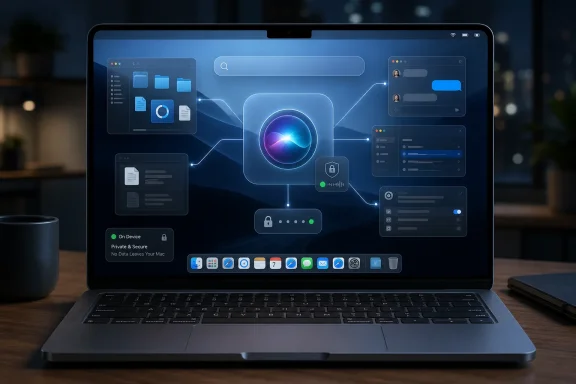
Apple’s rebuilt Siri AI received its first notable hands-on test this week in the macOS 27 Golden Gate developer beta, where The Verge’s Antonio G. Di Benedetto spent 24 hours using it on M5 MacBook hardware and came away more optimistic than expected. That is a small sample, not a verdict. But for Apple, even cautious interest from a Siri skeptic is a useful data point after years of ridicule, delay, and underwhelming Apple Intelligence demos. The larger story is not that Siri is suddenly “fixed,” but that Apple appears to be moving the Mac assistant from a decorative voice layer toward something closer to a system-aware productivity tool.
Siri has always had an especially awkward life on the Mac. On the iPhone, a voice assistant could be defended as a hands-free convenience, even when it misunderstood half the request. On a laptop or desktop, where a keyboard, mouse, file system, browser, terminal, launcher, and decades of user muscle memory are already within reach, Siri had to be genuinely useful to justify interrupting the workflow.
It usually was not. Many Mac users turned Siri off years ago because the assistant felt bolted onto macOS rather than woven through it. It could open apps, answer simple questions, and perform a few system actions, but it rarely behaved like something that understood the machine in front of it.
That is why Di Benedetto’s early reaction matters. The importance is not that one reviewer liked a beta. It is that a power user who had written Siri out of his Mac workflow found enough practical value in the new version to reconsider the habit.
Apple does not need Siri AI to win a chatbot leaderboard on day one. It needs the assistant to become useful in the places where Mac users already work: Spotlight, documents, files, settings, messages, mail, and app context. If Golden Gate is the first version that points Siri in that direction, the preview deserves attention even before the bugs are gone.
Apple Intelligence did not fully repair that reputation. Its first wave brought useful pieces, but not a coherent sense that Apple had solved the assistant layer. Writing tools, notification summaries, image features, and limited generative integrations were all part of the story, but they did not answer the central user question: can my Apple device understand what I am doing and help me do it faster?
That makes the Mac a brutal but clarifying test. A Mac user’s expectations are higher because the workflows are more complex. People do not merely ask for the weather; they juggle files, projects, PDFs, browser tabs, code repositories, spreadsheets, screenshots, cloud storage, and messaging threads.
The early report that Siri AI spent substantial time indexing files and folders is therefore more interesting than any clever answer it may have produced. Indexing is not glamorous, but it suggests Apple is building the boring substrate required for an assistant that can reason over local context. The old Siri could feel like a receptionist with no access to the building. The new one, if Apple gets this right, may finally know which floor you are on.
Putting Siri AI closer to Spotlight is not a cosmetic decision. It is an admission that the assistant has to live where intent already begins. If a user invokes search to find a document, summarize a thread, locate a setting, or ask what changed in a project folder, the distinction between search and assistant starts to collapse.
Microsoft has been chasing the same idea with Copilot on Windows, though with mixed execution and a much louder marketing machine. Google has pursued it across Workspace, Android, and Chrome. OpenAI and Anthropic have pushed the broader software industry toward assistants that do not merely answer questions but manipulate tools.
Apple’s advantage is that macOS already has a deeply integrated local environment. Its disadvantage is that Apple has historically been cautious about giving an AI layer too much control. Golden Gate’s Siri AI sits precisely at that tension point: powerful enough to matter, but constrained enough to feel Apple-like.
For Windows users watching from the other side of the platform divide, this is familiar territory. Microsoft has spent the past few years trying to turn Copilot into a Windows-native assistant, yet many users still experience it as a web chatbot in operating-system clothing. Apple’s challenge is the inverse: it has an operating system with strong local affordances, but it must prove the AI is competent enough to use them.
That critique is fair, but incomplete. Apple has often entered categories after the first hype wave and attempted to define the version normal people actually use. The problem is that AI assistants are not MP3 players or smartwatches. The underlying models, cloud infrastructure, developer ecosystems, and user expectations are evolving too quickly for a slow, purely polish-driven approach to guarantee success.
Siri AI in macOS 27 therefore carries more pressure than a typical annual macOS feature. It is a referendum on whether Apple’s slower integration strategy can still work in a market where competitors are iterating in public at uncomfortable speed. Apple cannot simply say “we care about privacy” and expect users to excuse weak results.
At the same time, Apple does not have to mimic the most chaotic parts of the AI race. Many users do not want an operating system that constantly suggests, interrupts, records, or hallucinates. They want an assistant that can find the right file, explain a setting, summarize a long thread, draft a response, automate a repetitive step, and then get out of the way.
That is the opening Apple is aiming for. Not the loudest AI, but the one that feels least like a separate product.
This is also where Apple’s strategy becomes more exclusionary. macOS 27 Golden Gate is part of the transition away from Intel Macs, and advanced AI features increasingly depend on newer chips and memory configurations. For enthusiasts who upgrade often, that may sound normal. For businesses and schools with longer refresh cycles, it is another compatibility boundary to manage.
Windows admins know this playbook well. Microsoft’s Windows 11 hardware requirements reshaped upgrade planning, and the newer Copilot+ PC push created another line between ordinary PCs and machines capable of local AI features. Apple’s version is cleaner because it controls the whole Mac lineup, but the effect is similar: the best AI experiences are becoming a hardware segmentation tool.
That does not make the requirement fake. Local AI features consume memory, neural processing capacity, and battery budget. But it does mean Apple’s assistant revival is also a sales funnel for newer Macs.
The risk is that Apple’s most loyal long-term users are once again told that the future exists just beyond their current hardware. The benefit, if the company delivers, is that the experience may be less fragmented and more reliable than a lowest-common-denominator implementation.
But the assistant matters more than the glass. A genuinely system-aware Siri could change how users navigate macOS, especially if it reduces the penalty for not remembering where Apple moved a setting, what a file was named, or which app contains a buried feature. The Mac has become more powerful over time, but not always simpler.
There is a reason so many advanced users rely on launchers, clipboard managers, automation tools, window managers, shell scripts, and third-party search utilities. macOS is elegant until it is not. Power users build their own connective tissue because the operating system does not always expose its own power gracefully.
Siri AI could become Apple’s native connective tissue. That does not mean replacing Automator, Shortcuts, Terminal, or Spotlight. It means giving users a conversational layer that can bridge them when they know what they want but not which menu, app, or syntax gets them there.
The danger is obvious: if Siri AI is unreliable, it becomes another layer of friction. Nothing annoys a professional user faster than a tool that confidently performs the wrong action. Apple’s margin for error is smaller on the Mac because the work is more consequential.
That is why Apple’s cautious posture has some merit. The industry’s early AI assistant push has been full of demos that work beautifully on stage and fall apart in edge cases. Operating systems are mostly edge cases. Users have messy desktops, duplicate filenames, half-synced cloud folders, old aliases, weird permissions, multiple accounts, and workflows that make perfect sense only to them.
A Mac assistant that indexes local files and builds personal context has to be transparent about what it knows. It should be able to say when indexing is incomplete, when a file is unavailable, when it is guessing, and when it needs confirmation before acting. The assistant’s personality matters less than its epistemology.
This is where Apple can differentiate if it chooses discipline over spectacle. A constrained assistant that reliably handles local context may be more valuable than a flamboyant one that promises agentic magic and occasionally wanders off the rails. For IT departments, predictability beats charm.
Still, Apple will need management controls, privacy documentation, and clear enterprise settings before many organizations trust Siri AI at scale. Consumer excitement is one thing. Deployment policy is another.
The Mac is the ideal place to prove the point. Local files, app data, messages, mail, calendar events, and project folders are exactly the kind of personal context that users may not want sprayed indiscriminately into cloud services. If Apple can make Siri AI useful while keeping more of that context on device or under tightly controlled private cloud processing, it has a real story.
But privacy claims have to be legible to ordinary users. They need to understand what Siri AI can see, what it sends away, what it stores, and how to turn pieces off. A privacy architecture that only security researchers understand will not repair Siri’s reputation.
For WindowsForum readers, the comparison with Microsoft is unavoidable. Microsoft’s AI ambitions have repeatedly collided with user anxiety about telemetry, screenshots, Recall-style memory features, and cloud processing. Apple has an opportunity to offer a calmer alternative, but only if the controls are clear and the assistant feels useful enough to justify the trust.
The lesson is not that Apple is automatically safer. It is that Apple’s brand gives it less room to be vague. When a company sells itself on privacy, ambiguity becomes a product flaw.
But betas do reveal intent. They show what a company is prioritizing, what it is willing to expose, and how much of the story is real software rather than keynote vapor. In this case, the intent appears to be a more deeply integrated Mac assistant rather than another Siri facelift.
That distinction matters because Apple’s previous Siri upgrades often felt like presentation-layer changes around the same limited core. New voices, new animations, and new phrasing did not solve the underlying problem. Users did not need Siri to sound more natural; they needed it to be more capable.
Golden Gate’s early signs point toward a different architecture. If Siri AI is indexing files, living closer to Spotlight, and operating with greater awareness of local context, then Apple is working on the right problem. Whether it solves that problem is still unknown.
The first hands-on test is therefore best read as a directional indicator. It suggests that Apple may finally understand why Mac users stopped asking Siri for help.
Microsoft is not ignoring local context, and Apple is not avoiding the cloud. The difference is emphasis. Microsoft has pushed AI across its productivity stack, developer tools, search, browser, and Windows shell with the aggression of a platform company defending enterprise gravity. Apple has moved more slowly, framing AI as an extension of the personal device.
Both approaches have problems. Microsoft’s can feel omnipresent before it feels indispensable. Apple’s can feel elegant before it feels powerful. Users do not grade strategy decks; they grade whether the assistant helped them finish something.
For IT pros, the winning platform will not merely be the one with the best chatbot. It will be the one with the clearest controls, the most predictable behavior, the strongest auditability, and the least disruptive upgrade path. AI at the OS level is not a toy once it touches files, identity, policy, and business data.
That is why Siri AI’s Mac debut is worth watching even for people who never plan to buy a Mac. Apple’s choices will pressure Microsoft, and Microsoft’s choices will pressure Apple. The operating system is becoming the AI battleground again, just as the browser once became the battleground for the web.
Apple has earned the skepticism. Siri launched early and then seemed to stagnate while the rest of the AI world moved past command recognition into generative reasoning. Apple Intelligence arrived with enormous expectations and a feature set that often felt less transformative than advertised. The company’s AI narrative has been stronger than its day-to-day utility.
That history should temper every reaction to Golden Gate. The beta may impress in narrow scenarios and disappoint in broader use. File indexing may prove powerful, or it may expose gaps in permissions, relevance, and latency. Siri AI may improve quickly, or it may arrive in the fall still carrying the awkwardness of a system that wants to help but cannot quite follow through.
Still, skepticism is not the same as cynicism. If Apple is finally giving Siri the local awareness, Mac integration, and search-adjacent placement it always needed, then the assistant deserves to be evaluated on the new work rather than dismissed solely for the old failures.
The burden remains on Apple. Users are not obligated to forgive Siri. Siri has to earn its way back onto the menu bar.
Now the questions become concrete. Can Siri AI reliably find and reason over local files after indexing is complete? Can it explain what it is using as context? Can it operate across apps without breaking user expectations? Can Apple make the feature fast enough on supported Macs and honest enough when it cannot complete a task?
The answers will determine whether Siri AI becomes a daily tool or another keynote feature that users try once and forget. Apple’s best-case scenario is not viral astonishment. It is quiet adoption: users gradually leaving Siri enabled because it saves them time.
That would be a profound reversal. The old Siri became something many Mac users disabled to reduce annoyance. The new Siri has to become something they leave on because turning it off would remove convenience.
Still, Golden Gate is no longer just another macOS annual update with a new visual coat. It is the first serious public test of whether Apple can make Siri relevant on the Mac after years of erosion. For users and admins, the concrete implications are already visible.
 Apple’s Assistant Finally Meets the Mac It Was Supposed to Understand
Siri has always had an especially awkward life on the Mac. On the iPhone, a voice assistant could be defended as a hands-free convenience, even when it misunderstood half the request. On a laptop or desktop, where a keyboard, mouse, file system, browser, terminal, launcher, and decades of user muscle memory are already within reach, Siri had to be genuinely useful to justify interrupting the workflow.It usually was not. Many Mac users turned Siri off years ago because the assistant felt bolted onto macOS rather than woven through it. It could open apps, answer simple questions, and perform a few system actions, but it rarely behaved like something that understood the machine in front of it.
That is why Di Benedetto’s early reaction matters. The importance is not that one reviewer liked a beta. It is that a power user who had written Siri out of his Mac workflow found enough practical value in the new version to reconsider the habit.
Apple does not need Siri AI to win a chatbot leaderboard on day one. It needs the assistant to become useful in the places where Mac users already work: Spotlight, documents, files, settings, messages, mail, and app context. If Golden Gate is the first version that points Siri in that direction, the preview deserves attention even before the bugs are gone.
The First 24 Hours Are Really a Test of Trust
Apple’s AI problem has never been only technical. It is a trust problem, built from years of Siri overpromising and underdelivering. The assistant became shorthand for an Apple feature that looked polished, sounded confident, and then collapsed when asked to do anything slightly nontrivial.Apple Intelligence did not fully repair that reputation. Its first wave brought useful pieces, but not a coherent sense that Apple had solved the assistant layer. Writing tools, notification summaries, image features, and limited generative integrations were all part of the story, but they did not answer the central user question: can my Apple device understand what I am doing and help me do it faster?
That makes the Mac a brutal but clarifying test. A Mac user’s expectations are higher because the workflows are more complex. People do not merely ask for the weather; they juggle files, projects, PDFs, browser tabs, code repositories, spreadsheets, screenshots, cloud storage, and messaging threads.
The early report that Siri AI spent substantial time indexing files and folders is therefore more interesting than any clever answer it may have produced. Indexing is not glamorous, but it suggests Apple is building the boring substrate required for an assistant that can reason over local context. The old Siri could feel like a receptionist with no access to the building. The new one, if Apple gets this right, may finally know which floor you are on.
Golden Gate Turns Spotlight Into the Real Battleground
The most important Mac interface Apple owns may not be the Dock, the menu bar, or Siri’s floating animation. It is Spotlight. For years, Spotlight has been the place where Mac users summon apps, find files, run quick searches, and avoid clicking through Finder.Putting Siri AI closer to Spotlight is not a cosmetic decision. It is an admission that the assistant has to live where intent already begins. If a user invokes search to find a document, summarize a thread, locate a setting, or ask what changed in a project folder, the distinction between search and assistant starts to collapse.
Microsoft has been chasing the same idea with Copilot on Windows, though with mixed execution and a much louder marketing machine. Google has pursued it across Workspace, Android, and Chrome. OpenAI and Anthropic have pushed the broader software industry toward assistants that do not merely answer questions but manipulate tools.
Apple’s advantage is that macOS already has a deeply integrated local environment. Its disadvantage is that Apple has historically been cautious about giving an AI layer too much control. Golden Gate’s Siri AI sits precisely at that tension point: powerful enough to matter, but constrained enough to feel Apple-like.
For Windows users watching from the other side of the platform divide, this is familiar territory. Microsoft has spent the past few years trying to turn Copilot into a Windows-native assistant, yet many users still experience it as a web chatbot in operating-system clothing. Apple’s challenge is the inverse: it has an operating system with strong local affordances, but it must prove the AI is competent enough to use them.
Apple Is Late, But Late Is Not Always Fatal
The easiest argument against Apple’s AI strategy is that it is late. ChatGPT changed public expectations in 2022. Microsoft moved aggressively with Copilot. Google rebuilt much of its consumer and developer branding around Gemini. Apple, by comparison, spent a long time talking about privacy, personal context, and intelligence while shipping features that often felt modest.That critique is fair, but incomplete. Apple has often entered categories after the first hype wave and attempted to define the version normal people actually use. The problem is that AI assistants are not MP3 players or smartwatches. The underlying models, cloud infrastructure, developer ecosystems, and user expectations are evolving too quickly for a slow, purely polish-driven approach to guarantee success.
Siri AI in macOS 27 therefore carries more pressure than a typical annual macOS feature. It is a referendum on whether Apple’s slower integration strategy can still work in a market where competitors are iterating in public at uncomfortable speed. Apple cannot simply say “we care about privacy” and expect users to excuse weak results.
At the same time, Apple does not have to mimic the most chaotic parts of the AI race. Many users do not want an operating system that constantly suggests, interrupts, records, or hallucinates. They want an assistant that can find the right file, explain a setting, summarize a long thread, draft a response, automate a repetitive step, and then get out of the way.
That is the opening Apple is aiming for. Not the loudest AI, but the one that feels least like a separate product.
The Hardware Requirement Is a Strategy, Not a Footnote
Running the first hands-on tests on M5 MacBook Air and M5 Max MacBook Pro hardware matters. Apple’s AI roadmap is inseparable from Apple Silicon, unified memory, and the company’s ability to split work between local processing and cloud-assisted models. The Mac is no longer just a computer that happens to run Apple software; it is a hardware-software-AI bundle.This is also where Apple’s strategy becomes more exclusionary. macOS 27 Golden Gate is part of the transition away from Intel Macs, and advanced AI features increasingly depend on newer chips and memory configurations. For enthusiasts who upgrade often, that may sound normal. For businesses and schools with longer refresh cycles, it is another compatibility boundary to manage.
Windows admins know this playbook well. Microsoft’s Windows 11 hardware requirements reshaped upgrade planning, and the newer Copilot+ PC push created another line between ordinary PCs and machines capable of local AI features. Apple’s version is cleaner because it controls the whole Mac lineup, but the effect is similar: the best AI experiences are becoming a hardware segmentation tool.
That does not make the requirement fake. Local AI features consume memory, neural processing capacity, and battery budget. But it does mean Apple’s assistant revival is also a sales funnel for newer Macs.
The risk is that Apple’s most loyal long-term users are once again told that the future exists just beyond their current hardware. The benefit, if the company delivers, is that the experience may be less fragmented and more reliable than a lowest-common-denominator implementation.
A Better Siri Would Change the Mac More Than Liquid Glass
Visual redesigns dominate keynote screenshots because they are easy to show. Liquid Glass refinements, translucent surfaces, and interface polish are the kind of things Apple can present in a few seconds. A useful Siri AI is harder to demo and much harder to ship.But the assistant matters more than the glass. A genuinely system-aware Siri could change how users navigate macOS, especially if it reduces the penalty for not remembering where Apple moved a setting, what a file was named, or which app contains a buried feature. The Mac has become more powerful over time, but not always simpler.
There is a reason so many advanced users rely on launchers, clipboard managers, automation tools, window managers, shell scripts, and third-party search utilities. macOS is elegant until it is not. Power users build their own connective tissue because the operating system does not always expose its own power gracefully.
Siri AI could become Apple’s native connective tissue. That does not mean replacing Automator, Shortcuts, Terminal, or Spotlight. It means giving users a conversational layer that can bridge them when they know what they want but not which menu, app, or syntax gets them there.
The danger is obvious: if Siri AI is unreliable, it becomes another layer of friction. Nothing annoys a professional user faster than a tool that confidently performs the wrong action. Apple’s margin for error is smaller on the Mac because the work is more consequential.
The Mac Is Where Hallucinations Become Operational Risk
On a phone, a bad assistant answer is often irritating. On a Mac, it can be operationally risky. If an AI assistant summarizes the wrong document, misidentifies a file, changes a setting, drafts a misleading email, or misunderstands a command in a business context, the cost is not theoretical.That is why Apple’s cautious posture has some merit. The industry’s early AI assistant push has been full of demos that work beautifully on stage and fall apart in edge cases. Operating systems are mostly edge cases. Users have messy desktops, duplicate filenames, half-synced cloud folders, old aliases, weird permissions, multiple accounts, and workflows that make perfect sense only to them.
A Mac assistant that indexes local files and builds personal context has to be transparent about what it knows. It should be able to say when indexing is incomplete, when a file is unavailable, when it is guessing, and when it needs confirmation before acting. The assistant’s personality matters less than its epistemology.
This is where Apple can differentiate if it chooses discipline over spectacle. A constrained assistant that reliably handles local context may be more valuable than a flamboyant one that promises agentic magic and occasionally wanders off the rails. For IT departments, predictability beats charm.
Still, Apple will need management controls, privacy documentation, and clear enterprise settings before many organizations trust Siri AI at scale. Consumer excitement is one thing. Deployment policy is another.
Apple’s Privacy Pitch Now Has to Produce Visible Benefits
Apple has spent years arguing that its approach to intelligence is more private, more personal, and more integrated. That positioning made strategic sense, but it also created a burden. If the user experience is not substantially better, privacy becomes a consolation prize rather than a competitive advantage.The Mac is the ideal place to prove the point. Local files, app data, messages, mail, calendar events, and project folders are exactly the kind of personal context that users may not want sprayed indiscriminately into cloud services. If Apple can make Siri AI useful while keeping more of that context on device or under tightly controlled private cloud processing, it has a real story.
But privacy claims have to be legible to ordinary users. They need to understand what Siri AI can see, what it sends away, what it stores, and how to turn pieces off. A privacy architecture that only security researchers understand will not repair Siri’s reputation.
For WindowsForum readers, the comparison with Microsoft is unavoidable. Microsoft’s AI ambitions have repeatedly collided with user anxiety about telemetry, screenshots, Recall-style memory features, and cloud processing. Apple has an opportunity to offer a calmer alternative, but only if the controls are clear and the assistant feels useful enough to justify the trust.
The lesson is not that Apple is automatically safer. It is that Apple’s brand gives it less room to be vague. When a company sells itself on privacy, ambiguity becomes a product flaw.
Developer Betas Are Not Product Reviews, But They Reveal Direction
Nobody should treat a developer beta as a stable consumer experience. Golden Gate will change before public release, and Siri AI’s behavior after 24 hours of testing may not represent the final build. Indexing delays, missing features, waitlists, model changes, and regional limitations are all normal at this stage.But betas do reveal intent. They show what a company is prioritizing, what it is willing to expose, and how much of the story is real software rather than keynote vapor. In this case, the intent appears to be a more deeply integrated Mac assistant rather than another Siri facelift.
That distinction matters because Apple’s previous Siri upgrades often felt like presentation-layer changes around the same limited core. New voices, new animations, and new phrasing did not solve the underlying problem. Users did not need Siri to sound more natural; they needed it to be more capable.
Golden Gate’s early signs point toward a different architecture. If Siri AI is indexing files, living closer to Spotlight, and operating with greater awareness of local context, then Apple is working on the right problem. Whether it solves that problem is still unknown.
The first hands-on test is therefore best read as a directional indicator. It suggests that Apple may finally understand why Mac users stopped asking Siri for help.
The Windows Angle Is Not Copilot Versus Siri, But Operating System AI Versus User Control
It is tempting to frame this as Apple versus Microsoft: Siri AI on macOS 27 against Copilot on Windows. That is partly true, but the more important contest is between two visions of operating-system AI. One vision treats the assistant as a cloud-connected front end for services. The other tries to make the assistant an interpreter of local context.Microsoft is not ignoring local context, and Apple is not avoiding the cloud. The difference is emphasis. Microsoft has pushed AI across its productivity stack, developer tools, search, browser, and Windows shell with the aggression of a platform company defending enterprise gravity. Apple has moved more slowly, framing AI as an extension of the personal device.
Both approaches have problems. Microsoft’s can feel omnipresent before it feels indispensable. Apple’s can feel elegant before it feels powerful. Users do not grade strategy decks; they grade whether the assistant helped them finish something.
For IT pros, the winning platform will not merely be the one with the best chatbot. It will be the one with the clearest controls, the most predictable behavior, the strongest auditability, and the least disruptive upgrade path. AI at the OS level is not a toy once it touches files, identity, policy, and business data.
That is why Siri AI’s Mac debut is worth watching even for people who never plan to buy a Mac. Apple’s choices will pressure Microsoft, and Microsoft’s choices will pressure Apple. The operating system is becoming the AI battleground again, just as the browser once became the battleground for the web.
Apple Has Earned Skepticism, Which Makes the Optimism More Interesting
The most persuasive part of the early report is not exuberance. It is restraint. A longtime Siri skeptic testing a developer beta and saying, in effect, “this may be worth another look” is more credible than a polished promotional claim from Apple Park.Apple has earned the skepticism. Siri launched early and then seemed to stagnate while the rest of the AI world moved past command recognition into generative reasoning. Apple Intelligence arrived with enormous expectations and a feature set that often felt less transformative than advertised. The company’s AI narrative has been stronger than its day-to-day utility.
That history should temper every reaction to Golden Gate. The beta may impress in narrow scenarios and disappoint in broader use. File indexing may prove powerful, or it may expose gaps in permissions, relevance, and latency. Siri AI may improve quickly, or it may arrive in the fall still carrying the awkwardness of a system that wants to help but cannot quite follow through.
Still, skepticism is not the same as cynicism. If Apple is finally giving Siri the local awareness, Mac integration, and search-adjacent placement it always needed, then the assistant deserves to be evaluated on the new work rather than dismissed solely for the old failures.
The burden remains on Apple. Users are not obligated to forgive Siri. Siri has to earn its way back onto the menu bar.
The Golden Gate Test Narrows the Questions Apple Must Answer
The early macOS 27 beta does not settle Apple’s AI future, but it does make the next phase easier to judge. Apple has moved from abstract promises to testable behavior. That is progress.Now the questions become concrete. Can Siri AI reliably find and reason over local files after indexing is complete? Can it explain what it is using as context? Can it operate across apps without breaking user expectations? Can Apple make the feature fast enough on supported Macs and honest enough when it cannot complete a task?
The answers will determine whether Siri AI becomes a daily tool or another keynote feature that users try once and forget. Apple’s best-case scenario is not viral astonishment. It is quiet adoption: users gradually leaving Siri enabled because it saves them time.
That would be a profound reversal. The old Siri became something many Mac users disabled to reduce annoyance. The new Siri has to become something they leave on because turning it off would remove convenience.
The Practical Read for Mac Users Waiting on the Beta
The sensible position is cautious patience. Developer betas are for developers and testers, not for production machines, and an AI assistant that is still indexing, changing, and possibly gated behind waitlists is exactly the sort of feature that can distort early impressions.Still, Golden Gate is no longer just another macOS annual update with a new visual coat. It is the first serious public test of whether Apple can make Siri relevant on the Mac after years of erosion. For users and admins, the concrete implications are already visible.
- macOS 27 Golden Gate makes Siri AI a central feature rather than a background novelty, especially through tighter integration with search and local context.
- Early hands-on testing suggests Apple is aiming at file- and system-aware assistance, not merely a more conversational version of the old Siri.
- Newer Apple Silicon Macs will get the best experience, making hardware eligibility and memory configurations part of the AI upgrade decision.
- Mac users should treat developer beta impressions as directional rather than final, because indexing, stability, access gates, and feature behavior can change before release.
- Enterprise and education deployments will need clear controls before Siri AI can be trusted around sensitive documents, managed accounts, and regulated workflows.
- The competitive pressure on Windows is real, because Apple is now attacking the same operating-system assistant problem that Microsoft has been trying to define with Copilot.
References
- Primary source: The Tech Buzz
Published: 2026-06-13T15:52:15.594293
Loading…
www.techbuzz.ai - Related coverage: tomshardware.com

Apple demonstrates cross-platform Siri upgrades in macOS 27 Golden Gate at WWDC — update brings Liquid Glass improvements and unifies AI strategy | Tom's Hardware
macOS 27 brings new AI features and, finally, matching corner radii.www.tomshardware.com - Related coverage: techradar.com
macOS 27 Golden Gate announced at WWDC 2026 — here's everything you need to know | TechRadar
Tim Cook's final WWDC as Apple CEO gives us a glimpse of the future of Macswww.techradar.com - Related coverage: tomsguide.com
macOS Golden Gate: The biggest updates coming to Macs | Tom's Guide
From a more intelligent Siri, performance upgrades, and UI updates, here's everything you need to know about macOS 27.www.tomsguide.com - Related coverage: creativebloq.com

Apple has finally caught up on AI with the new Siri for iPhone, iPad and Mac – but there's one problem | Creative Bloq
Every Apple WWDC 2026 update live as it happened.www.creativebloq.com - Related coverage: macrumors.com
Apple Announces macOS 27 Golden Gate With New Siri and 'Tons' of Refinements
Apple today announced that macOS 27 is named macOS Golden Gate. Much like Mac OS X Snow Leopard in 2009, Apple said it focused on improving macOS's performance and dozens of underlying technologies this year. Apple says macOS Golden Gate offers quicker AirDrop transfers, faster network file...www.macrumors.com
- Related coverage: techtimes.com
Loading…
www.techtimes.com - Related coverage: macworld.com

macOS 27 Golden Gate Guide: All the new features coming to compatible Macs, 2026 release date and more | Macworld
macOS 27 will introduce major Apple Intelligence upgrades, changes to Siri, and improvements across core apps. Here's what you need to know.www.macworld.com - Related coverage: macobserver.com
Loading…
www.macobserver.com - Official source: education-static.apple.com
Loading…
education-static.apple.com