

Microsoft is rolling out Windows 11 Insider Beta Preview Build 26220.8680 in June 2026 with a quieter Widgets experience that disables hover-to-open behavior, taskbar badging, and some daily alerts by default while reducing lock screen clutter. The change is small in engineering terms but revealing in product terms. After years of treating the Windows desktop as a surface for ambient engagement, Microsoft is now conceding that the best system notification is often the one that never appears.
The new defaults do not remove Widgets from Windows 11, and they do not end Microsoft’s long-running effort to make the operating system more personalized, glanceable, and service-connected. But they do move the feature in a healthier direction: from interruption to invitation. That matters because the Windows taskbar is not a social feed, a marketing channel, or a dashboard by nature. It is the most valuable strip of working space in the world’s most widely used desktop operating system, and Microsoft has spent much of the Windows 11 era relearning that users notice when it starts shouting.
The headline change in Build 26220.8680 is not that Widgets get a new design flourish or another content source. It is that Microsoft is turning things off. Open on hover is disabled by default. Taskbar badging is disabled by default. Daily taskbar alerts are restricted unless the user actually opens and engages with Widgets.
That is a meaningful reversal of the usual software-industry instinct. Modern platforms tend to treat attention as something to be harvested, not protected. If a user does not open a panel, the default assumption is often that the panel needs a badge, a pulse, a color change, or a prompt.
Windows users have been complaining for years that Widgets crossed that line. The feature could open accidentally when the cursor drifted over the taskbar weather icon. It could decorate the taskbar with red badges that looked urgent even when the underlying content was not. It could make the lock screen feel less like a transition point and more like a miniature portal page.
Microsoft’s new approach is more than a settings shuffle. It is a tacit recognition that ambient information becomes noise when the operating system insists on presenting it at the wrong moment. Weather is useful. Calendar information is useful. Breaking news, sports scores, stocks, and content recommendations can be useful. But usefulness collapses quickly when Windows chooses the timing instead of the user.
The problem was not the existence of Widgets. The problem was the execution. The panel mixed genuinely useful information with MSN-driven content, alerts, badges, and interface behavior that made the feature feel less like a tool and more like a persistent campaign for attention.
That distinction matters. A weather tile that appears when clicked is a utility. A panel that opens because your mouse grazed the wrong region of the taskbar is an interruption. A subtle indicator that you have missed something can be helpful. A red badge attached to a feed of mostly noncritical content borrows the visual language of urgency without earning it.
Windows 11 has faced this criticism in several places, not just Widgets. Users have objected to recommendations in Start, promotional prompts in Settings, Edge nudges, OneDrive reminders, and Copilot entry points that sometimes feel more strategic for Microsoft than useful for the person at the keyboard. The Widgets rollback fits into a broader pattern: Microsoft pushes a connected experience into a high-traffic part of Windows, users push back, and the company later adds controls or softens the default.
The charitable reading is that Microsoft is responding to feedback. The harsher reading is that Microsoft keeps relearning the same lesson in public.
Build 26220.8680 moves Widgets closer to the second model. If you barely use Widgets, Windows will increasingly quiet the experience for you. If you actively engage with Widgets and have tuned your preferences, Microsoft says the system should respect that behavior rather than blindly resetting everyone to the same state.
That engagement-based quieting is the most interesting part of the change. It suggests Microsoft is not merely changing a few defaults for new installations. It is experimenting with adaptive restraint: the system notices disinterest and backs off.
There is risk in that approach, because adaptive interfaces can become opaque. Users may wonder why a badge disappeared, why a dashboard behaves differently, or why a setting seems to have changed after an update. But in this case the direction is sensible. If someone has repeatedly ignored Widgets, the operating system does not need to keep escalating the request for attention.
The irony is that Microsoft has spent years telling users that Windows is getting smarter. This is one of the rare cases where “smarter” may simply mean knowing when to shut up.
Red is not neutral interface decoration. On a desktop, it usually signals danger, failure, urgency, unread communication, or something requiring immediate action. When a weather-and-news panel uses red badging to flag routine content, it trains the user to either feel unnecessary pressure or ignore the signal altogether. Both outcomes are bad design.
Microsoft’s decision to use the accent color instead is an admission that the previous badge language was too aggressive. A badge can still communicate that something changed, but it no longer has to imitate an alarm. For an operating system used in offices, classrooms, hospitals, factories, and home PCs, that distinction is not trivial.
The larger lesson is that visual priority is a finite resource. If everything gets to be urgent, nothing is urgent. Windows already has legitimate channels for importance: security prompts, update warnings, battery alerts, calendar reminders, Teams notifications, app badges, and system health messages. Widgets never needed to compete in that same emotional register.
This is where Windows 11’s design sometimes works against itself. The operating system is cleaner and more modern than Windows 10 in many ways, but it has also been more willing to place Microsoft-controlled surfaces in prominent locations. The more surfaces Microsoft adds, the more disciplined it must be about visual hierarchy. Otherwise, the desktop becomes a polite-looking notification carnival.
That is the right default. The lock screen is not a workspace. It is a boundary. Users see it when they are arriving, leaving, waking a device, switching users, or glancing at a PC from across the room. The information shown there should be sparse, stable, and immediately legible.
Weather makes sense because it is glanceable and broadly useful. A sprawling set of cards is harder to justify. It turns a threshold into a feed, and feeds have a way of pulling users sideways from what they intended to do.
This matters especially on shared and managed machines. A lock screen crowded with consumer content can look unprofessional in business environments, and it can be annoying on personal devices where the user simply wants to unlock and continue working. The fewer assumptions Windows makes about what belongs there, the better.
Microsoft has often struggled to separate consumer engagement from core operating system experience. The lock screen is one of the places where that confusion becomes visible. A quiet lock screen says the PC belongs to the user. A busy lock screen says the PC is also a billboard.
That does not mean Microsoft has suddenly become allergic to engagement. Widgets still exist. MSN content has not vanished from the Windows ecosystem. Copilot remains central to the company’s product strategy. Microsoft still has strong incentives to use Windows as a gateway into services, subscriptions, search, advertising, and AI features.
What has changed is the political cost of being too obvious about it. Windows users are not passive consumers of a locked-down phone interface. Many are IT professionals, developers, gamers, creators, and longtime PC owners who regard the desktop as their workspace, not Microsoft’s engagement canvas. If an operating system feature behaves like a website pop-up, it will be judged accordingly.
The Insider program gives Microsoft a place to test not only code but tolerance. Sometimes the company is measuring whether a feature works. Sometimes it is measuring how much friction users will accept. The Widgets rollback suggests that, at least in this case, the answer was: less than Microsoft hoped.
Sysadmins have spent the Windows 11 era evaluating which consumer-oriented features belong on corporate desktops and which should be disabled through policy, imaging, or provisioning. Widgets have often fallen into the second category, particularly in organizations that want a clean taskbar, minimal distractions, or fewer content surfaces connected to external feeds.
Microsoft’s quieter default helps, but it does not eliminate the need for administrative control. Enterprises will still want clear policy options. They will want to know whether Widgets can be disabled, whether feed behavior can be managed, whether lock screen content can be standardized, and whether future updates will reintroduce engagement features under new names.
This is where Microsoft’s credibility depends less on one preview build and more on consistency over time. If quiet defaults remain quiet, administrators can plan around them. If Windows updates repeatedly re-enable attention-seeking features, IT departments will treat every consumer-facing shell change as a threat to baseline stability.
For Microsoft, this is a trust problem disguised as a user-interface problem. The company can improve a setting in June 2026, but admins remember the cumulative history of prompts, defaults, migrations, and feature rollouts. Quiet is not just a design preference. In managed Windows environments, quiet is operational hygiene.
Every modern platform wants to become the first place users look for information. Microsoft wants Windows to be useful before an app opens. Google wants Chrome and Android to anticipate the next query. Apple wants the lock screen, Dynamic Island, widgets, and notifications to become a curated layer between the user and their apps. The industry trend is clear: the operating system is no longer content to launch software. It wants to mediate the day.
That can be powerful when done well. A calendar reminder before a meeting, a weather alert before a commute, or a delivery notification at the right time can save effort. But these systems fail when they confuse prediction with entitlement. Just because the operating system can show something does not mean it should.
Windows has a special burden here because it is still the primary work environment for hundreds of millions of people. It is the place where spreadsheets, code editors, remote desktops, CAD tools, browsers, games, terminals, and line-of-business applications run side by side. A phone can get away with being a little feed-like because it is often used in short bursts. A desktop OS has to support sustained attention.
That is why the Widgets change lands harder than its size suggests. Microsoft is not just tweaking a panel. It is deciding whether Windows should behave more like a workstation or more like a content platform.
The Widgets quieting belongs in that family. It is not glamorous. It will not sell a Copilot+ PC. It does not demo well on a keynote stage. But it directly improves the daily experience of using Windows, especially for people who found the feature more intrusive than helpful.
This is an uncomfortable truth for Microsoft’s product marketing machine: the most valuable Windows feature in 2026 may be restraint. Users do not necessarily want more surfaces, more panels, more badges, or more “delight.” They want the operating system to be fast, predictable, secure, legible, and respectful of intent.
There is a reason utilities that remove clutter, restore classic behaviors, or disable unwanted prompts remain popular among enthusiasts. They are not just nostalgia tools. They are a vote against unnecessary mediation. Microsoft can either learn from that impulse or keep creating demand for third-party cleanup scripts.
The company deserves credit when it listens. But it should also notice the pattern. If a feature only becomes popular after its most attention-seeking behaviors are disabled, maybe those behaviors were never the feature’s strength.
AI assistants are even more prone than widgets to overreach. They can summarize, suggest, rewrite, search, automate, and interpret. They can also interrupt, misread context, surface irrelevant actions, or make the user feel managed by the machine. If Microsoft treats AI as another reason to add prompts and badges, the backlash will be sharper than it was for Widgets.
The lesson from Widgets is that defaults shape trust. Users may tolerate powerful optional tools. They are less forgiving when optional tools behave as if they have a right to the foreground. A Copilot button is one thing. A Copilot prompt that appears at the wrong moment, decorates the shell unnecessarily, or tries to pull a user away from their task is another.
Microsoft’s challenge is not merely to make AI available. It is to make AI well-mannered. That means clear invocation, predictable boundaries, transparent settings, and a bias toward silence unless the user asks for help or the system has a genuinely important reason to speak.
Widgets are a low-stakes rehearsal for that bigger design question. If Microsoft cannot keep a weather-and-news panel from feeling intrusive, users will be skeptical when the company promises that more ambitious agents will respect their workflow.
For users who like Widgets, the feature remains available. For users who dislike Widgets, the operating system should become less eager to remind them it exists. For administrators, the change may reduce one source of complaint, though policy control remains essential. For Microsoft, the move is a chance to prove that “quiet by default” is not just a temporary test phrase but a design principle.
The most concrete reading of the change is this:
The new defaults do not remove Widgets from Windows 11, and they do not end Microsoft’s long-running effort to make the operating system more personalized, glanceable, and service-connected. But they do move the feature in a healthier direction: from interruption to invitation. That matters because the Windows taskbar is not a social feed, a marketing channel, or a dashboard by nature. It is the most valuable strip of working space in the world’s most widely used desktop operating system, and Microsoft has spent much of the Windows 11 era relearning that users notice when it starts shouting.
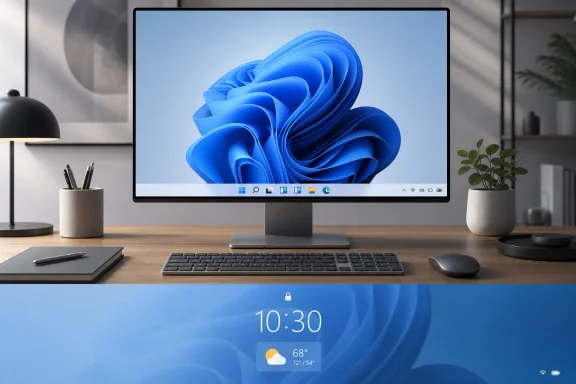 Microsoft Quietly Admits the Taskbar Was Doing Too Much
The headline change in Build 26220.8680 is not that Widgets get a new design flourish or another content source. It is that Microsoft is turning things off. Open on hover is disabled by default. Taskbar badging is disabled by default. Daily taskbar alerts are restricted unless the user actually opens and engages with Widgets.That is a meaningful reversal of the usual software-industry instinct. Modern platforms tend to treat attention as something to be harvested, not protected. If a user does not open a panel, the default assumption is often that the panel needs a badge, a pulse, a color change, or a prompt.
Windows users have been complaining for years that Widgets crossed that line. The feature could open accidentally when the cursor drifted over the taskbar weather icon. It could decorate the taskbar with red badges that looked urgent even when the underlying content was not. It could make the lock screen feel less like a transition point and more like a miniature portal page.
Microsoft’s new approach is more than a settings shuffle. It is a tacit recognition that ambient information becomes noise when the operating system insists on presenting it at the wrong moment. Weather is useful. Calendar information is useful. Breaking news, sports scores, stocks, and content recommendations can be useful. But usefulness collapses quickly when Windows chooses the timing instead of the user.
Widgets Were Born as a Desktop Convenience and Grew Into a Distraction Engine
When Windows 11 launched in 2021, Widgets were pitched as part of the operating system’s modern identity. They offered a panel of personalized information, reachable from the taskbar, designed for quick glances rather than full app sessions. In theory, this was a reasonable bet. Phones had trained users to expect compact information cards, and Microsoft wanted Windows to feel less static and more context-aware.The problem was not the existence of Widgets. The problem was the execution. The panel mixed genuinely useful information with MSN-driven content, alerts, badges, and interface behavior that made the feature feel less like a tool and more like a persistent campaign for attention.
That distinction matters. A weather tile that appears when clicked is a utility. A panel that opens because your mouse grazed the wrong region of the taskbar is an interruption. A subtle indicator that you have missed something can be helpful. A red badge attached to a feed of mostly noncritical content borrows the visual language of urgency without earning it.
Windows 11 has faced this criticism in several places, not just Widgets. Users have objected to recommendations in Start, promotional prompts in Settings, Edge nudges, OneDrive reminders, and Copilot entry points that sometimes feel more strategic for Microsoft than useful for the person at the keyboard. The Widgets rollback fits into a broader pattern: Microsoft pushes a connected experience into a high-traffic part of Windows, users push back, and the company later adds controls or softens the default.
The charitable reading is that Microsoft is responding to feedback. The harsher reading is that Microsoft keeps relearning the same lesson in public.
The New Default Is Less “Personalized” and More Respectful
The phrase “quiet by default” is doing a lot of work here. It sounds like a usability nicety, but it reflects a larger philosophical choice. Windows can either assume that the user wants to be updated until proven otherwise, or it can assume that the user wants calm until they opt into more activity.Build 26220.8680 moves Widgets closer to the second model. If you barely use Widgets, Windows will increasingly quiet the experience for you. If you actively engage with Widgets and have tuned your preferences, Microsoft says the system should respect that behavior rather than blindly resetting everyone to the same state.
That engagement-based quieting is the most interesting part of the change. It suggests Microsoft is not merely changing a few defaults for new installations. It is experimenting with adaptive restraint: the system notices disinterest and backs off.
There is risk in that approach, because adaptive interfaces can become opaque. Users may wonder why a badge disappeared, why a dashboard behaves differently, or why a setting seems to have changed after an update. But in this case the direction is sensible. If someone has repeatedly ignored Widgets, the operating system does not need to keep escalating the request for attention.
The irony is that Microsoft has spent years telling users that Windows is getting smarter. This is one of the rare cases where “smarter” may simply mean knowing when to shut up.
Red Badges Were the Wrong Color for the Wrong Job
One of the subtler changes in the new build is that users who keep taskbar badging enabled will see badges match the Windows accent color instead of always appearing red. That sounds cosmetic, but it gets to the psychology of the complaint.Red is not neutral interface decoration. On a desktop, it usually signals danger, failure, urgency, unread communication, or something requiring immediate action. When a weather-and-news panel uses red badging to flag routine content, it trains the user to either feel unnecessary pressure or ignore the signal altogether. Both outcomes are bad design.
Microsoft’s decision to use the accent color instead is an admission that the previous badge language was too aggressive. A badge can still communicate that something changed, but it no longer has to imitate an alarm. For an operating system used in offices, classrooms, hospitals, factories, and home PCs, that distinction is not trivial.
The larger lesson is that visual priority is a finite resource. If everything gets to be urgent, nothing is urgent. Windows already has legitimate channels for importance: security prompts, update warnings, battery alerts, calendar reminders, Teams notifications, app badges, and system health messages. Widgets never needed to compete in that same emotional register.
This is where Windows 11’s design sometimes works against itself. The operating system is cleaner and more modern than Windows 10 in many ways, but it has also been more willing to place Microsoft-controlled surfaces in prominent locations. The more surfaces Microsoft adds, the more disciplined it must be about visual hierarchy. Otherwise, the desktop becomes a polite-looking notification carnival.
The Lock Screen Retreat Is a Bigger Deal Than It Looks
The lock screen change may be the clearest example of Microsoft backing away from overreach. Under the quieter model, the lock screen shows weather by default rather than a fuller dashboard of information tiles competing for attention.That is the right default. The lock screen is not a workspace. It is a boundary. Users see it when they are arriving, leaving, waking a device, switching users, or glancing at a PC from across the room. The information shown there should be sparse, stable, and immediately legible.
Weather makes sense because it is glanceable and broadly useful. A sprawling set of cards is harder to justify. It turns a threshold into a feed, and feeds have a way of pulling users sideways from what they intended to do.
This matters especially on shared and managed machines. A lock screen crowded with consumer content can look unprofessional in business environments, and it can be annoying on personal devices where the user simply wants to unlock and continue working. The fewer assumptions Windows makes about what belongs there, the better.
Microsoft has often struggled to separate consumer engagement from core operating system experience. The lock screen is one of the places where that confusion becomes visible. A quiet lock screen says the PC belongs to the user. A busy lock screen says the PC is also a billboard.
The Insider Channel Is Where Microsoft Tests Restraint Before It Risks Revenue
Because this is an Insider Beta build, the usual caveat applies: not every preview feature ships exactly as tested, and Microsoft can change timing, scope, or behavior before general availability. But the direction is credible because it follows earlier preview work on quieter Widgets defaults and a broader 2026 pattern of reducing some of Windows 11’s more distracting surfaces.That does not mean Microsoft has suddenly become allergic to engagement. Widgets still exist. MSN content has not vanished from the Windows ecosystem. Copilot remains central to the company’s product strategy. Microsoft still has strong incentives to use Windows as a gateway into services, subscriptions, search, advertising, and AI features.
What has changed is the political cost of being too obvious about it. Windows users are not passive consumers of a locked-down phone interface. Many are IT professionals, developers, gamers, creators, and longtime PC owners who regard the desktop as their workspace, not Microsoft’s engagement canvas. If an operating system feature behaves like a website pop-up, it will be judged accordingly.
The Insider program gives Microsoft a place to test not only code but tolerance. Sometimes the company is measuring whether a feature works. Sometimes it is measuring how much friction users will accept. The Widgets rollback suggests that, at least in this case, the answer was: less than Microsoft hoped.
Enterprise IT Will Welcome the Calm but Still Want Control
For home users, the quieter Widgets behavior is mostly about annoyance. For enterprise IT, it is about predictability. A taskbar that changes state, opens panels unexpectedly, or displays consumer-facing alerts is not merely irritating in managed environments. It is another variable to explain, document, suppress, or defend.Sysadmins have spent the Windows 11 era evaluating which consumer-oriented features belong on corporate desktops and which should be disabled through policy, imaging, or provisioning. Widgets have often fallen into the second category, particularly in organizations that want a clean taskbar, minimal distractions, or fewer content surfaces connected to external feeds.
Microsoft’s quieter default helps, but it does not eliminate the need for administrative control. Enterprises will still want clear policy options. They will want to know whether Widgets can be disabled, whether feed behavior can be managed, whether lock screen content can be standardized, and whether future updates will reintroduce engagement features under new names.
This is where Microsoft’s credibility depends less on one preview build and more on consistency over time. If quiet defaults remain quiet, administrators can plan around them. If Windows updates repeatedly re-enable attention-seeking features, IT departments will treat every consumer-facing shell change as a threat to baseline stability.
For Microsoft, this is a trust problem disguised as a user-interface problem. The company can improve a setting in June 2026, but admins remember the cumulative history of prompts, defaults, migrations, and feature rollouts. Quiet is not just a design preference. In managed Windows environments, quiet is operational hygiene.
The Real Competition Is Not Another Widget Panel
It is tempting to compare Windows Widgets to macOS widgets, Android panels, iOS Today View, or browser start pages. But the real competition is not another widget system. It is the user’s finite attention.Every modern platform wants to become the first place users look for information. Microsoft wants Windows to be useful before an app opens. Google wants Chrome and Android to anticipate the next query. Apple wants the lock screen, Dynamic Island, widgets, and notifications to become a curated layer between the user and their apps. The industry trend is clear: the operating system is no longer content to launch software. It wants to mediate the day.
That can be powerful when done well. A calendar reminder before a meeting, a weather alert before a commute, or a delivery notification at the right time can save effort. But these systems fail when they confuse prediction with entitlement. Just because the operating system can show something does not mean it should.
Windows has a special burden here because it is still the primary work environment for hundreds of millions of people. It is the place where spreadsheets, code editors, remote desktops, CAD tools, browsers, games, terminals, and line-of-business applications run side by side. A phone can get away with being a little feed-like because it is often used in short bursts. A desktop OS has to support sustained attention.
That is why the Widgets change lands harder than its size suggests. Microsoft is not just tweaking a panel. It is deciding whether Windows should behave more like a workstation or more like a content platform.
Microsoft’s Best Windows 11 Changes Have Been Corrections
A recurring theme in Windows 11’s development is that some of its most welcome improvements have been restorations, reversals, or concessions. Taskbar behavior has gradually regained pieces of flexibility users missed. Context menus have been refined after complaints. Default app friction has been scrutinized. Performance and reliability fixes have mattered more to many users than new AI branding.The Widgets quieting belongs in that family. It is not glamorous. It will not sell a Copilot+ PC. It does not demo well on a keynote stage. But it directly improves the daily experience of using Windows, especially for people who found the feature more intrusive than helpful.
This is an uncomfortable truth for Microsoft’s product marketing machine: the most valuable Windows feature in 2026 may be restraint. Users do not necessarily want more surfaces, more panels, more badges, or more “delight.” They want the operating system to be fast, predictable, secure, legible, and respectful of intent.
There is a reason utilities that remove clutter, restore classic behaviors, or disable unwanted prompts remain popular among enthusiasts. They are not just nostalgia tools. They are a vote against unnecessary mediation. Microsoft can either learn from that impulse or keep creating demand for third-party cleanup scripts.
The company deserves credit when it listens. But it should also notice the pattern. If a feature only becomes popular after its most attention-seeking behaviors are disabled, maybe those behaviors were never the feature’s strength.
The AI Era Makes This Lesson More Urgent, Not Less
The Widgets rollback arrives as Microsoft continues pushing AI deeper into Windows, Office, Edge, developer tools, and cloud services. That context matters because the same attention problem will define the next phase of Windows.AI assistants are even more prone than widgets to overreach. They can summarize, suggest, rewrite, search, automate, and interpret. They can also interrupt, misread context, surface irrelevant actions, or make the user feel managed by the machine. If Microsoft treats AI as another reason to add prompts and badges, the backlash will be sharper than it was for Widgets.
The lesson from Widgets is that defaults shape trust. Users may tolerate powerful optional tools. They are less forgiving when optional tools behave as if they have a right to the foreground. A Copilot button is one thing. A Copilot prompt that appears at the wrong moment, decorates the shell unnecessarily, or tries to pull a user away from their task is another.
Microsoft’s challenge is not merely to make AI available. It is to make AI well-mannered. That means clear invocation, predictable boundaries, transparent settings, and a bias toward silence unless the user asks for help or the system has a genuinely important reason to speak.
Widgets are a low-stakes rehearsal for that bigger design question. If Microsoft cannot keep a weather-and-news panel from feeling intrusive, users will be skeptical when the company promises that more ambitious agents will respect their workflow.
The Calmer Taskbar Is the Feature Users Were Asking For
The practical consequences of Build 26220.8680 are straightforward, but their importance comes from accumulation. Windows 11 is not transformed by one quieter panel. It is improved by removing one more unnecessary interruption from the path between the user and their work.For users who like Widgets, the feature remains available. For users who dislike Widgets, the operating system should become less eager to remind them it exists. For administrators, the change may reduce one source of complaint, though policy control remains essential. For Microsoft, the move is a chance to prove that “quiet by default” is not just a temporary test phrase but a design principle.
The most concrete reading of the change is this:
- Windows 11 Insider Beta Preview Build 26220.8680 disables Widgets open-on-hover behavior by default, reducing accidental panel launches from the taskbar.
- Taskbar badging for Widgets is turned off by default, and users who keep badges enabled should see less alarmist accent-color badging instead of always-red indicators.
- Daily taskbar alerts are being restricted unless users open and engage with Widgets, which shifts the feature away from unsolicited prompting.
- The lock screen is being simplified so weather is the default widget presence rather than a fuller information dashboard.
- Microsoft is experimenting with engagement-based quieting, meaning Windows can reduce Widgets noise for people who rarely use the feature.
- The change is currently in Insider testing, so timing and final behavior for mainstream Windows 11 users may still change before broad release.
References
- Primary source: Digital Trends
Published: Tue, 16 Jun 2026 13:27:01 GMT
Loading…
www.digitaltrends.com - Official source: learn.microsoft.com

Windows 11 Insider Beta Preview Build 26220.8680 - Windows Insider Program | Microsoft Learn
Release notes for Windows 11 Insider Beta Preview Build 26220.8680learn.microsoft.com - Related coverage: allthings.how
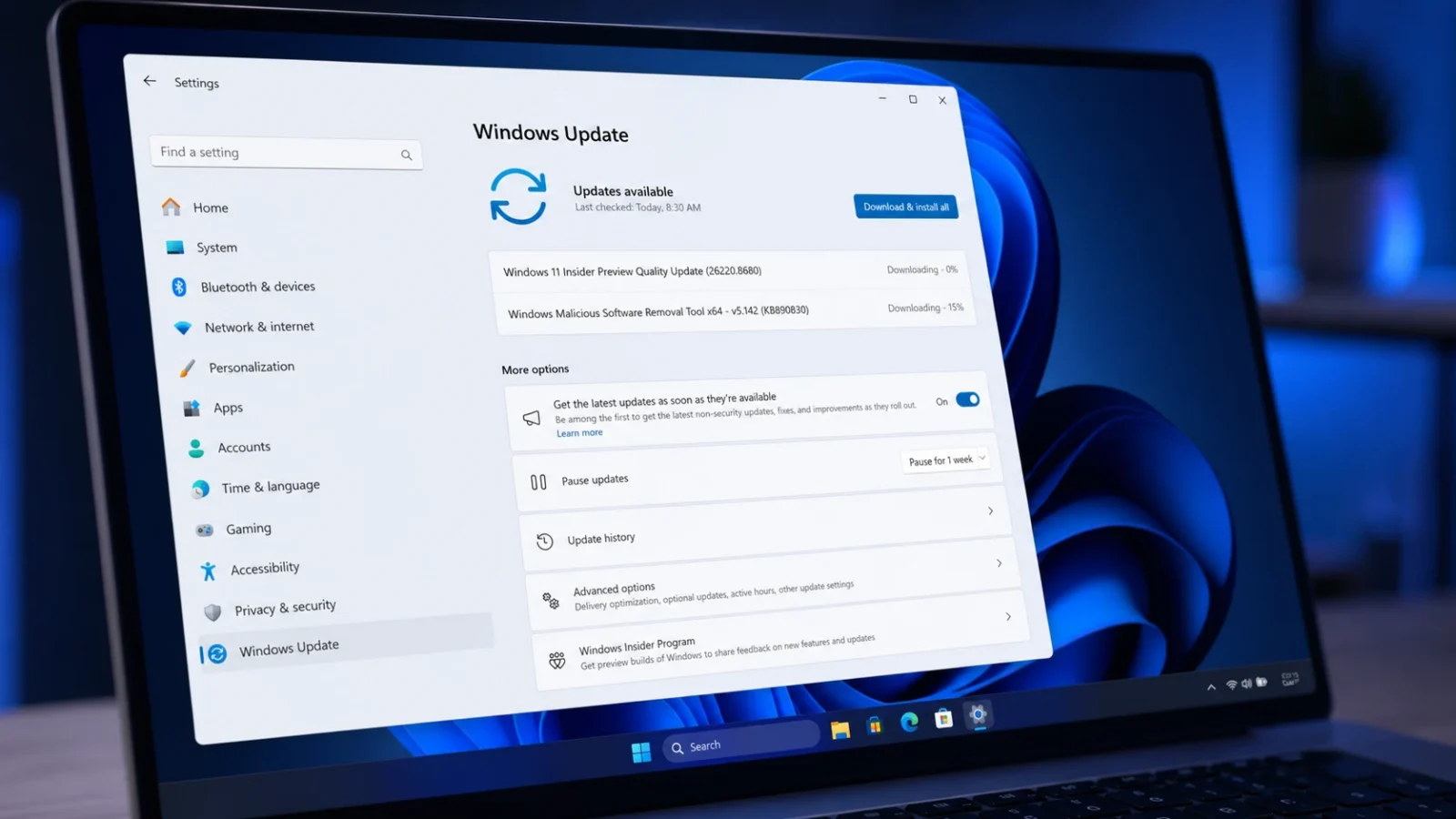
Windows 11 Build 26220.8680 quiets Widgets and adds Screen tint (Beta)
The Beta Channel flight trims Widgets memory use, calms taskbar alerts, and brings a new color overlay plus Magnifier and File Explorer fixes.allthings.how - Related coverage: windowslatest.com

Microsoft is finally turning off the MSN feed and ads in Windows 11 Widgets by default
Microsoft is making Windows 11 Widgets quiet by default. The update disables open-on-hover and hides the MSN feed for a cleaner taskbar. www.windowslatest.com
- Related coverage: windowsnews.ai
Windows 11 Tests Calmer Widgets Defaults: No Hover, Less Badging in Insider Build
A new Windows 11 Insider experimental build disables Widgets board hover activation, reduces taskbar badging, and changes first-launch feed behavior for a...windowsnews.ai
- Related coverage: ntcompatible.com

Windows 11 Insider Beta Preview Build 26220.8680 Update Fixes File Explorer Glitches and Quiets Widgets
The Windows 11 Insider Beta Preview Build update finally tames the notification system by disabling hover prompts and switching alert badges to match the system accent color.www.ntcompatible.com
- Related coverage: windowscentral.com
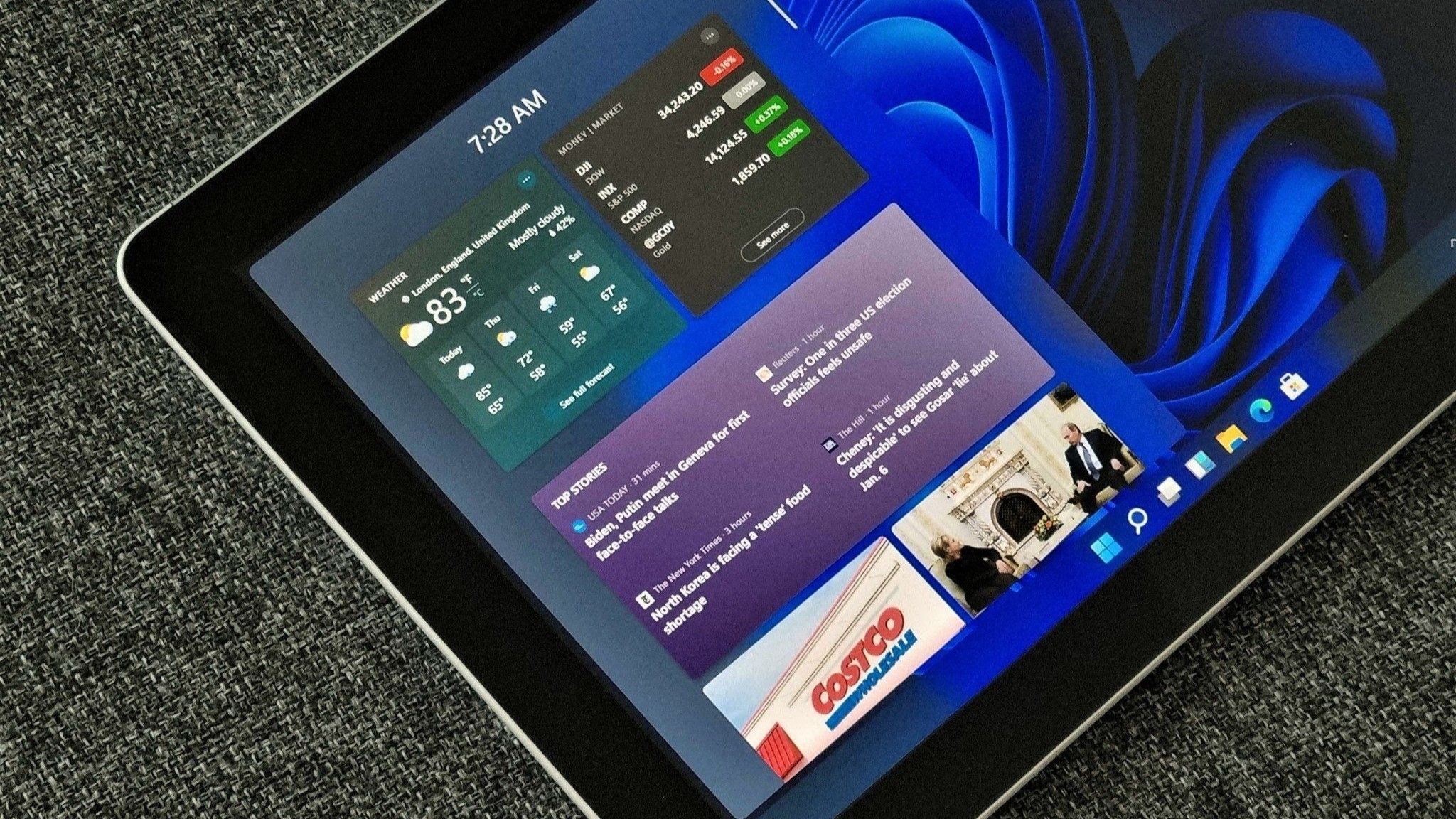
Microsoft confirms it's hiding ads by default in Windows 11's widget panel
A new Windows 11 preview build has confirmed that the OS will soon hide the MSN feed by default, replacing it with a new default behavior that opens straight to your widgets instead. www.windowscentral.com
- Related coverage: windowsforum.com

Windows 11 Insider: Widgets board quieter by default—no MSN feed, fewer alerts
Microsoft confirmed on May 1, 2026, that new Windows 11 Insider Preview builds will make the Widgets board quieter by default, opening first to user-selected widgets instead of the MSN-powered feed and disabling hover launches, taskbar badges, and some alerts. That sounds like a small settings... windowsforum.com
- Official source: techcommunity.microsoft.com
Loading…
techcommunity.microsoft.com - Related coverage: techradar.com
Microsoft continues the good work on Windows 11, with tweaks to 'quiet' ads — and that big taskbar change is 'coming soon' | TechRadar
Useful changes for the widgets panel are in testingwww.techradar.com