
Apple’s macOS 27 Golden Gate, announced at WWDC 2026 and now in developer beta, will run only on Apple silicon Macs, ending major-version support for every Intel-based Mac that survived through macOS 26 Tahoe. That compatibility line is not a routine annual pruning. It is Apple’s clean break from the Intel era, and it turns a “will my Mac run it?” checklist into a broader referendum on platform control, AI hardware requirements, Rosetta’s twilight, and the practical lifespan of premium computers.
For years, Apple treated the Intel-to-Apple-silicon transition as both a technical migration and a confidence trick: move quickly enough that developers follow, but slowly enough that recent Mac buyers do not feel abandoned. Golden Gate is the moment the mask comes off. If your Mac has an M-series chip, or the newer A-series silicon Apple is now willing to put inside a Mac-branded machine, you are in. If it has Intel inside, you are out.
That means the supported macOS 27 list is simple in a way Mac compatibility lists have not been for a long time. MacBook Air models with Apple silicon from 2020 onward are supported. MacBook Pro models with Apple silicon from 2020 onward are supported. Apple silicon iMacs, Mac minis, Mac Studios, and the 2023 Mac Pro are supported. Apple’s newer MacBook Neo also makes the cut.
The simplicity is the point. Apple is no longer trying to express support in terms of model-year exceptions, GPU quirks, T2 security-chip boundaries, or late-cycle Intel configurations. Golden Gate says the Mac is now an Apple silicon platform, and the remaining Intel machines are legacy hardware that will live out their support life on Tahoe.
That does not mean Intel Macs stop working. It does mean they stop moving with the platform. For WindowsForum readers used to Microsoft’s more sprawling compatibility battles, the contrast is stark: Apple has chosen a hard architectural boundary, not an extended negotiation with old hardware.
But Apple’s argument is not that every Intel Mac is suddenly slow. It is that maintaining the old stack now imposes costs Apple no longer wants to pay. Kernel behavior, driver coverage, power management, graphics paths, machine-learning acceleration, security assumptions, virtualization behavior, and developer tooling all get simpler when the OS no longer has to straddle x86 and Arm.
That simplification matters more as macOS becomes less like a traditional desktop operating system and more like the orchestration layer for Apple’s silicon, AI models, iPhone continuity features, and security architecture. Golden Gate’s Liquid Glass refinements may be what users see first, but the real story is underneath. Apple wants to optimize for a smaller, more predictable hardware world.
This is a very Apple move. It is also the kind of move Microsoft usually cannot make without detonating half the PC ecosystem. Windows has to account for a nearly infinite combination of vendors, firmware, peripherals, GPUs, and enterprise deployment habits. Apple can tell users that the new Mac begins at Apple silicon and make the product line obey.
That creates a familiar but uncomfortable pattern. Intel Mac users will likely continue to receive security updates for a time, and many applications will continue to work. Browsers, productivity suites, creative tools, development environments, and utilities do not all abandon an OS the day Apple ships a new one. The practical death of a Mac operating system usually arrives gradually, through missing features, app-version ceilings, browser support windows, and management-tool assumptions.
The sharper issue is psychological. A computer can be perfectly usable and still feel exiled when the newest OS stops appearing in Software Update. Apple’s customers buy into a platform experience as much as a machine. Losing the annual macOS release is therefore not just a technical limitation; it is a signal that the machine has moved from current to tolerated.
For IT departments, the concern is less emotional and more operational. Intel Macs on Tahoe will need a defined retirement plan, especially in regulated environments where OS support status, security patch availability, and vendor documentation matter. Golden Gate does not force a same-day hardware refresh, but it does start the countdown.
That distinction matters because Apple silicon itself is no longer a single category. The M1 was the revolution; M3, M4, M5, and beyond are the refinement curve. Apple can support the first wave of Apple silicon Macs for core OS features while reserving the most compute-heavy, privacy-sensitive, on-device AI functions for machines with newer neural engines and more memory headroom.
This is where compatibility gets murkier for ordinary buyers. A user may hear that “all Apple silicon Macs support macOS 27” and assume that means the full Golden Gate experience. It does not. The OS can install, the interface can run, and the security updates can land, while the most interesting AI features remain gated behind newer silicon.
Apple will argue that this is necessary. On-device models need memory, bandwidth, neural acceleration, and sustained performance. Running them badly would be worse than not running them at all. That argument has merit, but it also turns the Mac’s upgrade cycle into something closer to the smartphone cycle, where the latest software increasingly contains feature tiers based on chip generation.
The catch is that vertical control cuts both ways. If Siri’s best new capabilities require newer Macs, then Apple Intelligence becomes not just a software service but a hardware discriminator. The assistant becomes another reason to buy a newer Mac, even when an older Apple silicon machine remains fast enough for conventional computing.
That is strategically convenient for Apple. The M1 generation was so good that it threatened to elongate replacement cycles. A 2020 M1 MacBook Air remains a remarkably competent everyday computer in 2026, especially for web, office, media, light development, and travel use. AI feature gating gives Apple a new kind of performance story, one that cannot be measured only by how quickly a laptop opens Safari or exports a photo.
For users, the question is whether the gated features are useful enough to matter. If Golden Gate’s advanced Siri features become central to workflows — composing across apps, controlling local data, summarizing personal context, automating tasks, and handling voice interaction more naturally — then the hardware requirement will feel like a real divide. If they remain clever demos and occasionally useful conveniences, most M1 and M2 owners will shrug.
Golden Gate is widely reported as the final major macOS release to include full Rosetta support. That matters enormously for niche software, abandoned utilities, old plug-ins, scientific tools, audio workflows, enterprise agents, and games that never received native Apple silicon versions. The end of Intel Mac support tells users which machines can install macOS 27. The end of full Rosetta support tells them which apps may eventually stop following them.
For developers, the message could not be clearer: ship native Apple silicon binaries or accept that your Mac software is aging out of the platform. Apple gave the ecosystem a long runway. The first M1 Macs arrived in 2020. By 2026, a developer still relying entirely on Intel binaries is not merely late; they are betting against the platform’s direction.
The complication is that not all software is actively maintained. Some of the most painful breakages in computing do not come from big-name apps with engineering teams and public roadmaps. They come from the odd scanner utility, the discontinued audio plug-in, the lab instrument package, the custom internal tool, the decade-old game, or the business-critical app nobody wants to admit is business-critical.
Apple’s Mac business is smaller, more vertically integrated, and more willing to strand old assumptions. That gives macOS a cleaner technical future. It also gives users less room to negotiate. There is no motherboard vendor to lobby, no BIOS setting to toggle, no supported-but-not-recommended path that eventually becomes normal.
This is the bargain Apple has always offered. In exchange for fewer hardware variables and a tightly managed experience, users accept that Apple decides when the platform moves on. Golden Gate is that bargain rendered in silicon. It is efficient, coherent, and ruthless.
The irony is that Intel Mac users may find Windows more hospitable than macOS over the long term. Many Intel Macs can still run Windows through Boot Camp, and some users may choose to repurpose aging Apple hardware as Windows or Linux machines once macOS support becomes limiting. That is not Apple’s preferred ending, but it is a practical one for users who care more about hardware utility than ecosystem purity.
But the compatibility shift will outlast the interface debate. Visual styles come and go. Apple has revised translucency, depth, sidebars, icons, window chrome, and menu behavior before. Hardware cutoffs, by contrast, set the platform’s future constraints.
That is why Golden Gate should not be evaluated only as a feature update. It is a platform consolidation release. Apple is narrowing the Mac’s hardware base so it can push harder on AI, continuity, graphics, security, and performance assumptions that depend on Apple-controlled silicon.
This may produce better software. It may also make the Mac feel less like a general-purpose personal computer and more like a member of Apple’s device family, subject to the same chip-tier logic that governs iPhones and iPads. For some users, that is progress. For others, it is the slow closing of the Mac’s old identity.
Apple has improved update mechanics over the years, but a major macOS install still needs working room. The installer must download, unpack, stage, migrate, and leave enough margin for the system not to choke immediately afterward. Users with 256 GB Macs, large Photos libraries, Xcode installations, local iPhone backups, game libraries, or years of accumulated caches should check free space before treating compatibility as the only hurdle.
This is another place where Apple’s hardware choices echo years later. Entry-level storage configurations look cheaper at purchase time and more constraining at upgrade time. A Mac can have a supported chip and still feel cramped because the SSD was undersized from day one.
For administrators, the storage issue is less about one user’s annoyance and more about deployment predictability. A fleet upgrade plan that ignores free-space auditing will produce avoidable failures. Golden Gate may be architecturally cleaner than Tahoe, but installation logistics remain stubbornly mundane.
That simplicity is useful. Apple’s older compatibility lists often required users to know not just the Mac family but the model year, screen size, and sometimes subtle configuration details. Golden Gate collapses that into a binary architectural split.
The tradeoff is that simple answers can hide painful edge cases. A 2020 Intel MacBook Pro and a 2020 M1 MacBook Pro occupy the same broad purchase era but now sit on opposite sides of the platform future. One continues with Golden Gate. The other ends at Tahoe.
That is the kind of distinction that irritates users because it feels less like age-based support and more like a historical accident. Buyers who purchased near the transition line may feel they backed the wrong horse. Apple can fairly say the transition has been public for years, but that does not make the cutoff feel gentler to someone holding a still-functional Intel Mac.
The hardest part will be mixed fleets. Organizations that bought Intel Macs late in the cycle may still have machines that are physically reliable and performance-adequate. Replacing them solely because of OS eligibility can feel wasteful. But keeping them indefinitely creates a split environment where some users receive current macOS features and others do not.
That split affects support desks. It affects documentation. It affects compliance reports. It affects developer tooling, security baselines, and employee expectations. The cost of keeping old hardware is not just the risk that something breaks; it is the operational drag of maintaining exceptions.
The smart move is not panic replacement. It is classification. Some Intel Macs can be retired from sensitive roles first, reassigned to limited tasks, or kept offline for specific workflows. Others may justify immediate replacement if they are used by developers, executives, security-sensitive teams, or workers who depend on current Apple ecosystem features.
For mainstream software vendors, this transition should already be complete. The bigger concern lies with specialized markets: audio production, CAD-adjacent tools, education software, research instruments, industrial utilities, and enterprise management agents. In those spaces, customers often tolerate old binaries because the software solves a narrow problem and replacement is costly.
Golden Gate changes the negotiation. Customers can now ask vendors direct questions: Is the application native? Is every plug-in native? Does the installer contain legacy Intel components? Will the software survive beyond macOS 27 if Rosetta disappears? Vague assurances are no longer enough.
This is where Apple’s clarity helps. The cutoff gives procurement teams and IT managers leverage. A vendor that cannot explain its Apple silicon roadmap in 2026 is not just behind Apple’s fashion cycle; it is failing a foreseeable platform requirement.
This was inevitable once Apple proved it could build Mac-class processors in-house. Hackintoshes depended on macOS supporting x86 hardware and enough PC-adjacent components to make the puzzle solvable. Golden Gate does not merely remove supported Intel Macs; it removes the architectural premise that made the hobby viable.
For most Mac users, that will be a footnote. For a certain class of enthusiast, it marks the end of one of computing’s stranger subcultures: part tinkering project, part protest, part budget workstation strategy. The Mac becomes less hackable in the old sense, even as Apple may argue it becomes more capable in the sanctioned one.
WindowsForum readers will recognize the loss. The PC world’s messiness has always been tied to its freedom. Apple’s cleanliness has always been tied to its control. Golden Gate is another turn of that screw.
This matters because Apple’s platform strategy is increasingly about shared capabilities across device categories. Apple Intelligence, Siri improvements, iPhone Mirroring, continuity features, and interface language all benefit from a common silicon foundation. The Mac is not being merged into iOS, but it is being pulled deeper into the same gravitational field.
For longtime Mac users, that can feel unsettling. The Mac’s appeal has always included its independence: a Unix workstation with a polished consumer interface, not merely a big-screen accessory in the Apple ecosystem. Golden Gate preserves macOS as macOS, but the compatibility rules show where the center of power lies.
The future Mac is not defined by whether it resembles yesterday’s laptop or desktop. It is defined by whether its silicon can participate in Apple’s broader compute model. That is a profound shift from the days when the Mac could be understood primarily through CPU speed, RAM, GPU, and storage.
Still, timing matters. Some Intel Macs were expensive, capable, and sold close enough to the transition to make their owners feel shortchanged. Apple’s support horizon may be defensible by industry standards, but premium customers do not judge only by averages. They judge by expectations set at purchase.
The fairest reading is that Apple has balanced transition generosity against platform ambition and decided the balance now favors ambition. Maintaining Intel support would slow or complicate work Apple considers more important: AI features, silicon-specific performance, security architecture, and a cleaner developer target. That does not make the cutoff painless. It makes it coherent.
Coherence is one of Apple’s great strengths. It is also the source of many of its most frustrating decisions. Golden Gate is both.
Golden Gate is likely to be remembered less for its interface slider or its Siri demos than for the door it closes. Apple has spent six years proving that the Mac could survive, and often thrive, after Intel; macOS 27 is where that transition stops being a transition and becomes the permanent state of the platform. For users and administrators, the best response is not outrage or complacency, but planning: know which machines cross the bridge, know which apps still depend on the old world, and decide now how much of Apple’s next Mac era you actually need.
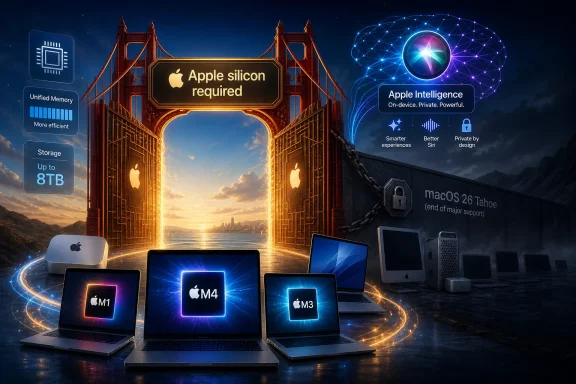 Apple Finally Draws the Line It Signaled Last Year
For years, Apple treated the Intel-to-Apple-silicon transition as both a technical migration and a confidence trick: move quickly enough that developers follow, but slowly enough that recent Mac buyers do not feel abandoned. Golden Gate is the moment the mask comes off. If your Mac has an M-series chip, or the newer A-series silicon Apple is now willing to put inside a Mac-branded machine, you are in. If it has Intel inside, you are out.That means the supported macOS 27 list is simple in a way Mac compatibility lists have not been for a long time. MacBook Air models with Apple silicon from 2020 onward are supported. MacBook Pro models with Apple silicon from 2020 onward are supported. Apple silicon iMacs, Mac minis, Mac Studios, and the 2023 Mac Pro are supported. Apple’s newer MacBook Neo also makes the cut.
The simplicity is the point. Apple is no longer trying to express support in terms of model-year exceptions, GPU quirks, T2 security-chip boundaries, or late-cycle Intel configurations. Golden Gate says the Mac is now an Apple silicon platform, and the remaining Intel machines are legacy hardware that will live out their support life on Tahoe.
That does not mean Intel Macs stop working. It does mean they stop moving with the platform. For WindowsForum readers used to Microsoft’s more sprawling compatibility battles, the contrast is stark: Apple has chosen a hard architectural boundary, not an extended negotiation with old hardware.
The Supported List Is Short Because the Architecture Story Is Over
The macOS 27 support matrix is best understood as a statement about architecture, not age. A 2020 M1 MacBook Air survives. A later-era Intel Mac with plenty of RAM, a capable GPU, and a price tag that once screamed “professional workstation” does not. That will sting for owners of high-end Intel MacBook Pros, iMacs, and Mac Pros that still feel fast enough for ordinary work.But Apple’s argument is not that every Intel Mac is suddenly slow. It is that maintaining the old stack now imposes costs Apple no longer wants to pay. Kernel behavior, driver coverage, power management, graphics paths, machine-learning acceleration, security assumptions, virtualization behavior, and developer tooling all get simpler when the OS no longer has to straddle x86 and Arm.
That simplification matters more as macOS becomes less like a traditional desktop operating system and more like the orchestration layer for Apple’s silicon, AI models, iPhone continuity features, and security architecture. Golden Gate’s Liquid Glass refinements may be what users see first, but the real story is underneath. Apple wants to optimize for a smaller, more predictable hardware world.
This is a very Apple move. It is also the kind of move Microsoft usually cannot make without detonating half the PC ecosystem. Windows has to account for a nearly infinite combination of vendors, firmware, peripherals, GPUs, and enterprise deployment habits. Apple can tell users that the new Mac begins at Apple silicon and make the product line obey.
Tahoe Becomes the Retirement Home for Intel Macs
macOS 26 Tahoe now has a more consequential role than it did at launch. It is not merely last year’s macOS release; it is the final major operating-system branch for Intel Macs. For owners of those systems, Tahoe becomes the long runway, the stable island, and eventually the line in the sand.That creates a familiar but uncomfortable pattern. Intel Mac users will likely continue to receive security updates for a time, and many applications will continue to work. Browsers, productivity suites, creative tools, development environments, and utilities do not all abandon an OS the day Apple ships a new one. The practical death of a Mac operating system usually arrives gradually, through missing features, app-version ceilings, browser support windows, and management-tool assumptions.
The sharper issue is psychological. A computer can be perfectly usable and still feel exiled when the newest OS stops appearing in Software Update. Apple’s customers buy into a platform experience as much as a machine. Losing the annual macOS release is therefore not just a technical limitation; it is a signal that the machine has moved from current to tolerated.
For IT departments, the concern is less emotional and more operational. Intel Macs on Tahoe will need a defined retirement plan, especially in regulated environments where OS support status, security patch availability, and vendor documentation matter. Golden Gate does not force a same-day hardware refresh, but it does start the countdown.
The AI Requirements Reveal a Second Compatibility Wall
Golden Gate’s headline compatibility rule is Apple silicon only, but the more interesting restriction may be inside the supported camp. Not every supported Mac will receive every AI feature. The most advanced Siri and Apple Intelligence capabilities reportedly require newer chips and higher memory configurations, with M3-class hardware or better and substantial unified memory becoming the meaningful threshold for the full experience.That distinction matters because Apple silicon itself is no longer a single category. The M1 was the revolution; M3, M4, M5, and beyond are the refinement curve. Apple can support the first wave of Apple silicon Macs for core OS features while reserving the most compute-heavy, privacy-sensitive, on-device AI functions for machines with newer neural engines and more memory headroom.
This is where compatibility gets murkier for ordinary buyers. A user may hear that “all Apple silicon Macs support macOS 27” and assume that means the full Golden Gate experience. It does not. The OS can install, the interface can run, and the security updates can land, while the most interesting AI features remain gated behind newer silicon.
Apple will argue that this is necessary. On-device models need memory, bandwidth, neural acceleration, and sustained performance. Running them badly would be worse than not running them at all. That argument has merit, but it also turns the Mac’s upgrade cycle into something closer to the smartphone cycle, where the latest software increasingly contains feature tiers based on chip generation.
Siri Is Becoming a Hardware Sales Argument Again
Siri has spent years as Apple’s most visible software embarrassment: famous, widely deployed, and too often less capable than rivals. Golden Gate’s promised Siri AI improvements are therefore more than feature dressing. They are Apple’s attempt to reframe Siri as a local, context-aware, privacy-aligned assistant that benefits from Apple’s vertical control over hardware and software.The catch is that vertical control cuts both ways. If Siri’s best new capabilities require newer Macs, then Apple Intelligence becomes not just a software service but a hardware discriminator. The assistant becomes another reason to buy a newer Mac, even when an older Apple silicon machine remains fast enough for conventional computing.
That is strategically convenient for Apple. The M1 generation was so good that it threatened to elongate replacement cycles. A 2020 M1 MacBook Air remains a remarkably competent everyday computer in 2026, especially for web, office, media, light development, and travel use. AI feature gating gives Apple a new kind of performance story, one that cannot be measured only by how quickly a laptop opens Safari or exports a photo.
For users, the question is whether the gated features are useful enough to matter. If Golden Gate’s advanced Siri features become central to workflows — composing across apps, controlling local data, summarizing personal context, automating tasks, and handling voice interaction more naturally — then the hardware requirement will feel like a real divide. If they remain clever demos and occasionally useful conveniences, most M1 and M2 owners will shrug.
Rosetta’s Twilight Is the Developer Story Hiding in the Compatibility List
The Intel Mac cutoff is only half the migration story. The other half is Rosetta, Apple’s translation layer that allowed Apple silicon Macs to run Intel Mac applications with surprisingly little drama. Rosetta was one of the quiet miracles of the transition, and its success may have made users underestimate how temporary it was always meant to be.Golden Gate is widely reported as the final major macOS release to include full Rosetta support. That matters enormously for niche software, abandoned utilities, old plug-ins, scientific tools, audio workflows, enterprise agents, and games that never received native Apple silicon versions. The end of Intel Mac support tells users which machines can install macOS 27. The end of full Rosetta support tells them which apps may eventually stop following them.
For developers, the message could not be clearer: ship native Apple silicon binaries or accept that your Mac software is aging out of the platform. Apple gave the ecosystem a long runway. The first M1 Macs arrived in 2020. By 2026, a developer still relying entirely on Intel binaries is not merely late; they are betting against the platform’s direction.
The complication is that not all software is actively maintained. Some of the most painful breakages in computing do not come from big-name apps with engineering teams and public roadmaps. They come from the odd scanner utility, the discontinued audio plug-in, the lab instrument package, the custom internal tool, the decade-old game, or the business-critical app nobody wants to admit is business-critical.
The Mac’s Clean Break Makes Windows Look Messier — and More Forgiving
From a Windows perspective, Apple’s move is both enviable and alien. Microsoft has spent years trying to modernize Windows while carrying an immense compatibility burden. Windows 11’s hardware requirements sparked backlash precisely because PC users are accustomed to long, messy continuity. Even when Microsoft draws a line, workarounds, OEM exceptions, enterprise realities, and the sheer scale of the installed base complicate the message.Apple’s Mac business is smaller, more vertically integrated, and more willing to strand old assumptions. That gives macOS a cleaner technical future. It also gives users less room to negotiate. There is no motherboard vendor to lobby, no BIOS setting to toggle, no supported-but-not-recommended path that eventually becomes normal.
This is the bargain Apple has always offered. In exchange for fewer hardware variables and a tightly managed experience, users accept that Apple decides when the platform moves on. Golden Gate is that bargain rendered in silicon. It is efficient, coherent, and ruthless.
The irony is that Intel Mac users may find Windows more hospitable than macOS over the long term. Many Intel Macs can still run Windows through Boot Camp, and some users may choose to repurpose aging Apple hardware as Windows or Linux machines once macOS support becomes limiting. That is not Apple’s preferred ending, but it is a practical one for users who care more about hardware utility than ecosystem purity.
Liquid Glass Is the Visible Change, but Not the Defining One
Golden Gate’s user-facing refinements include Liquid Glass tweaks, interface-intensity controls, performance improvements, iPhone Mirroring enhancements, and the usual spread of small conveniences that make an annual OS release feel alive. Those features will matter day to day. A clearer interface slider alone suggests Apple has heard some of the complaints that followed its more aggressive visual redesigns.But the compatibility shift will outlast the interface debate. Visual styles come and go. Apple has revised translucency, depth, sidebars, icons, window chrome, and menu behavior before. Hardware cutoffs, by contrast, set the platform’s future constraints.
That is why Golden Gate should not be evaluated only as a feature update. It is a platform consolidation release. Apple is narrowing the Mac’s hardware base so it can push harder on AI, continuity, graphics, security, and performance assumptions that depend on Apple-controlled silicon.
This may produce better software. It may also make the Mac feel less like a general-purpose personal computer and more like a member of Apple’s device family, subject to the same chip-tier logic that governs iPhones and iPads. For some users, that is progress. For others, it is the slow closing of the Mac’s old identity.
The Storage Requirement Is Boring Until It Breaks the Upgrade
The reported 35 GB free-space recommendation for downloading and installing Golden Gate is easy to overlook. It should not be. Storage pressure remains one of the most common reasons major OS upgrades fail, especially on base-model Macs with modest SSD configurations.Apple has improved update mechanics over the years, but a major macOS install still needs working room. The installer must download, unpack, stage, migrate, and leave enough margin for the system not to choke immediately afterward. Users with 256 GB Macs, large Photos libraries, Xcode installations, local iPhone backups, game libraries, or years of accumulated caches should check free space before treating compatibility as the only hurdle.
This is another place where Apple’s hardware choices echo years later. Entry-level storage configurations look cheaper at purchase time and more constraining at upgrade time. A Mac can have a supported chip and still feel cramped because the SSD was undersized from day one.
For administrators, the storage issue is less about one user’s annoyance and more about deployment predictability. A fleet upgrade plan that ignores free-space auditing will produce avoidable failures. Golden Gate may be architecturally cleaner than Tahoe, but installation logistics remain stubbornly mundane.
The Casual Mac Buyer Gets the Easiest Answer
For ordinary users, the compatibility test is brutally simple: open About This Mac and look for the chip. If it says Apple M1, M2, M3, M4, M5, M6, or another Apple silicon designation, Golden Gate should install. If it says Intel, it will not.That simplicity is useful. Apple’s older compatibility lists often required users to know not just the Mac family but the model year, screen size, and sometimes subtle configuration details. Golden Gate collapses that into a binary architectural split.
The tradeoff is that simple answers can hide painful edge cases. A 2020 Intel MacBook Pro and a 2020 M1 MacBook Pro occupy the same broad purchase era but now sit on opposite sides of the platform future. One continues with Golden Gate. The other ends at Tahoe.
That is the kind of distinction that irritates users because it feels less like age-based support and more like a historical accident. Buyers who purchased near the transition line may feel they backed the wrong horse. Apple can fairly say the transition has been public for years, but that does not make the cutoff feel gentler to someone holding a still-functional Intel Mac.
Enterprise IT Has to Treat Golden Gate as a Migration Deadline
For businesses, schools, and managed environments, Golden Gate is not primarily about Liquid Glass or Siri. It is about lifecycle management. Intel Macs remaining in service need to be inventoried, risk-rated, and placed on a replacement schedule tied to security support, application compatibility, and vendor requirements.The hardest part will be mixed fleets. Organizations that bought Intel Macs late in the cycle may still have machines that are physically reliable and performance-adequate. Replacing them solely because of OS eligibility can feel wasteful. But keeping them indefinitely creates a split environment where some users receive current macOS features and others do not.
That split affects support desks. It affects documentation. It affects compliance reports. It affects developer tooling, security baselines, and employee expectations. The cost of keeping old hardware is not just the risk that something breaks; it is the operational drag of maintaining exceptions.
The smart move is not panic replacement. It is classification. Some Intel Macs can be retired from sensitive roles first, reassigned to limited tasks, or kept offline for specific workflows. Others may justify immediate replacement if they are used by developers, executives, security-sensitive teams, or workers who depend on current Apple ecosystem features.
Developers Now Have Fewer Excuses and More Pressure
Golden Gate tightens the screws on Mac developers in a way that will be healthy for the platform but uncomfortable for laggards. Universal binaries were the bridge. Native Apple silicon support is now the destination. Software that remains Intel-only is no longer merely old-fashioned; it is approaching the end of practical viability.For mainstream software vendors, this transition should already be complete. The bigger concern lies with specialized markets: audio production, CAD-adjacent tools, education software, research instruments, industrial utilities, and enterprise management agents. In those spaces, customers often tolerate old binaries because the software solves a narrow problem and replacement is costly.
Golden Gate changes the negotiation. Customers can now ask vendors direct questions: Is the application native? Is every plug-in native? Does the installer contain legacy Intel components? Will the software survive beyond macOS 27 if Rosetta disappears? Vague assurances are no longer enough.
This is where Apple’s clarity helps. The cutoff gives procurement teams and IT managers leverage. A vendor that cannot explain its Apple silicon roadmap in 2026 is not just behind Apple’s fashion cycle; it is failing a foreseeable platform requirement.
The Hackintosh Era Loses Its Last Oxygen
The Intel cutoff also has cultural consequences. The Hackintosh community lived in the space between Apple’s software and commodity PC hardware. As macOS moves fully to Apple silicon, that space collapses.This was inevitable once Apple proved it could build Mac-class processors in-house. Hackintoshes depended on macOS supporting x86 hardware and enough PC-adjacent components to make the puzzle solvable. Golden Gate does not merely remove supported Intel Macs; it removes the architectural premise that made the hobby viable.
For most Mac users, that will be a footnote. For a certain class of enthusiast, it marks the end of one of computing’s stranger subcultures: part tinkering project, part protest, part budget workstation strategy. The Mac becomes less hackable in the old sense, even as Apple may argue it becomes more capable in the sanctioned one.
WindowsForum readers will recognize the loss. The PC world’s messiness has always been tied to its freedom. Apple’s cleanliness has always been tied to its control. Golden Gate is another turn of that screw.
The MacBook Neo Makes the Future Look Less Like the Past
The appearance of MacBook Neo on the supported list is more than a new product footnote. It suggests Apple is willing to broaden what counts as Mac silicon, potentially using A-series-derived chips where it makes sense. That would further blur the line between Mac, iPad, and iPhone internals, even if macOS remains distinct.This matters because Apple’s platform strategy is increasingly about shared capabilities across device categories. Apple Intelligence, Siri improvements, iPhone Mirroring, continuity features, and interface language all benefit from a common silicon foundation. The Mac is not being merged into iOS, but it is being pulled deeper into the same gravitational field.
For longtime Mac users, that can feel unsettling. The Mac’s appeal has always included its independence: a Unix workstation with a polished consumer interface, not merely a big-screen accessory in the Apple ecosystem. Golden Gate preserves macOS as macOS, but the compatibility rules show where the center of power lies.
The future Mac is not defined by whether it resembles yesterday’s laptop or desktop. It is defined by whether its silicon can participate in Apple’s broader compute model. That is a profound shift from the days when the Mac could be understood primarily through CPU speed, RAM, GPU, and storage.
The Cutoff Is Harsh, but Not Surprising
It is tempting to frame Golden Gate as Apple suddenly abandoning Intel Mac owners. That is too simple. Apple announced the Apple silicon transition in 2020, shipped the first M1 Macs that year, and completed the broad hardware migration over the following product cycles. By 2026, Intel has been the Mac’s past for a while.Still, timing matters. Some Intel Macs were expensive, capable, and sold close enough to the transition to make their owners feel shortchanged. Apple’s support horizon may be defensible by industry standards, but premium customers do not judge only by averages. They judge by expectations set at purchase.
The fairest reading is that Apple has balanced transition generosity against platform ambition and decided the balance now favors ambition. Maintaining Intel support would slow or complicate work Apple considers more important: AI features, silicon-specific performance, security architecture, and a cleaner developer target. That does not make the cutoff painless. It makes it coherent.
Coherence is one of Apple’s great strengths. It is also the source of many of its most frustrating decisions. Golden Gate is both.
The Golden Gate Upgrade Math Is Now Uncomfortably Clear
For anyone planning around macOS 27, the practical implications are less complicated than the emotions around them. Golden Gate turns Mac compatibility into a hardware audit, an app audit, and a feature-expectation audit.- Your Mac must use Apple silicon to install macOS 27 Golden Gate, and no Intel Mac is on the supported list.
- macOS 26 Tahoe is the final major macOS release for Intel-based Macs, so remaining Intel systems should be treated as sunset hardware.
- Apple silicon Macs from the M1 generation onward should receive the core Golden Gate release, but the most advanced Siri and Apple Intelligence features may require newer chips and more unified memory.
- Users should confirm they have enough free storage before upgrading, because major macOS installs still need substantial working space.
- Organizations should inventory Intel Macs now rather than waiting for application support, compliance requirements, or security baselines to force a rushed replacement cycle.
- Developers and software buyers should treat Intel-only Mac applications as a near-term risk, especially with Rosetta’s full-support window reportedly nearing its end.
Golden Gate is likely to be remembered less for its interface slider or its Siri demos than for the door it closes. Apple has spent six years proving that the Mac could survive, and often thrive, after Intel; macOS 27 is where that transition stops being a transition and becomes the permanent state of the platform. For users and administrators, the best response is not outrage or complacency, but planning: know which machines cross the bridge, know which apps still depend on the old world, and decide now how much of Apple’s next Mac era you actually need.
References
- Primary source: OS X Daily
Published: 2026-06-18T22:30:21.670522
Loading…
osxdaily.com - Related coverage: macrumors.com
Loading…
www.macrumors.com - Related coverage: macworld.com
Loading…
www.macworld.com - Related coverage: tomshardware.com
macOS Tahoe is the last release for Intel Macs — Apple Silicon-exclusivity will mark end of Hackintoshes
Intel got five years of support after the announcement of Apple Siliconwww.tomshardware.com
- Related coverage: macos-tahoe.com
Loading…
macos-tahoe.com - Related coverage: appleinsider.com
Loading…
appleinsider.com
- Related coverage: techmymoney.com
Loading…
techmymoney.com - Related coverage: fone.tips
Loading…
fone.tips - Related coverage: tomsguide.com
Loading…
www.tomsguide.com - Related coverage: t3.com
Loading…
www.t3.com - Related coverage: techradar.com
Loading…
www.techradar.com - Related coverage: s205.q4cdn.com
Loading…
s205.q4cdn.com - Related coverage: ithelp.brown.edu
Loading…
ithelp.brown.edu