
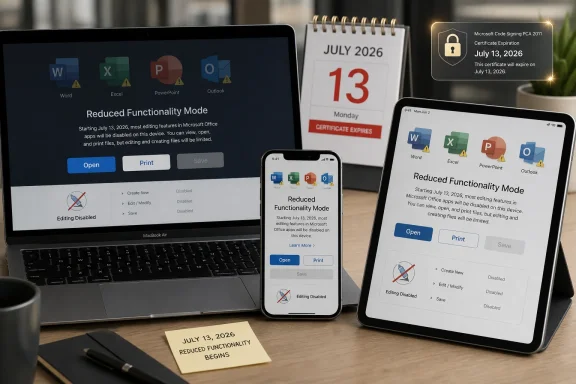
On July 13, 2026, Microsoft Office apps on some Macs, iPhones, and iPads will drop into reduced functionality mode if they have not received updated license-certificate builds, leaving users able to open and print files but unable to edit, save, or create them. The deadline is not a dramatic disappearance of Word or Excel from Apple hardware, but it may feel close enough for anyone who relies on an old Mac as a perfectly serviceable document machine. Microsoft frames the issue as certificate maintenance; users will experience it as another reminder that “perpetual” software now lives inside expiring trust chains. The argument is not really about one certificate — it is about how modern productivity software has made license validation, operating system support, and hardware age inseparable.
The immediate cause is straightforward: a licensing certificate used by Office and Microsoft 365 apps on Apple platforms expires on July 13, 2026. Once that certificate is no longer valid, older Office builds that cannot receive the replacement may no longer be able to validate their licensed state. Microsoft’s term for the result is reduced functionality mode, which is a polite way of saying Office becomes mostly read-only.
The affected apps are the familiar core suite: Word, Excel, PowerPoint, Outlook, and OneNote. The problem applies across Macs, iPhones, and iPads, and it can affect both Microsoft 365 subscribers and owners of one-time-purchase Office versions such as Office 2019 and Office 2021. That breadth matters, because it cuts across the old mental distinction between rental software and boxed software.
For most current users, this is more chore than crisis. Update macOS or iOS first, then update Office to a sufficiently recent build, and the new certificate should ride along with the app update. On Mac, Microsoft identifies Office version 16.83 or later as the relevant floor for the certificate fix, with macOS 12 Monterey or later required for the update path. On iPhone and iPad, the comparable threshold is iOS or iPadOS 17.0 or later with Office app version 2.93 or newer.
That distinction is important because some early summaries have blurred two different support realities. Microsoft’s current mainstream Office for Mac support policy tracks the three most recent major macOS releases, but the certificate-specific minimum is not necessarily the same as the current best-supported macOS release. A Mac on macOS 12 may not be where an IT department wants to be in 2026, but for this certificate event, the key question is whether the device can install the required Office build.
This is where Office 2019 for Mac becomes the flashpoint. Microsoft ended support for Office 2019 for Mac on October 10, 2023, so it no longer receives updates. If the build installed on a machine cannot receive the renewed certificate, the license-validation machinery may fail even though the user bought a perpetual license years ago and the local application still launches.
Office 2021 for Mac sits in a more awkward middle. It remains closer to support than Office 2019, but its support runway ends on October 13, 2026 — only three months after the certificate deadline. Users who update in time may clear the July hurdle, but they are still approaching the end of Microsoft’s servicing period for that generation of Office.
For Microsoft 365 subscribers, the situation is conceptually cleaner but emotionally no less annoying. A subscription customer expects ongoing updates, but only if the device can run the operating system and app versions Microsoft still supports. If the hardware is too old to install the required OS, the subscription does not magically preserve full desktop functionality.
That does not make Microsoft uniquely villainous. Apple’s own platform security model depends heavily on certificates, notarization, and trust decisions that can change over time. But it does mean the old consumer promise of desktop software has eroded. A local app can be present, paid for, and technically capable of editing a document, yet still refuse to do so because a validation component has aged out.
Microsoft’s defense is predictable: unsupported software is unsupported, and certificates expire for good security reasons. No serious administrator wants vendors to normalize stale cryptographic infrastructure forever. But the user’s counterargument is just as predictable: if the feature being disabled is local document editing, and the license was sold as a one-time purchase, a certificate rollover feels like maintenance Microsoft should have planned around without converting the app into a viewer.
The gap between those positions is the story. Microsoft sees a lifecycle boundary. Users see a working tool being administratively downgraded. Both descriptions can be true, and the collision is exactly why this deadline has drawn more attention than an ordinary Office update advisory.
That narrowing is easy to ignore until a must-have application stops crossing the bridge. A 2015 or 2016 Mac may still be fast enough for email, spreadsheets, and family finances. An older iPad may still be a perfectly good reading and light-editing device. But software vendors do not support “good enough”; they support defined operating system versions, signing requirements, and test matrices.
This is also where the security argument becomes more than vendor cover. Devices stranded on older operating systems are not just missing Office features. They are often missing OS security updates, browser hardening, and platform fixes that matter for ordinary web use. If a Mac is too old to receive the operating system needed for current Office builds, Office may be only the first visible crack in a broader maintenance wall.
Still, the Office case feels different because document editing is so basic. Users can accept that a cloud feature, AI assistant, or collaboration service might require a newer platform. Losing the ability to save a local Word document, however, lands as a more direct challenge to expectations about ownership.
The practical burden falls on asset inventory. IT teams need to know not only which users have Office installed, but which build numbers are present, which operating systems are underneath them, and which devices are blocked from upgrading. That is exactly the kind of information many organizations think they have until a deadline forces the question.
There is also a communications problem. “Your apps may enter reduced functionality mode due to a certificate expiration” is technically accurate and almost guaranteed to generate confusion. A better internal message is simpler: update your Apple device and Office apps before July 13, or you may lose editing and saving in Office. For users on hardware that cannot update, IT should say so early rather than letting the deadline produce a help desk surge.
The issue will be especially irritating in mixed fleets. Windows administrators are used to Office lifecycle deadlines, but Mac and iPad users often sit in pockets of semi-managed autonomy. A single certificate deadline can expose those pockets quickly.
Office on the web is the least expensive escape hatch if the documents are simple and the user has reliable connectivity. It also shifts work into a browser and into Microsoft’s service layer, which may not be acceptable for every document, every organization, or every user habit. For many people, it will be good enough; for others, “good enough” is not what they thought they bought.
Alternative suites such as LibreOffice, Apple’s iWork apps, or other document editors may keep older hardware useful for basic files. The catch is compatibility. Complex Excel workbooks, macro-heavy files, exact PowerPoint formatting, and tracked-change-heavy Word documents remain areas where Office compatibility can matter. The more Office is part of a workflow rather than a file format, the harder it is to replace casually.
The final workaround is the one vendors rarely say bluntly: buy newer hardware. That may be rational if the Mac or iPad is already out of security support. But when the device still feels functional, a certificate deadline can make the upgrade feel less like progress and more like eviction.
The phrase reduced functionality mode does a lot of sanitizing. It sounds like a diagnostic state, not a practical lockout from editing and saving. In a corporate admin guide, that phrasing is fine. In the life of a user opening a spreadsheet on deadline, it will feel like Office broke.
There is also a trust cost to changing the practical meaning of old purchases. Office 2019 for Mac is out of support, and Microsoft can fairly argue that customers were already past the guaranteed update period. But if users were previously told that unsupported apps would continue to function, seeing those apps become view-and-print tools invites the accusation that lifecycle fine print has swallowed the product.
This is the tension every major software vendor now faces. Security architecture depends on expiration, renewal, and revocation. Customer trust depends on continuity, especially for paid local tools. When those two needs collide, the vendor may win the technical argument and still lose the room.
That audit should include backups. Before any major OS or Office update, users should make sure important documents are copied somewhere recoverable. The certificate fix itself is not supposed to destroy files, but rushed upgrade projects have a way of revealing unrelated storage, account, and sync problems.
It should also include license clarity. A household with an old Office 2019 install may not remember which Microsoft account activated it. A business may have users running a mix of Microsoft 365, Office 2021, and old one-time licenses. July 13 is a bad day to discover that nobody knows which software is actually deployed.
That is why this story matters beyond its raw technical details. A certificate expiration is a narrow event, but the affected population may be unusually exposed. These are often users who do not think in terms of build numbers and support matrices. They think in terms of whether Word still opens.
For WindowsForum readers, the lesson should feel familiar. We have seen similar dynamics around Windows 10 end of support, TPM requirements, browser deprecations, and Office lifecycle cutoffs. The platform changes, but the pattern is the same: a security and support boundary becomes a practical productivity boundary.
 A Certificate Turns Into a Product Deadline
The immediate cause is straightforward: a licensing certificate used by Office and Microsoft 365 apps on Apple platforms expires on July 13, 2026. Once that certificate is no longer valid, older Office builds that cannot receive the replacement may no longer be able to validate their licensed state. Microsoft’s term for the result is reduced functionality mode, which is a polite way of saying Office becomes mostly read-only.The affected apps are the familiar core suite: Word, Excel, PowerPoint, Outlook, and OneNote. The problem applies across Macs, iPhones, and iPads, and it can affect both Microsoft 365 subscribers and owners of one-time-purchase Office versions such as Office 2019 and Office 2021. That breadth matters, because it cuts across the old mental distinction between rental software and boxed software.
For most current users, this is more chore than crisis. Update macOS or iOS first, then update Office to a sufficiently recent build, and the new certificate should ride along with the app update. On Mac, Microsoft identifies Office version 16.83 or later as the relevant floor for the certificate fix, with macOS 12 Monterey or later required for the update path. On iPhone and iPad, the comparable threshold is iOS or iPadOS 17.0 or later with Office app version 2.93 or newer.
That distinction is important because some early summaries have blurred two different support realities. Microsoft’s current mainstream Office for Mac support policy tracks the three most recent major macOS releases, but the certificate-specific minimum is not necessarily the same as the current best-supported macOS release. A Mac on macOS 12 may not be where an IT department wants to be in 2026, but for this certificate event, the key question is whether the device can install the required Office build.
The Old Mac in the Corner Is the Real Target
The users most likely to be caught are not those ignoring one nagging update prompt on a modern MacBook. They are people with older Apple hardware that can no longer climb to a supported operating system, or with Office builds that have long since aged out of Microsoft’s update pipeline. In that world, the certificate deadline is less a patching task than a forced inventory exercise.This is where Office 2019 for Mac becomes the flashpoint. Microsoft ended support for Office 2019 for Mac on October 10, 2023, so it no longer receives updates. If the build installed on a machine cannot receive the renewed certificate, the license-validation machinery may fail even though the user bought a perpetual license years ago and the local application still launches.
Office 2021 for Mac sits in a more awkward middle. It remains closer to support than Office 2019, but its support runway ends on October 13, 2026 — only three months after the certificate deadline. Users who update in time may clear the July hurdle, but they are still approaching the end of Microsoft’s servicing period for that generation of Office.
For Microsoft 365 subscribers, the situation is conceptually cleaner but emotionally no less annoying. A subscription customer expects ongoing updates, but only if the device can run the operating system and app versions Microsoft still supports. If the hardware is too old to install the required OS, the subscription does not magically preserve full desktop functionality.
“Perpetual” Software Meets the Cloud-Era Kill Switch
The sharpest criticism will come from owners of one-time-purchase Office licenses, and not without reason. Many people hear “perpetual license” as “the software I bought keeps working on the machine where I installed it.” In practice, modern Office is not merely a bundle of local binaries; it is a product wrapped in activation checks, certificate chains, app-store distribution rules, and vendor support windows.That does not make Microsoft uniquely villainous. Apple’s own platform security model depends heavily on certificates, notarization, and trust decisions that can change over time. But it does mean the old consumer promise of desktop software has eroded. A local app can be present, paid for, and technically capable of editing a document, yet still refuse to do so because a validation component has aged out.
Microsoft’s defense is predictable: unsupported software is unsupported, and certificates expire for good security reasons. No serious administrator wants vendors to normalize stale cryptographic infrastructure forever. But the user’s counterargument is just as predictable: if the feature being disabled is local document editing, and the license was sold as a one-time purchase, a certificate rollover feels like maintenance Microsoft should have planned around without converting the app into a viewer.
The gap between those positions is the story. Microsoft sees a lifecycle boundary. Users see a working tool being administratively downgraded. Both descriptions can be true, and the collision is exactly why this deadline has drawn more attention than an ordinary Office update advisory.
Apple’s Hardware Lifecycle Makes the Deadline Bite Harder
The certificate deadline lands on Apple platforms, where hardware support is generous by industry standards but still finite. Macs, iPhones, and iPads commonly receive years of operating system updates, but eventually a device stops qualifying for the newest releases. Once that happens, app support begins to narrow around it.That narrowing is easy to ignore until a must-have application stops crossing the bridge. A 2015 or 2016 Mac may still be fast enough for email, spreadsheets, and family finances. An older iPad may still be a perfectly good reading and light-editing device. But software vendors do not support “good enough”; they support defined operating system versions, signing requirements, and test matrices.
This is also where the security argument becomes more than vendor cover. Devices stranded on older operating systems are not just missing Office features. They are often missing OS security updates, browser hardening, and platform fixes that matter for ordinary web use. If a Mac is too old to receive the operating system needed for current Office builds, Office may be only the first visible crack in a broader maintenance wall.
Still, the Office case feels different because document editing is so basic. Users can accept that a cloud feature, AI assistant, or collaboration service might require a newer platform. Losing the ability to save a local Word document, however, lands as a more direct challenge to expectations about ownership.
Enterprise IT Gets a Deadline, Not a Mystery
For managed environments, this is less a surprise outage than a compliance project with a calendar attached. Admins need to identify macOS and iOS devices running Office builds below the required versions, confirm whether those devices can update, and push remediation before July 13. The work is mundane, but the failure mode is highly visible: users suddenly unable to save documents will not treat this as a subtle licensing nuance.The practical burden falls on asset inventory. IT teams need to know not only which users have Office installed, but which build numbers are present, which operating systems are underneath them, and which devices are blocked from upgrading. That is exactly the kind of information many organizations think they have until a deadline forces the question.
There is also a communications problem. “Your apps may enter reduced functionality mode due to a certificate expiration” is technically accurate and almost guaranteed to generate confusion. A better internal message is simpler: update your Apple device and Office apps before July 13, or you may lose editing and saving in Office. For users on hardware that cannot update, IT should say so early rather than letting the deadline produce a help desk surge.
The issue will be especially irritating in mixed fleets. Windows administrators are used to Office lifecycle deadlines, but Mac and iPad users often sit in pockets of semi-managed autonomy. A single certificate deadline can expose those pockets quickly.
The Workarounds Are Real, but They Are Not Equivalent
Users who cannot update still have options, but none perfectly preserves the old arrangement. Microsoft will point many people toward supported Office versions, Microsoft 365 web apps, or newer one-time-purchase editions such as Office 2024. Those paths may be reasonable for some households and businesses, but they change either the cost model, the workflow, or the hardware requirement.Office on the web is the least expensive escape hatch if the documents are simple and the user has reliable connectivity. It also shifts work into a browser and into Microsoft’s service layer, which may not be acceptable for every document, every organization, or every user habit. For many people, it will be good enough; for others, “good enough” is not what they thought they bought.
Alternative suites such as LibreOffice, Apple’s iWork apps, or other document editors may keep older hardware useful for basic files. The catch is compatibility. Complex Excel workbooks, macro-heavy files, exact PowerPoint formatting, and tracked-change-heavy Word documents remain areas where Office compatibility can matter. The more Office is part of a workflow rather than a file format, the harder it is to replace casually.
The final workaround is the one vendors rarely say bluntly: buy newer hardware. That may be rational if the Mac or iPad is already out of security support. But when the device still feels functional, a certificate deadline can make the upgrade feel less like progress and more like eviction.
Microsoft’s Messaging Problem Is Bigger Than This Certificate
Microsoft is not wrong to maintain certificates. It is not wrong to end support for old software. It is not wrong to tell users to run supported operating systems and current app builds. The problem is that the company is doing all of that inside a product category where customers still remember paying once and using indefinitely.The phrase reduced functionality mode does a lot of sanitizing. It sounds like a diagnostic state, not a practical lockout from editing and saving. In a corporate admin guide, that phrasing is fine. In the life of a user opening a spreadsheet on deadline, it will feel like Office broke.
There is also a trust cost to changing the practical meaning of old purchases. Office 2019 for Mac is out of support, and Microsoft can fairly argue that customers were already past the guaranteed update period. But if users were previously told that unsupported apps would continue to function, seeing those apps become view-and-print tools invites the accusation that lifecycle fine print has swallowed the product.
This is the tension every major software vendor now faces. Security architecture depends on expiration, renewal, and revocation. Customer trust depends on continuity, especially for paid local tools. When those two needs collide, the vendor may win the technical argument and still lose the room.
The July 13 Checklist Is Really a Lifecycle Audit
The smartest users and administrators will treat this not as an Office-only scare but as a small audit of Apple-device viability. If the device can run a supported OS and install the required Office build, update now rather than waiting for July. If it cannot, decide whether the machine remains safe and useful for the work being asked of it.That audit should include backups. Before any major OS or Office update, users should make sure important documents are copied somewhere recoverable. The certificate fix itself is not supposed to destroy files, but rushed upgrade projects have a way of revealing unrelated storage, account, and sync problems.
It should also include license clarity. A household with an old Office 2019 install may not remember which Microsoft account activated it. A business may have users running a mix of Microsoft 365, Office 2021, and old one-time licenses. July 13 is a bad day to discover that nobody knows which software is actually deployed.
The Users Most at Risk Are the Ones Least Likely to Read the Advisory
The people most likely to glide through this deadline are the ones already running current Apple hardware with automatic updates enabled. The people most likely to be hit are the ones least likely to follow Microsoft support notes: retirees with an old iMac, small offices with a forgotten Mac mini, nonprofits stretching donated hardware, students using hand-me-down laptops, and departments where Macs exist outside the standard endpoint-management process.That is why this story matters beyond its raw technical details. A certificate expiration is a narrow event, but the affected population may be unusually exposed. These are often users who do not think in terms of build numbers and support matrices. They think in terms of whether Word still opens.
For WindowsForum readers, the lesson should feel familiar. We have seen similar dynamics around Windows 10 end of support, TPM requirements, browser deprecations, and Office lifecycle cutoffs. The platform changes, but the pattern is the same: a security and support boundary becomes a practical productivity boundary.
The Date to Circle Is July 13, but the Lesson Arrives Earlier
The concrete advice is simple, but the implications are not. Microsoft’s July 13 certificate deadline is a reminder that application ownership now depends on a chain of supported components extending from hardware to operating system to app build to licensing infrastructure. Break any link, and a familiar desktop application can become a viewer.- Users on Mac should update to at least macOS 12 Monterey where possible, then update Office for Mac to version 16.83 or later.
- Users on iPhone and iPad should move to iOS or iPadOS 17.0 or later where possible, then update the Office apps to version 2.93 or newer.
- Office 2019 for Mac users face the harshest outcome because that product left support on October 10, 2023 and is not in line for normal fixes.
- Office 2021 users should clear the July certificate deadline but remember that Office 2021 support ends on October 13, 2026.
- Administrators should inventory Apple devices by OS version and Office build before July, because the user-visible failure will be loss of editing and saving.
- Users whose Apple hardware cannot run the required updates should plan for web apps, alternative office suites, supported Office versions, or hardware replacement rather than assuming the installed app will keep behaving as before.
References
- Primary source: Rolling Out
Published: 2026-06-20T22:12:07.095442
Why your Mac may lose Microsoft Office access
A July 13 deadline could cut off full Microsoft Office access for older Mac, iPhone and iPad users, with an update the only fix for most.rollingout.com - Official source: support.microsoft.com
Update Microsoft 365 or Office on your macOS or iOS device - Microsoft Support
 support.microsoft.com
- Official source: learn.microsoft.com
Certificate update for Microsoft 365 apps on managed macOS and iOS devices - Microsoft 365 Apps | Microsoft Learn
A licensing update for Microsoft 365 apps on macOS and iOSlearn.microsoft.com - Related coverage: windowscentral.com
“You can’t edit Office 2019 for Mac after July 13.” Microsoft blames certificates, but critics call it obsolescence | Windows Central
Office 2019 for Mac will stop letting you edit documents in apps like Microsoft Word and Excel.www.windowscentral.com - Related coverage: macrumors.com
Microsoft Office 2019 for Mac Will Soon Stop Letting You Edit Documents
Microsoft will prevent Office 2019 for Mac owners from editing their documents from July 13, a restriction the company is attributing to the productivity suite's expiring digital certificate. The Office 2019 apps affected include Word, Excel, PowerPoint, Outlook, and OneNote. Once the...www.macrumors.com - Related coverage: devdigest.org
Microsoft Office 2019 for Mac Forced to View-Only July 2026 | Devdigest
Microsoft will remotely degrade perpetually-licensed Office 2019 for Mac and iOS to view-only mode on July 13, 2026, due to an expiring license-validation certidevdigest.org
- Related coverage: techspot.com
Microsoft Office 2019 for Mac will no longer edit documents after July 13 | TechSpot
Microsoft recently warned Office users on Apple devices that older versions of the company's productivity apps running on outdated operating systems will lose the ability to edit...www.techspot.com - Related coverage: macworld.com
Microsoft warns that some Office files might not work on your Mac next month | Macworld
The fix involves updating iOS, macOS, and Microsoft 365 or Office.www.macworld.com - Related coverage: applemagazine.com
Microsoft Office Ends Editing on Older Macs and iPhones - AppleMagazine
Microsoft Office will enter reduced functionality mode on older Macs, iPhones, and iPads, limiting users to viewing and printing files.applemagazine.com - Related coverage: its.wsu.edu
Update Microsoft 365 Apps on Mac and iOS by July 13 | Information Technology Services | Washington State University
Please see the following scheduled Microsoft change: Date: Monday, July 13, 2026 The following work is being completed: Microsoft is replacing an expiring licensing certificate used by Microsoft 365 apps on Mac, iOS, and iPadOS devices. Microsoft 365 apps on macOS, iOS, and iPadOS must be... its.wsu.edu
- Official source: store.apple.com
- Related coverage: bpb-us-e1.wpmucdn.com
FINAL-Carlson-Microsoft macOS Experience & Lifecycle - PSU MacAdmins 2023
PDF documentbpb-us-e1.wpmucdn.com
- Related coverage: heise.de
Microsoft Office 2021: Support ends October 13, 2026 | heise online
Microsoft reminds users of the end of support for Office 2021 on October 13, 2026. There are no Extended Security Updates (ESU). www.heise.de
- Official source: techcommunity.microsoft.com
Office 2016/2019 Support Ends Today — Prepare for Office LTSC 2021 End of Support Next Year | Microsoft Community Hub
Office 2016/2019 Support Ends Today — Prepare for Office LTSC 2021 End of Support Next Year techcommunity.microsoft.com
- Related coverage: office-watch.com
📅 Microsoft Office Support End Dates: Are You Prepared?
When will your version of Microsoft Office stop getting security bug and software bug fixes, what Microsoft calls the "end of support". This is important boffice-watch.com
- Related coverage: macuser.org.uk
Office licenses 2016 and 2019 out of support - Mac user
Microsoft Office is a staple for productivity, but like all software, its versions eventually reach end of support (EOS). For Mac users, Office 2016 and Office 2019 are either already out of support or nearing the end of their lifecycle. This means no more security updates, bug fixes, or...macuser.org.uk - Related coverage: help.blacknight.com
Microsoft Office 2016 & 2019 - Support Ended 14th October 2025 – Blacknight - Customer Service / Technical Support Centre
This applies to both Windows & macOS users of Microsoft Office 2016 & Microsoft Office 2019.As of Tuesday 14th October 2025,...help.blacknight.com - Official source: microsoft.com