
Google’s Android 17 update began rolling out to supported Pixel phones on June 16, 2026, and within days some Pixel owners were reporting touchscreen failures, disappearing widgets, broken home-screen search, and degraded 5G connectivity across multiple recent Pixel generations. The important word is some, because this is not a universal meltdown. But the pattern is familiar enough to matter: Google’s own phones are again serving as both flagship showcase and first-wave bug detector. For Pixel loyalists, Android 17 is becoming less a clean annual upgrade than a reminder that “first in line” can also mean first into the blast radius.
The Pixel pitch has always been simple: buy Google’s own phone and get Android the way Google intends it, early and clean. That bargain is especially appealing to enthusiasts, developers, and IT-adjacent users who want new platform features without waiting for Samsung, OnePlus, Motorola, or carrier certification cycles to grind forward.
But early access is not the same thing as low risk. The first week of Android 17’s public Pixel rollout has produced a cluster of reports that hit the most basic parts of the phone experience: touch input, cellular connectivity, home-screen state, widgets, and work-profile behavior. These are not obscure developer APIs failing in edge cases; they are the surfaces people touch dozens or hundreds of times a day.
The Forbes report frames the issue as a growing list rather than a single catastrophic flaw, and that distinction is useful. A bad update does not have to brick every phone to damage trust. It only has to make enough users wonder whether the next reboot, network handoff, or work-profile sync is going to turn their daily driver into a troubleshooting project.
That is the uncomfortable reality for Google. Pixel is no longer a niche science project for Android purists. It is a mainstream hardware line sold on long update promises, AI features, camera quality, and the confidence that Google can control the full stack better than anyone else. When that stack wobbles, the wobble is strategic, not merely technical.
Touchscreen bugs occupy a special category because they attack the control plane of the device. A flaky widget is annoying. A missing search icon is a regression. But a phone that misreads swipes or ignores taps undermines the user’s confidence in every action that follows.
Google’s apparent troubleshooting advice, as relayed through Pixel community channels, is the kind of advice support teams offer when the root cause is still being narrowed: clear the Pixel Launcher cache, reboot into safe mode, and isolate possible third-party app conflicts. Some users have reportedly found relief by disabling triple-tap zoom in accessibility settings, which suggests the bug may sit somewhere near gesture interpretation, input handling, launcher state, accessibility overlays, or an interaction among them.
That workaround is useful, but it also reveals the problem. A stable OS release should not leave users spelunking through accessibility settings to make basic swipes behave normally. If a feature designed to help users magnify the screen can trigger or expose broken input behavior, the failure is not merely that a setting exists; it is that the release candidate did not catch how fragile the interaction could be.
For IT pros, this matters even if Pixels are not the dominant corporate Android fleet. Modern endpoint management depends on predictable input, lock-screen behavior, authentication prompts, and profile separation. A device with erratic touch behavior is not just inconvenient; it becomes harder to unlock, enroll, approve MFA prompts, use authenticator apps, or complete urgent communications under pressure.
The suggested workaround is a mobile network reset, which clears mobile, Wi-Fi, and Bluetooth configuration without deleting personal data. That is a reasonable first step, and some users say it has helped. But it is not a trivial ask for people who rely on saved networks, paired devices, eSIM stability, or carefully configured travel connectivity.
Cellular regressions are especially damaging because they make premium hardware feel ordinary. Pixel buyers do not pay flagship prices to watch a modern 5G phone behave like a fallback LTE handset in places where it previously held 5G. Even if LTE remains usable, the perceived downgrade is immediate: slower downloads, weaker hotspot confidence, worse latency, and the nagging suspicion that the phone is no longer managing its modem correctly.
There is also a support asymmetry here. A user may not know whether the fault lies with Android 17, the carrier, the SIM, the eSIM profile, the modem firmware, a local tower, or some combination. That uncertainty shifts the burden to users and carrier support desks, who then spend time walking through resets, reprovisioning, and blame loops.
For enterprise administrators, network instability has another cost. Mobile devices increasingly sit inside conditional access policies, MDM compliance checks, VPN tunnels, and cloud identity flows. A phone that unpredictably drops connectivity can fail at exactly the moment it is supposed to prove identity, receive a push, sync a policy, or maintain a secure session.
Reports indicate that widgets vanished after rebooting post-update, with Pixel 9, Pixel 10, Pixel 6a, and other devices mentioned. Google has reportedly acknowledged at least one widget-related bug tied to work profiles and said a fix is in development. That detail matters because the work profile is one of Android’s most important enterprise features.
Work profiles exist to separate personal and managed data while letting users carry a single device. They are fundamental to BYOD deployments and to any organization that wants containerization without fully owning the handset. When widgets disappear because of work-profile interactions, the failure lands at the intersection of user convenience and enterprise trust.
For the average user, a missing calendar widget is a nuisance. For a consultant, field worker, healthcare employee, or manager, it may mean missed meetings, unseen tasks, or reduced visibility into work systems. The home screen is not just a launcher; it is a personal dashboard.
The reported workarounds are tellingly odd. Some users say toggling Extreme Battery Saver off and on restores widgets. Others report success toggling Focus Mode. These are not intuitive remedies, and they hint that Android’s internal state around profiles, launcher visibility, app suspension, or background restrictions may be getting stuck in ways the user interface cannot explain.
On paper, this is a smaller bug than a broken touchscreen or failed 5G connection. In practice, it strikes at the Pixel’s identity. The Pixel home screen is Google’s front door: search, voice, Lens, Gemini, and app discovery all converging in one persistent interface.
When that bar loses features, users see more than a missing icon. They see Google’s own services failing to compose correctly on Google’s own device after Google’s own OS update. That is the kind of regression that looks worse than it may technically be, because it collapses the distinction between launcher bug, account bug, profile bug, and AI-platform bug into one visible mess.
The work-profile angle also raises an old anxiety. Android has had previous profile-related failures where separation mechanisms affected local files, widgets, or app visibility in unexpected ways. Those problems are usually solvable, but they are corrosive because profile separation is supposed to be boring, predictable, and conservative.
If the fix is to uninstall and reinstall a work profile, the user pays a real cost. Re-enrollment can trigger device compliance checks, app reinstallation, authentication prompts, data resync, and help-desk involvement. For a personal phone, that is irritating. For a managed device, it can become a ticket.
But speed changes the nature of failure. When a major update lands quickly across supported devices, regressions propagate quickly too. The same pipeline that gets new security and AI features into users’ hands also gets input bugs, modem quirks, and launcher state problems into the field before slower OEMs have even started their public rollouts.
That is why Samsung’s expected Android 17 rollout will be watched closely. Samsung modifies Android heavily, tests against its own hardware matrix, and often ships later than Google. That delay is frustrating for enthusiasts, but it can also act as a buffer when upstream bugs surface on Pixels first.
The irony is that Pixel users often function as the de facto early warning system for the broader Android ecosystem. Google’s phones are the reference devices, but they are also the first mass proving ground. If bugs cluster around Android framework behavior, launcher interactions, work profiles, accessibility gestures, or modem handling, other manufacturers may be able to avoid or mitigate them before their own stable releases.
That does not excuse the Pixel experience. Google markets Pixels as finished consumer devices, not public beta hardware. The fact that later OEM rollouts may benefit from Pixel pain does not make Pixel owners volunteers.
But the existence of workarounds should not be confused with resolution. Workarounds are what users do while waiting for the vendor to ship a fix. They are temporary bridges, not proof that the update is healthy.
The deeper issue is that several of these fixes ask users to disturb important parts of their phone. Resetting network settings can wipe saved Wi-Fi and Bluetooth preferences. Removing a work profile can trigger enterprise re-enrollment. Safe mode interrupts normal app use. Accessibility changes may remove a feature someone actually needs.
That last point is worth emphasizing. Disabling an accessibility shortcut should not be casually treated as a neutral fix. For some users, triple-tap zoom is not a convenience; it is how they make the device usable. A workaround that asks accessibility users to give up accessibility is not an acceptable long-term answer.
Google will almost certainly patch at least some of these issues. The company has the telemetry, platform control, and monthly update machinery to do so. But the first impression of a major release matters, and Android 17’s first impression for affected Pixel users is not “polished platform maturity.” It is “try clearing cache and see if your screen stops misbehaving.”
Buggy feature updates undermine that entire project. When users learn that a major OS update may break touch input, hide widgets, or degrade cellular connectivity, they become update skeptics. They delay. They search Reddit first. They ask whether it is “safe yet.” They turn a security habit into a risk calculation.
That is especially awkward for Android, where timely patching has long been a structural challenge. Google has spent years trying to modularize the platform, push fixes through Play services, separate security updates from OEM bottlenecks, and make Pixel a model of long-term support. The last thing that model needs is a reputation for rough first-week releases.
For businesses, the lesson is not to panic or ban Android 17. It is to stage the rollout. Test work profiles, widgets, VPNs, authenticator apps, eSIM behavior, carrier connectivity, accessibility settings, and launcher behavior on a small group before expanding. Treat Pixel’s first wave as production software, but not as magically risk-free production software.
For consumers, the lesson is more personal. If your Pixel is mission-critical, waiting a few days or a couple of weeks after a major OS release is no longer paranoia. It is a rational response to a release culture where even the platform owner’s own hardware can hit edge cases after the stable label appears.
Google can still turn Android 17 into a solid release. Most users may never see these bugs, and the company’s update pipeline gives it a credible path to quick fixes. But the Pixel line now carries a heavier promise than it did in its enthusiast-only years: it is supposed to be the safest, cleanest, most authoritative Android experience. When the first public build turns that promise into a troubleshooting thread, Google’s next patch has to do more than fix code. It has to restore confidence in the button users are supposed to press without fear.
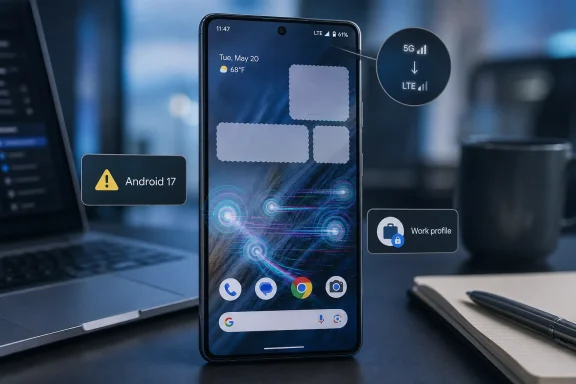 Android’s Showcase Phone Is Once Again the Canary
The Pixel pitch has always been simple: buy Google’s own phone and get Android the way Google intends it, early and clean. That bargain is especially appealing to enthusiasts, developers, and IT-adjacent users who want new platform features without waiting for Samsung, OnePlus, Motorola, or carrier certification cycles to grind forward.But early access is not the same thing as low risk. The first week of Android 17’s public Pixel rollout has produced a cluster of reports that hit the most basic parts of the phone experience: touch input, cellular connectivity, home-screen state, widgets, and work-profile behavior. These are not obscure developer APIs failing in edge cases; they are the surfaces people touch dozens or hundreds of times a day.
The Forbes report frames the issue as a growing list rather than a single catastrophic flaw, and that distinction is useful. A bad update does not have to brick every phone to damage trust. It only has to make enough users wonder whether the next reboot, network handoff, or work-profile sync is going to turn their daily driver into a troubleshooting project.
That is the uncomfortable reality for Google. Pixel is no longer a niche science project for Android purists. It is a mainstream hardware line sold on long update promises, AI features, camera quality, and the confidence that Google can control the full stack better than anyone else. When that stack wobbles, the wobble is strategic, not merely technical.
The Touchscreen Bug Cuts Deeper Than the Usual Upgrade Weirdness
The most alarming Android 17 complaints involve touch input behaving unpredictably. Users have described reversed scrolling, erratic movement, delayed taps, frozen areas, and dead zones where parts of the screen simply stop responding. Reports cited by Forbes and other Android-focused outlets point to affected devices across the Pixel 7, Pixel 8, Pixel 9, and Pixel 10 families.Touchscreen bugs occupy a special category because they attack the control plane of the device. A flaky widget is annoying. A missing search icon is a regression. But a phone that misreads swipes or ignores taps undermines the user’s confidence in every action that follows.
Google’s apparent troubleshooting advice, as relayed through Pixel community channels, is the kind of advice support teams offer when the root cause is still being narrowed: clear the Pixel Launcher cache, reboot into safe mode, and isolate possible third-party app conflicts. Some users have reportedly found relief by disabling triple-tap zoom in accessibility settings, which suggests the bug may sit somewhere near gesture interpretation, input handling, launcher state, accessibility overlays, or an interaction among them.
That workaround is useful, but it also reveals the problem. A stable OS release should not leave users spelunking through accessibility settings to make basic swipes behave normally. If a feature designed to help users magnify the screen can trigger or expose broken input behavior, the failure is not merely that a setting exists; it is that the release candidate did not catch how fragile the interaction could be.
For IT pros, this matters even if Pixels are not the dominant corporate Android fleet. Modern endpoint management depends on predictable input, lock-screen behavior, authentication prompts, and profile separation. A device with erratic touch behavior is not just inconvenient; it becomes harder to unlock, enroll, approve MFA prompts, use authenticator apps, or complete urgent communications under pressure.
The 5G Complaints Turn a Premium Phone Into a Downgraded One
The second major thread is connectivity. Pixel owners have reported phones falling from 5G to LTE, failing to hold 5G, losing signal entirely, missing eSIM profiles, or failing to reconnect to known Wi-Fi networks. Forbes lists affected models including the Pixel 9 series, Pixel 8 Pro, Pixel 8a, and Pixel 6a, while other reports describe similar complaints on recent Pixel hardware.The suggested workaround is a mobile network reset, which clears mobile, Wi-Fi, and Bluetooth configuration without deleting personal data. That is a reasonable first step, and some users say it has helped. But it is not a trivial ask for people who rely on saved networks, paired devices, eSIM stability, or carefully configured travel connectivity.
Cellular regressions are especially damaging because they make premium hardware feel ordinary. Pixel buyers do not pay flagship prices to watch a modern 5G phone behave like a fallback LTE handset in places where it previously held 5G. Even if LTE remains usable, the perceived downgrade is immediate: slower downloads, weaker hotspot confidence, worse latency, and the nagging suspicion that the phone is no longer managing its modem correctly.
There is also a support asymmetry here. A user may not know whether the fault lies with Android 17, the carrier, the SIM, the eSIM profile, the modem firmware, a local tower, or some combination. That uncertainty shifts the burden to users and carrier support desks, who then spend time walking through resets, reprovisioning, and blame loops.
For enterprise administrators, network instability has another cost. Mobile devices increasingly sit inside conditional access policies, MDM compliance checks, VPN tunnels, and cloud identity flows. A phone that unpredictably drops connectivity can fail at exactly the moment it is supposed to prove identity, receive a push, sync a policy, or maintain a secure session.
Widgets Are Not Decorations When Work Profiles Are Involved
The disappearing-widget issue may sound cosmetic until you consider how Android users actually organize their phones. Widgets are not just weather panels and calendar decorations. They are glanceable interfaces for email, tasks, calendars, authentication, smart home systems, notes, package tracking, and work apps.Reports indicate that widgets vanished after rebooting post-update, with Pixel 9, Pixel 10, Pixel 6a, and other devices mentioned. Google has reportedly acknowledged at least one widget-related bug tied to work profiles and said a fix is in development. That detail matters because the work profile is one of Android’s most important enterprise features.
Work profiles exist to separate personal and managed data while letting users carry a single device. They are fundamental to BYOD deployments and to any organization that wants containerization without fully owning the handset. When widgets disappear because of work-profile interactions, the failure lands at the intersection of user convenience and enterprise trust.
For the average user, a missing calendar widget is a nuisance. For a consultant, field worker, healthcare employee, or manager, it may mean missed meetings, unseen tasks, or reduced visibility into work systems. The home screen is not just a launcher; it is a personal dashboard.
The reported workarounds are tellingly odd. Some users say toggling Extreme Battery Saver off and on restores widgets. Others report success toggling Focus Mode. These are not intuitive remedies, and they hint that Android’s internal state around profiles, launcher visibility, app suspension, or background restrictions may be getting stuck in ways the user interface cannot explain.
The Home-Screen Search Bar Shows How Small Regressions Become Big Signals
Another reported failure involves the Pixel home-screen search bar, particularly on some Pixel 10 Pro devices. Users have described the bottom Google search bar losing its Gemini icon, Google Lens button, and voice input. In one case cited by Forbes, removing and reinstalling a work profile reportedly resolved the issue.On paper, this is a smaller bug than a broken touchscreen or failed 5G connection. In practice, it strikes at the Pixel’s identity. The Pixel home screen is Google’s front door: search, voice, Lens, Gemini, and app discovery all converging in one persistent interface.
When that bar loses features, users see more than a missing icon. They see Google’s own services failing to compose correctly on Google’s own device after Google’s own OS update. That is the kind of regression that looks worse than it may technically be, because it collapses the distinction between launcher bug, account bug, profile bug, and AI-platform bug into one visible mess.
The work-profile angle also raises an old anxiety. Android has had previous profile-related failures where separation mechanisms affected local files, widgets, or app visibility in unexpected ways. Those problems are usually solvable, but they are corrosive because profile separation is supposed to be boring, predictable, and conservative.
If the fix is to uninstall and reinstall a work profile, the user pays a real cost. Re-enrollment can trigger device compliance checks, app reinstallation, authentication prompts, data resync, and help-desk involvement. For a personal phone, that is irritating. For a managed device, it can become a ticket.
Google’s Update Machine Is Fast, but Fast Is Not the Same as Calm
Google deserves credit for getting major Android releases to Pixel phones quickly. The company has improved its update cadence, expanded support windows, and turned Pixel drops into a predictable feature channel. Compared with the chaotic Android update landscape of a decade ago, the modern Pixel experience is dramatically better.But speed changes the nature of failure. When a major update lands quickly across supported devices, regressions propagate quickly too. The same pipeline that gets new security and AI features into users’ hands also gets input bugs, modem quirks, and launcher state problems into the field before slower OEMs have even started their public rollouts.
That is why Samsung’s expected Android 17 rollout will be watched closely. Samsung modifies Android heavily, tests against its own hardware matrix, and often ships later than Google. That delay is frustrating for enthusiasts, but it can also act as a buffer when upstream bugs surface on Pixels first.
The irony is that Pixel users often function as the de facto early warning system for the broader Android ecosystem. Google’s phones are the reference devices, but they are also the first mass proving ground. If bugs cluster around Android framework behavior, launcher interactions, work profiles, accessibility gestures, or modem handling, other manufacturers may be able to avoid or mitigate them before their own stable releases.
That does not excuse the Pixel experience. Google markets Pixels as finished consumer devices, not public beta hardware. The fact that later OEM rollouts may benefit from Pixel pain does not make Pixel owners volunteers.
The Workarounds Are Useful, but They Also Make the Case Against Rushing
There are practical steps affected users can try. Clearing the Pixel Launcher cache may help with launcher-related oddities. Safe mode can reveal whether a third-party app is involved. Turning off triple-tap zoom may reduce touchscreen weirdness for some users. Resetting mobile network settings may restore 5G or eSIM behavior. Toggling Focus Mode or Extreme Battery Saver may coax widgets back into view.But the existence of workarounds should not be confused with resolution. Workarounds are what users do while waiting for the vendor to ship a fix. They are temporary bridges, not proof that the update is healthy.
The deeper issue is that several of these fixes ask users to disturb important parts of their phone. Resetting network settings can wipe saved Wi-Fi and Bluetooth preferences. Removing a work profile can trigger enterprise re-enrollment. Safe mode interrupts normal app use. Accessibility changes may remove a feature someone actually needs.
That last point is worth emphasizing. Disabling an accessibility shortcut should not be casually treated as a neutral fix. For some users, triple-tap zoom is not a convenience; it is how they make the device usable. A workaround that asks accessibility users to give up accessibility is not an acceptable long-term answer.
Google will almost certainly patch at least some of these issues. The company has the telemetry, platform control, and monthly update machinery to do so. But the first impression of a major release matters, and Android 17’s first impression for affected Pixel users is not “polished platform maturity.” It is “try clearing cache and see if your screen stops misbehaving.”
The Real Risk Is Trust in the Update Button
Every platform vendor wants users to install updates promptly. Security teams beg for it. Admins build policy around it. Vendors design nag prompts, phased rollouts, and automatic maintenance windows to make patching feel normal and safe.Buggy feature updates undermine that entire project. When users learn that a major OS update may break touch input, hide widgets, or degrade cellular connectivity, they become update skeptics. They delay. They search Reddit first. They ask whether it is “safe yet.” They turn a security habit into a risk calculation.
That is especially awkward for Android, where timely patching has long been a structural challenge. Google has spent years trying to modularize the platform, push fixes through Play services, separate security updates from OEM bottlenecks, and make Pixel a model of long-term support. The last thing that model needs is a reputation for rough first-week releases.
For businesses, the lesson is not to panic or ban Android 17. It is to stage the rollout. Test work profiles, widgets, VPNs, authenticator apps, eSIM behavior, carrier connectivity, accessibility settings, and launcher behavior on a small group before expanding. Treat Pixel’s first wave as production software, but not as magically risk-free production software.
For consumers, the lesson is more personal. If your Pixel is mission-critical, waiting a few days or a couple of weeks after a major OS release is no longer paranoia. It is a rational response to a release culture where even the platform owner’s own hardware can hit edge cases after the stable label appears.
The Android 17 Lesson Pixel Owners Should Not Have to Learn Twice
The first week of Android 17 does not prove the release is broken for everyone, but it does show where the fault lines are. The practical advice is less glamorous than the feature list, and probably more valuable.- Pixel owners who have not updated yet should consider waiting for Google’s first post-release bug-fix patch if they rely on the phone for work, travel, accessibility, or hotspot connectivity.
- Users seeing erratic touch behavior should try clearing the Pixel Launcher cache and testing safe mode, while also checking whether disabling triple-tap zoom changes the behavior.
- Users who lose 5G or see eSIM and Wi-Fi weirdness should try resetting mobile network settings, while understanding that saved wireless and Bluetooth configurations may need to be rebuilt.
- Users with missing widgets should check whether a work profile is involved and try toggling Focus Mode or Extreme Battery Saver before taking more disruptive steps.
- Organizations managing Pixel fleets should pause broad Android 17 deployment until work-profile behavior, cellular reliability, and authentication workflows have been tested on representative devices.
Google can still turn Android 17 into a solid release. Most users may never see these bugs, and the company’s update pipeline gives it a credible path to quick fixes. But the Pixel line now carries a heavier promise than it did in its enthusiast-only years: it is supposed to be the safest, cleanest, most authoritative Android experience. When the first public build turns that promise into a troubleshooting thread, Google’s next patch has to do more than fix code. It has to restore confidence in the button users are supposed to press without fear.
References
- Primary source: Forbes
Published: Mon, 22 Jun 2026 21:22:30 GMT
Loading…
www.forbes.com - Related coverage: androidcentral.com
Android 17 is off to a rough start with new Pixel touchscreen complaints | Android Central
Some Pixel users are reporting broken touch controls after updating to Android 17.www.androidcentral.com - Related coverage: techradar.com
7 of the best Android 17 features available now — from Bubbles to Screen Reactions | TechRadar
Expect new tools and upgraded abilitieswww.techradar.com - Related coverage: phonearena.com
Some Pixel units updated to Android 17 have trouble with bizarre bug - PhoneArena
Android 17 has delivered a bug to some Pixel users preventing them from using certain apps while Wi-Fi is enabled.www.phonearena.com - Related coverage: wirefly.com
Loading…
www.wirefly.com - Related coverage: intomobile.com
Android 17 is off to a rough start as Pixel users report touchscreen problems
The first developer preview of Android 17 has landed, but early testers are already running into a frustrating touchscreen bug on Pixel deviceswww.intomobile.com
- Official source: 9to5google.com
Loading…
9to5google.com - Related coverage: tomsguide.com
Android 17 officially rolls out to Pixel devices with new features — screen reactions, bubbles, gaming mode, and more | Tom's Guide
Google's massive June 2026 software drop delivers Android 17's productivity and security overhauls to Pixel devices, alongside new Wear OS 7 features.www.tomsguide.com - Related coverage: teltarif.de
Loading…
www.teltarif.de - Related coverage: ccstartup.com
Loading…
ccstartup.com - Official source: support.google.com
Loading…
support.google.com - Related coverage: cincodias.elpais.com
Android 17 ya está aquí: esto es lo más importante que ofrece y los Pixel compatibles | Smartphones | Smartlife | Cinco Días
Ya ha comenzado el despliegue de esta iteración del sistema operativo de la firma de Mountain View para sus teléfonos Pixel.cincodias.elpais.com - Related coverage: ashgabattimes.com
Loading…
ashgabattimes.com