
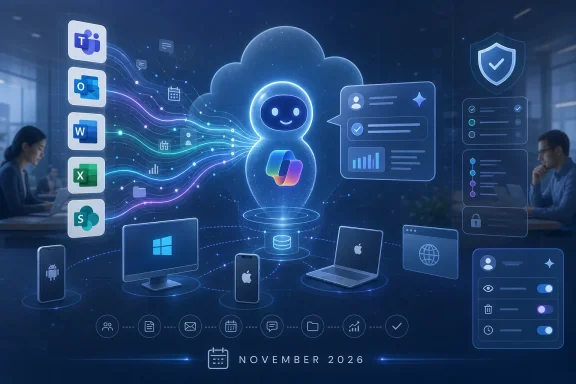
Microsoft has added Roadmap ID 551195 for Microsoft 365 Copilot, an in-development enhancement scheduled for worldwide general availability in November 2026 that will let Copilot personalize responses using Microsoft 365 activity and work data across Android, desktop, iOS, Mac, and web. The change is not merely another settings-page refresh. It is Microsoft’s clearest statement yet that the future of Copilot is not a smarter chatbot sitting beside Office, but a workplace assistant that learns the rhythms of the tenant it lives inside.
That makes this roadmap item deceptively important. The phrase “personalized with work data” sounds benign in the language of product management, but in the Microsoft 365 estate it means email trails, meetings, files, chats, roles, recurring tasks, and the social graph of work becoming part of how Copilot decides what a useful answer looks like. For users, that may finally make Copilot feel less like a generic model wearing a corporate badge. For administrators, it turns memory from a convenience feature into a governance surface.
The first era of Microsoft 365 Copilot was built around retrieval. Ask it what happened in a Teams meeting, where the latest deck lives, or what a long email thread was really about, and Copilot would try to ground its response in the content the user was already allowed to access. That model made sense for the launch phase because it fit neatly into Microsoft’s long-standing permissions story: Copilot could be explained as a new interface over existing Microsoft Graph data.
Enhanced memory changes the emphasis. Instead of merely fetching work data on demand, Copilot is being positioned to develop a persistent understanding of the user’s work patterns. Microsoft’s own support material for Copilot Memory already describes saved memories, inferences from chat history, custom instructions, and temporary chats as separate pieces of a personalization system. Roadmap ID 551195 pushes that story further by adding Microsoft 365 activity itself to the personalization mix.
That distinction matters. A system that retrieves a document because you ask for it is one thing. A system that learns that you usually prepare monthly finance summaries, prefer Excel over PowerPoint for reporting, collaborate heavily with a particular team, and write status updates in a certain tone is something else. The former is search with a conversational front end. The latter is a model of the worker.
Microsoft has been heading here for years. The company’s advantage in enterprise AI has never been that it owns the most charming chatbot personality; it is that it owns the productivity stack where work happens. Exchange, Teams, SharePoint, OneDrive, Outlook, Word, Excel, PowerPoint, Loop, Planner, and the Microsoft Graph form a reservoir of context that rivals cannot easily reproduce without becoming deeply embedded in the same workflows.
The November 2026 target date gives Microsoft time to normalize the concept. Memory is already present in Microsoft 365 Copilot in narrower forms, including saved memories from chat interactions and settings that let users view or delete remembered items. The new roadmap item signals the next layer: not just “remember what I told you,” but “use the way I work to answer me better.”
Memory is Microsoft’s answer to that gap. The company is effectively saying that Copilot’s problem is not only model intelligence; it is insufficient continuity. A workplace assistant cannot be truly helpful if every interaction begins as if the user has just arrived at the company.
This is where Microsoft’s phrasing deserves close reading. “Copilot now uses M365 activity to provide more relevant, contextual responses” is a short sentence doing a lot of work. Microsoft 365 activity is not a single data source. It can include signals about meetings attended, documents edited, people contacted, chats participated in, and workflows repeated over time. Even when the system does not expose those signals as raw entries in a memory list, they can shape the model’s assumptions.
In the best case, this makes Copilot more useful in precisely the places where users currently spend prompt tokens reintroducing themselves. A project manager should not have to explain every morning that the “launch deck” means the executive-ready PowerPoint in a specific SharePoint folder, not the rough version from last week. A sysadmin should not have to repeat that change notices need to be concise, risk-aware, and formatted for CAB review. A salesperson should not have to remind Copilot which account is strategic, which stakeholder is skeptical, and which proposal language legal already rejected.
But personalization also raises the cost of being wrong. A generic chatbot error is annoying. A personalized assistant that has learned the wrong preference, inferred the wrong role, or over-weighted the wrong past project can steer work in a subtly incorrect direction for weeks. Memory makes Copilot more powerful because it makes Copilot less stateless. That is also why it becomes harder to treat Copilot as a disposable interface.
Copilot Memory already includes user-visible saved memories. These are the easy part. If Copilot remembers that a user prefers concise answers, the user can inspect and delete that memory. That model resembles browser autofill or a preference profile. It is familiar, auditable, and relatively explainable.
Activity-based personalization is murkier. If Copilot uses patterns from Microsoft 365 activity, the memory may not look like a neat list of facts. It may be an inference: this user frequently summarizes Teams meetings, often collaborates with the sales operations group, or tends to ask for Python examples when working with data. Some of those inferences may be useful. Some may be stale. Some may be sensitive in ways that are not obvious until Copilot surfaces them in the wrong context.
Microsoft’s support documentation already hints at this layered model by distinguishing saved memories from chat-history personalization. Deleting a saved memory is not always the same as deleting inferences derived from prior conversations. Temporary chat provides another safety valve, allowing users to have a conversation that does not access or update personalized information, though organizational retention rules may still apply.
For WindowsForum’s audience, the administrative lesson is blunt: memory settings are now part of the security and compliance conversation. They belong in the same mental bucket as retention policies, sensitivity labels, eDiscovery, audit logs, conditional access, and data loss prevention. If a user can ask Copilot to remember operational preferences, and Copilot can use work activity to tune responses, then the organization needs a policy position on when memory is helpful, when it is risky, and how exceptions are handled.
That does not mean every tenant should disable memory. It means memory cannot be rolled out as an invisible quality-of-life feature. The settings page is not just user experience furniture. It is the place where Microsoft’s personalization ambitions meet enterprise accountability.
Enhanced memory does not necessarily break that model. The roadmap item does not say Copilot will cross permission boundaries, and Microsoft’s enterprise pitch depends on not doing so. But permissioning answers only one kind of question: Can this user access this data? Personalization introduces another: Should this data shape future answers, and for how long?
Consider an employee who temporarily joins a confidential restructuring project. For three months, their meetings, documents, and chats revolve around sensitive plans. After the project ends, Copilot may remain aware that this topic mattered to the user, depending on how activity signals are processed and retained for personalization. Even if Copilot never discloses restricted content to an unauthorized person, the assistant’s behavior may still be influenced by a sensitive chapter of work history.
The same issue appears in regulated environments. Legal teams, healthcare administrators, financial analysts, HR staff, and security teams routinely handle information that is legitimately accessible but contextually dangerous. Access is not the only control. Purpose, minimization, retention, and explainability matter too.
This is why Microsoft’s improved controls need to be evaluated not by their existence, but by their granularity. Can users distinguish between saved preferences and activity-derived personalization? Can administrators set defaults by group, geography, role, or data sensitivity? Can memory be disabled for certain populations without degrading Copilot for everyone else? Can a departing employee’s memory state be handled cleanly? Can discovery and audit processes explain what Copilot remembered or inferred at a relevant time?
Some of those answers may already exist in Microsoft’s broader Copilot control plane, and some may evolve before November 2026. But the direction is clear. The governance perimeter is moving from documents and apps into the AI layer that interprets them.
Enhanced memory amplifies this divide. A Copilot that uses work activity to personalize responses will likely perform better in environments where work signals are coherent. If project spaces are structured, file names are meaningful, meetings are connected to real workstreams, and user profiles map to actual roles, Copilot has a fighting chance of building useful context. If the tenant is a decade of migration debris held together by ownerless SharePoint sites and “All Staff” permissions, personalization may simply become another way to encode chaos.
This is where the feature’s release window is helpful. General availability in November 2026 is far enough away for IT teams to prepare, but close enough that preparation should not be theoretical. The right work is not glamorous. It is tenant hygiene.
Admins should review who can access what. They should examine oversharing in OneDrive and SharePoint, clean up stale Teams, validate sensitivity labeling coverage, and revisit retention policies. They should also look at Copilot-specific configuration: which users have access, what plugins or agents are enabled, what connectors are permitted, and how user training describes the boundary between helpful personalization and risky disclosure.
The temptation will be to treat this as an AI feature and assign it to the innovation team. That would be a mistake. Enhanced Copilot Memory sits at the intersection of identity, compliance, endpoint experience, records management, and user education. It is not only an AI adoption issue. It is information architecture with a conversational interface.
That is the consumerization of enterprise AI in its purest form. The assistant learns you. It remembers your preferences. It adapts its style. It becomes easier to ask for the same thing twice without explaining the same context twice. For busy workers, this is not creepy by default; it is relief.
The danger is that convenience can obscure agency. Users may not know whether a response is personalized because of a saved memory, chat history, Microsoft 365 activity, custom instructions, or some combination of all four. When Copilot gets the answer right, nobody cares. When it gets the answer wrong, the path to correction matters.
Microsoft’s updated settings will need to be more than cosmetic. A useful memory interface should let users see what Copilot explicitly remembers, understand whether broader personalization is enabled, delete stale or incorrect details, and use temporary chats when a conversation should not become part of the assistant’s future context. If those controls are buried or described in vague language, users will either ignore them or turn features off out of fear.
There is also a cultural challenge. Employees may reasonably ask whether Copilot is “watching” their work. Technically, that framing can be misleading; Microsoft 365 already processes activity data for search, recommendations, compliance, security, and productivity features. But AI changes the emotional valence. When a system uses activity to produce language that sounds aware of your habits, the same backend data feels more personal.
Microsoft will need to explain this carefully, and organizations will need to translate the explanation into local policy. “Copilot is personalized with work data” may be accurate, but it is not enough for a workforce that has spent years being told to be careful what they share with AI.
Still, Windows remains the stage on which many users will experience the shift. The modern Microsoft productivity stack is increasingly a blend of local OS affordances, web apps, Teams surfaces, Edge integration, and cloud identity. Copilot lives across those boundaries. A user may start in Outlook, move to Teams, open a document in Word, ask Copilot Chat for a summary, and later continue on a phone.
Memory makes that continuity feel intentional. If Copilot can remember preferences and use work activity across platforms, the endpoint becomes less important than the signed-in work identity. That is strategically consistent with Microsoft’s broader direction. Windows matters, but Entra ID, Microsoft Graph, and the Microsoft 365 cloud increasingly define the user experience.
For Windows enthusiasts, that can feel like another step away from the PC as the center of computing. For IT pros, it is simply reality. The administrative unit is no longer the machine; it is the identity, the data boundary, and the policy envelope surrounding the user. Enhanced Copilot Memory fits that world perfectly.
It also complicates endpoint thinking. If a user’s Copilot experience is personalized by work activity, then a session on a managed Windows laptop, a personal iPad, and a browser on macOS may all carry pieces of the same context. Conditional access, device compliance, app protection policies, and session controls become part of the Copilot experience even when the feature itself is advertised as productivity personalization.
That means administrators should not wait for the feature to appear in the tenant and then scramble to explain it. The better approach is to treat the remaining runway as a policy and communications window. Copilot Memory should be added to AI governance discussions now, not after users begin asking why Copilot seems to know how they work.
The first task is inventory. Organizations should identify where Copilot is enabled, which licenses are assigned, what admin controls are already configured, and whether existing policies mention memory or personalization. Many AI acceptable-use policies remain focused on whether employees may paste confidential information into public chatbots. Microsoft 365 Copilot complicates that framing because the product is designed to work with internal data under enterprise controls.
The second task is education. Users need plain-language guidance that distinguishes between public AI tools, Microsoft 365 Copilot grounded in tenant data, saved memories, chat-history personalization, activity-based personalization, and temporary chats. If that sounds like too much nuance, that is precisely the point. The product is becoming more nuanced than the average corporate AI policy.
The third task is testing. Pilot groups should include not only enthusiastic knowledge workers, but also legal, HR, finance, security, and executive support roles. These are the groups most likely to expose edge cases where personalization is useful but potentially sensitive. Their feedback should shape defaults and training before broad deployment.
An inference can be sensitive even when no single underlying file is exposed. Copilot might infer that a user is preparing layoffs, investigating a security incident, changing vendors, or working on an acquisition simply from activity patterns. It might infer a role, priority, relationship, or recurring task. Some inferences will be mundane. Others will be operationally delicate.
The problem is not unique to Microsoft. Any AI assistant that becomes genuinely useful at work will have to build or retrieve context about the user. The difference is that Microsoft is doing it inside the world’s most widely deployed productivity suite, with a level of organizational data proximity that few competitors can match.
That scale raises the stakes. A small startup assistant that remembers your preferred writing style is a convenience. A Microsoft 365 assistant that personalizes itself using years of work activity is infrastructure. It will shape how employees find information, draft documents, prepare meetings, and understand their own organizations.
This is why transparency needs to extend beyond “you can delete memories.” Users and admins need to understand the categories of data involved, the distinction between explicit memory and inferred personalization, the impact of disabling settings, and the administrative controls available. Microsoft does not need to reveal every ranking signal or model behavior, but it does need to make the control model intelligible.
But the governance pitch is now equally important. The organizations most likely to benefit from Copilot are also the ones most likely to ask hard questions about data boundaries. A bank does not merely want a smarter assistant; it wants an assistant that respects role-based access, retention obligations, supervisory controls, legal holds, and regional regulations. A hospital wants useful summaries without casual leakage of sensitive operational or patient-adjacent context. A software company wants engineering velocity without exposing security incident patterns to the wrong surfaces.
Microsoft’s challenge is that these customers are not asking for a philosophical answer. They need admin controls, auditability, documentation, and predictable behavior. They need to know what happens when memory is disabled, when a user deletes saved memories, when chat-history personalization is turned off, and when activity-based personalization becomes available. They need to know whether existing admin policies remain respected, and what new policies may be required.
The roadmap entry says updated settings will make it easier to view and manage what Copilot remembers and personalization preferences. That is a start. But enterprise trust will depend on whether those settings map cleanly to administrative reality. A beautiful user control that cannot be governed at scale will not satisfy regulated customers. A powerful admin policy that users cannot understand will create suspicion.
The sweet spot is boring but essential: clear defaults, visible user controls, tenant-level policy, group-based exceptions, documentation that speaks human, and audit trails that help administrators answer uncomfortable questions after the fact.
That gives organizations a checklist before the feature lands.
Microsoft is betting that memory is the missing ingredient that turns Copilot from a clever assistant into an indispensable colleague-shaped interface for Microsoft 365. That bet is probably right in the long run, because work is made of context and assistants without context are condemned to mediocrity. But the same feature that makes Copilot more useful also makes it more accountable, and the next phase of enterprise AI will be won not by the vendor that remembers the most, but by the one that proves it can remember responsibly.
That makes this roadmap item deceptively important. The phrase “personalized with work data” sounds benign in the language of product management, but in the Microsoft 365 estate it means email trails, meetings, files, chats, roles, recurring tasks, and the social graph of work becoming part of how Copilot decides what a useful answer looks like. For users, that may finally make Copilot feel less like a generic model wearing a corporate badge. For administrators, it turns memory from a convenience feature into a governance surface.
 Microsoft Is Moving Copilot From Search Box to Work Shadow
The first era of Microsoft 365 Copilot was built around retrieval. Ask it what happened in a Teams meeting, where the latest deck lives, or what a long email thread was really about, and Copilot would try to ground its response in the content the user was already allowed to access. That model made sense for the launch phase because it fit neatly into Microsoft’s long-standing permissions story: Copilot could be explained as a new interface over existing Microsoft Graph data.Enhanced memory changes the emphasis. Instead of merely fetching work data on demand, Copilot is being positioned to develop a persistent understanding of the user’s work patterns. Microsoft’s own support material for Copilot Memory already describes saved memories, inferences from chat history, custom instructions, and temporary chats as separate pieces of a personalization system. Roadmap ID 551195 pushes that story further by adding Microsoft 365 activity itself to the personalization mix.
That distinction matters. A system that retrieves a document because you ask for it is one thing. A system that learns that you usually prepare monthly finance summaries, prefer Excel over PowerPoint for reporting, collaborate heavily with a particular team, and write status updates in a certain tone is something else. The former is search with a conversational front end. The latter is a model of the worker.
Microsoft has been heading here for years. The company’s advantage in enterprise AI has never been that it owns the most charming chatbot personality; it is that it owns the productivity stack where work happens. Exchange, Teams, SharePoint, OneDrive, Outlook, Word, Excel, PowerPoint, Loop, Planner, and the Microsoft Graph form a reservoir of context that rivals cannot easily reproduce without becoming deeply embedded in the same workflows.
The November 2026 target date gives Microsoft time to normalize the concept. Memory is already present in Microsoft 365 Copilot in narrower forms, including saved memories from chat interactions and settings that let users view or delete remembered items. The new roadmap item signals the next layer: not just “remember what I told you,” but “use the way I work to answer me better.”
The Feature Microsoft Wanted Copilot to Have All Along
Copilot’s most common enterprise criticism has been painfully consistent: it can be impressive in demos and uneven in daily use. The model can summarize a meeting beautifully, then miss the nuance of an internal project. It can draft an email that sounds polished, yet fail to recognize that the recipient expects a terse operational update rather than a cheery essay. It can find files, but still need the user to explain the business context surrounding them.Memory is Microsoft’s answer to that gap. The company is effectively saying that Copilot’s problem is not only model intelligence; it is insufficient continuity. A workplace assistant cannot be truly helpful if every interaction begins as if the user has just arrived at the company.
This is where Microsoft’s phrasing deserves close reading. “Copilot now uses M365 activity to provide more relevant, contextual responses” is a short sentence doing a lot of work. Microsoft 365 activity is not a single data source. It can include signals about meetings attended, documents edited, people contacted, chats participated in, and workflows repeated over time. Even when the system does not expose those signals as raw entries in a memory list, they can shape the model’s assumptions.
In the best case, this makes Copilot more useful in precisely the places where users currently spend prompt tokens reintroducing themselves. A project manager should not have to explain every morning that the “launch deck” means the executive-ready PowerPoint in a specific SharePoint folder, not the rough version from last week. A sysadmin should not have to repeat that change notices need to be concise, risk-aware, and formatted for CAB review. A salesperson should not have to remind Copilot which account is strategic, which stakeholder is skeptical, and which proposal language legal already rejected.
But personalization also raises the cost of being wrong. A generic chatbot error is annoying. A personalized assistant that has learned the wrong preference, inferred the wrong role, or over-weighted the wrong past project can steer work in a subtly incorrect direction for weeks. Memory makes Copilot more powerful because it makes Copilot less stateless. That is also why it becomes harder to treat Copilot as a disposable interface.
Settings Are Becoming the New Trust Boundary
Microsoft says updated settings will make it easier to view and manage what Copilot remembers and to control personalization preferences. That is necessary, but it is not sufficient. The practical question for enterprises is not whether a toggle exists; it is whether users and administrators understand what the toggle governs.Copilot Memory already includes user-visible saved memories. These are the easy part. If Copilot remembers that a user prefers concise answers, the user can inspect and delete that memory. That model resembles browser autofill or a preference profile. It is familiar, auditable, and relatively explainable.
Activity-based personalization is murkier. If Copilot uses patterns from Microsoft 365 activity, the memory may not look like a neat list of facts. It may be an inference: this user frequently summarizes Teams meetings, often collaborates with the sales operations group, or tends to ask for Python examples when working with data. Some of those inferences may be useful. Some may be stale. Some may be sensitive in ways that are not obvious until Copilot surfaces them in the wrong context.
Microsoft’s support documentation already hints at this layered model by distinguishing saved memories from chat-history personalization. Deleting a saved memory is not always the same as deleting inferences derived from prior conversations. Temporary chat provides another safety valve, allowing users to have a conversation that does not access or update personalized information, though organizational retention rules may still apply.
For WindowsForum’s audience, the administrative lesson is blunt: memory settings are now part of the security and compliance conversation. They belong in the same mental bucket as retention policies, sensitivity labels, eDiscovery, audit logs, conditional access, and data loss prevention. If a user can ask Copilot to remember operational preferences, and Copilot can use work activity to tune responses, then the organization needs a policy position on when memory is helpful, when it is risky, and how exceptions are handled.
That does not mean every tenant should disable memory. It means memory cannot be rolled out as an invisible quality-of-life feature. The settings page is not just user experience furniture. It is the place where Microsoft’s personalization ambitions meet enterprise accountability.
The Permission Model Still Matters, but It No Longer Ends the Debate
Microsoft has repeatedly framed Microsoft 365 Copilot around existing permissions. Copilot should not give users access to documents, emails, or chats they could not otherwise access. That principle remains central, and it is still the most important baseline for any enterprise AI deployment. If SharePoint is a mess, Copilot will faithfully expose the mess with conversational speed.Enhanced memory does not necessarily break that model. The roadmap item does not say Copilot will cross permission boundaries, and Microsoft’s enterprise pitch depends on not doing so. But permissioning answers only one kind of question: Can this user access this data? Personalization introduces another: Should this data shape future answers, and for how long?
Consider an employee who temporarily joins a confidential restructuring project. For three months, their meetings, documents, and chats revolve around sensitive plans. After the project ends, Copilot may remain aware that this topic mattered to the user, depending on how activity signals are processed and retained for personalization. Even if Copilot never discloses restricted content to an unauthorized person, the assistant’s behavior may still be influenced by a sensitive chapter of work history.
The same issue appears in regulated environments. Legal teams, healthcare administrators, financial analysts, HR staff, and security teams routinely handle information that is legitimately accessible but contextually dangerous. Access is not the only control. Purpose, minimization, retention, and explainability matter too.
This is why Microsoft’s improved controls need to be evaluated not by their existence, but by their granularity. Can users distinguish between saved preferences and activity-derived personalization? Can administrators set defaults by group, geography, role, or data sensitivity? Can memory be disabled for certain populations without degrading Copilot for everyone else? Can a departing employee’s memory state be handled cleanly? Can discovery and audit processes explain what Copilot remembered or inferred at a relevant time?
Some of those answers may already exist in Microsoft’s broader Copilot control plane, and some may evolve before November 2026. But the direction is clear. The governance perimeter is moving from documents and apps into the AI layer that interprets them.
Personalization Will Reward Clean Tenants and Punish Neglected Ones
The uncomfortable truth about Microsoft 365 Copilot is that it reflects the condition of the tenant beneath it. Organizations with disciplined SharePoint architecture, sane Teams lifecycle policies, accurate Entra ID attributes, useful sensitivity labels, and well-maintained retention practices tend to get cleaner AI outcomes. Organizations with abandoned sites, overshared folders, ghost Teams, stale distribution lists, and mystery permissions get a faster tour of their own entropy.Enhanced memory amplifies this divide. A Copilot that uses work activity to personalize responses will likely perform better in environments where work signals are coherent. If project spaces are structured, file names are meaningful, meetings are connected to real workstreams, and user profiles map to actual roles, Copilot has a fighting chance of building useful context. If the tenant is a decade of migration debris held together by ownerless SharePoint sites and “All Staff” permissions, personalization may simply become another way to encode chaos.
This is where the feature’s release window is helpful. General availability in November 2026 is far enough away for IT teams to prepare, but close enough that preparation should not be theoretical. The right work is not glamorous. It is tenant hygiene.
Admins should review who can access what. They should examine oversharing in OneDrive and SharePoint, clean up stale Teams, validate sensitivity labeling coverage, and revisit retention policies. They should also look at Copilot-specific configuration: which users have access, what plugins or agents are enabled, what connectors are permitted, and how user training describes the boundary between helpful personalization and risky disclosure.
The temptation will be to treat this as an AI feature and assign it to the innovation team. That would be a mistake. Enhanced Copilot Memory sits at the intersection of identity, compliance, endpoint experience, records management, and user education. It is not only an AI adoption issue. It is information architecture with a conversational interface.
Users Will Notice Convenience Before They Notice the Data Model
For end users, the appeal is obvious. Most people do not want to become prompt engineers. They want the tool to understand what they mean when they say “turn this into my usual status update” or “summarize this for the exec review.” Memory promises fewer repetitive instructions, more relevant drafts, and better continuity between sessions.That is the consumerization of enterprise AI in its purest form. The assistant learns you. It remembers your preferences. It adapts its style. It becomes easier to ask for the same thing twice without explaining the same context twice. For busy workers, this is not creepy by default; it is relief.
The danger is that convenience can obscure agency. Users may not know whether a response is personalized because of a saved memory, chat history, Microsoft 365 activity, custom instructions, or some combination of all four. When Copilot gets the answer right, nobody cares. When it gets the answer wrong, the path to correction matters.
Microsoft’s updated settings will need to be more than cosmetic. A useful memory interface should let users see what Copilot explicitly remembers, understand whether broader personalization is enabled, delete stale or incorrect details, and use temporary chats when a conversation should not become part of the assistant’s future context. If those controls are buried or described in vague language, users will either ignore them or turn features off out of fear.
There is also a cultural challenge. Employees may reasonably ask whether Copilot is “watching” their work. Technically, that framing can be misleading; Microsoft 365 already processes activity data for search, recommendations, compliance, security, and productivity features. But AI changes the emotional valence. When a system uses activity to produce language that sounds aware of your habits, the same backend data feels more personal.
Microsoft will need to explain this carefully, and organizations will need to translate the explanation into local policy. “Copilot is personalized with work data” may be accurate, but it is not enough for a workforce that has spent years being told to be careful what they share with AI.
Windows Is No Longer the Center, but It Is Still the Stage
The roadmap lists Android, desktop, iOS, Mac, and web rather than presenting this as a Windows-only feature. That is telling. Microsoft 365 Copilot is not a Windows feature in the old sense. It is a cloud service that follows the user across endpoints and apps.Still, Windows remains the stage on which many users will experience the shift. The modern Microsoft productivity stack is increasingly a blend of local OS affordances, web apps, Teams surfaces, Edge integration, and cloud identity. Copilot lives across those boundaries. A user may start in Outlook, move to Teams, open a document in Word, ask Copilot Chat for a summary, and later continue on a phone.
Memory makes that continuity feel intentional. If Copilot can remember preferences and use work activity across platforms, the endpoint becomes less important than the signed-in work identity. That is strategically consistent with Microsoft’s broader direction. Windows matters, but Entra ID, Microsoft Graph, and the Microsoft 365 cloud increasingly define the user experience.
For Windows enthusiasts, that can feel like another step away from the PC as the center of computing. For IT pros, it is simply reality. The administrative unit is no longer the machine; it is the identity, the data boundary, and the policy envelope surrounding the user. Enhanced Copilot Memory fits that world perfectly.
It also complicates endpoint thinking. If a user’s Copilot experience is personalized by work activity, then a session on a managed Windows laptop, a personal iPad, and a browser on macOS may all carry pieces of the same context. Conditional access, device compliance, app protection policies, and session controls become part of the Copilot experience even when the feature itself is advertised as productivity personalization.
Microsoft’s Calendar Gives Admins a Rare Chance to Get Ahead
Roadmap items are not guarantees in the sense of shipping code on a precise day. Microsoft 365 timelines move. Features slip, expand, shrink, or arrive in stages. But this one already has enough specificity to justify preparation: it is in development, aimed at General Availability, targeted for Worldwide standard multi-tenant cloud, and last updated on June 22, 2026 with a November 2026 GA month.That means administrators should not wait for the feature to appear in the tenant and then scramble to explain it. The better approach is to treat the remaining runway as a policy and communications window. Copilot Memory should be added to AI governance discussions now, not after users begin asking why Copilot seems to know how they work.
The first task is inventory. Organizations should identify where Copilot is enabled, which licenses are assigned, what admin controls are already configured, and whether existing policies mention memory or personalization. Many AI acceptable-use policies remain focused on whether employees may paste confidential information into public chatbots. Microsoft 365 Copilot complicates that framing because the product is designed to work with internal data under enterprise controls.
The second task is education. Users need plain-language guidance that distinguishes between public AI tools, Microsoft 365 Copilot grounded in tenant data, saved memories, chat-history personalization, activity-based personalization, and temporary chats. If that sounds like too much nuance, that is precisely the point. The product is becoming more nuanced than the average corporate AI policy.
The third task is testing. Pilot groups should include not only enthusiastic knowledge workers, but also legal, HR, finance, security, and executive support roles. These are the groups most likely to expose edge cases where personalization is useful but potentially sensitive. Their feedback should shape defaults and training before broad deployment.
The Privacy Fight Will Be About Inference, Not Storage
Enterprise privacy debates often begin with storage: where is the data, who can access it, how long is it retained, and is it used to train foundation models? Those questions remain important. But Copilot Memory points toward a more subtle fight over inference.An inference can be sensitive even when no single underlying file is exposed. Copilot might infer that a user is preparing layoffs, investigating a security incident, changing vendors, or working on an acquisition simply from activity patterns. It might infer a role, priority, relationship, or recurring task. Some inferences will be mundane. Others will be operationally delicate.
The problem is not unique to Microsoft. Any AI assistant that becomes genuinely useful at work will have to build or retrieve context about the user. The difference is that Microsoft is doing it inside the world’s most widely deployed productivity suite, with a level of organizational data proximity that few competitors can match.
That scale raises the stakes. A small startup assistant that remembers your preferred writing style is a convenience. A Microsoft 365 assistant that personalizes itself using years of work activity is infrastructure. It will shape how employees find information, draft documents, prepare meetings, and understand their own organizations.
This is why transparency needs to extend beyond “you can delete memories.” Users and admins need to understand the categories of data involved, the distinction between explicit memory and inferred personalization, the impact of disabling settings, and the administrative controls available. Microsoft does not need to reveal every ranking signal or model behavior, but it does need to make the control model intelligible.
Copilot’s Value Proposition Is Becoming Harder to Separate From Governance
Microsoft’s commercial pitch for Copilot has always been productivity. Summarize faster, write faster, meet better, search less, and spend more time on higher-value work. Enhanced memory strengthens that pitch because the most productive assistant is one that already knows the user’s context.But the governance pitch is now equally important. The organizations most likely to benefit from Copilot are also the ones most likely to ask hard questions about data boundaries. A bank does not merely want a smarter assistant; it wants an assistant that respects role-based access, retention obligations, supervisory controls, legal holds, and regional regulations. A hospital wants useful summaries without casual leakage of sensitive operational or patient-adjacent context. A software company wants engineering velocity without exposing security incident patterns to the wrong surfaces.
Microsoft’s challenge is that these customers are not asking for a philosophical answer. They need admin controls, auditability, documentation, and predictable behavior. They need to know what happens when memory is disabled, when a user deletes saved memories, when chat-history personalization is turned off, and when activity-based personalization becomes available. They need to know whether existing admin policies remain respected, and what new policies may be required.
The roadmap entry says updated settings will make it easier to view and manage what Copilot remembers and personalization preferences. That is a start. But enterprise trust will depend on whether those settings map cleanly to administrative reality. A beautiful user control that cannot be governed at scale will not satisfy regulated customers. A powerful admin policy that users cannot understand will create suspicion.
The sweet spot is boring but essential: clear defaults, visible user controls, tenant-level policy, group-based exceptions, documentation that speaks human, and audit trails that help administrators answer uncomfortable questions after the fact.
The November 2026 Switch Is Really a Tenant Readiness Test
The concrete news is simple enough: Microsoft 365 Copilot is slated to gain enhanced memory using Microsoft 365 activity, with GA targeted for November 2026 across major platforms in the worldwide standard cloud. The practical meaning is broader. Microsoft is preparing to make Copilot more personal by making it more deeply aware of work.That gives organizations a checklist before the feature lands.
- Administrators should review Copilot Memory and personalization settings before November 2026 rather than waiting for users to discover the new behavior on their own.
- Security and compliance teams should treat activity-based personalization as a governance topic, not merely a productivity enhancement.
- Tenant owners should clean up overshared SharePoint sites, stale Teams, inaccurate user metadata, and weak labeling practices because Copilot’s personalization quality depends on the quality of Microsoft 365 signals.
- User training should explain saved memories, chat-history personalization, custom instructions, temporary chats, and activity-based personalization in plain language.
- Pilot programs should include sensitive roles such as HR, legal, finance, security, and executive support because those groups will reveal the hardest policy questions first.
- Organizations should decide which memories and personalization behaviors are acceptable by default, which require opt-in, and which should be disabled for specific populations.
Microsoft is betting that memory is the missing ingredient that turns Copilot from a clever assistant into an indispensable colleague-shaped interface for Microsoft 365. That bet is probably right in the long run, because work is made of context and assistants without context are condemned to mediocrity. But the same feature that makes Copilot more useful also makes it more accountable, and the next phase of enterprise AI will be won not by the vendor that remembers the most, but by the one that proves it can remember responsibly.
References
- Primary source: Microsoft 365 Roadmap
Published: 2026-06-22T23:00:47.0315291Z
Loading…
www.microsoft.com - Official source: support.microsoft.com
Loading…
support.microsoft.com - Related coverage: pcworld.com
Copilot uses your Microsoft activity data to personalize its responses | PCWorld
Fortunately, you can disable this setting and opt out—for now.www.pcworld.com - Official source: techcommunity.microsoft.com
Loading…
techcommunity.microsoft.com - Related coverage: app.cloudscout.one
Loading…
app.cloudscout.one - Official source: learn.microsoft.com
Loading…
learn.microsoft.com
- Related coverage: windowscentral.com
Loading…
www.windowscentral.com - Related coverage: techradar.com
Microsoft's Copilot can now peek into your open tabs in Edge — if you let it — as part of new AI features for the browser | TechRadar
It's a big change for Edge, but AI isn't going awaywww.techradar.com - Related coverage: its.fsu.edu
- Related coverage: tomsguide.com
Forget Clippy — meet Mico, Microsoft's friendlier face for Copilot's Fall Release | Tom's Guide
Microsoft is rolling out roughly a dozen new features for Copilot across Edge, Windows and the Copilot iOS app. Here's what they'll let you do, from learning new languages to planning group trips.www.tomsguide.com - Official source: news.microsoft.com