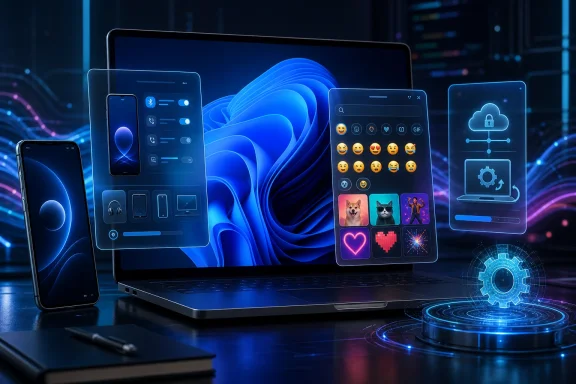
Microsoft released Windows 11 Insider Experimental 26H1 Preview Build 28120.2374 on June 26, 2026, for PCs enrolled in the Experimental 26H1 channel, bringing mobile-device settings changes, a WinRE remote management plug-in for MDM providers, and a GIPHY-backed GIF picker in the emoji panel. The build is not a milestone release, and Microsoft is not pretending that it is. But it is a useful snapshot of where Windows 11 is being pushed: toward tighter phone integration, more cloud-manageable recovery plumbing, and small interface services that depend on third-party platforms. In other words, this is a minor Insider build with a major Windows strategy hiding in plain sight.
Build 28120.2374 lands in the awkward middle ground that defines much of the modern Windows Insider Program. It is not a flashy Dev Channel-era showcase filled with sweeping UX changes, nor is it a production cumulative update meant to calm enterprise nerves. It is a flight: a controlled, incremental delivery vehicle for Microsoft to test components before they become normal.
That matters because the Windows 11 roadmap is increasingly expressed through these modest flights. The old model of waiting for one annual feature release to understand Microsoft’s priorities no longer works. Features now surface as settings-page revisions, inbox app changes, hidden enablement packages, and cloud-controlled rollouts that may or may not appear on a given tester’s PC the same day the build installs.
This particular release also sits inside Microsoft’s newer Insider channel arrangement for 26H1. Experimental 26H1 has been separated from Beta 26H1, with the Experimental branch using the 28100-series build numbers while Beta 26H1 uses the 28000-series line. That split gives Microsoft a cleaner way to test riskier or less-settled work without confusing it with the more conservative Beta track.
The irony is that Build 28120.2374 contains the same broad changes that recently appeared for Beta 26H1 testers. Experimental, in this case, does not mean “more exciting.” It means Microsoft is validating the same moving parts across different rings, with rollout controls deciding who sees what and when.
That may sound like housekeeping, but it reflects a long-running strategic correction. Microsoft lost the smartphone platform war years ago, but it has not stopped trying to make the PC the place where phone workflows land. The modern Windows answer is not a Microsoft phone; it is a Windows PC that treats iPhones and Android devices as extensions of the desktop.
The connected-camera use case is the most obvious win. Laptop webcams have improved, but phone cameras remain better, more flexible, and more familiar to users. Making that relationship discoverable in Settings lowers the friction for the person who does not want to install a separate utility or remember which app controls the bridge.
File access is the more consequential piece. File Explorer is one of the few Windows surfaces that still carries enormous user trust. If phone files appear there reliably, Windows turns cross-device access into something that feels local rather than app-mediated. That is precisely the kind of “small” feature that changes behavior once it becomes dependable.
Microsoft’s challenge is that cross-device integration has historically been uneven. Phone Link, mobile-device settings, notification sync, photos integration, Bluetooth pairing, and OEM utilities have sometimes felt like overlapping answers to the same question. The better version of this strategy is not more entry points; it is one coherent path where Windows understands the phone without asking the user to become a systems integrator.
That domestication is not purely cosmetic. Settings pages can be instrumented, updated, localized, and feature-gated in ways the older shell architecture was never designed to support. When Microsoft wants to test whether users understand a connected-camera feature, it can roll that option out gradually and monitor feedback before the experience reaches a wider audience.
This is also why Insiders often experience Microsoft’s rollout language as a caveat rather than a promise. A build can be installed correctly and still not show every announced feature. Controlled Feature Rollout means the build number is no longer the whole story; server-side eligibility, feature IDs, region, hardware, account type, and channel can all shape what a tester actually sees.
That makes forum troubleshooting harder. Two users can both say they are on Build 28120.2374 and both be telling the truth, while only one sees the updated mobile-device page. For enthusiasts, that is frustrating. For Microsoft, it is the price of shipping Windows as a constantly measured service rather than a monolithic DVD-era product.
WinRE is where Windows goes when normal Windows cannot. It is the recovery environment used for repair, reset, troubleshooting, and other pre-boot or offline recovery tasks. In enterprise fleets, that environment is not merely a rescue hatch; it is part of the device lifecycle, security posture, and incident response plan.
MDM support matters because many organizations have spent years moving away from domain-joined, LAN-centric management toward cloud-first device administration. Intune-style management, policy sync, remote wipe, compliance enforcement, and zero-touch provisioning all assume that devices can be controlled without the old on-premises management stack. Recovery needs to follow that same logic.
A remote recovery management plug-in suggests Microsoft is trying to make WinRE less of a local-only island. If recovery configuration, behavior, or policy can be better exposed to MDM providers, administrators gain more flexibility when dealing with broken, locked, misconfigured, or compromised machines. That is not glamorous, but it is the kind of plumbing that determines whether modern Windows management works at scale.
The timing is also notable because recovery has become a more sensitive topic in recent years. Security features, BitLocker behavior, update failures, recovery partitions, and endpoint remediation all intersect in ways that can cause real pain for IT departments. Anything that improves remote control over the recovery layer deserves scrutiny from admins before it arrives in production.
Build 28120.2374 does not solve that problem, but the WinRE plug-in points in the right direction. It acknowledges that recovery cannot remain a purely local mechanism in a world where devices are remote, hybrid, encrypted, and often outside a corporate network. The recovery path has to become manageable by the same cloud-oriented systems that manage the rest of the endpoint.
That said, administrators should resist the temptation to read too much into one Insider note. Microsoft has not provided a sweeping public redesign of WinRE management here. The release note describes an added plug-in, not a finished enterprise story.
For IT pros, the sensible posture is cautious interest. Test the build on expendable hardware, watch for documentation updates, and assume the feature will evolve before it becomes a production expectation. The words “Experimental 26H1” should still mean something.
This is a tiny feature if judged by operating-system fundamentals. Windows does not become faster, safer, or more manageable because the GIF picker changes providers. Yet it is revealing because it shows how many Windows experiences now depend on web services that sit outside the OS itself.
An emoji panel used to be a character picker. Now it is also a content surface, a search client, and a distribution point for third-party media. The same Windows shortcut that inserts punctuation-adjacent symbols also brokers access to a constantly changing online GIF library.
There is nothing inherently wrong with that. Users expect expressive input to include GIFs, emoji, kaomoji, clipboard history, and whatever form of casual communication comes next. The operating system is expected to meet the habits of messaging apps, not the other way around.
But it also means Windows features can break or change because an external API changes. Tenor’s deprecation forced a provider switch. GIPHY may offer a better experience, but the larger lesson is that modern Windows contains many cloud-service dependencies that users rarely think about until something stops working.
Administrators already think about browsers, app stores, extensions, widgets, cloud clipboard, and consumer account integration. GIF search belongs in that same mental category, even if it sounds less serious. Any feature that queries an external service, displays remote content, or enables sharing from inside the shell can raise policy, compliance, or network questions.
That does not mean every organization should panic-block the emoji panel. It does mean Microsoft needs to keep giving administrators clear policy controls around connected experiences. The more Windows integrates web-backed conveniences into default UI, the more enterprise customers need predictable ways to govern them.
The Insider build does not frame the GIPHY move as an administrative issue. Microsoft presents it as a smoother browsing and sharing experience after an API transition. That is fair enough for the release note, but IT pros will naturally read it through a different lens.
Experimental is a channel designation, not a promise of spectacle. It gives Microsoft space to test build branches, rollout mechanisms, platform changes, and incomplete features with users who have opted into more risk. Sometimes that produces headline-grabbing additions. Sometimes it produces a mobile settings tweak, a recovery management plug-in, and a GIF provider change.
That may disappoint the hobbyist who installed the build hoping for a transformed desktop. It should reassure the administrator who wants Microsoft to validate operational plumbing before it lands in wider channels. The same release can be boring on a screenshot and meaningful in a deployment lab.
This is also where Microsoft’s Insider messaging has to walk a narrow line. If the company oversells every flight, testers become cynical. If it undersells the plumbing, IT pros miss changes that deserve evaluation. Build 28120.2374 sits squarely in that communications gap.
The gradual rollout model adds another layer of ambiguity. Microsoft says many features in Experimental 26H1 are rolled out to subsets of Insiders first, then expanded as feedback comes in. That is sensible engineering, but it makes the Insider Program feel less like a shared build experience and more like a lottery of hidden feature flags.
Windows cannot move like a web app, even if Microsoft wants parts of it to behave that way. A bad server-side change can be rolled back quickly; a bad OS build can strand users, break drivers, disrupt security tools, or trigger enterprise support incidents. Different channels let Microsoft decide which risks belong with which audience.
The new arrangement also reflects the reality that “Windows 11” is no longer a single thing at any given moment. There are retail builds, Beta builds, Experimental builds, 26H1 tracks, future-platform tracks, enablement-package distinctions, and feature rollout states layered over the top. The version number matters, but it is only one coordinate in a larger map.
For WindowsForum readers, that means build literacy is becoming more important. Knowing that a feature is “in 26H1” is not enough. You need to know the channel, branch, build number, rollout status, and whether Microsoft has tied the feature to a controlled release rather than the payload alone.
Mobile-device integration may shift before release. The WinRE management plug-in may gain documentation, policy settings, or provider-specific dependencies that are not obvious from the current release note. The GIPHY change may be straightforward, or it may interact with regional availability, content filtering, and enterprise policy in ways that only appear at scale.
That is the bargain of the Insider Program. Microsoft gets telemetry, feedback, and real-world hardware coverage. Users get early access, influence, and a closer view of what Windows may become. Neither side gets certainty.
For enthusiasts, the value of Build 28120.2374 is mostly observational. It shows that Microsoft is still investing in PC-phone continuity and still willing to adjust built-in shell experiences when third-party services change. For administrators, the value is evaluative: WinRE and MDM deserve attention even when the release note is short.
The build can be installed through Windows Update by eligible users enrolled in the Experimental 26H1 channel. Those who do install it should expect the usual Insider behavior: possible instability, incomplete localization, gradual feature availability, and a desktop watermark that confirms the machine is running pre-release code.
Phone integration reaches outward to the user’s other personal hardware. Remote recovery management reaches upward to the administrator’s cloud control plane. GIPHY integration reaches sideways into the content platforms that shape everyday communication. None of these is a complete reinvention of Windows, but together they describe a platform being refitted for an environment where the OS is one node in a larger network.
That direction brings obvious benefits. Users get fewer barriers between phone and PC. IT teams get more hooks into recovery and remediation. Everyday shell features stay aligned with modern communication habits.
It also brings new dependencies. A connected phone feature is only as good as its reliability across device models. Remote recovery management is only useful if it is documented and governable. A GIF picker backed by an external provider is only smooth while the service, API, and policy environment cooperate.
Microsoft’s task is to make these dependencies feel invisible without making them unmanageable. That is harder than shipping a new button. It requires trust.
 Microsoft’s Small Build Says a Lot About the Next Windows
Build 28120.2374 lands in the awkward middle ground that defines much of the modern Windows Insider Program. It is not a flashy Dev Channel-era showcase filled with sweeping UX changes, nor is it a production cumulative update meant to calm enterprise nerves. It is a flight: a controlled, incremental delivery vehicle for Microsoft to test components before they become normal.That matters because the Windows 11 roadmap is increasingly expressed through these modest flights. The old model of waiting for one annual feature release to understand Microsoft’s priorities no longer works. Features now surface as settings-page revisions, inbox app changes, hidden enablement packages, and cloud-controlled rollouts that may or may not appear on a given tester’s PC the same day the build installs.
This particular release also sits inside Microsoft’s newer Insider channel arrangement for 26H1. Experimental 26H1 has been separated from Beta 26H1, with the Experimental branch using the 28100-series build numbers while Beta 26H1 uses the 28000-series line. That split gives Microsoft a cleaner way to test riskier or less-settled work without confusing it with the more conservative Beta track.
The irony is that Build 28120.2374 contains the same broad changes that recently appeared for Beta 26H1 testers. Experimental, in this case, does not mean “more exciting.” It means Microsoft is validating the same moving parts across different rings, with rollout controls deciding who sees what and when.
The Phone Is Becoming a Windows Peripheral
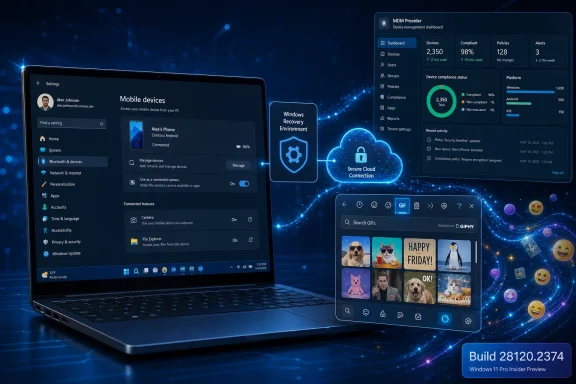
The most consumer-visible change in this build is found under Settings, where Windows 11’s Mobile Devices page continues to grow from a convenience panel into a more serious device-management surface. Microsoft says users can add and manage supported mobile devices from Bluetooth & devices, including features such as using a phone as a connected camera and accessing phone files in File Explorer.That may sound like housekeeping, but it reflects a long-running strategic correction. Microsoft lost the smartphone platform war years ago, but it has not stopped trying to make the PC the place where phone workflows land. The modern Windows answer is not a Microsoft phone; it is a Windows PC that treats iPhones and Android devices as extensions of the desktop.
The connected-camera use case is the most obvious win. Laptop webcams have improved, but phone cameras remain better, more flexible, and more familiar to users. Making that relationship discoverable in Settings lowers the friction for the person who does not want to install a separate utility or remember which app controls the bridge.
File access is the more consequential piece. File Explorer is one of the few Windows surfaces that still carries enormous user trust. If phone files appear there reliably, Windows turns cross-device access into something that feels local rather than app-mediated. That is precisely the kind of “small” feature that changes behavior once it becomes dependable.
Microsoft’s challenge is that cross-device integration has historically been uneven. Phone Link, mobile-device settings, notification sync, photos integration, Bluetooth pairing, and OEM utilities have sometimes felt like overlapping answers to the same question. The better version of this strategy is not more entry points; it is one coherent path where Windows understands the phone without asking the user to become a systems integrator.
Settings Is Where Microsoft Now Teaches Windows New Habits
The shift into Settings is important because it marks where Microsoft wants the user’s mental model to live. Control Panel-era Windows often assumed users would manage devices through scattered applets, legacy dialogs, device managers, vendor utilities, and context menus. Windows 11 increasingly tries to domesticate that sprawl inside modern Settings pages.That domestication is not purely cosmetic. Settings pages can be instrumented, updated, localized, and feature-gated in ways the older shell architecture was never designed to support. When Microsoft wants to test whether users understand a connected-camera feature, it can roll that option out gradually and monitor feedback before the experience reaches a wider audience.
This is also why Insiders often experience Microsoft’s rollout language as a caveat rather than a promise. A build can be installed correctly and still not show every announced feature. Controlled Feature Rollout means the build number is no longer the whole story; server-side eligibility, feature IDs, region, hardware, account type, and channel can all shape what a tester actually sees.
That makes forum troubleshooting harder. Two users can both say they are on Build 28120.2374 and both be telling the truth, while only one sees the updated mobile-device page. For enthusiasts, that is frustrating. For Microsoft, it is the price of shipping Windows as a constantly measured service rather than a monolithic DVD-era product.
WinRE Management Is the Enterprise Story Hidden Behind the GIFs
The most important change in Build 28120.2374 may be the least exciting one to home users: Microsoft has added a recovery remote management plug-in to extend Windows Recovery Environment management capabilities for Mobile Device Management providers. That sentence has none of the sparkle of a new taskbar setting or emoji panel tweak. It is also exactly the kind of change enterprise administrators should notice.WinRE is where Windows goes when normal Windows cannot. It is the recovery environment used for repair, reset, troubleshooting, and other pre-boot or offline recovery tasks. In enterprise fleets, that environment is not merely a rescue hatch; it is part of the device lifecycle, security posture, and incident response plan.
MDM support matters because many organizations have spent years moving away from domain-joined, LAN-centric management toward cloud-first device administration. Intune-style management, policy sync, remote wipe, compliance enforcement, and zero-touch provisioning all assume that devices can be controlled without the old on-premises management stack. Recovery needs to follow that same logic.
A remote recovery management plug-in suggests Microsoft is trying to make WinRE less of a local-only island. If recovery configuration, behavior, or policy can be better exposed to MDM providers, administrators gain more flexibility when dealing with broken, locked, misconfigured, or compromised machines. That is not glamorous, but it is the kind of plumbing that determines whether modern Windows management works at scale.
The timing is also notable because recovery has become a more sensitive topic in recent years. Security features, BitLocker behavior, update failures, recovery partitions, and endpoint remediation all intersect in ways that can cause real pain for IT departments. Anything that improves remote control over the recovery layer deserves scrutiny from admins before it arrives in production.
Microsoft Is Still Cleaning Up the Manageability Debt
Windows has always carried a long tail of manageability debt. Every era left behind its own tools: Group Policy, Configuration Manager, PowerShell, WMI, provisioning packages, local recovery partitions, OEM recovery environments, and now MDM. Microsoft’s problem is not that any one of these is useless; it is that enterprises often need several of them at once.Build 28120.2374 does not solve that problem, but the WinRE plug-in points in the right direction. It acknowledges that recovery cannot remain a purely local mechanism in a world where devices are remote, hybrid, encrypted, and often outside a corporate network. The recovery path has to become manageable by the same cloud-oriented systems that manage the rest of the endpoint.
That said, administrators should resist the temptation to read too much into one Insider note. Microsoft has not provided a sweeping public redesign of WinRE management here. The release note describes an added plug-in, not a finished enterprise story.
For IT pros, the sensible posture is cautious interest. Test the build on expendable hardware, watch for documentation updates, and assume the feature will evolve before it becomes a production expectation. The words “Experimental 26H1” should still mean something.
The Emoji Panel’s GIF Switch Is a Reminder That Windows Depends on the Web
The most immediately noticeable consumer change is that the emoji panel’s GIF section now uses GIPHY rather than Tenor. Users can open it with Windows key + period, move to GIFs, and browse or share results from the new provider. Microsoft says the change follows the deprecation of the Tenor API and is intended to provide a smoother GIF browsing and sharing experience.This is a tiny feature if judged by operating-system fundamentals. Windows does not become faster, safer, or more manageable because the GIF picker changes providers. Yet it is revealing because it shows how many Windows experiences now depend on web services that sit outside the OS itself.
An emoji panel used to be a character picker. Now it is also a content surface, a search client, and a distribution point for third-party media. The same Windows shortcut that inserts punctuation-adjacent symbols also brokers access to a constantly changing online GIF library.
There is nothing inherently wrong with that. Users expect expressive input to include GIFs, emoji, kaomoji, clipboard history, and whatever form of casual communication comes next. The operating system is expected to meet the habits of messaging apps, not the other way around.
But it also means Windows features can break or change because an external API changes. Tenor’s deprecation forced a provider switch. GIPHY may offer a better experience, but the larger lesson is that modern Windows contains many cloud-service dependencies that users rarely think about until something stops working.
A GIF Picker Can Still Be a Policy Problem
For home users, the GIPHY switch is mostly a quality-of-life detail. For managed environments, it is another reminder that input surfaces can become content surfaces. The emoji panel is not just a productivity toy if it reaches out to a consumer media service from corporate devices.Administrators already think about browsers, app stores, extensions, widgets, cloud clipboard, and consumer account integration. GIF search belongs in that same mental category, even if it sounds less serious. Any feature that queries an external service, displays remote content, or enables sharing from inside the shell can raise policy, compliance, or network questions.
That does not mean every organization should panic-block the emoji panel. It does mean Microsoft needs to keep giving administrators clear policy controls around connected experiences. The more Windows integrates web-backed conveniences into default UI, the more enterprise customers need predictable ways to govern them.
The Insider build does not frame the GIPHY move as an administrative issue. Microsoft presents it as a smoother browsing and sharing experience after an API transition. That is fair enough for the release note, but IT pros will naturally read it through a different lens.
Experimental No Longer Means What Enthusiasts Want It to Mean
The word Experimental invites a certain expectation. Enthusiasts imagine unstable builds with dramatic new features, radical interface changes, and visible evidence of Microsoft’s internal roadmap. Build 28120.2374 is a reminder that Microsoft’s use of the term is more disciplined and, frankly, more corporate.Experimental is a channel designation, not a promise of spectacle. It gives Microsoft space to test build branches, rollout mechanisms, platform changes, and incomplete features with users who have opted into more risk. Sometimes that produces headline-grabbing additions. Sometimes it produces a mobile settings tweak, a recovery management plug-in, and a GIF provider change.
That may disappoint the hobbyist who installed the build hoping for a transformed desktop. It should reassure the administrator who wants Microsoft to validate operational plumbing before it lands in wider channels. The same release can be boring on a screenshot and meaningful in a deployment lab.
This is also where Microsoft’s Insider messaging has to walk a narrow line. If the company oversells every flight, testers become cynical. If it undersells the plumbing, IT pros miss changes that deserve evaluation. Build 28120.2374 sits squarely in that communications gap.
The gradual rollout model adds another layer of ambiguity. Microsoft says many features in Experimental 26H1 are rolled out to subsets of Insiders first, then expanded as feedback comes in. That is sensible engineering, but it makes the Insider Program feel less like a shared build experience and more like a lottery of hidden feature flags.
The 26H1 Split Is Really About Risk Management
The broader Insider channel restructuring is arguably more important than this specific build. By separating Beta 26H1 and Experimental 26H1 into distinct build trains, Microsoft is giving itself more room to manage risk without collapsing all testers into one pipeline. That is a practical necessity for a product as large and politically sensitive as Windows.Windows cannot move like a web app, even if Microsoft wants parts of it to behave that way. A bad server-side change can be rolled back quickly; a bad OS build can strand users, break drivers, disrupt security tools, or trigger enterprise support incidents. Different channels let Microsoft decide which risks belong with which audience.
The new arrangement also reflects the reality that “Windows 11” is no longer a single thing at any given moment. There are retail builds, Beta builds, Experimental builds, 26H1 tracks, future-platform tracks, enablement-package distinctions, and feature rollout states layered over the top. The version number matters, but it is only one coordinate in a larger map.
For WindowsForum readers, that means build literacy is becoming more important. Knowing that a feature is “in 26H1” is not enough. You need to know the channel, branch, build number, rollout status, and whether Microsoft has tied the feature to a controlled release rather than the payload alone.
The Risk Is Not the Build, It Is the Assumption
The obvious advice is not to install Experimental 26H1 on a production machine. That remains true, but it is almost too easy. The more interesting warning is that testers should not assume an Insider build represents a finished product direction.Mobile-device integration may shift before release. The WinRE management plug-in may gain documentation, policy settings, or provider-specific dependencies that are not obvious from the current release note. The GIPHY change may be straightforward, or it may interact with regional availability, content filtering, and enterprise policy in ways that only appear at scale.
That is the bargain of the Insider Program. Microsoft gets telemetry, feedback, and real-world hardware coverage. Users get early access, influence, and a closer view of what Windows may become. Neither side gets certainty.
For enthusiasts, the value of Build 28120.2374 is mostly observational. It shows that Microsoft is still investing in PC-phone continuity and still willing to adjust built-in shell experiences when third-party services change. For administrators, the value is evaluative: WinRE and MDM deserve attention even when the release note is short.
The build can be installed through Windows Update by eligible users enrolled in the Experimental 26H1 channel. Those who do install it should expect the usual Insider behavior: possible instability, incomplete localization, gradual feature availability, and a desktop watermark that confirms the machine is running pre-release code.
The Real Upgrade Is Windows Becoming More Reachable
There is a larger pattern tying these changes together. Microsoft is making Windows more reachable from the devices around it, from the management systems above it, and from the web services inside it. The PC is still the center, but it is less isolated than it used to be.Phone integration reaches outward to the user’s other personal hardware. Remote recovery management reaches upward to the administrator’s cloud control plane. GIPHY integration reaches sideways into the content platforms that shape everyday communication. None of these is a complete reinvention of Windows, but together they describe a platform being refitted for an environment where the OS is one node in a larger network.
That direction brings obvious benefits. Users get fewer barriers between phone and PC. IT teams get more hooks into recovery and remediation. Everyday shell features stay aligned with modern communication habits.
It also brings new dependencies. A connected phone feature is only as good as its reliability across device models. Remote recovery management is only useful if it is documented and governable. A GIF picker backed by an external provider is only smooth while the service, API, and policy environment cooperate.
Microsoft’s task is to make these dependencies feel invisible without making them unmanageable. That is harder than shipping a new button. It requires trust.
The Build 28120.2374 Signal Is Modest but Clear
This release is best read less as a feature drop and more as a direction marker. It does not transform Windows 11 overnight, but it shows where Microsoft is spending engineering attention as 26H1 continues through Insider testing.- Build 28120.2374 is an Experimental 26H1 release dated June 26, 2026, and it is intended for Insider machines rather than production PCs.
- The Mobile Devices settings work continues Microsoft’s effort to make phones behave more like managed Windows companions than separate gadgets.
- The new remote recovery management plug-in is the enterprise-relevant change, because WinRE control matters when devices are encrypted, remote, and cloud-managed.
- The emoji panel’s move from Tenor to GIPHY is a small user-facing change with a larger lesson about Windows’ dependence on external services.
- Controlled Feature Rollout means two testers on the same build may not see the same features at the same time.
- The split between Beta 26H1 and Experimental 26H1 makes build numbers and channel context more important than ever for anyone tracking Windows development.
References
- Primary source: Windows Report
Published: 2026-06-27T11:10:21.330736
Windows 11 26H1 Experimental Build Brings Mobile Device Enhancements and GIPHY GIFs
Microsoft has released a new Windows 11 Experimental update with Mobile Device improvements, GIPHY GIF support, and WinRE improvements. windowsreport.com
- Official source: blogs.windows.com
Announcing new builds 8 June 2026
[Update 6/11/2026: Release notes have now been published to Windows Insider release notes - Windows Insider Program | Microsoft Learn.]blogs.windows.com - Official source: learn.microsoft.com
Windows 11 Insider Experimental (26H1) Preview Build 28120.2302 - Windows Insider Program | Microsoft Learn
Release notes for Windows 11 Insider Experimental (26H1) Preview Build 28120.2302learn.microsoft.com - Related coverage: computerworld.com
Windows 11 Insider Previews: What’s in the latest build? – Computerworld
Get the latest info on new preview builds of Windows 11 as they roll out to Windows Insiders. Now updated for the June 26, 2026 releases for the Beta, Beta 26H1, Experimental, Experimental 26H1, and Experimental Future Platforms Channels. www.computerworld.com
- Related coverage: elevenforum.com
KB5102947 Windows 11 Insider Experimental (26H1) build 28120.2374 - June 26 | Windows 11 Forum
UPDATE 7/06: https://www.elevenforum.com/t/windows-11-insider-experimental-26h1-build-28120-2387-july-6.47957/ Windows Insider Blog: As a reminder, these...www.elevenforum.com - Official source: download.microsoft.com