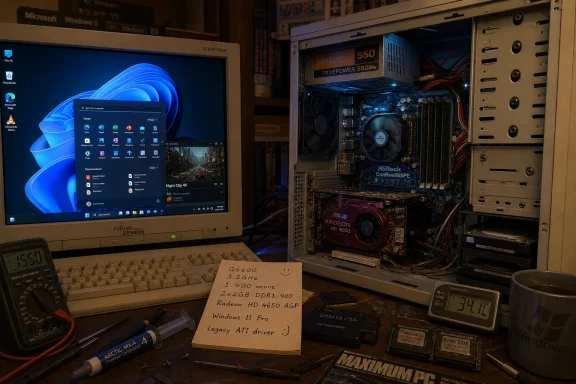
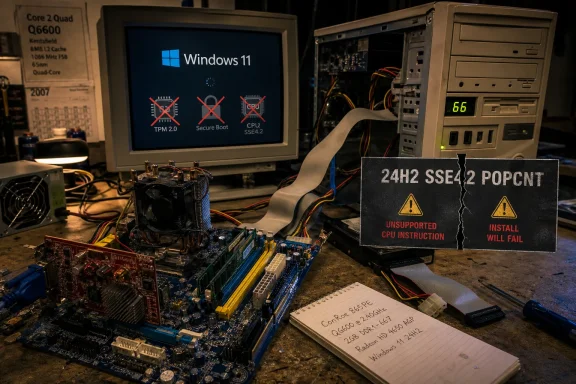
On June 24, 2026, Reddit user Omores showed Windows 11 running on an ASRock ConRoe865PE desktop using DDR1 memory, a Core 2 Quad Q6600 processor, and an AGP Radeon HD 4650 graphics card, reportedly with working acceleration and stable everyday operation. The obvious headline is the spectacle: a 2020s operating system booting on a platform rooted in the Pentium 4 era. The more interesting story is less miraculous and more revealing. Microsoft’s strict Windows 11 hardware wall has always had doors in it, and one of those doors now opens onto hardware most users would reasonably call museum-grade.
The experiment is irresistible because it appears to break a rule everyone knows. Windows 11, in its consumer form, became famous for telling perfectly usable PCs that they were no longer invited: no supported CPU, no TPM 2.0, no Secure Boot, no official upgrade path. Against that backdrop, DDR1 feels not merely unsupported but absurd.
But Windows 11 is not a single product with one single hardware contract. It is a family of editions, deployment channels, policy assumptions, and licensing targets. The edition reportedly used here matters more than the motherboard, because Windows 11 IoT Enterprise LTSC 2024 has a different purpose from the Home and Pro installations most people encounter.
That distinction is where the stunt stops being a magic trick and starts becoming a product strategy story. Microsoft’s mainstream Windows 11 requirements were designed around a modern security baseline: TPM-backed identity, Secure Boot, virtualization-based protections, newer driver models, and CPUs recent enough to support the company’s preferred stack. Windows 11 IoT Enterprise LTSC, by contrast, exists for fixed-purpose devices that may live in factories, stores, kiosks, medical environments, signage cabinets, and other places where replacing hardware on the consumer-PC schedule is neither cheap nor sane.
So yes, the Reddit build is outrageous. It is also a reminder that Microsoft itself still ships a version of Windows 11 with enough flexibility to run in hardware environments that would make the consumer installer throw up a stop sign.
That makes it a loophole in silicon form. Pairing DDR1 with a Core 2 Quad Q6600 sounds like a contradiction, but it is the kind of contradiction that existed in the messy transition years when motherboard vendors stretched older platforms to accommodate newer CPUs. The result is neither a normal vintage Pentium 4 box nor a fully modern Core 2 system. It is a hybrid: old memory subsystem, old graphics bus, surprisingly capable CPU.
The Q6600 is doing a lot of the emotional work here. Released during the era when quad-core desktops were still exciting, it remains a recognizable enthusiast part because it represented a leap in consumer parallelism. Four aging cores are still four cores, and for a lightweight desktop demonstration they give Windows more breathing room than one might expect from a machine built around DDR1.
The graphics side is even stranger. AGP was the king of the graphics slot before PCI Express displaced it, and by the late 2000s it was already an exit ramp for users trying to squeeze one last GPU upgrade out of older systems. A Radeon HD 4650 AGP is exactly that kind of twilight product: modern enough to know about hardware video decode, old enough to plug into a slot the industry had largely abandoned.
According to the reports around Omores’ build, the key was adapting old 64-bit ATI drivers, including Windows 7-era driver components, so that the AGP Radeon could function under Windows 11. That is a much more interesting problem than merely bypassing a setup check. It means persuading a modern Windows environment to cooperate with a graphics path whose assumptions come from another era.
AGP support is not just a physical slot. It is a chain of chipset behavior, driver expectations, memory mapping, and GPU initialization. When that chain breaks, a system may still display an image through a fallback driver, but performance and stability usually collapse. The reported success here is that AGP 8x functioned, hardware H.264 decoding worked, and the desktop behaved well enough to run browsers, video playback, benchmarks, and even the obligatory Crysis test.
That last detail is more meme than measurement, but it matters culturally. “Can it run Crysis?” has survived because it compresses a whole generation of PC hardware anxiety into a joke. In this case, the answer is less about frame rates than about completeness. The machine was not merely booting Windows 11 as a static trophy; it was participating, however awkwardly, in the rituals of a usable PC.
That argument is not frivolous. Firmware attacks, credential theft, kernel tampering, and persistence mechanisms below the operating system are real problems, and Windows has spent years trying to drag the PC ecosystem toward hardware-backed defenses. If Microsoft had treated Windows 11 as simply Windows 10 with a centered Start menu, the company would have missed a rare chance to reset the baseline.
But baselines are political as much as technical. They decide who gets counted as modern and who gets left behind. Millions of PCs that could run ordinary productivity workloads became “unsupported” because they failed one requirement or another, even when their real-world performance remained acceptable for browsing, Office, remote work, media playback, or hobbyist use.
Windows 11 IoT Enterprise LTSC exposes the tension. Microsoft can say, truthfully, that consumer Windows 11 is designed around a stricter modern security floor. It can also say, truthfully, that certain Windows 11 editions support more flexible deployments because fixed-purpose hardware has different constraints. The DDR1 build simply makes that duality visible in a way no licensing table ever could.
LTSC means Long-Term Servicing Channel, and its core promise is stability over novelty. It is designed for environments where feature churn is a liability: a point-of-sale terminal that should keep taking payments, a medical device that must preserve a validated software configuration, a factory controller that cannot afford surprise behavior changes after a feature update. In that world, “boring” is the product.
That is very different from a consumer desktop. Mainstream Windows expects regular feature evolution, broad app assumptions, current driver support, consumer services, and the messy compatibility expectations of everyday users. LTSC intentionally avoids some of that motion. It is not supposed to be the cool underground Windows edition for people who dislike Microsoft’s hardware requirements.
There are also licensing realities. Windows IoT Enterprise is generally aimed at OEMs and specialized devices, not at hobbyists reviving old desktops for nostalgia. Enthusiasts can experiment, evaluate, and demonstrate, but that does not turn an embedded-device edition into a clean general-purpose recommendation for the average WindowsForum reader with an aging gaming rig.
Yet memory generation alone does not define the capability of a system. A machine with enough RAM, a tolerable CPU, and working graphics acceleration can feel surprisingly alive for narrow tasks, even if every benchmark chart would bury it. Conversely, a newer machine with slow storage, limited memory, or bad drivers can feel miserable despite having the right logo on the box.
That is why Omores’ build is more than a trivia item. It reveals that “old” is not one category. There is old-but-complete, old-but-driverless, old-but-fast-enough, and old-but-fundamentally-missing-the-instructions-modern-software-now-assumes. The ConRoe865PE machine benefits from occupying the first and second categories more than the last one: it is old, but with enough CPU capability and driver ingenuity to cross the line.
That line is moving, however. Windows 11 version 24H2 raised attention around CPU instruction support, and modern software increasingly assumes instruction sets, GPU features, browser security capabilities, and media engines that very old machines simply do not possess. The DDR1 experiment works because this particular hardware combination sits in a rare survivable pocket. Many older systems will not.
Enthusiast experiments like this challenge the fatalism of that cycle. They show that hardware does not become useless the moment a support matrix says so. For regions and households where old PCs remain economically important, that point is not merely sentimental. A working old computer can still be a school machine, a lightweight browsing terminal, a retro gaming box, a local server, a lab system, or a training platform.
But sustainability cannot be reduced to “if it boots, keep using it.” Unsupported drivers can become security liabilities. Old platforms often consume more power for less work. Failing capacitors, spinning disks, outdated firmware, and unpatched device stacks all matter. A resurrected Core 2-era desktop may be emotionally satisfying, but a cheap modern mini PC could deliver better performance per watt, stronger security, and less maintenance.
The best sustainability argument is therefore not that everyone should run Windows 11 on DDR1. It is that software support policies should be honest about the difference between physical capability, security posture, vendor liability, and user choice. Microsoft is entitled to set a modern security baseline. Users are entitled to notice when the operating system itself can run below it.
TPM is not a performance feature. Secure Boot is not a frame-rate feature. They are part of a trust chain intended to make certain attacks harder, especially those involving bootkits, credential protection, disk encryption keys, and tampering below the operating system. A machine without those protections may feel normal until the moment those protections would have mattered.
For a hobby bench, that trade-off is fine. For a production endpoint handling business data, it is a different conversation. IT administrators already live in a world where “works” is not the same as “supportable,” and “supportable” is not the same as “secure enough.” The DDR1 experiment is technically impressive, but it does not repeal the reasons enterprises moved toward measured boot, hardware-backed identity, and modern endpoint baselines.
This is where enthusiasts and administrators often talk past each other. The enthusiast sees proof that Windows 11’s hard line is more flexible than advertised. The administrator sees proof that the operating system can be coerced into configurations no one wants to defend during an audit. Both are right.
Omores’ success with the Radeon HD 4650 AGP is impressive because graphics drivers are often the wall that stops these projects from becoming usable. Microsoft’s basic display driver can get you to the desktop, but without proper acceleration the experience quickly becomes academic. Video playback stutters, browsers behave poorly, old games fail in new ways, and any claim of “usable” becomes generous.
Audio and storage can be equally tedious. AC’97 audio, IDE-mode SATA, and legacy onboard controllers come from a time when Windows driver packages were distributed through motherboard CDs, vendor FTP sites, and forum attachments. Even when a driver exists, getting it accepted by a modern 64-bit Windows installation can involve INF edits, signature enforcement complications, and a tolerance for failure most ordinary users do not have.
That is why this build should be admired as craft rather than copied as advice. It is a restoration project, not a deployment plan. The difference matters. A restored classic car can run beautifully on a Sunday; that does not make it the sensible fleet vehicle for a delivery company.
Crysis was punishing in its day, but software context changes. A game from 2007 is now a retro workload, and an old high-end CPU paired with a late AGP GPU can be better suited to that era than to a modern Chromium-heavy desktop. Running Crysis on such a rig is less surprising than running a current browser with modern video decoding and a stable Windows 11 shell.
The modern browser may be the harder symbolic test. Today’s web is a demanding application platform with sandboxing, media codecs, JavaScript-heavy pages, GPU compositing, and memory appetite that would have seemed ridiculous in the DDR1 era. If the system can open contemporary browsers and play high-quality video smoothly, the driver work has achieved something more relevant than a meme.
Still, nobody should confuse “surprisingly functional” with “pleasant as a daily driver.” Windows 11 on such hardware will remain constrained by memory bandwidth, storage latency, driver age, GPU limits, and the accumulated weight of modern software. The miracle is not that a DDR1 system becomes new again. The miracle is that it can still participate at all.
That is a defensible position, but it has been communicated inconsistently. Users saw machines rejected despite having adequate everyday performance. They saw workarounds circulate widely. They saw enterprise and IoT editions with different tolerances. They saw Windows Update sometimes deliver bits to unsupported systems while warnings remained. The result was not clarity but a sense that the rules were both strict and negotiable.
This matters because Windows is not a boutique operating system. It is infrastructure for households, schools, businesses, governments, and hobbyists. When Microsoft changes the practical retirement date for hardware, it affects budgets and e-waste streams. When it makes exceptions for specialized channels, enthusiasts will inevitably ask why their “still good” PC is treated differently from a kiosk or terminal.
The honest answer is that Microsoft is optimizing for different risk profiles. A fixed-purpose device locked to a narrow role is not the same as a general-purpose consumer PC roaming the open internet. But that distinction is hard to sell when the same Windows 11 desktop appears on both screens.
There is practical value too, but it is narrow. A revived Core 2 Quad system can serve as a retro gaming machine, an offline lab box, a driver archaeology project, or a demonstration platform for students learning how operating systems interact with hardware. It can also be a low-cost endpoint in constrained environments if the risks are understood and the workload is modest.
What it should not become is a generalized recommendation to keep unsupported Windows machines online indefinitely. Security updates, browser support, certificate handling, driver provenance, and firmware limitations are not optional details. They are the difference between a charming resurrection and a liability with a Start menu.
The nostalgia is real, and it is earned. But nostalgia tends to flatten the past into a feeling. The technical lesson here is more complex: old hardware can be shockingly capable when matched with the right software path, but that path narrows with every year.
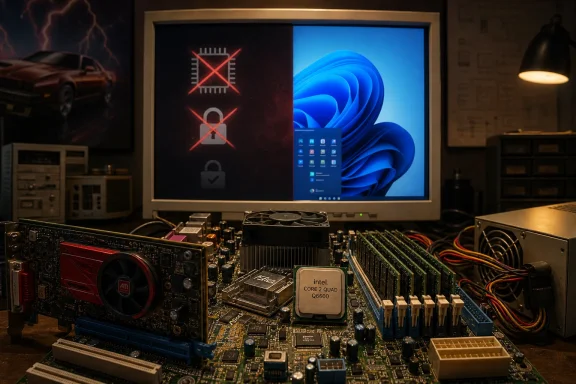 The Stunt Works Because Windows 11 Is Not One Thing
The experiment is irresistible because it appears to break a rule everyone knows. Windows 11, in its consumer form, became famous for telling perfectly usable PCs that they were no longer invited: no supported CPU, no TPM 2.0, no Secure Boot, no official upgrade path. Against that backdrop, DDR1 feels not merely unsupported but absurd.But Windows 11 is not a single product with one single hardware contract. It is a family of editions, deployment channels, policy assumptions, and licensing targets. The edition reportedly used here matters more than the motherboard, because Windows 11 IoT Enterprise LTSC 2024 has a different purpose from the Home and Pro installations most people encounter.
That distinction is where the stunt stops being a magic trick and starts becoming a product strategy story. Microsoft’s mainstream Windows 11 requirements were designed around a modern security baseline: TPM-backed identity, Secure Boot, virtualization-based protections, newer driver models, and CPUs recent enough to support the company’s preferred stack. Windows 11 IoT Enterprise LTSC, by contrast, exists for fixed-purpose devices that may live in factories, stores, kiosks, medical environments, signage cabinets, and other places where replacing hardware on the consumer-PC schedule is neither cheap nor sane.
So yes, the Reddit build is outrageous. It is also a reminder that Microsoft itself still ships a version of Windows 11 with enough flexibility to run in hardware environments that would make the consumer installer throw up a stop sign.
A 2003-Era Chipset Becomes the Unlikely Host
The ASRock ConRoe865PE is a fascinating board for this kind of experiment precisely because it sits at an awkward historical crossroads. Its Intel i865PE chipset belongs to the early-2000s world of DDR memory and AGP graphics, but the board was engineered to support later LGA 775 processors, including Core 2-era chips that significantly outclass the Pentium 4 systems the chipset originally evokes.That makes it a loophole in silicon form. Pairing DDR1 with a Core 2 Quad Q6600 sounds like a contradiction, but it is the kind of contradiction that existed in the messy transition years when motherboard vendors stretched older platforms to accommodate newer CPUs. The result is neither a normal vintage Pentium 4 box nor a fully modern Core 2 system. It is a hybrid: old memory subsystem, old graphics bus, surprisingly capable CPU.
The Q6600 is doing a lot of the emotional work here. Released during the era when quad-core desktops were still exciting, it remains a recognizable enthusiast part because it represented a leap in consumer parallelism. Four aging cores are still four cores, and for a lightweight desktop demonstration they give Windows more breathing room than one might expect from a machine built around DDR1.
The graphics side is even stranger. AGP was the king of the graphics slot before PCI Express displaced it, and by the late 2000s it was already an exit ramp for users trying to squeeze one last GPU upgrade out of older systems. A Radeon HD 4650 AGP is exactly that kind of twilight product: modern enough to know about hardware video decode, old enough to plug into a slot the industry had largely abandoned.
The Real Hack Was Not the Install, but the Driver Stack
The installation itself is the easiest part to mythologize, but the driver work is where the experiment earns its credibility. Booting Windows on unsupported hardware is one thing. Getting the operating system to use the graphics card properly, accelerate video, and behave like more than a screenshot generator is another.According to the reports around Omores’ build, the key was adapting old 64-bit ATI drivers, including Windows 7-era driver components, so that the AGP Radeon could function under Windows 11. That is a much more interesting problem than merely bypassing a setup check. It means persuading a modern Windows environment to cooperate with a graphics path whose assumptions come from another era.
AGP support is not just a physical slot. It is a chain of chipset behavior, driver expectations, memory mapping, and GPU initialization. When that chain breaks, a system may still display an image through a fallback driver, but performance and stability usually collapse. The reported success here is that AGP 8x functioned, hardware H.264 decoding worked, and the desktop behaved well enough to run browsers, video playback, benchmarks, and even the obligatory Crysis test.
That last detail is more meme than measurement, but it matters culturally. “Can it run Crysis?” has survived because it compresses a whole generation of PC hardware anxiety into a joke. In this case, the answer is less about frame rates than about completeness. The machine was not merely booting Windows 11 as a static trophy; it was participating, however awkwardly, in the rituals of a usable PC.
Microsoft’s Hardware Wall Has Always Had a Service Door
The experiment lands at an uncomfortable moment for Microsoft’s Windows messaging. Since Windows 11 launched, the company has been clear that its official requirements are not just arbitrary cruelty. TPM 2.0, Secure Boot, supported processors, and newer platform features are part of a security model Microsoft wants to normalize across the Windows installed base.That argument is not frivolous. Firmware attacks, credential theft, kernel tampering, and persistence mechanisms below the operating system are real problems, and Windows has spent years trying to drag the PC ecosystem toward hardware-backed defenses. If Microsoft had treated Windows 11 as simply Windows 10 with a centered Start menu, the company would have missed a rare chance to reset the baseline.
But baselines are political as much as technical. They decide who gets counted as modern and who gets left behind. Millions of PCs that could run ordinary productivity workloads became “unsupported” because they failed one requirement or another, even when their real-world performance remained acceptable for browsing, Office, remote work, media playback, or hobbyist use.
Windows 11 IoT Enterprise LTSC exposes the tension. Microsoft can say, truthfully, that consumer Windows 11 is designed around a stricter modern security floor. It can also say, truthfully, that certain Windows 11 editions support more flexible deployments because fixed-purpose hardware has different constraints. The DDR1 build simply makes that duality visible in a way no licensing table ever could.
IoT LTSC Is Not a Secret Consumer Escape Hatch
The temptation is obvious: if Windows 11 IoT Enterprise LTSC can boot on ancient hardware, why not treat it as the answer for every unsupported PC? The answer is that Microsoft did not build LTSC for that role, and pretending otherwise creates its own problems.LTSC means Long-Term Servicing Channel, and its core promise is stability over novelty. It is designed for environments where feature churn is a liability: a point-of-sale terminal that should keep taking payments, a medical device that must preserve a validated software configuration, a factory controller that cannot afford surprise behavior changes after a feature update. In that world, “boring” is the product.
That is very different from a consumer desktop. Mainstream Windows expects regular feature evolution, broad app assumptions, current driver support, consumer services, and the messy compatibility expectations of everyday users. LTSC intentionally avoids some of that motion. It is not supposed to be the cool underground Windows edition for people who dislike Microsoft’s hardware requirements.
There are also licensing realities. Windows IoT Enterprise is generally aimed at OEMs and specialized devices, not at hobbyists reviving old desktops for nostalgia. Enthusiasts can experiment, evaluate, and demonstrate, but that does not turn an embedded-device edition into a clean general-purpose recommendation for the average WindowsForum reader with an aging gaming rig.
The DDR1 Detail Is the Hook, Not the Whole Story
DDR1 is doing the heavy lifting in the headline because it sounds prehistoric, and by modern PC standards it is. We are in a world where DDR5 is mainstream on new performance desktops, LPDDR5 variants dominate many laptops, and memory bandwidth has become central to everything from integrated graphics to AI workloads. DDR1 belongs to another lifetime.Yet memory generation alone does not define the capability of a system. A machine with enough RAM, a tolerable CPU, and working graphics acceleration can feel surprisingly alive for narrow tasks, even if every benchmark chart would bury it. Conversely, a newer machine with slow storage, limited memory, or bad drivers can feel miserable despite having the right logo on the box.
That is why Omores’ build is more than a trivia item. It reveals that “old” is not one category. There is old-but-complete, old-but-driverless, old-but-fast-enough, and old-but-fundamentally-missing-the-instructions-modern-software-now-assumes. The ConRoe865PE machine benefits from occupying the first and second categories more than the last one: it is old, but with enough CPU capability and driver ingenuity to cross the line.
That line is moving, however. Windows 11 version 24H2 raised attention around CPU instruction support, and modern software increasingly assumes instruction sets, GPU features, browser security capabilities, and media engines that very old machines simply do not possess. The DDR1 experiment works because this particular hardware combination sits in a rare survivable pocket. Many older systems will not.
The Sustainability Argument Cuts Both Ways
There is a real environmental undercurrent to this story. The PC industry produces enormous pressure to replace hardware on schedules that are often shorter than the physical life of the machines. When a system can still perform useful work but loses operating-system support, the owner faces a choice between risk, replacement, migration, or creative unsupported paths.Enthusiast experiments like this challenge the fatalism of that cycle. They show that hardware does not become useless the moment a support matrix says so. For regions and households where old PCs remain economically important, that point is not merely sentimental. A working old computer can still be a school machine, a lightweight browsing terminal, a retro gaming box, a local server, a lab system, or a training platform.
But sustainability cannot be reduced to “if it boots, keep using it.” Unsupported drivers can become security liabilities. Old platforms often consume more power for less work. Failing capacitors, spinning disks, outdated firmware, and unpatched device stacks all matter. A resurrected Core 2-era desktop may be emotionally satisfying, but a cheap modern mini PC could deliver better performance per watt, stronger security, and less maintenance.
The best sustainability argument is therefore not that everyone should run Windows 11 on DDR1. It is that software support policies should be honest about the difference between physical capability, security posture, vendor liability, and user choice. Microsoft is entitled to set a modern security baseline. Users are entitled to notice when the operating system itself can run below it.
Security Is the Part the Screenshot Cannot Show
A screenshot of Windows 11 running on vintage hardware is persuasive because it compresses success into one image. Security does not work that way. The absence of TPM 2.0, Secure Boot, and modern firmware protections may not prevent a desktop from launching Edge, but it changes the threat model in ways that are invisible during a benchmark run.TPM is not a performance feature. Secure Boot is not a frame-rate feature. They are part of a trust chain intended to make certain attacks harder, especially those involving bootkits, credential protection, disk encryption keys, and tampering below the operating system. A machine without those protections may feel normal until the moment those protections would have mattered.
For a hobby bench, that trade-off is fine. For a production endpoint handling business data, it is a different conversation. IT administrators already live in a world where “works” is not the same as “supportable,” and “supportable” is not the same as “secure enough.” The DDR1 experiment is technically impressive, but it does not repeal the reasons enterprises moved toward measured boot, hardware-backed identity, and modern endpoint baselines.
This is where enthusiasts and administrators often talk past each other. The enthusiast sees proof that Windows 11’s hard line is more flexible than advertised. The administrator sees proof that the operating system can be coerced into configurations no one wants to defend during an audit. Both are right.
The Driver Graveyard Is Where Old PCs Usually Die
The most fragile part of any long-lived Windows system is rarely the CPU. It is the ecosystem around it. Chipset drivers, storage controllers, audio codecs, network adapters, ACPI quirks, GPU packages, and unsigned installer hacks become the real battlefield.Omores’ success with the Radeon HD 4650 AGP is impressive because graphics drivers are often the wall that stops these projects from becoming usable. Microsoft’s basic display driver can get you to the desktop, but without proper acceleration the experience quickly becomes academic. Video playback stutters, browsers behave poorly, old games fail in new ways, and any claim of “usable” becomes generous.
Audio and storage can be equally tedious. AC’97 audio, IDE-mode SATA, and legacy onboard controllers come from a time when Windows driver packages were distributed through motherboard CDs, vendor FTP sites, and forum attachments. Even when a driver exists, getting it accepted by a modern 64-bit Windows installation can involve INF edits, signature enforcement complications, and a tolerance for failure most ordinary users do not have.
That is why this build should be admired as craft rather than copied as advice. It is a restoration project, not a deployment plan. The difference matters. A restored classic car can run beautifully on a Sunday; that does not make it the sensible fleet vehicle for a delivery company.
The Crysis Joke Masks a Serious Performance Point
The Crysis angle is fun because it gives the story an instantly understandable benchmark. If a machine this old can launch a game once used to humble high-end PCs, surely it has crossed some meaningful threshold. The truth is more nuanced, but still interesting.Crysis was punishing in its day, but software context changes. A game from 2007 is now a retro workload, and an old high-end CPU paired with a late AGP GPU can be better suited to that era than to a modern Chromium-heavy desktop. Running Crysis on such a rig is less surprising than running a current browser with modern video decoding and a stable Windows 11 shell.
The modern browser may be the harder symbolic test. Today’s web is a demanding application platform with sandboxing, media codecs, JavaScript-heavy pages, GPU compositing, and memory appetite that would have seemed ridiculous in the DDR1 era. If the system can open contemporary browsers and play high-quality video smoothly, the driver work has achieved something more relevant than a meme.
Still, nobody should confuse “surprisingly functional” with “pleasant as a daily driver.” Windows 11 on such hardware will remain constrained by memory bandwidth, storage latency, driver age, GPU limits, and the accumulated weight of modern software. The miracle is not that a DDR1 system becomes new again. The miracle is that it can still participate at all.
Microsoft’s Messaging Problem Is Bigger Than One Vintage PC
The DDR1 build embarrasses Microsoft only if one assumes Windows 11 requirements were purely about whether the OS can execute. They were not. Microsoft’s argument has always been closer to: this is the hardware baseline on which we are willing to promise the Windows 11 experience, security posture, and support model for general-purpose PCs.That is a defensible position, but it has been communicated inconsistently. Users saw machines rejected despite having adequate everyday performance. They saw workarounds circulate widely. They saw enterprise and IoT editions with different tolerances. They saw Windows Update sometimes deliver bits to unsupported systems while warnings remained. The result was not clarity but a sense that the rules were both strict and negotiable.
This matters because Windows is not a boutique operating system. It is infrastructure for households, schools, businesses, governments, and hobbyists. When Microsoft changes the practical retirement date for hardware, it affects budgets and e-waste streams. When it makes exceptions for specialized channels, enthusiasts will inevitably ask why their “still good” PC is treated differently from a kiosk or terminal.
The honest answer is that Microsoft is optimizing for different risk profiles. A fixed-purpose device locked to a narrow role is not the same as a general-purpose consumer PC roaming the open internet. But that distinction is hard to sell when the same Windows 11 desktop appears on both screens.
Old Hardware Still Has a Place, but Not the One Nostalgia Wants
The best use for a machine like this is not pretending it is a modern PC. Its value is educational, archival, and experimental. It teaches how Windows layers hardware abstraction over decades of compatibility decisions. It preserves knowledge about AGP, legacy chipsets, driver modification, and the transitional weirdness of early LGA 775 platforms. It reminds younger users that PC history was not a clean sequence of standards but a pile of bridges, adapters, hacks, and compromises.There is practical value too, but it is narrow. A revived Core 2 Quad system can serve as a retro gaming machine, an offline lab box, a driver archaeology project, or a demonstration platform for students learning how operating systems interact with hardware. It can also be a low-cost endpoint in constrained environments if the risks are understood and the workload is modest.
What it should not become is a generalized recommendation to keep unsupported Windows machines online indefinitely. Security updates, browser support, certificate handling, driver provenance, and firmware limitations are not optional details. They are the difference between a charming resurrection and a liability with a Start menu.
The nostalgia is real, and it is earned. But nostalgia tends to flatten the past into a feeling. The technical lesson here is more complex: old hardware can be shockingly capable when matched with the right software path, but that path narrows with every year.
The DDR1 Windows 11 Build Redraws the Line Between Impossible and Unwise
This experiment leaves us with a cleaner set of lessons than the “miracle” framing suggests. It does not prove that Windows 11’s mainstream requirements are fake, and it does not prove that old PCs should be treated as first-class modern endpoints. It proves that compatibility is a spectrum, and Microsoft’s own product family contains more nuance than the consumer installer implies.- Windows 11 can run on some hardware far older than Microsoft’s mainstream support matrix, especially when an edition such as IoT Enterprise LTSC is involved.
- The ASRock ConRoe865PE build is unusual because it combines DDR1 and AGP with a Core 2 Quad processor capable enough to keep the system responsive in limited scenarios.
- The hardest technical achievement is not merely booting Windows 11, but restoring enough driver support for AGP graphics acceleration and hardware video decoding.
- Windows 11 IoT Enterprise LTSC is designed for fixed-purpose and specialized devices, not as a blanket replacement for consumer Windows on unsupported PCs.
- The absence of TPM 2.0, Secure Boot, and modern firmware protections may be acceptable for a hobby experiment, but it changes the security model for any real deployment.
- The project is best understood as a demonstration of engineering persistence and Windows compatibility depth, not as a practical upgrade guide for aging desktops.
References
- Primary source: zamin.uz
Published: 2026-06-27T23:59:12.755265
Miracle of Old Tech: Windows 11 Installed on a Computer with DDR1 RAM – Zamin.uz, 28.06.2026
In a world of modern technology where operating system requirements are increasing day by day, an enthusiast known as Omores on the… – Zamin.uz, 28.06.2026zamin.uz - Related coverage: windowslatest.com
Microsoft details Windows 11 24H2 LTSC requirements, TPM optional for IoT
Microsoft may have lowered the minimum system requirements for Windows 11 24H2 on IoT to support more specialized use cases. www.windowslatest.com
- Related coverage: tomshardware.com
Windows 11 LTSC 2024 arrives making TPM and Secure Boot optional — lower storage requirements, too | Tom's Hardware
Windows 11 officialy squeezed within the confines of 16GB storage.www.tomshardware.com - Related coverage: hackaday.com
Using Windows 11 On An LGA 775 PC With AGP Videocard | Hackaday
Although the thought of installing a modern operating system like Windows 11 on something as archaic as a Core 2 Quad Q6600 Intel CPU may seem ridiculous, it being the flagship CPU of the time mean…hackaday.com
- Related coverage: windowsforum.com
Booting Windows 11 on a Core 2 Quad AGP PC: Where Compatibility Ends | Windows Forum
On June 5, 2026, Hackaday highlighted an experiment by Omores that gets Windows 11 running on an early-2000s LGA 775 desktop with an AGP Radeon HD 4650, a...windowsforum.com - Official source: microsoft.com
Windows 11 IoT Enterprise LTSC
Windows 11 IoT Enterprise LTSC is intended for fixed-function, specialized, commercial devices that require a long support lifecycle of 10 years.www.microsoft.com
- Related coverage: windowsarea.de
Microsoft reduziert Systemanforderungen für Windows 11 24H2 LTSC: TPM für IoT nun optional
Microsoft hat damit erstmals die Anforderungen für Windows 11 reduziert. Die Anforderungen sind im Grunde dieselben wie bei Windows 7.windowsarea.de - Related coverage: overclockers.ru
Windows 11 IoT Enterprise LTSC 2024 теперь не требует TPM, Secure Boot или DirectX
Минимальные спецификации были понижены по сравнению с десктопной версий системы. | Overclockers.ru - крупнейший информационный сайт России посвященный компьютерам, мобильным устройствам, компьютерным играм, электромобилям и информационным технологиям.overclockers.ru - Related coverage: howtogeek.com
How to Check Your RAM Amount, Type, and Speed on Windows 11
Essential info for when you need to upgrade your PC's memory. www.howtogeek.com
- Related coverage: techyorker.com
- Related coverage: deskmodder.de
Windows 11 24H2 IoT Enterprise und IoT Enterprise LTSC Hardwareanforderungen sind sehr gering - Deskmodder.de
Während für die Consumer sich die Hardwarevoraussetzungen bei der Windows 11 24H2 gegenüber den Vorgängerversionen nicht geändert hat, außer dass ganz alte CPUs ohne SSE4.2 rausgeflogen sind, ist es bei der Windows 11 24H2 IoT Enterprise und IoT Enterprise LTSC…www.deskmodder.de - Related coverage: windowscentral.com
How to check RAM (size, speed, type, part, form factor) on Windows 11 | Windows Central
In this guide, we'll show you the commands you can use to determine the technical specifications (size, speed, type, form factor, etc.) of the RAM installed on your Windows 11 computer.www.windowscentral.com - Related coverage: arrow.com
- Related coverage: annabooks.com
- Official source: learn.microsoft.com
What's new in Windows 11 IoT Enterprise LTSC 2024 - Windows IoT Enterprise | Microsoft Learn
Learn about new and updated features that are of interest to device makers and IT Pros working with Windows 11 IoT Enterprise LTSC 2024.learn.microsoft.com