

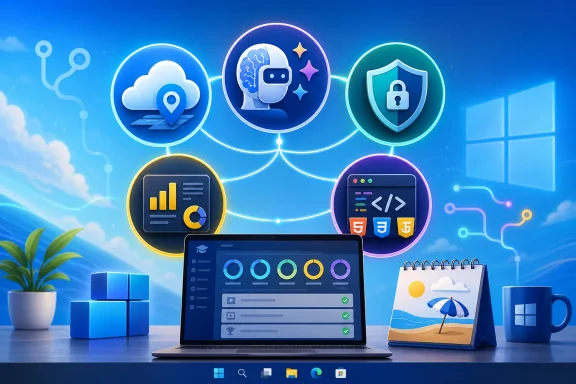
Microsoft’s free summer learning pitch centers on five career-friendly tracks — generative AI, Azure fundamentals, cybersecurity, Power BI analytics, and beginner web development — that can be studied online through Microsoft Learn, GitHub, or partner platforms in 2026. The courses are not magic tickets into a better job, and the word “free” deserves careful reading when certification exams or hosted credentials enter the picture. But as a low-cost way to make a Windows-heavy résumé look less static, the list is stronger than the usual self-improvement fluff. The real value is not the badge; it is the proof that a learner can move from “I use Microsoft tools” to “I understand the platforms my employer already pays for.”
The summer-course story works because it meets workers at a moment when ambition and free time occasionally overlap. Microsoft’s training catalog is sprawling, but the five areas highlighted here are not random. They map neatly onto the places where companies are still spending: AI adoption, cloud migration, security operations, business reporting, and basic application development.
That is also why employers may care. A hiring manager is unlikely to be dazzled by a beginner module alone, but they may notice a coherent pattern: Azure basics, identity and security concepts, Power BI reporting, and enough web literacy to talk with developers without bluffing. In Microsoft shops, those are not abstract skills. They are the daily plumbing of IT departments, operations teams, finance groups, help desks, and increasingly ordinary office roles.
The catch is that Microsoft’s learning ecosystem serves two masters. It genuinely gives away a large amount of high-quality training, and it also guides learners deeper into Microsoft’s commercial cloud, certification, and productivity stack. That does not make the training cynical. It simply means the smart learner should treat it as both an education opportunity and a vendor-shaped map of the modern workplace.
For beginners, the attraction is that Microsoft Learn can start at the level of concepts rather than code. A user can study what generative AI does, what prompts are, how copilots summarize or automate tasks, and where responsible AI concerns appear. That matters because many organizations are no longer asking whether employees will use AI tools. They are asking whether employees can use them without leaking data, hallucinating facts into reports, or automating the wrong process faster.
The employer value is clearest when the learner connects AI training to a real workflow. “Completed a generative AI module” is forgettable. “Used Copilot to summarize support tickets, draft knowledge-base articles, or prototype a Power Automate process” is something a manager can understand. The résumé line should be a result, not a souvenir.
Microsoft also has a strategic advantage here. Because Copilot is appearing inside tools that many companies already license, AI training from Microsoft feels immediately relevant to non-developers. The same worker who has no interest in building a model may still need to know how AI changes Outlook triage, Teams meetings, Excel analysis, SharePoint search, or Power BI storytelling.
AZ-900 has survived because it speaks to more than one audience. It is useful for junior technicians, sales engineers, project managers, procurement staff, students, and administrators who need the vocabulary of Azure without yet becoming cloud architects. It does not prove that someone can design a production landing zone or troubleshoot a failed deployment. It proves they are no longer entering every cloud conversation cold.
That distinction matters. Fundamentals certifications can be oversold by training providers, but they are still practical signals when used honestly. A person with AZ-900 is not automatically ready to run an enterprise subscription, but they should understand why identity, governance, cost management, regions, availability, and shared responsibility keep coming up in every cloud project.
For WindowsForum readers, Azure Fundamentals also has a historical resonance. The Windows admin career path has been slowly pulled upward from servers and desktops into Entra ID, Intune, Azure Virtual Desktop, storage, monitoring, and hybrid identity. AZ-900 is not the destination. It is the bridge that keeps a traditional Microsoft skill set from looking stranded in the previous decade.
Microsoft’s security fundamentals material is valuable because it frames security as an operating model rather than a collection of products. Learners encounter Zero Trust, identity as a perimeter, access control, compliance, monitoring, and the division of responsibility between cloud provider and customer. Those ideas are more durable than any single console layout.
The résumé payoff can be strong if the learner pairs study with hands-on familiarity. Knowing the definition of multifactor authentication is table stakes. Knowing how Conditional Access policies can reduce risk without locking out half the company is far more useful. The same goes for understanding why security incident management is as much about process and escalation as dashboards.
There is also a labor-market reality beneath the marketing. Companies may want security experts, but many cannot hire enough of them. That pushes security tasks into adjacent roles: desktop admins, cloud admins, compliance coordinators, developers, and support leads. A beginner security program can therefore help someone become the person on the team who can speak the language of risk before an incident forces the lesson.
Microsoft’s Power BI learning path has a practical advantage over broader “data science” pitches. It does not require pretending every learner will become a machine-learning engineer. It starts with the kind of work businesses actually ask for: connect to data, transform it, model it, visualize it, secure it, refresh it, and publish it for others.
That last part is where beginners often underestimate the skill. A pretty chart is not the same as an operational report. Employers care whether the data is reliable, whether permissions are correct, whether the report refreshes, whether the model performs, and whether executives can interpret the result without a guided tour.
Power BI also increasingly overlaps with AI and governance. Microsoft’s current direction includes Copilot-assisted report creation and AI-driven analysis, but the old fundamentals still matter. If the underlying model is wrong, the AI will simply help produce wrong answers with more confidence. That makes Power BI training a good reminder that automation does not eliminate data literacy; it raises the penalty for not having it.
This course is also useful for people who do not intend to become full-time developers. IT support staff troubleshoot web apps. Product managers write requirements for them. Security teams assess them. Power Platform builders integrate with them. Even a modest grasp of how websites are assembled can make a non-developer more credible in technical conversations.
The GitHub component is especially important. Employers increasingly expect candidates to show work, not just list coursework. A small portfolio of completed exercises, cleaned-up repositories, and readable project notes can say more than another line under “certifications.” It shows the learner can finish something, organize files, and explain decisions.
There is a humility built into good beginner web training. It does not promise that twelve weeks of lessons will make someone a senior engineer. It gives them a map, a vocabulary, and enough practice to decide whether development is a serious path or simply a useful adjacent skill. That is a better bargain than many expensive bootcamp promises.
That does not weaken the recommendation, but it changes the economics. A learner on a budget should first decide whether they need the exam at all. For someone trying to prove baseline cloud literacy to a recruiter, AZ-900 may be worth the fee. For someone trying to use Power BI in their current job, a portfolio dashboard and internal project may matter more than immediately paying for PL-300.
The same logic applies to AI and cybersecurity. A certificate can help package the learning, but the strongest proof is applied work. Build a small Copilot policy guide for a department. Create a Power BI dashboard from public data. Document a sample incident-response workflow. Set up a basic web project and explain it in plain English. These artifacts turn passive coursework into evidence.
The danger of the online-course economy is that it trains people to collect completions instead of competence. Microsoft’s material is generally better than that, but learners can still fall into the badge trap. Watching modules at double speed is not professional development. Doing the labs, taking notes, revisiting weak areas, and applying the skill to a real problem is.
The five-course bundle captures that shift neatly. Azure replaces the server closet as the conceptual center of gravity. Entra and Defender turn identity and endpoint security into everyday concerns. Power BI makes business intelligence less of a specialist island. Copilot pushes AI into normal office work. Web development remains the language of the interfaces everyone uses.
This is why the courses are more than a summer reading list. They are a map of where Microsoft expects work to go. The company benefits when learners move toward Azure, Power Platform, GitHub, and Copilot, but learners benefit too if their employers are already committed to those tools.
There is a Windows angle here that should not be missed. Windows itself is increasingly a client for cloud identity, cloud policy, cloud storage, cloud security, and cloud productivity. The admin who understands only the endpoint is now seeing only the last mile. The worker who understands the surrounding platform is better positioned to solve problems that cross device, account, data, and workflow boundaries.
For AI, that might be a documented prompt workflow for summarizing meeting notes while respecting data boundaries. For Azure, it might be a diagram and cost estimate for a simple web app architecture. For cybersecurity, it might be a mock incident-response runbook. For Power BI, it might be a dashboard with cleaned data and clear assumptions. For web development, it might be a responsive site hosted from a GitHub repository.
The project does not need to be grand. In fact, beginner projects are more convincing when they are scoped tightly and explained well. A small, working artifact beats an ambitious, unfinished claim. The goal is to make the employer think, “This person can learn a tool and turn it into something useful.”
This is also where Windows enthusiasts and IT pros have an advantage. They often have real home labs, old scripts, small business problems, family tech-support scenarios, or community projects that can be turned into credible demonstrations. The best learning path is the one that attaches to a problem you already understand.
 Microsoft Turns the Slow Season Into a Skills Funnel
The summer-course story works because it meets workers at a moment when ambition and free time occasionally overlap. Microsoft’s training catalog is sprawling, but the five areas highlighted here are not random. They map neatly onto the places where companies are still spending: AI adoption, cloud migration, security operations, business reporting, and basic application development.That is also why employers may care. A hiring manager is unlikely to be dazzled by a beginner module alone, but they may notice a coherent pattern: Azure basics, identity and security concepts, Power BI reporting, and enough web literacy to talk with developers without bluffing. In Microsoft shops, those are not abstract skills. They are the daily plumbing of IT departments, operations teams, finance groups, help desks, and increasingly ordinary office roles.
The catch is that Microsoft’s learning ecosystem serves two masters. It genuinely gives away a large amount of high-quality training, and it also guides learners deeper into Microsoft’s commercial cloud, certification, and productivity stack. That does not make the training cynical. It simply means the smart learner should treat it as both an education opportunity and a vendor-shaped map of the modern workplace.
AI Is the New Office Literacy Test
The generative AI track is the obvious headline act, because “learn AI” has become the 2026 version of “learn Excel.” Microsoft has woven AI into Windows, Microsoft 365, Azure, GitHub, Power BI, and security products, which means Copilot skills are increasingly less like a niche specialization and more like a baseline expectation for knowledge workers.For beginners, the attraction is that Microsoft Learn can start at the level of concepts rather than code. A user can study what generative AI does, what prompts are, how copilots summarize or automate tasks, and where responsible AI concerns appear. That matters because many organizations are no longer asking whether employees will use AI tools. They are asking whether employees can use them without leaking data, hallucinating facts into reports, or automating the wrong process faster.
The employer value is clearest when the learner connects AI training to a real workflow. “Completed a generative AI module” is forgettable. “Used Copilot to summarize support tickets, draft knowledge-base articles, or prototype a Power Automate process” is something a manager can understand. The résumé line should be a result, not a souvenir.
Microsoft also has a strategic advantage here. Because Copilot is appearing inside tools that many companies already license, AI training from Microsoft feels immediately relevant to non-developers. The same worker who has no interest in building a model may still need to know how AI changes Outlook triage, Teams meetings, Excel analysis, SharePoint search, or Power BI storytelling.
Azure Fundamentals Remains the Doorway Credential
The Azure Fundamentals path, usually associated with AZ-900, is the most certification-shaped option in the set. It is aimed at people who need foundational cloud literacy: what cloud services are, how pricing works, how Azure handles compute and networking, and how security, identity, compliance, and support fit into the model. For an IT pro who has spent years in on-prem Windows administration, it is one of the least intimidating ways to cross the cloud line.AZ-900 has survived because it speaks to more than one audience. It is useful for junior technicians, sales engineers, project managers, procurement staff, students, and administrators who need the vocabulary of Azure without yet becoming cloud architects. It does not prove that someone can design a production landing zone or troubleshoot a failed deployment. It proves they are no longer entering every cloud conversation cold.
That distinction matters. Fundamentals certifications can be oversold by training providers, but they are still practical signals when used honestly. A person with AZ-900 is not automatically ready to run an enterprise subscription, but they should understand why identity, governance, cost management, regions, availability, and shared responsibility keep coming up in every cloud project.
For WindowsForum readers, Azure Fundamentals also has a historical resonance. The Windows admin career path has been slowly pulled upward from servers and desktops into Entra ID, Intune, Azure Virtual Desktop, storage, monitoring, and hybrid identity. AZ-900 is not the destination. It is the bridge that keeps a traditional Microsoft skill set from looking stranded in the previous decade.
Security Training Is No Longer Just for Security Teams
The cybersecurity entry in the list is arguably the most broadly useful. Microsoft’s security universe now spans Entra, Defender, Sentinel, Purview, Intune, and Azure security services, and even small organizations are expected to make decisions about MFA, conditional access, phishing defense, endpoint protection, logging, and incident response. That means security literacy is no longer optional background knowledge for sysadmins. It is part of the job.Microsoft’s security fundamentals material is valuable because it frames security as an operating model rather than a collection of products. Learners encounter Zero Trust, identity as a perimeter, access control, compliance, monitoring, and the division of responsibility between cloud provider and customer. Those ideas are more durable than any single console layout.
The résumé payoff can be strong if the learner pairs study with hands-on familiarity. Knowing the definition of multifactor authentication is table stakes. Knowing how Conditional Access policies can reduce risk without locking out half the company is far more useful. The same goes for understanding why security incident management is as much about process and escalation as dashboards.
There is also a labor-market reality beneath the marketing. Companies may want security experts, but many cannot hire enough of them. That pushes security tasks into adjacent roles: desktop admins, cloud admins, compliance coordinators, developers, and support leads. A beginner security program can therefore help someone become the person on the team who can speak the language of risk before an incident forces the lesson.
Power BI Is Where Data Skills Become Office Politics
Power BI is the least glamorous and possibly most employable option in the group. Every organization says it is data-driven; many are actually spreadsheet-driven, manually reconciled, and one broken Excel file away from a bad meeting. A person who can clean data, build a model, produce a dashboard, and explain what the numbers mean is useful almost everywhere.Microsoft’s Power BI learning path has a practical advantage over broader “data science” pitches. It does not require pretending every learner will become a machine-learning engineer. It starts with the kind of work businesses actually ask for: connect to data, transform it, model it, visualize it, secure it, refresh it, and publish it for others.
That last part is where beginners often underestimate the skill. A pretty chart is not the same as an operational report. Employers care whether the data is reliable, whether permissions are correct, whether the report refreshes, whether the model performs, and whether executives can interpret the result without a guided tour.
Power BI also increasingly overlaps with AI and governance. Microsoft’s current direction includes Copilot-assisted report creation and AI-driven analysis, but the old fundamentals still matter. If the underlying model is wrong, the AI will simply help produce wrong answers with more confidence. That makes Power BI training a good reminder that automation does not eliminate data literacy; it raises the penalty for not having it.
Web Development Still Teaches the Shape of Software
The Web Dev for Beginners course is the most developer-oriented recommendation, and it deserves credit for staying close to fundamentals. HTML, CSS, JavaScript, GitHub, accessibility, responsive design, and project-based exercises are still a better starting point than jumping straight into a fashionable framework. A beginner who understands the browser, the DOM, version control, and basic layout is better prepared for whatever stack comes next.This course is also useful for people who do not intend to become full-time developers. IT support staff troubleshoot web apps. Product managers write requirements for them. Security teams assess them. Power Platform builders integrate with them. Even a modest grasp of how websites are assembled can make a non-developer more credible in technical conversations.
The GitHub component is especially important. Employers increasingly expect candidates to show work, not just list coursework. A small portfolio of completed exercises, cleaned-up repositories, and readable project notes can say more than another line under “certifications.” It shows the learner can finish something, organize files, and explain decisions.
There is a humility built into good beginner web training. It does not promise that twelve weeks of lessons will make someone a senior engineer. It gives them a map, a vocabulary, and enough practice to decide whether development is a serious path or simply a useful adjacent skill. That is a better bargain than many expensive bootcamp promises.
Free Training Is Not the Same as a Free Credential
The most important caveat in the Letem světem Applem framing is the distinction between free learning and free certification. Microsoft Learn modules are commonly free. GitHub-hosted curricula are free. Practice assessments may be free. But official certification exams often cost money, and partner-platform certificates may sit behind subscription models, trial periods, or paid credential options.That does not weaken the recommendation, but it changes the economics. A learner on a budget should first decide whether they need the exam at all. For someone trying to prove baseline cloud literacy to a recruiter, AZ-900 may be worth the fee. For someone trying to use Power BI in their current job, a portfolio dashboard and internal project may matter more than immediately paying for PL-300.
The same logic applies to AI and cybersecurity. A certificate can help package the learning, but the strongest proof is applied work. Build a small Copilot policy guide for a department. Create a Power BI dashboard from public data. Document a sample incident-response workflow. Set up a basic web project and explain it in plain English. These artifacts turn passive coursework into evidence.
The danger of the online-course economy is that it trains people to collect completions instead of competence. Microsoft’s material is generally better than that, but learners can still fall into the badge trap. Watching modules at double speed is not professional development. Doing the labs, taking notes, revisiting weak areas, and applying the skill to a real problem is.
Microsoft’s Learning Catalog Quietly Rewrites the Windows Career Path
For years, the Microsoft career ladder was relatively easy to describe: Windows client, Windows Server, Active Directory, Exchange, Office, SQL Server, System Center, maybe some scripting. That world has not vanished, but it has been reorganized around cloud services, identity platforms, security telemetry, managed endpoints, analytics, and AI-assisted productivity.The five-course bundle captures that shift neatly. Azure replaces the server closet as the conceptual center of gravity. Entra and Defender turn identity and endpoint security into everyday concerns. Power BI makes business intelligence less of a specialist island. Copilot pushes AI into normal office work. Web development remains the language of the interfaces everyone uses.
This is why the courses are more than a summer reading list. They are a map of where Microsoft expects work to go. The company benefits when learners move toward Azure, Power Platform, GitHub, and Copilot, but learners benefit too if their employers are already committed to those tools.
There is a Windows angle here that should not be missed. Windows itself is increasingly a client for cloud identity, cloud policy, cloud storage, cloud security, and cloud productivity. The admin who understands only the endpoint is now seeing only the last mile. The worker who understands the surrounding platform is better positioned to solve problems that cross device, account, data, and workflow boundaries.
The Best Résumé Signal Is a Small Finished Project
If there is one practical rule for learners, it is this: do not list five courses as if completion alone is the achievement. Pick one primary track, finish it properly, and turn it into a small project that can be described in business language. Employers appreciate training, but they hire evidence.For AI, that might be a documented prompt workflow for summarizing meeting notes while respecting data boundaries. For Azure, it might be a diagram and cost estimate for a simple web app architecture. For cybersecurity, it might be a mock incident-response runbook. For Power BI, it might be a dashboard with cleaned data and clear assumptions. For web development, it might be a responsive site hosted from a GitHub repository.
The project does not need to be grand. In fact, beginner projects are more convincing when they are scoped tightly and explained well. A small, working artifact beats an ambitious, unfinished claim. The goal is to make the employer think, “This person can learn a tool and turn it into something useful.”
This is also where Windows enthusiasts and IT pros have an advantage. They often have real home labs, old scripts, small business problems, family tech-support scenarios, or community projects that can be turned into credible demonstrations. The best learning path is the one that attaches to a problem you already understand.
The Summer Bet That Actually Improves a Microsoft Résumé
The practical case for these courses is strongest when expectations are kept sober. They are not a substitute for experience, and they are not a guarantee of salary growth. They are a structured, low-cost way to make idle time produce visible professional momentum.- A learner who wants the broadest Microsoft career foundation should start with Azure Fundamentals before moving into security, data, or administration tracks.
- A worker in an office-heavy role may get the fastest practical return from Power BI and Copilot training because those tools connect directly to reporting, meetings, analysis, and automation.
- A sysadmin or help-desk technician should treat security fundamentals as core professional literacy rather than a specialist detour.
- A beginner interested in software should use Microsoft’s web development curriculum to build a public portfolio instead of merely claiming familiarity with HTML, CSS, and JavaScript.
- Anyone paying for an exam should first decide whether the credential is needed for a specific job goal, because the learning may be free even when the certification is not.
References
- Primary source: Letem světem Applem
Published: Mon, 29 Jun 2026 18:02:37 GMT
Loading…
www.letemsvetemapplem.eu