

A community-uploaded Windows Movie Maker 6.0 installer appeared on the Internet Archive on June 30, 2026, after X user Katie said the classic Microsoft video editor had been tested successfully on Windows 7, Windows 10, and Windows 11. That makes the rediscovery real enough to excite anyone who ever abused the “page curl” transition, but not official enough to treat casually. The larger story is not that Movie Maker has returned; it is that Windows users are still reaching backward for software that Microsoft never quite replaced emotionally. In 2026, a tiny old editor can still embarrass a modern platform by reminding us that usefulness and affection are not the same thing.
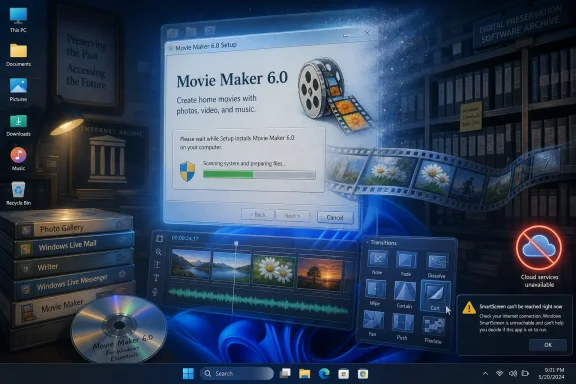
The first thing to say plainly is that Microsoft has not resurrected Windows Movie Maker. The new attention around Movie Maker 6.0 comes from a community upload, not from Redmond, not from the Microsoft Store, and not from a signed re-release wrapped in Windows nostalgia marketing. It is an archival find circulating through the enthusiast web, which is exactly why people are both delighted and nervous.
That distinction matters because Movie Maker has been gone from Microsoft’s official distribution channels for years. Windows Essentials 2012, the suite that later carried Movie Maker alongside Photo Gallery, Mail, Writer, and other once-familiar utilities, reached the end of support on January 10, 2017. Microsoft’s own guidance has long warned that free downloads of Movie Maker from third-party websites are not sanctioned Microsoft products.
The Internet Archive upload is different in reputation from the sludge of “free download” sites that have haunted Windows search results for decades, but it still lives outside Microsoft’s chain of custody. There is no support promise, no patch channel, and no guarantee that every future Windows 11 build will continue to tolerate it. Anyone installing it is stepping into the old enthusiast bargain: you may get the tool you miss, but you inherit the risk yourself.
That has not stopped the excitement, because nostalgia has a way of flattening warnings into background noise. For a certain generation of PC users, Movie Maker was not merely a program. It was the first place a school project became a timeline, a vacation folder became a slideshow, and a teenager discovered that dragging clips around could feel like authorship.
That simplicity was not accidental. Movie Maker emerged from an era when bundled Windows software was expected to teach users by being forgiving. Paint taught image manipulation badly but memorably. Notepad taught plain text by refusing to be clever. Movie Maker taught video editing by presenting the timeline as a craft table rather than a cockpit.
Modern video tools are more powerful, and in many cases they are objectively better. Clipchamp, DaVinci Resolve, Adobe Premiere, CapCut, and countless mobile editors can do work that Movie Maker could never dream of. But power is not the same as approachability, and the modern creator software stack often greets a casual user with account prompts, templates, cloud sync assumptions, subscription tiers, export limitations, and an interface built around the expectation that every video is content.
Movie Maker came from a different expectation: that a home computer should include little creative tools for no grand strategic reason. You did not need to be a creator. You could just be someone with photos, a camcorder file, and an afternoon.
That is why the phrase “it lacks the soul of the original,” however sentimental, lands with so many Windows users. Software does not literally have a soul, but it does have a posture toward the person using it. Movie Maker’s posture was, “You can probably do this.” Too much modern software says, “Create an account and choose a workflow.”
Yet Clipchamp has always had to live with the burden of being Microsoft’s replacement for something people remember fondly. That is an unfair job for any app, but Microsoft made it harder by aligning Clipchamp with the company’s modern service logic. The editor is not merely a local utility; it is part of a web-connected, account-aware, cloud-friendly product strategy.
That strategy is understandable from Microsoft’s side. Video projects are large, users move across devices, Microsoft 365 needs consumer-facing value, and OneDrive is one of the company’s major connective tissues. But from the Windows user’s side, the experience can feel like yet another built-in tool being nudged into the orbit of cloud storage and account dependency.
Recent reporting around Clipchamp has sharpened that concern, especially where OneDrive integration affects project editing. Even when media files can remain local, the sense that a basic Windows video editor is increasingly entangled with Microsoft’s cloud strategy makes users more receptive to an old program that simply runs. Movie Maker’s limitations become part of its charm because they are local, visible, and finite.
This is the core irony. Microsoft has spent years modernizing Windows around services, AI, accounts, and subscriptions, while many users still crave software that behaves like a tool in a drawer. Movie Maker’s sudden revival is a small event, but it exposes a large emotional gap in the Windows ecosystem.
That matters because Windows culture has always been unusually dependent on accumulated layers. A Windows PC is not just the latest operating system. It is decades of expectations about backward compatibility, old file formats, half-remembered utilities, abandoned control panels, and the possibility that some executable from 2006 might still launch if you ask nicely enough.
Movie Maker 6.0 running on Windows 11 fits perfectly into that mythology. It suggests continuity across eras that otherwise feel increasingly severed. The glossy, AI-forward Windows of 2026 can still, somewhere inside, host a video editor associated with Vista-era glass, family slideshows, and YouTube’s early amateur period.
But the Archive is not a substitute for vendor stewardship. It preserves availability; it does not certify safety. A file being downloadable from an archival site does not mean it has been audited, maintained, patched, or adapted for modern threat models. The fact that a nostalgic installer works should not be confused with the idea that it belongs on every production machine.
For hobbyists, retro-computing fans, and people with a spare Windows 11 laptop, that may be an acceptable trade. For enterprise admins, schools, and managed environments, it is almost certainly not. The Archive is a remarkable public good, but IT policy cannot be built on vibes and checksum screenshots.
But reputation warnings are not merely nannying. Modern Windows security is built around the reality that users routinely download executable files from the web, and attackers routinely abuse trust in familiar names. A fake Movie Maker installer is exactly the kind of bait that has worked for years, because it targets people who are emotionally primed to click past doubt.
This is why the safest reading of the Movie Maker upload is neither panic nor blind trust. It is a community artifact that should be handled like one. Verify the source, scan the installer, prefer a test machine or virtual machine, and avoid installing it on a work device or any system that stores sensitive data.
There is also a subtler risk beyond malware. Unsupported software may depend on old components, codecs, libraries, or assumptions about the operating system that no longer hold. It may behave unpredictably with modern media files, high-DPI displays, protected folders, or Windows security features. “It launches” is not the same as “it is fit for every workflow.”
That said, enthusiasts have always occupied the space between “unsupported” and “impossible.” Running old software on new Windows is part of the platform’s folk tradition. The key is remembering that folk traditions are not compliance frameworks.
That does not mean the old model was perfect. Movie Maker was limited, crash-prone for some users, and technologically primitive by modern standards. Its output quality and format support could be frustrating. Serious editors outgrew it quickly.
But the old model had an integrity that users miss. The software was bounded. It did not aspire to become a platform, funnel, marketplace, or AI assistant. It did not try to infer your creator journey. It was an application in the older sense: a thing that applied computing power to a task.
Modern software companies often describe this older style as insufficiently connected or insufficiently intelligent. Sometimes they are right. Cloud sync, collaborative editing, automatic captions, stock libraries, and AI-assisted tools can be genuinely useful. But when every utility becomes a service, users lose the comforting sense that their computer can still do simple things by itself.
Movie Maker’s revival is therefore less about video editing than about locality. It is about the desire for software that lives on the PC, opens without ceremony, and respects the smallness of the task. Not every slideshow needs a growth strategy.
This is not just technical trivia. Backward compatibility is part of why Windows remains central in businesses, labs, schools, repair shops, and hobby spaces. Organizations build workflows around strange old programs. Families keep old creative projects in forgotten formats. Enthusiasts preserve software history by testing whether the past can still execute on the present.
Movie Maker 6.0 is a friendly example of that phenomenon. In enterprise settings, the equivalents are less cute: line-of-business apps, industrial control utilities, medical device software, accounting packages, and custom tools written by someone who retired twelve years ago. Windows keeps a lot of ghosts alive because customers still depend on them.
The catch is that compatibility can be mistaken for endorsement. Windows may allow an old app to run, but that does not mean the app is secure, maintained, or appropriate. Microsoft’s genius and burden is that the same platform that runs the future of Copilot can also run yesterday’s abandoned installer.
That tension defines Windows more than any single Start menu redesign. It is a platform perpetually negotiating with its own past.
The problem is not that Clipchamp exists. The problem is that Microsoft has struggled to make its modern consumer creativity apps feel like gifts rather than funnels. Windows users are especially sensitive to this because the operating system has increasingly become a surface for Microsoft’s larger ecosystem: Edge, Bing, Microsoft accounts, OneDrive, Microsoft 365, Copilot, and now AI features woven through more of the experience.
Movie Maker belongs to a different Microsoft mythos. It evokes an era when Windows bundled modest applications because the PC itself was the product. Those applications were imperfect, but they felt additive. They made the machine seem more capable without asking the user to buy into a broader service relationship.
That memory is selective, of course. Old Windows was also full of bundled cruft, confusing defaults, and Microsoft ecosystem plays. But nostalgia does not require historical purity. It only requires that the remembered experience solved a real emotional problem better than the current one.
For many people, Movie Maker solved the fear of the blank timeline. It made video editing feel silly enough to try. That is harder to replicate than a transition library.
The better approach is methodical. Use a spare machine or virtual machine if possible. Scan the file with reputable tools. Check whether other technically competent users have examined the installer. Keep expectations modest, especially on newer Windows 11 builds where compatibility could change.
For sysadmins, the decision is simpler. This does not belong in a managed fleet unless there is an unusually strong business justification, and even then it should be packaged, tested, isolated, and documented like any other unsupported application. Nostalgia is not a software deployment category.
For home users, the calculus is more personal. If you understand the risks and want to experiment, the old Windows ecosystem has always rewarded curiosity. Just do not confuse curiosity with safety, and do not make your main PC the first place you test a community-uploaded installer.
The broader lesson is that preservation and security often pull in opposite directions. Preservation wants old bits to remain executable. Security wants unknown old bits to be distrusted. A mature Windows culture needs both instincts at once.
Movie Maker is not innocent in any grand historical sense; it was still Microsoft software, still bundled strategically, still part of an ecosystem. But it represents a friendlier compact between user and machine. Open the program. Add media. Make a video. Save it. Leave.
There is a reason retro software stories keep breaking through the noise. They are not only about old icons or pixelated splash screens. They are about the feeling that software once had edges, and that those edges protected the user from business models expanding into every corner of the interface.
That feeling may be exaggerated, but it is not imaginary. Today’s apps are often better engineered and worse behaved. They crash less but ask more. They export higher quality files but demand more identity, telemetry, storage, and patience.
Movie Maker’s appeal is that it asks almost nothing except that you tolerate its limitations. In an age of endlessly improving software that never stops negotiating with you, a limited tool can feel strangely respectful.
But Microsoft should pay attention to what people are responding to. They are not asking for 2009 back in full. They are asking for a first-party Windows video editor that feels local, lightweight, trustworthy, and uncomplicated. They are asking for a creative tool that does not make a simple task feel like onboarding into an ecosystem.
A modern Movie Maker would not need to compete with Premiere, Resolve, or CapCut. It would need to do a few things well: trim clips, arrange photos, add captions, apply simple transitions, record narration, export cleanly, and work offline without drama. It would need to treat cloud sync as an option rather than a premise.
This is a product lesson hiding inside a nostalgia story. Microsoft often thinks in platforms, but some of the most beloved Windows experiences were not platforms at all. They were utilities with personality. They were small enough to understand.
If Windows 11 is going to keep carrying the weight of Microsoft’s AI ambitions, it also needs humane defaults at the other end of the spectrum. Not every user wants the future all at once. Sometimes they want to cut three clips together before dinner.
 Movie Maker Returns as a Ghost, Not a Product
The first thing to say plainly is that Microsoft has not resurrected Windows Movie Maker. The new attention around Movie Maker 6.0 comes from a community upload, not from Redmond, not from the Microsoft Store, and not from a signed re-release wrapped in Windows nostalgia marketing. It is an archival find circulating through the enthusiast web, which is exactly why people are both delighted and nervous.That distinction matters because Movie Maker has been gone from Microsoft’s official distribution channels for years. Windows Essentials 2012, the suite that later carried Movie Maker alongside Photo Gallery, Mail, Writer, and other once-familiar utilities, reached the end of support on January 10, 2017. Microsoft’s own guidance has long warned that free downloads of Movie Maker from third-party websites are not sanctioned Microsoft products.
The Internet Archive upload is different in reputation from the sludge of “free download” sites that have haunted Windows search results for decades, but it still lives outside Microsoft’s chain of custody. There is no support promise, no patch channel, and no guarantee that every future Windows 11 build will continue to tolerate it. Anyone installing it is stepping into the old enthusiast bargain: you may get the tool you miss, but you inherit the risk yourself.
That has not stopped the excitement, because nostalgia has a way of flattening warnings into background noise. For a certain generation of PC users, Movie Maker was not merely a program. It was the first place a school project became a timeline, a vacation folder became a slideshow, and a teenager discovered that dragging clips around could feel like authorship.
The Old Editor Won Because It Knew When to Stop
Movie Maker’s enduring appeal is not hard to understand if you remember what it was actually like to use. It did not ask the user to understand codecs, color spaces, keyframes, LUTs, proxy workflows, or export pipelines. It opened, it imported clips and photos, and it let ordinary people make something that looked enough like a video to share with family, classmates, or the early internet.That simplicity was not accidental. Movie Maker emerged from an era when bundled Windows software was expected to teach users by being forgiving. Paint taught image manipulation badly but memorably. Notepad taught plain text by refusing to be clever. Movie Maker taught video editing by presenting the timeline as a craft table rather than a cockpit.
Modern video tools are more powerful, and in many cases they are objectively better. Clipchamp, DaVinci Resolve, Adobe Premiere, CapCut, and countless mobile editors can do work that Movie Maker could never dream of. But power is not the same as approachability, and the modern creator software stack often greets a casual user with account prompts, templates, cloud sync assumptions, subscription tiers, export limitations, and an interface built around the expectation that every video is content.
Movie Maker came from a different expectation: that a home computer should include little creative tools for no grand strategic reason. You did not need to be a creator. You could just be someone with photos, a camcorder file, and an afternoon.
That is why the phrase “it lacks the soul of the original,” however sentimental, lands with so many Windows users. Software does not literally have a soul, but it does have a posture toward the person using it. Movie Maker’s posture was, “You can probably do this.” Too much modern software says, “Create an account and choose a workflow.”
Microsoft Replaced the App but Not the Feeling
Microsoft’s official answer to consumer video editing is now Clipchamp, which the company acquired in 2021 and made part of the Windows 11 experience. Clipchamp is not a bad tool. It is far more capable than Movie Maker in obvious ways, including templates, stock assets, browser access, multi-layer editing, and more modern export assumptions.Yet Clipchamp has always had to live with the burden of being Microsoft’s replacement for something people remember fondly. That is an unfair job for any app, but Microsoft made it harder by aligning Clipchamp with the company’s modern service logic. The editor is not merely a local utility; it is part of a web-connected, account-aware, cloud-friendly product strategy.
That strategy is understandable from Microsoft’s side. Video projects are large, users move across devices, Microsoft 365 needs consumer-facing value, and OneDrive is one of the company’s major connective tissues. But from the Windows user’s side, the experience can feel like yet another built-in tool being nudged into the orbit of cloud storage and account dependency.
Recent reporting around Clipchamp has sharpened that concern, especially where OneDrive integration affects project editing. Even when media files can remain local, the sense that a basic Windows video editor is increasingly entangled with Microsoft’s cloud strategy makes users more receptive to an old program that simply runs. Movie Maker’s limitations become part of its charm because they are local, visible, and finite.
This is the core irony. Microsoft has spent years modernizing Windows around services, AI, accounts, and subscriptions, while many users still crave software that behaves like a tool in a drawer. Movie Maker’s sudden revival is a small event, but it exposes a large emotional gap in the Windows ecosystem.
The Internet Archive Has Become the Unofficial Attic of Windows Culture
The Internet Archive’s role in this story is not incidental. For Windows enthusiasts, the Archive has become a kind of unofficial attic: drivers, abandonware, manuals, ISO images, utilities, demo discs, and installers that no longer exist in vendor download centers can often be found there. It is messy, imperfect, and legally complicated in places, but it is also one of the few reasons computing history remains usable rather than merely remembered.That matters because Windows culture has always been unusually dependent on accumulated layers. A Windows PC is not just the latest operating system. It is decades of expectations about backward compatibility, old file formats, half-remembered utilities, abandoned control panels, and the possibility that some executable from 2006 might still launch if you ask nicely enough.
Movie Maker 6.0 running on Windows 11 fits perfectly into that mythology. It suggests continuity across eras that otherwise feel increasingly severed. The glossy, AI-forward Windows of 2026 can still, somewhere inside, host a video editor associated with Vista-era glass, family slideshows, and YouTube’s early amateur period.
But the Archive is not a substitute for vendor stewardship. It preserves availability; it does not certify safety. A file being downloadable from an archival site does not mean it has been audited, maintained, patched, or adapted for modern threat models. The fact that a nostalgic installer works should not be confused with the idea that it belongs on every production machine.
For hobbyists, retro-computing fans, and people with a spare Windows 11 laptop, that may be an acceptable trade. For enterprise admins, schools, and managed environments, it is almost certainly not. The Archive is a remarkable public good, but IT policy cannot be built on vibes and checksum screenshots.
SmartScreen Is Not the Villain in This Story
One predictable friction point is Windows itself. Old installers from community archives may trigger SmartScreen, Defender, or other reputation-based warnings, especially if the files are unsigned, rarely downloaded, or associated with software no longer distributed by the original vendor. To the nostalgic user, that can feel like Windows getting in the way of harmless fun.But reputation warnings are not merely nannying. Modern Windows security is built around the reality that users routinely download executable files from the web, and attackers routinely abuse trust in familiar names. A fake Movie Maker installer is exactly the kind of bait that has worked for years, because it targets people who are emotionally primed to click past doubt.
This is why the safest reading of the Movie Maker upload is neither panic nor blind trust. It is a community artifact that should be handled like one. Verify the source, scan the installer, prefer a test machine or virtual machine, and avoid installing it on a work device or any system that stores sensitive data.
There is also a subtler risk beyond malware. Unsupported software may depend on old components, codecs, libraries, or assumptions about the operating system that no longer hold. It may behave unpredictably with modern media files, high-DPI displays, protected folders, or Windows security features. “It launches” is not the same as “it is fit for every workflow.”
That said, enthusiasts have always occupied the space between “unsupported” and “impossible.” Running old software on new Windows is part of the platform’s folk tradition. The key is remembering that folk traditions are not compliance frameworks.
Movie Maker’s Survival Is a Rebuke to Disposable Software
The reason this story resonates is not simply that people like old things. It is that Movie Maker represents a form of software ownership that has become rarer. You installed it, used it offline, learned its quirks, and expected that your relationship with it was not mediated by a subscription plan, a cloud sync toggle, or a changing web backend.That does not mean the old model was perfect. Movie Maker was limited, crash-prone for some users, and technologically primitive by modern standards. Its output quality and format support could be frustrating. Serious editors outgrew it quickly.
But the old model had an integrity that users miss. The software was bounded. It did not aspire to become a platform, funnel, marketplace, or AI assistant. It did not try to infer your creator journey. It was an application in the older sense: a thing that applied computing power to a task.
Modern software companies often describe this older style as insufficiently connected or insufficiently intelligent. Sometimes they are right. Cloud sync, collaborative editing, automatic captions, stock libraries, and AI-assisted tools can be genuinely useful. But when every utility becomes a service, users lose the comforting sense that their computer can still do simple things by itself.
Movie Maker’s revival is therefore less about video editing than about locality. It is about the desire for software that lives on the PC, opens without ceremony, and respects the smallness of the task. Not every slideshow needs a growth strategy.
The Windows 11 Angle Is Compatibility as Cultural Memory
Windows 11’s ability to run Movie Maker 6.0, if the reports hold broadly, is a reminder that Microsoft’s compatibility story remains one of its strongest cultural assets. Windows users complain, often justifiably, about updates, UI churn, settings migrations, ads, account prompts, and hardware requirements. But the platform’s willingness to run old Win32 software is still a powerful differentiator.This is not just technical trivia. Backward compatibility is part of why Windows remains central in businesses, labs, schools, repair shops, and hobby spaces. Organizations build workflows around strange old programs. Families keep old creative projects in forgotten formats. Enthusiasts preserve software history by testing whether the past can still execute on the present.
Movie Maker 6.0 is a friendly example of that phenomenon. In enterprise settings, the equivalents are less cute: line-of-business apps, industrial control utilities, medical device software, accounting packages, and custom tools written by someone who retired twelve years ago. Windows keeps a lot of ghosts alive because customers still depend on them.
The catch is that compatibility can be mistaken for endorsement. Windows may allow an old app to run, but that does not mean the app is secure, maintained, or appropriate. Microsoft’s genius and burden is that the same platform that runs the future of Copilot can also run yesterday’s abandoned installer.
That tension defines Windows more than any single Start menu redesign. It is a platform perpetually negotiating with its own past.
Clipchamp Has the Features, but Movie Maker Has the Myth
It is tempting to frame this as a simple contest: Movie Maker good, Clipchamp bad. That would be satisfying, but it would also be lazy. Clipchamp can do many things Movie Maker cannot, and many users who give it a fair chance will produce better-looking videos faster than they could with the old tool.The problem is not that Clipchamp exists. The problem is that Microsoft has struggled to make its modern consumer creativity apps feel like gifts rather than funnels. Windows users are especially sensitive to this because the operating system has increasingly become a surface for Microsoft’s larger ecosystem: Edge, Bing, Microsoft accounts, OneDrive, Microsoft 365, Copilot, and now AI features woven through more of the experience.
Movie Maker belongs to a different Microsoft mythos. It evokes an era when Windows bundled modest applications because the PC itself was the product. Those applications were imperfect, but they felt additive. They made the machine seem more capable without asking the user to buy into a broader service relationship.
That memory is selective, of course. Old Windows was also full of bundled cruft, confusing defaults, and Microsoft ecosystem plays. But nostalgia does not require historical purity. It only requires that the remembered experience solved a real emotional problem better than the current one.
For many people, Movie Maker solved the fear of the blank timeline. It made video editing feel silly enough to try. That is harder to replicate than a transition library.
The Security Lesson Is Boring, Which Makes It Important
The practical advice around this upload is not glamorous. Do not download random executables because a viral post made them charming. Do not install unsupported software on a work machine. Do not assume that an archive label, a familiar app name, or a wave of positive replies proves safety.The better approach is methodical. Use a spare machine or virtual machine if possible. Scan the file with reputable tools. Check whether other technically competent users have examined the installer. Keep expectations modest, especially on newer Windows 11 builds where compatibility could change.
For sysadmins, the decision is simpler. This does not belong in a managed fleet unless there is an unusually strong business justification, and even then it should be packaged, tested, isolated, and documented like any other unsupported application. Nostalgia is not a software deployment category.
For home users, the calculus is more personal. If you understand the risks and want to experiment, the old Windows ecosystem has always rewarded curiosity. Just do not confuse curiosity with safety, and do not make your main PC the first place you test a community-uploaded installer.
The broader lesson is that preservation and security often pull in opposite directions. Preservation wants old bits to remain executable. Security wants unknown old bits to be distrusted. A mature Windows culture needs both instincts at once.
The Real Download Is a Memory of Windows Before Everything Became a Service
Movie Maker’s brief return to public attention arrives at a moment when Windows users are increasingly skeptical of Microsoft’s intentions inside its own operating system. That skepticism is not always fair, but it is understandable. The more Windows feels like a delivery vehicle for cloud services, subscriptions, recommendations, and AI prompts, the more users cherish old tools that seem innocent by comparison.Movie Maker is not innocent in any grand historical sense; it was still Microsoft software, still bundled strategically, still part of an ecosystem. But it represents a friendlier compact between user and machine. Open the program. Add media. Make a video. Save it. Leave.
There is a reason retro software stories keep breaking through the noise. They are not only about old icons or pixelated splash screens. They are about the feeling that software once had edges, and that those edges protected the user from business models expanding into every corner of the interface.
That feeling may be exaggerated, but it is not imaginary. Today’s apps are often better engineered and worse behaved. They crash less but ask more. They export higher quality files but demand more identity, telemetry, storage, and patience.
Movie Maker’s appeal is that it asks almost nothing except that you tolerate its limitations. In an age of endlessly improving software that never stops negotiating with you, a limited tool can feel strangely respectful.
The Fine Print Is the Story Microsoft Should Notice
The rediscovery of Movie Maker 6.0 should not send Microsoft scrambling to re-release the exact old app. That would be cute for a week and irresponsible after that. The code is old, the assumptions are old, and the media world has moved on.But Microsoft should pay attention to what people are responding to. They are not asking for 2009 back in full. They are asking for a first-party Windows video editor that feels local, lightweight, trustworthy, and uncomplicated. They are asking for a creative tool that does not make a simple task feel like onboarding into an ecosystem.
A modern Movie Maker would not need to compete with Premiere, Resolve, or CapCut. It would need to do a few things well: trim clips, arrange photos, add captions, apply simple transitions, record narration, export cleanly, and work offline without drama. It would need to treat cloud sync as an option rather than a premise.
This is a product lesson hiding inside a nostalgia story. Microsoft often thinks in platforms, but some of the most beloved Windows experiences were not platforms at all. They were utilities with personality. They were small enough to understand.
If Windows 11 is going to keep carrying the weight of Microsoft’s AI ambitions, it also needs humane defaults at the other end of the spectrum. Not every user wants the future all at once. Sometimes they want to cut three clips together before dinner.
A Viral Installer Reveals the Shape of the Demand
The Movie Maker 6.0 upload is not a mass-market software launch, but the reaction around it says something useful about Windows users in 2026. The demand is not merely for old software; it is for software that restores a lost relationship with the PC. That is why a community archive item can generate more warmth than an officially maintained app with far more features.- Windows Movie Maker 6.0 can reportedly run on Windows 11, but the current download attracting attention is a community upload rather than a Microsoft-supported release.
- Microsoft ended support for Windows Essentials 2012 on January 10, 2017, and has not brought Movie Maker back through official Windows channels.
- Clipchamp is Microsoft’s current video editor for Windows, but its cloud-connected design gives it a different feel from the old local-first Movie Maker experience.
- Users who experiment with the archived installer should treat it as unsupported software and avoid installing it on sensitive, managed, or production systems.
- The enthusiasm around Movie Maker shows that Windows still needs simple, offline-capable creative tools that feel like part of the PC rather than part of a service funnel.
References
- Primary source: Neowin
Published: 2026-07-01T16:10:36.187483
Loading…
www.neowin.net - Official source: support.microsoft.com
Loading…
support.microsoft.com - Related coverage: howtogeek.com
Loading…
www.howtogeek.com - Related coverage: digitaltrends.com
Loading…
www.digitaltrends.com - Related coverage: techcrunch.com
Microsoft acquires video creation and editing software maker Clipchamp | TechCrunch
Video editing software may become the next big addition to Microsoft's suite of productivity tools. On Tuesday, Microsoft announced it's acquiringtechcrunch.com - Official source: learn.microsoft.com
Loading…
learn.microsoft.com