

A small but frustrating Apple Watch change has turned into a sharp lesson in the limits of long-term wearable support: the older standalone Shazam app can disappear from an Apple Watch without leaving an equivalent replacement for every owner. For people using an original Apple Watch SE, Apple Watch Series 5, or an older model, a formerly convenient music-recognition complication may now be gone from the watch face, the app list, and the iPhone Watch app’s installation options.
The immediate solution is straightforward only for watches capable of running watchOS 11 or later. Apple now provides a replacement called Shazam Music Recognition, also referred to on some Apple Watch interfaces as Music Recognition. It can identify songs, retain recognition history, offer playback and Apple Music handoff options, and provide a watch-face complication.
The problem is that the replacement is not backward-compatible with every Apple Watch that previously supported the classic Shazam watch app. That leaves owners of otherwise functional hardware with a reduced feature set, even when the watch continues to handle notifications, workouts, weather, payments, calls, and the rest of its everyday workload perfectly well.
For Windows users accustomed to the long tail of legacy software support, the situation will feel familiar. A supported device can remain technically operational while an app ecosystem change quietly removes one of the features that made it useful in the first place.
The key distinction is between the old Shazam Apple Watch app and Apple’s newer Shazam Music Recognition implementation.
For years, Shazam operated as a recognizable standalone Apple Watch application. Users could open it from the app grid, launch it from a complication on a preferred watch face, identify a track with a tap, and later revisit the result on the paired iPhone. It was a simple, focused use of a smartwatch: hear a song in a shop, bar, gym, TV show, or public space, then identify it without fishing an iPhone out of a pocket.
That original watch app appears to have been withdrawn from at least some older Apple Watch installations. When this occurs, the signs are unusually stark:
That distinction matters. Troubleshooting steps such as restarting the Apple Watch, restarting the iPhone, removing and re-adding a watch face, or toggling automatic app installation may help if an app has merely failed to sync. They cannot restore an app binary that is no longer available for the version of watchOS on the device.
On an eligible Apple Watch, Shazam Music Recognition supports the core features people expect:
The issue is not that the new tool lacks features. The issue is that the migration path excludes a significant group of existing Apple Watch owners.
watchOS 11 supports:
That means an owner can have a perfectly serviceable Apple Watch released only a few years ago and still be unable to install Apple’s current Shazam Music Recognition app.
That does not make the old device useless. It does, however, mean its functionality becomes less predictable over time.
For an app like Shazam, the difference is especially visible because its entire appeal is immediacy. A user does not want to navigate through a chain of menus, grab a phone, unlock it, and open an app while a song is ending. The old Apple Watch complication solved that problem elegantly. Removing it changes the day-to-day experience far more than a technical compatibility table might suggest.
The most reliable approach is to use the Apple Watch itself rather than assuming the iPhone Watch app will surface the app automatically.
With music playing nearby, raise the wrist and say a command such as:
This is not a perfect substitute for the old app.
A complication is silent, predictable, and discreet. It works in loud rooms, meetings, shops, public transport, and any situation where speaking to a wrist feels awkward or impractical. Voice recognition can also be less effective if the user needs to avoid accidental activation, if Siri is disabled, or if the watch cannot access the necessary connectivity.
Still, for affected users, Siri may be the quickest way to retain at least some on-wrist song identification without buying new hardware.
That is precisely why the situation feels unreasonable to owners of older models. The function was previously working, the device remains otherwise usable, and the replacement exists. The only barrier is the compatibility line Apple has chosen to enforce.
A smartwatch is at its best when it removes friction from small, frequent tasks. Its value is often the sum of dozens of tiny conveniences:
When a platform operator removes a lightweight, high-frequency feature from older hardware, it changes the perceived lifespan of that hardware. The watch may still function, but it becomes a little less tailored to the owner’s habits.
That effect should not be underestimated.
The strategy itself is sensible. The execution becomes problematic when the transition removes an existing path before older hardware has a functionally equivalent replacement.
That distinction matters. Missing a new on-device AI function is one thing. Losing an installed music-recognition shortcut that was already part of a daily routine is another.
A more transparent process would include:
That perception grows stronger when the rest of the device remains adequate. An original Apple Watch SE can still cover the core needs of many people. Asking its owner to replace it principally to regain rapid song recognition feels disproportionate.
Buyers do not merely own hardware. They rely on:
The ideal approach would have included a maintained legacy watchOS build with only the essential functionality:
A second-best approach would have been to build a lighter system-level Music Recognition control for older watchOS versions. Even if it lacked Smart Stack integration, Apple Music playback controls, or full history synchronization, a reliable one-tap recognition complication would have addressed the real-world need.
Instead, affected owners face an abrupt binary choice: accept the loss, rely on Siri where possible, use the iPhone, or buy a newer Apple Watch.
If the device is an Apple Watch Series 6 or later, Apple Watch SE (2nd generation) or later, or any Apple Watch Ultra, install Shazam Music Recognition from the App Store on the watch itself. Then restore quick access by adding its complication to the preferred watch face or placing Music Recognition in Smart Stack.
If the device is an original Apple Watch SE, Apple Watch Series 5, or older, it cannot run watchOS 11 and therefore cannot install the current replacement. Checking the Watch app and App Store is still worthwhile, but a missing listing is likely a compatibility limitation rather than an installation failure.
Siri music recognition may remain a workable fallback in supported regions and languages. It is less immediate than a complication, but it can preserve the essential ability to ask what is playing without reaching for an iPhone.
The larger frustration is entirely justified. An older Apple Watch does not suddenly become incapable of telling the time, logging activity, displaying notifications, or recognizing a song because a new app name exists. Yet software distribution decisions can make it feel older overnight.
Apple’s modern Shazam Music Recognition app is a capable replacement for current hardware. For legacy Apple Watch owners, however, it is not a replacement at all.
The immediate solution is straightforward only for watches capable of running watchOS 11 or later. Apple now provides a replacement called Shazam Music Recognition, also referred to on some Apple Watch interfaces as Music Recognition. It can identify songs, retain recognition history, offer playback and Apple Music handoff options, and provide a watch-face complication.
The problem is that the replacement is not backward-compatible with every Apple Watch that previously supported the classic Shazam watch app. That leaves owners of otherwise functional hardware with a reduced feature set, even when the watch continues to handle notifications, workouts, weather, payments, calls, and the rest of its everyday workload perfectly well.
For Windows users accustomed to the long tail of legacy software support, the situation will feel familiar. A supported device can remain technically operational while an app ecosystem change quietly removes one of the features that made it useful in the first place.
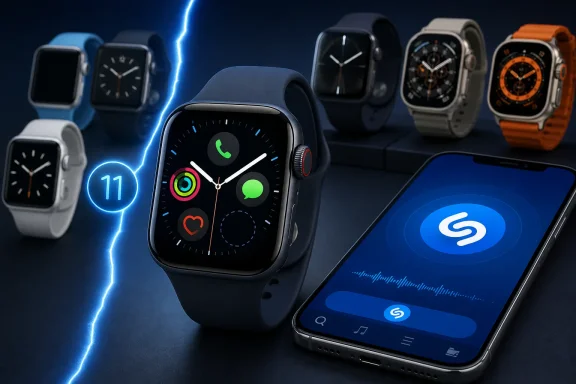 What Happened to Shazam on Apple Watch?
The key distinction is between the old Shazam Apple Watch app and Apple’s newer Shazam Music Recognition implementation.For years, Shazam operated as a recognizable standalone Apple Watch application. Users could open it from the app grid, launch it from a complication on a preferred watch face, identify a track with a tap, and later revisit the result on the paired iPhone. It was a simple, focused use of a smartwatch: hear a song in a shop, bar, gym, TV show, or public space, then identify it without fishing an iPhone out of a pocket.
That original watch app appears to have been withdrawn from at least some older Apple Watch installations. When this occurs, the signs are unusually stark:
- The Shazam complication vanishes from a watch face.
- Shazam no longer appears as an available complication when editing the face.
- The app disappears from the Apple Watch app grid or list view.
- The iPhone’s Watch app no longer shows Shazam under available applications.
- Searching for the original Shazam app does not restore a compatible Apple Watch version.
That distinction matters. Troubleshooting steps such as restarting the Apple Watch, restarting the iPhone, removing and re-adding a watch face, or toggling automatic app installation may help if an app has merely failed to sync. They cannot restore an app binary that is no longer available for the version of watchOS on the device.
The Replacement: Shazam Music Recognition
Apple’s modern answer is Shazam Music Recognition, a dedicated Apple Watch experience designed around the music-identification technology Apple acquired years ago. It is not simply a renamed icon in the old iPhone Shazam app. It is a distinct watch-focused application with its own compatibility requirements.On an eligible Apple Watch, Shazam Music Recognition supports the core features people expect:
- Identifying music playing nearby with a single tap.
- Accessing recently recognized songs on the watch.
- Saving discoveries to Shazam history.
- Opening recognized tracks in Apple Music.
- Adding songs to an Apple Music library or playlist.
- Using a watch-face complication for rapid access.
- Using Siri to ask what song is playing.
- Adding a Music Recognition control to the Apple Watch Smart Stack.
The issue is not that the new tool lacks features. The issue is that the migration path excludes a significant group of existing Apple Watch owners.
The Critical Compatibility Divide
The replacement app requires watchOS 11 or later. That requirement is the deciding factor.watchOS 11 supports:
- Apple Watch Series 6 and later
- Apple Watch SE (2nd generation) and later
- All Apple Watch Ultra models
- Apple Watch Series 5
- Apple Watch Series 4
- Apple Watch Series 3
- Original Apple Watch SE, released in 2020
- Earlier Apple Watch generations
That means an owner can have a perfectly serviceable Apple Watch released only a few years ago and still be unable to install Apple’s current Shazam Music Recognition app.
Why the Original Apple Watch SE Is Affected
The first-generation Apple Watch SE was a capable mainstream smartwatch. Its hardware remains sufficient for many ordinary tasks:- Timekeeping and alarms
- Notifications and messaging
- Workout tracking
- Heart-rate monitoring
- GPS-based activity recording
- Apple Pay
- Weather updates
- Music controls
- Basic app usage
- Watch-face complications
That does not make the old device useless. It does, however, mean its functionality becomes less predictable over time.
For an app like Shazam, the difference is especially visible because its entire appeal is immediacy. A user does not want to navigate through a chain of menus, grab a phone, unlock it, and open an app while a song is ending. The old Apple Watch complication solved that problem elegantly. Removing it changes the day-to-day experience far more than a technical compatibility table might suggest.
How to Get Shazam Back on a Compatible Apple Watch
If the Apple Watch supports watchOS 11 or a later release, the practical fix is to install Shazam Music Recognition directly on the watch.The most reliable approach is to use the Apple Watch itself rather than assuming the iPhone Watch app will surface the app automatically.
Install Shazam Music Recognition From the Watch
- Press the Digital Crown to open the app list.
- Open the App Store on the Apple Watch.
- Select Search.
- Search for Shazam Music Recognition.
- Open the listing and select Get.
- Confirm the download by double-clicking the side button if prompted.
- Wait for the installation to complete.
- Open the newly installed app and allow any required permissions.
Add the Shazam Complication Back to a Watch Face
Once installed, Shazam Music Recognition should become available as a complication option on compatible watch faces.- Touch and hold the active watch face.
- Select Edit.
- Swipe to the Complications screen.
- Select the complication position that previously held Shazam.
- Browse the available entries for Shazam Music Recognition or Music Recognition.
- Select it and press the Digital Crown to save the changes.
Add Music Recognition to Smart Stack
The watch-face complication remains the fastest method for many users, but Smart Stack offers another route.- From the watch face, turn the Digital Crown upward or swipe upward to open Smart Stack.
- Scroll to the bottom and choose Edit.
- Select the plus button to add a widget.
- Locate Music Recognition.
- Add the Shazam recognition widget.
- Arrange it in a convenient position.
Siri Remains the Most Important Fallback
Even when a dedicated Shazam complication is missing, Siri music recognition may still provide a partial workaround on older Apple Watches, depending on the device, watchOS version, language, region, and Siri availability.With music playing nearby, raise the wrist and say a command such as:
or:“Hey Siri, what song is this?”
If the feature is available, Siri listens, identifies the track using Shazam technology, and presents the result. It can also save recognition activity into the wider Apple ecosystem when account and Shazam syncing settings are configured appropriately.“Hey Siri, identify this song.”
This is not a perfect substitute for the old app.
A complication is silent, predictable, and discreet. It works in loud rooms, meetings, shops, public transport, and any situation where speaking to a wrist feels awkward or impractical. Voice recognition can also be less effective if the user needs to avoid accidental activation, if Siri is disabled, or if the watch cannot access the necessary connectivity.
Still, for affected users, Siri may be the quickest way to retain at least some on-wrist song identification without buying new hardware.
What Older Apple Watch Owners Can and Cannot Do
For people using an original Apple Watch SE, Series 5, Series 4, or earlier model, the uncomfortable truth is that there may be no supported way to reinstall the legacy Shazam watch app once it has been removed.Steps Worth Trying First
Before assuming the feature is permanently gone, perform a basic check:- Restart both the Apple Watch and the paired iPhone.
- Confirm that the watch is connected to Wi-Fi, cellular service, or the paired iPhone.
- Open the iPhone’s Watch app.
- Scroll to Available Apps and look for Shazam.
- Check the Apple Watch App Store for Shazam Music Recognition.
- Edit the watch face and search complication choices for Shazam or Music Recognition.
- Confirm the exact Apple Watch model and watchOS version in Settings > General > About.
What Will Not Solve the Problem
Several time-consuming measures are unlikely to help if the old watchOS app is no longer distributed:- Unpairing and re-pairing the Apple Watch.
- Erasing and restoring the watch from backup.
- Reinstalling the iPhone Shazam app repeatedly.
- Changing the Apple Watch app layout.
- Resetting watch-face settings.
- Updating to the latest version of the watchOS release the device supports.
That is precisely why the situation feels unreasonable to owners of older models. The function was previously working, the device remains otherwise usable, and the replacement exists. The only barrier is the compatibility line Apple has chosen to enforce.
Why This Is More Than a Minor Missing App
Shazam is not a critical health or safety feature. Losing it will not stop an Apple Watch from tracking a run, receiving a message, or calling emergency services. But treating the removal as trivial misses what makes wearables valuable.A smartwatch is at its best when it removes friction from small, frequent tasks. Its value is often the sum of dozens of tiny conveniences:
- Checking a meeting without unlocking a phone.
- Starting a timer while cooking.
- Viewing a delivery alert while carrying bags.
- Using a boarding pass at the airport.
- Skipping a song while running.
- Identifying music at the exact moment it is heard.
When a platform operator removes a lightweight, high-frequency feature from older hardware, it changes the perceived lifespan of that hardware. The watch may still function, but it becomes a little less tailored to the owner’s habits.
That effect should not be underestimated.
The Strengths of Apple’s New Music Recognition Approach
There is a positive technical case for consolidating Shazam into a first-party Music Recognition experience.Better System Integration
A dedicated Apple service can tie recognition results more closely into Apple Music, Siri, Smart Stack, and system-wide discovery history. The user does not need to manage a separate watch app in the same way, and Apple can design the experience around current watchOS conventions.More Routes to the Same Feature
A modern Apple Watch user can identify music through several entry points:- The Shazam Music Recognition app
- A complication
- Siri
- Smart Stack
- Other Apple-device music-recognition controls
A More Consistent Product Identity
Apple has increasingly positioned Shazam not merely as a branded app but as a music-recognition capability spread throughout its device ecosystem. That reflects how many people already use it: as a utility embedded in the operating system rather than as a destination app they browse every day.The strategy itself is sensible. The execution becomes problematic when the transition removes an existing path before older hardware has a functionally equivalent replacement.
The Risks of Silent Feature Retirement
The Shazam change exposes several wider risks for Apple Watch owners and the broader wearable market.A Device Can Lose Value After Purchase
Consumers typically understand that an old device will miss future headline features. They may not expect an existing function to vanish after years of successful use.That distinction matters. Missing a new on-device AI function is one thing. Losing an installed music-recognition shortcut that was already part of a daily routine is another.
Compatibility Notices Are Often Too Easy to Miss
An App Store listing may state that a newer app requires a certain watchOS version, but that information is not always presented at the point when a legacy app is withdrawn. Users often discover the dependency only after an icon vanishes.A more transparent process would include:
- A clear in-app warning before removal.
- An explanation of the replacement app’s requirements.
- Confirmation of whether Siri remains available.
- A way to preserve the prior version where technically feasible.
- A direct notice in the Watch app, not just an App Store compatibility label.
Forced Upgrades Can Feel Artificial
Apple Watch hardware is highly integrated, and operating-system support naturally has limits. Still, when the lost feature is modest in resource demands, customers can interpret its removal as a nudge toward replacement rather than a technical necessity.That perception grows stronger when the rest of the device remains adequate. An original Apple Watch SE can still cover the core needs of many people. Asking its owner to replace it principally to regain rapid song recognition feels disproportionate.
App Dependency Is an Ownership Risk
The broader lesson is not unique to Apple. Smartwatches, phones, smart-home products, cars, game consoles, and cloud-connected accessories increasingly depend on services that can change after purchase.Buyers do not merely own hardware. They rely on:
- Operating-system support windows
- App-store availability
- Server-side services
- API compatibility
- Account requirements
- Developer maintenance decisions
- Branding and product consolidation plans
A Better Transition Would Have Been Possible
Apple could have handled the Shazam migration in a more customer-friendly way without abandoning its newer Music Recognition direction.The ideal approach would have included a maintained legacy watchOS build with only the essential functionality:
- Tap to recognize a song.
- Display the title and artist.
- Save a recognition result.
- Provide the complication.
- Offer a message explaining that advanced features require a newer Apple Watch.
A second-best approach would have been to build a lighter system-level Music Recognition control for older watchOS versions. Even if it lacked Smart Stack integration, Apple Music playback controls, or full history synchronization, a reliable one-tap recognition complication would have addressed the real-world need.
Instead, affected owners face an abrupt binary choice: accept the loss, rely on Siri where possible, use the iPhone, or buy a newer Apple Watch.
The Practical Bottom Line
For Apple Watch owners who have noticed Shazam disappear, the answer depends entirely on the watch model.If the device is an Apple Watch Series 6 or later, Apple Watch SE (2nd generation) or later, or any Apple Watch Ultra, install Shazam Music Recognition from the App Store on the watch itself. Then restore quick access by adding its complication to the preferred watch face or placing Music Recognition in Smart Stack.
If the device is an original Apple Watch SE, Apple Watch Series 5, or older, it cannot run watchOS 11 and therefore cannot install the current replacement. Checking the Watch app and App Store is still worthwhile, but a missing listing is likely a compatibility limitation rather than an installation failure.
Siri music recognition may remain a workable fallback in supported regions and languages. It is less immediate than a complication, but it can preserve the essential ability to ask what is playing without reaching for an iPhone.
The larger frustration is entirely justified. An older Apple Watch does not suddenly become incapable of telling the time, logging activity, displaying notifications, or recognizing a song because a new app name exists. Yet software distribution decisions can make it feel older overnight.
Apple’s modern Shazam Music Recognition app is a capable replacement for current hardware. For legacy Apple Watch owners, however, it is not a replacement at all.
References
- Primary source: stuff.tv
Published: 2026-07-23T12:26:22+00:00
Loading…
www.stuff.tv - Official source: apps.apple.com
Loading…
apps.apple.com - Official source: support.apple.com
Loading…
support.apple.com - Related coverage: iphonelife.com
Loading…
www.iphonelife.com - Official source: apple.com
Loading…
www.apple.com - Official source: images.apple.com
Loading…
images.apple.com