

Ventoy’s latest update lands at a particularly sensitive moment for Windows boot security, refining the tool’s Secure Boot handling just as the long-planned replacement of aging Microsoft UEFI certificates becomes a practical concern for Windows 10 and Windows 11 users. Version 1.1.17 does not change Windows 11’s official hardware requirements, nor does it remove the need for compatible UEFI firmware, but it could make a widely used multiboot USB tool more dependable on systems navigating the Secure Boot certificate transition.
For Windows enthusiasts, administrators, repair technicians, and anyone maintaining a library of Windows installation images, this is more than a routine compatibility update. Ventoy sits directly in the path between a PC’s firmware and the operating system image being launched. When trust certificates, bootloaders, shims, and firmware policies change, a small implementation detail in a USB boot utility can become the difference between a smooth deployment and an unexpected boot failure.
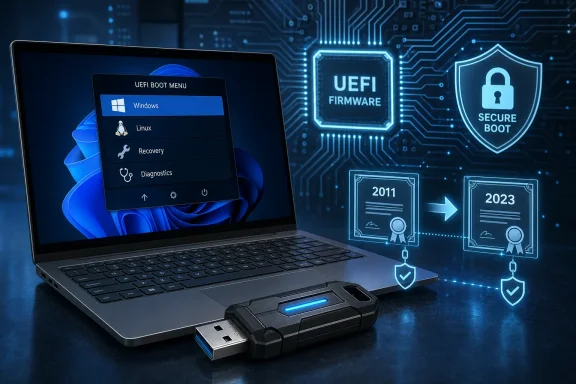
The key phrase in the Ventoy 1.1.17 changelog is deceptively brief: “Optimization for Secure Boot process.” The project has not published a granular technical breakdown of what that optimization changes internally. Still, its timing follows a rapid series of Secure Boot-focused releases and aligns with Microsoft’s ongoing move from older 2011 Secure Boot certificates to newer 2023 certificates.
That makes the update relevant to anyone who relies on bootable USB media for Windows installation, Windows recovery, Linux troubleshooting, virtual machine deployment, or cross-platform system maintenance.
Ventoy 1.1.17 includes several practical fixes and additions, but Secure Boot is the most important Windows-facing component of the release. The complete change list includes:
However, Secure Boot is distinct from most compatibility issues. A failure involving a specific Linux distribution, shell environment, or boot menu setting may affect a narrow set of users. A Secure Boot issue can affect the fundamental ability to start removable media on a modern PC that is otherwise functioning correctly.
That is especially important in a Windows ecosystem where OEM systems increasingly ship with UEFI configurations that assume Secure Boot will remain enabled.
Rufus typically writes a selected ISO image to a USB drive in a bootable format. When users want a different operating system installer or recovery image, they often return to Rufus, choose another ISO, and rewrite the drive. Rufus has become particularly popular with Windows users because it offers extensive options for Windows installation media, including ways to adjust setup behavior where supported.
Ventoy takes another approach. It installs its own boot environment onto a USB drive and then treats the remaining storage as a place to copy image files. Instead of rewriting the entire USB drive every time, users can place multiple files on the drive and select one from Ventoy’s startup menu.
A typical Ventoy drive might contain:
Ventoy reduces that friction by separating the creation of the bootable drive from the management of its images.
The advantages are straightforward:
The basic goal is simple: stop bootkits, rootkits, and other pre-OS malware from inserting themselves before Windows security controls are active.
Windows 11 lists Secure Boot capability among its minimum system requirements. In practice, Windows 11 can still operate on many systems with Secure Boot disabled, and some installation paths do not actively enforce it in every scenario. But the hardware must generally support UEFI and Secure Boot for a system to qualify under Microsoft’s formal baseline.
That distinction matters.
Secure Boot capable does not mean Secure Boot enabled. A PC may have a compatible UEFI implementation while the feature is turned off. Another PC may have Secure Boot enabled but lack the third-party certificate trust configuration needed to boot a utility such as Ventoy.
Ventoy therefore occupies a complicated position. It must be flexible enough to boot many kinds of operating system images, while also working on firmware that validates signatures before it permits code to execute.
The sequence broadly works like this:
Ventoy’s own documentation also notes that some systems require the UEFI firmware setting commonly labeled Allow Microsoft 3rd Party UEFI CA. The exact wording varies by motherboard and laptop manufacturer, but the implication is the same: the firmware must trust the certificate chain that allows third-party bootloaders to participate.
This is not merely a checkbox for enthusiasts. It is an intentional trade-off between broader boot compatibility and a narrower set of trusted boot components.
Many PCs have historically relied on Secure Boot certificates issued in 2011. Those certificates reached the end of their intended lifecycle in June 2026. Microsoft has been rolling out updated certificates to supported Windows devices, but the transition is not a simple background update in every environment.
The migration can involve interactions among:
For IT administrators, the stakes are higher. A certificate update that does not apply cleanly can potentially result in Secure Boot validation errors, BitLocker recovery prompts, startup hangs, or failed boots on affected hardware.
This is why Ventoy’s current Secure Boot work deserves attention. A bootable USB utility cannot solve a firmware certificate problem by itself, but it must adapt to the trusted boot ecosystem that firmware and operating systems enforce.
Notably:
Firmware quality, certificate databases, manufacturer defaults, bootloader versions, and image-specific behavior all influence the outcome.
Ventoy’s documentation is unusually direct about this. Its default Secure Boot behavior is designed to allow a broad variety of EFI files to boot after Ventoy itself has been trusted. In other words, the firmware may verify the initial trusted path to Ventoy, but Ventoy’s default policy can allow selected EFI content without applying the same strict signature checks at every subsequent stage.
That flexibility is a major reason Ventoy can work with such a wide range of images. It is also the core security trade-off.
For a managed enterprise device, the calculus is different. Secure Boot is intended to establish a predictable chain of trust. If administrators use a boot tool that permits broader execution after an enrolled key is accepted, they should treat that choice as a controlled exception rather than assuming it preserves the same policy as a Microsoft-only boot path.
This does not make Ventoy inherently unsafe. It means the tool must be used with an accurate understanding of its security model.
A good rule is simple:
It cannot make an unsupported processor officially supported. It does not add TPM 2.0 to a PC that lacks it. It does not turn a legacy BIOS-only system into a modern UEFI platform, and it does not grant a device a valid Windows license or activation entitlement.
What it can do is improve the reliability of booting Windows installation media and other images on supported hardware configurations where Secure Boot, certificate trust, and third-party boot paths are involved.
Ventoy is a boot and deployment utility. It is not an activation tool, and it should never be treated as one.
With Ventoy, administrators can archive or replace ISO files without rebuilding the bootable USB structure each time. This makes maintaining a current toolbox less tedious, particularly when multiple Windows versions must remain available for testing.
The ability to use a single drive across older and newer systems is a notable practical advantage. Still, Secure Boot, GPT partitioning, USB boot restrictions, and vendor-specific firmware quirks can affect individual results.
If the drive includes custom images, unattended installation files, credentials, recovery keys, or proprietary utilities, it should be physically protected and encrypted where practical. It should also be treated as an asset with a known software inventory.
A Secure Boot-compatible tool does not make an untrusted ISO safe. Users should obtain Windows images through official channels and validate checksums or digital signatures where vendors provide them. The same principle applies to Linux distributions, rescue environments, and firmware utilities.
Older machines deserve special caution. Ventoy’s own recent updates show that compatibility can vary even when Secure Boot is switched off, especially with older UEFI firmware implementations.
That is not a Ventoy-specific warning. It is a general consequence of changing the measurements or configuration Windows uses to determine whether the pre-boot environment remains trusted.
That complexity is not accidental. The industry has spent years strengthening the boot process because threats that begin before the operating system loads are unusually difficult to detect and remove.
But stronger security also makes compatibility work more demanding. Tools such as Ventoy have to evolve quickly whenever the trusted boot ecosystem changes. The project’s recent run of fixes shows that it is actively responding to those changes rather than treating Secure Boot as a completed feature.
For Windows users, the most sensible takeaway is not that Secure Boot should be disabled for convenience. It is that multiboot tools need to be chosen, updated, and configured with the same care given to the operating system images they carry.
The release does not revise Windows 11’s TPM, UEFI, Secure Boot, licensing, or activation requirements. What it does offer is a potentially smoother path for a popular Rufus alternative whose entire value proposition depends on reliably launching many different images from one USB drive.
For enthusiasts and technicians, Ventoy remains one of the best ways to build a flexible Windows installation and recovery toolkit. Its multiboot convenience is hard to match. Yet that convenience should be balanced with disciplined image verification, careful key enrollment, current firmware, BitLocker readiness, and a clear understanding that Secure Boot compatibility is not the same thing as preserving a strict end-to-end trust policy.
In the modern Windows boot environment, the best USB toolkit is no longer just the one that starts the most images. It is the one that starts them reliably, transparently, and with a security model the user fully understands.
For Windows enthusiasts, administrators, repair technicians, and anyone maintaining a library of Windows installation images, this is more than a routine compatibility update. Ventoy sits directly in the path between a PC’s firmware and the operating system image being launched. When trust certificates, bootloaders, shims, and firmware policies change, a small implementation detail in a USB boot utility can become the difference between a smooth deployment and an unexpected boot failure.
The key phrase in the Ventoy 1.1.17 changelog is deceptively brief: “Optimization for Secure Boot process.” The project has not published a granular technical breakdown of what that optimization changes internally. Still, its timing follows a rapid series of Secure Boot-focused releases and aligns with Microsoft’s ongoing move from older 2011 Secure Boot certificates to newer 2023 certificates.
That makes the update relevant to anyone who relies on bootable USB media for Windows installation, Windows recovery, Linux troubleshooting, virtual machine deployment, or cross-platform system maintenance.
 Ventoy 1.1.17: A Small Changelog Entry With Large Implications
Ventoy 1.1.17 includes several practical fixes and additions, but Secure Boot is the most important Windows-facing component of the release. The complete change list includes:- Optimization for the Secure Boot process
- A boot fix for certain UOS releases
- Support for selected EulerOS releases
- A correction for a
disk_writelogic error - Additional logging for the live-injection process
- Support for Athena OS
- A boot fix for newer GhostBSD releases
- A repair for a broken
PATHissue inVentoy2Disk.sh - Improved
fdiskdetection on BusyBox systems - A fix for Proxmox VE booting after installation in GRUB2 mode
- Language updates
However, Secure Boot is distinct from most compatibility issues. A failure involving a specific Linux distribution, shell environment, or boot menu setting may affect a narrow set of users. A Secure Boot issue can affect the fundamental ability to start removable media on a modern PC that is otherwise functioning correctly.
That is especially important in a Windows ecosystem where OEM systems increasingly ship with UEFI configurations that assume Secure Boot will remain enabled.
What Ventoy Does Differently From Rufus
Ventoy is often described as a Rufus alternative, but the comparison only goes so far. Both utilities can help users create bootable USB media, yet their basic workflows are substantially different.Rufus typically writes a selected ISO image to a USB drive in a bootable format. When users want a different operating system installer or recovery image, they often return to Rufus, choose another ISO, and rewrite the drive. Rufus has become particularly popular with Windows users because it offers extensive options for Windows installation media, including ways to adjust setup behavior where supported.
Ventoy takes another approach. It installs its own boot environment onto a USB drive and then treats the remaining storage as a place to copy image files. Instead of rewriting the entire USB drive every time, users can place multiple files on the drive and select one from Ventoy’s startup menu.
A typical Ventoy drive might contain:
- A Windows 11 installation ISO
- A Windows 10 installation ISO
- A Windows recovery environment image
- A Linux distribution ISO
- A rescue disk
- A disk-imaging tool
- A hardware diagnostics image
- A virtual hard disk or EFI boot file
Why That Model Is Useful
The primary appeal is operational efficiency. A technician may need to install Windows on one system, troubleshoot a Linux workstation on another, boot a recovery environment on a third, and then run a diagnostics tool on a fourth. Reformatting a USB drive for every job is slow, error-prone, and inconvenient.Ventoy reduces that friction by separating the creation of the bootable drive from the management of its images.
The advantages are straightforward:
- Copy ISOs rather than repeatedly flashing USB media
- Keep multiple boot environments on one drive
- Update an ISO by replacing a file
- Preserve a familiar file-management workflow
- Support both modern UEFI systems and many legacy BIOS machines
- Reduce wear and time spent rewriting large USB drives
Why Secure Boot Is Central to the Ventoy Story
Secure Boot is a UEFI firmware security feature designed to prevent untrusted software from running during the earliest stages of startup. Before Windows loads, the firmware examines the digital signatures of EFI boot components and allows only software that chains back to a trusted certificate or key.The basic goal is simple: stop bootkits, rootkits, and other pre-OS malware from inserting themselves before Windows security controls are active.
Windows 11 lists Secure Boot capability among its minimum system requirements. In practice, Windows 11 can still operate on many systems with Secure Boot disabled, and some installation paths do not actively enforce it in every scenario. But the hardware must generally support UEFI and Secure Boot for a system to qualify under Microsoft’s formal baseline.
That distinction matters.
Secure Boot capable does not mean Secure Boot enabled. A PC may have a compatible UEFI implementation while the feature is turned off. Another PC may have Secure Boot enabled but lack the third-party certificate trust configuration needed to boot a utility such as Ventoy.
Ventoy therefore occupies a complicated position. It must be flexible enough to boot many kinds of operating system images, while also working on firmware that validates signatures before it permits code to execute.
The Role of Shim and MOK Enrollment
On many Secure Boot-enabled systems, Ventoy relies on a signed component commonly referred to as shim. Shim is used broadly in the Linux ecosystem to bridge the gap between UEFI firmware trust and a bootloader or boot environment that needs its own trust path.The sequence broadly works like this:
- The UEFI firmware recognizes a trusted signed boot component.
- That component launches a Secure Boot-aware chainloader.
- The user may be asked to enroll a Machine Owner Key, or MOK.
- The enrolled key enables the next stage of the boot chain to be accepted.
- Ventoy launches the selected image or boot environment.
Ventoy’s own documentation also notes that some systems require the UEFI firmware setting commonly labeled Allow Microsoft 3rd Party UEFI CA. The exact wording varies by motherboard and laptop manufacturer, but the implication is the same: the firmware must trust the certificate chain that allows third-party bootloaders to participate.
This is not merely a checkbox for enthusiasts. It is an intentional trade-off between broader boot compatibility and a narrower set of trusted boot components.
The 2023 Certificate Transition Raises the Stakes
The latest Ventoy release arrives during a major Secure Boot certificate transition affecting Windows devices.Many PCs have historically relied on Secure Boot certificates issued in 2011. Those certificates reached the end of their intended lifecycle in June 2026. Microsoft has been rolling out updated certificates to supported Windows devices, but the transition is not a simple background update in every environment.
The migration can involve interactions among:
- Windows servicing updates
- OEM firmware updates
- UEFI key databases
- BitLocker protection
- enterprise device-management policies
- third-party bootloaders
- recovery and deployment media
For IT administrators, the stakes are higher. A certificate update that does not apply cleanly can potentially result in Secure Boot validation errors, BitLocker recovery prompts, startup hangs, or failed boots on affected hardware.
This is why Ventoy’s current Secure Boot work deserves attention. A bootable USB utility cannot solve a firmware certificate problem by itself, but it must adapt to the trusted boot ecosystem that firmware and operating systems enforce.
Ventoy’s Recent Secure Boot Release Cadence
Version 1.1.17 is not Ventoy’s first recent response to the certificate shift. Earlier releases in the 1.1.x series already addressed the UEFI Certificate Authority 2023 transition.Notably:
- Ventoy 1.1.13 was withdrawn after a release mistake.
- Ventoy 1.1.14 updated the Secure Boot shim file for the newer UEFI CA requirements.
- Ventoy 1.1.15 addressed a boot issue occurring when Secure Boot was disabled in UEFI firmware.
- Ventoy 1.1.16 fixed a boot issue involving older UEFI firmware when Secure Boot was disabled.
- Ventoy 1.1.17 adds the latest Secure Boot process optimization.
Firmware quality, certificate databases, manufacturer defaults, bootloader versions, and image-specific behavior all influence the outcome.
An Important Caveat: Secure Boot Enabled Does Not Always Mean Full Verification
The phrase “boot with Secure Boot enabled” can be misleading if it is treated as a blanket guarantee of end-to-end validation.Ventoy’s documentation is unusually direct about this. Its default Secure Boot behavior is designed to allow a broad variety of EFI files to boot after Ventoy itself has been trusted. In other words, the firmware may verify the initial trusted path to Ventoy, but Ventoy’s default policy can allow selected EFI content without applying the same strict signature checks at every subsequent stage.
That flexibility is a major reason Ventoy can work with such a wide range of images. It is also the core security trade-off.
Compatibility Versus a Strict Chain of Trust
For a laboratory, repair bench, homelab, or personal toolkit, Ventoy’s flexibility may be exactly the point. Users can keep recovery tools, specialized Linux images, custom WinPE environments, and niche utilities together without needing every image to fit a narrowly controlled trust model.For a managed enterprise device, the calculus is different. Secure Boot is intended to establish a predictable chain of trust. If administrators use a boot tool that permits broader execution after an enrolled key is accepted, they should treat that choice as a controlled exception rather than assuming it preserves the same policy as a Microsoft-only boot path.
This does not make Ventoy inherently unsafe. It means the tool must be used with an accurate understanding of its security model.
A good rule is simple:
- For convenience-focused multiboot media, Ventoy is extremely capable.
- For tightly governed production environments, validate its Secure Boot policy against organizational security requirements before deploying it broadly.
- For sensitive systems, use verified images, trusted USB hardware, controlled physical access, and established incident-response procedures.
Windows 11 Requirements: What This Update Does and Does Not Change
The timing of this release naturally invites discussion of Windows 11 system requirements, particularly Secure Boot and TPM 2.0. But Ventoy does not alter Microsoft’s Windows 11 eligibility rules.It cannot make an unsupported processor officially supported. It does not add TPM 2.0 to a PC that lacks it. It does not turn a legacy BIOS-only system into a modern UEFI platform, and it does not grant a device a valid Windows license or activation entitlement.
What it can do is improve the reliability of booting Windows installation media and other images on supported hardware configurations where Secure Boot, certificate trust, and third-party boot paths are involved.
TPM, Secure Boot, and Activation Are Different Layers
Windows discussions often group TPM, Secure Boot, installation checks, and activation together because they all appear around setup time. Technically, however, they are separate systems.- TPM 2.0 provides hardware-backed security capabilities, including protected key storage and support for features such as BitLocker and Windows Hello.
- Secure Boot protects the earliest firmware-to-bootloader stages by allowing trusted signed software to start.
- Windows setup compatibility checks determine whether a device meets Microsoft’s installation baseline.
- Windows activation validates licensing through digital licenses, product keys, organizational activation services, or other legitimate licensing channels.
Ventoy is a boot and deployment utility. It is not an activation tool, and it should never be treated as one.
The Benefits for Windows Power Users and IT Technicians
Despite the caveats, Ventoy remains one of the most practical tools in the bootable USB category. Its core design makes it particularly useful for Windows-focused users who also work across different operating systems and recovery environments.A Better Portable Toolkit
A single well-maintained Ventoy drive can hold:- Current Windows 11 installation media
- A known-good Windows 10 image for legacy support
- Windows PE recovery tools
- Linux live environments for data recovery
- Disk cloning utilities
- Offline antivirus or rescue images
- Memory and storage diagnostics
- Virtual hard disk images for testing
- Vendor-specific maintenance media
Faster Image Maintenance
Windows installation images need regular refreshes. Feature updates, cumulative updates, drivers, and organizational deployment policies all influence which ISO should be used.With Ventoy, administrators can archive or replace ISO files without rebuilding the bootable USB structure each time. This makes maintaining a current toolbox less tedious, particularly when multiple Windows versions must remain available for testing.
Broader Device Coverage
Ventoy’s support for both Legacy BIOS and UEFI makes it useful in mixed hardware environments. Not every machine in a repair shop, school, office, or home inventory will have the same firmware capabilities.The ability to use a single drive across older and newer systems is a notable practical advantage. Still, Secure Boot, GPT partitioning, USB boot restrictions, and vendor-specific firmware quirks can affect individual results.
Risks That Should Not Be Ignored
Ventoy’s design is powerful precisely because it is flexible. That flexibility introduces risks that should be managed rather than dismissed.USB Media Becomes a High-Value Asset
A Ventoy drive may contain several bootable operating systems and recovery tools. Losing it can be more consequential than losing a conventional Windows installer USB.If the drive includes custom images, unattended installation files, credentials, recovery keys, or proprietary utilities, it should be physically protected and encrypted where practical. It should also be treated as an asset with a known software inventory.
Image Integrity Is Essential
Ventoy makes copying ISOs easy. That convenience can tempt users to download images casually and place them on a drive without verification.A Secure Boot-compatible tool does not make an untrusted ISO safe. Users should obtain Windows images through official channels and validate checksums or digital signatures where vendors provide them. The same principle applies to Linux distributions, rescue environments, and firmware utilities.
Firmware Behavior Is Not Uniform
Secure Boot-related updates frequently expose differences among motherboard vendors and laptop generations. One machine may accept the new trust path immediately; another may require a firmware update; a third may need a specific UEFI configuration changed before Ventoy will boot.Older machines deserve special caution. Ventoy’s own recent updates show that compatibility can vary even when Secure Boot is switched off, especially with older UEFI firmware implementations.
BitLocker Requires Planning
Changing boot settings, updating firmware, altering Secure Boot state, or modifying trusted keys can trigger BitLocker recovery. Before making any firmware or Secure Boot changes on a Windows device protected by BitLocker, users should make sure they have access to the correct recovery key.That is not a Ventoy-specific warning. It is a general consequence of changing the measurements or configuration Windows uses to determine whether the pre-boot environment remains trusted.
Practical Guidance for Updating a Ventoy USB Drive
Existing Ventoy users should approach updates with the same discipline they would apply to firmware or deployment tooling.- Back up important image files and configuration data.
The ISO files on a Ventoy drive may be easy to replace, but custom themes, plugins, unattended setup files, persistence settings, and automation configurations may not be. - Download Ventoy only from its recognized official project channels.
Boot utilities are security-sensitive software. Avoid repackaged downloads, “portable” bundles from unknown sites, and modified executables. - Verify the release archive when checksums are available.
This confirms that the downloaded installer has not been corrupted or tampered with. - Update the existing Ventoy installation instead of reinstalling blindly.
Ventoy provides an update path intended to preserve the data partition. Nonetheless, a backup is still the correct precaution. - Test the drive on representative hardware.
Check at least one modern Windows 11-class UEFI system with Secure Boot enabled, plus any older systems that matter to the deployment environment. - Expect a one-time key enrollment prompt on affected machines.
The new UEFI Certificate Authority process may require enrolling the updated Ventoy key when first booting a particular device. - Keep OEM firmware current.
If Secure Boot behavior is inconsistent, a BIOS or UEFI update may be necessary. Record existing settings before changing them. - Have BitLocker recovery information available.
This matters before adjusting Secure Boot state, clearing keys, changing firmware defaults, or applying a BIOS update. - Use verified Windows installation media.
Ventoy can boot the ISO, but it does not validate every aspect of the operating system image’s origin or contents.
The Larger Lesson for Windows Boot Media
Ventoy 1.1.17 illustrates how bootable USB tools are becoming part of a more complex Windows security landscape. In earlier eras, creating installation media was mainly about formatting a flash drive and copying the right files. Today, successful booting may depend on UEFI mode, partition style, signature databases, certificate authorities, revocation lists, enrolled keys, firmware updates, and device-encryption recovery workflows.That complexity is not accidental. The industry has spent years strengthening the boot process because threats that begin before the operating system loads are unusually difficult to detect and remove.
But stronger security also makes compatibility work more demanding. Tools such as Ventoy have to evolve quickly whenever the trusted boot ecosystem changes. The project’s recent run of fixes shows that it is actively responding to those changes rather than treating Secure Boot as a completed feature.
For Windows users, the most sensible takeaway is not that Secure Boot should be disabled for convenience. It is that multiboot tools need to be chosen, updated, and configured with the same care given to the operating system images they carry.
Conclusion
Ventoy 1.1.17 is a modest update on paper, but its Secure Boot optimization arrives at exactly the right time. The transition away from aging UEFI certificates is now a real operational issue for Windows 10 and Windows 11 devices, particularly where bootable recovery and installation media must work across diverse hardware.The release does not revise Windows 11’s TPM, UEFI, Secure Boot, licensing, or activation requirements. What it does offer is a potentially smoother path for a popular Rufus alternative whose entire value proposition depends on reliably launching many different images from one USB drive.
For enthusiasts and technicians, Ventoy remains one of the best ways to build a flexible Windows installation and recovery toolkit. Its multiboot convenience is hard to match. Yet that convenience should be balanced with disciplined image verification, careful key enrollment, current firmware, BitLocker readiness, and a clear understanding that Secure Boot compatibility is not the same thing as preserving a strict end-to-end trust policy.
In the modern Windows boot environment, the best USB toolkit is no longer just the one that starts the most images. It is the one that starts them reliably, transparently, and with a security model the user fully understands.
References
- Primary source: Neowin
Published: 2026-07-24T17:36:01+00:00
Rufus alternate Ventoy improves upon one of Windows 11's system requirements - Neowin
Ventoy, a third-party USB media creation tool, has made improvements to one of Windows 11's recommended system requirements. www.neowin.net