

Tesla software version 2026.20.200 has appeared in vehicle-software tracking data as a newly observed build, but the most important detail is also the least exciting: there are currently no published consumer-facing release notes attached to it. That makes this a Tesla update worth watching precisely because it is not, at least yet, a conventional over-the-air feature rollout for existing owners.
The build surfaced on July 24, 2026, alongside reports that it is associated with newly delivered vehicles rather than a broad deployment to Tesla’s active fleet. In practical terms, version 2026.20.200 looks far more like a factory or delivery software baseline than a normal update that owners should expect to find waiting in their Tesla app.
That distinction matters. Tesla’s versioning can look deceptively simple, but a high-numbered build suffix such as
For owners who see 2026.20.200 listed in Tesla software trackers, the appropriate response is patience rather than anticipation. There is no verified indication that this build unlocks a new global feature set, changes Full Self-Driving behavior, or serves as a replacement for the broader 2026.20 releases already circulating across the fleet.
The available evidence supports a narrow conclusion: Tesla has created and deployed software build 2026.20.200, but it has not published formal release notes explaining its contents. It was first observed on July 24, 2026, while the wider Tesla fleet remained concentrated on several other 2026.20 variants.
This is not unprecedented. Tesla regularly produces builds that appear briefly in tracking services with labels such as “N/A,” “unknown,” or no release-note classification at all. Some are factory images installed before delivery. Others are regional builds, internal validation packages, manufacturing configuration versions, or narrow compatibility releases for a particular group of vehicles.
The absence of notes should not be read as proof that nothing changed. It means only that Tesla has not documented any changes for the public in the usual in-car release-note format.
That gap is especially important because Tesla software update coverage often creates an understandable but misleading expectation: every new version number must introduce a new feature. In reality, the company operates a large number of software branches across different model years, markets, hardware generations, infotainment computers, autonomy hardware platforms, and production sites.
2026.20.200 is a build number, not a feature promise.
A new vehicle can leave the factory with a different software package than an existing vehicle receives through a routine OTA update. The new build may contain:
Why the
Tesla’s version names typically begin with a calendar-style branch number. In this case, 2026.20 identifies the broader software family. The final digits distinguish individual packages within that branch.
The public fleet has already seen multiple variations of the 2026.20 family, including feature releases, bug-fix releases, Full Self-Driving packages, and specialized versions for different hardware or regional deployments. Some variants are clearly intended for active fleet rollout; others appear to be niche images with limited visibility.
Version 2026.20.200 sits in the second category for now.
That may include everything from local connectivity settings and voice-assistant integrations to charging infrastructure information, regulatory behavior, driver-assistance availability, and preloaded infotainment resources.
This is particularly relevant for a company selling vehicles across a wide variety of jurisdictions. A Tesla delivered in North America, Europe, China, Australia, or Southeast Asia may share a hardware platform while operating with materially different software services.
As a result, a factory build can include a mix of:
If accurate, that would be a significant regional software development. It would also explain why the build appears to be associated with fresh deliveries rather than a broad OTA campaign.
However, there are critical limits to what can be responsibly concluded at this stage.
A China-specific assistant integration would therefore be technically plausible. It could provide more natural Chinese-language interaction, localized information retrieval, and functions better aligned with domestic services.
A factory build would be a logical place to introduce the infrastructure for that experience, especially if Tesla needs to enable market-specific connectivity or agreements before the vehicle reaches its customer.
That caution is not nitpicking. AI assistants inside cars raise meaningful questions about privacy, reliability, distraction, language support, and access to vehicle controls. A logo on an infotainment screen does not explain the actual product boundaries.
This broader branch is notable for mixing vehicle-interface improvements, privacy controls, safety additions, driver-assistance updates, and service-oriented refinements. It is one of the clearer examples of Tesla treating the car as a continuously evolving software platform rather than a fixed appliance.
Tesla dashcam recordings can contain sensitive information: a home address, a daily commute, license plates, conversations, faces, and evidence of an incident. Encrypting clips stored on a USB drive can reduce the risk that this data is casually exposed if the drive is lost or removed from the vehicle.
The benefit is obvious. A Tesla owner who removes a drive after an accident no longer has to assume that anyone with physical access to it can browse the recordings immediately.
There is also a practical trade-off. Encryption makes the footage safer, but it can complicate recovery and sharing. Owners may need to use Tesla-provided decryption options or access the material through the car’s interface before editing, archiving, or submitting clips to an insurer.
That is a sensible privacy-first direction, though Tesla should continue to make recovery workflows clear. During an accident or insurance claim, footage needs to be both protected and accessible.
It is a modest but useful enhancement. Tesla’s center display is one of the most capable infotainment systems in the industry, but that flexibility can become a problem when a vehicle is shared by families or used by younger passengers.
Parental controls are not a replacement for direct supervision. They are, however, a welcome acknowledgment that a modern vehicle is also a networked entertainment device.
This is a meaningful quality-of-life feature because “dooring” incidents are common in urban environments. A person stepping out of a parked car may be looking at traffic ahead rather than scanning rearward for cyclists, scooters, or passing vehicles.
The important limitation is that no sensor-based warning system is perfect. Camera visibility, weather, object speed, lighting, road layout, and detection confidence can all affect performance. Occupants must still check their surroundings before opening a door.
Tesla’s approach is interesting because it separates traditional vehicle voice commands from a more conversational assistant. The conventional system remains responsible for established in-car actions, while Grok is positioned as an AI companion with a more natural dialogue model.
That separation is sensible. An assistant that can discuss ideas, answer questions, and manage navigation destinations is not necessarily the same thing as a system that should control a vehicle’s safety-critical settings.
Tesla has signaled that Grok remains an early beta product. That wording should be taken seriously. AI assistants can misunderstand language, fabricate information, mishear names, and provide responses that are inappropriate for a driving context. They should be used as convenience tools, not trusted as authoritative navigators, vehicle diagnosticians, or safety advisers.
The 2026.20 branch includes multiple FSD-related variants. Some vehicles have received newer supervised-driving packages, while others remain on different versions due to hardware compatibility, rollout sequencing, geographic restrictions, or Tesla’s internal validation process.
That does not mean version 2026.20.200 brings new FSD behavior.
At the time of its appearance, 2026.20.200 has not been publicly categorized as an FSD release. It should not be assumed to include FSD Supervised 14.3.5, 14.3.6, FSD Lite, or any other autonomy package merely because other builds within the same major branch do.
A vehicle on 2026.20.6.11 may have features or FSD revisions that do not exist in 2026.20.200. Conversely, a new delivery vehicle on 2026.20.200 could include market-specific components that an older car on another version lacks.
The only reliable way to determine what a specific Tesla supports is to check:
A Tesla is not running Windows in the traditional desktop sense, but it faces many of the same software-management realities familiar to PC owners:
Not every vulnerability needs a detailed public exploit description. Still, clearer categorization would help owners understand whether an update addresses infotainment privacy, connectivity, keyless entry, camera behavior, charging logic, or vehicle-control systems.
The lack of notes for 2026.20.200 makes that transparency issue sharper. If the build is a factory image, limited disclosure may be understandable. If it eventually reaches the public fleet, Tesla should provide enough information for owners to make informed decisions about installation timing and affected features.
The sensible response is to maintain good update hygiene.
The current evidence points to a factory-oriented or market-specific build, rather than an OTA release that existing owners should expect to receive immediately. Reports of an AI voice-assistant integration in China are plausible and worth monitoring, but they remain insufficiently documented to support broad conclusions about availability, capabilities, or privacy behavior.
For now, the more consequential Tesla software story remains the wider 2026.20 branch: dashcam encryption, parental controls, parked blind-spot alerts, Grok integration, service refinements, and continued divergence between FSD rollout tracks.
That is the nature of modern vehicle software. The most visible update is not always the most important one, and the newest build number is not always the update that changes an owner’s daily driving experience.
The build surfaced on July 24, 2026, alongside reports that it is associated with newly delivered vehicles rather than a broad deployment to Tesla’s active fleet. In practical terms, version 2026.20.200 looks far more like a factory or delivery software baseline than a normal update that owners should expect to find waiting in their Tesla app.
That distinction matters. Tesla’s versioning can look deceptively simple, but a high-numbered build suffix such as
.200 often signals a specialized software package. It may prepare a newly manufactured vehicle for its market, hardware configuration, regional services, or delivery process without representing a meaningful feature upgrade for vehicles already on the road.For owners who see 2026.20.200 listed in Tesla software trackers, the appropriate response is patience rather than anticipation. There is no verified indication that this build unlocks a new global feature set, changes Full Self-Driving behavior, or serves as a replacement for the broader 2026.20 releases already circulating across the fleet.
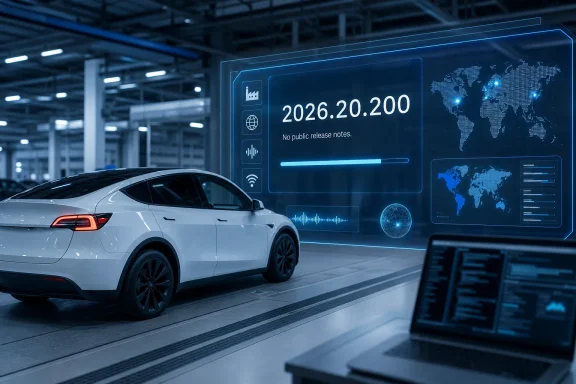 Overview: What Tesla Software Version 2026.20.200 Actually Tells Us
The available evidence supports a narrow conclusion: Tesla has created and deployed software build 2026.20.200, but it has not published formal release notes explaining its contents. It was first observed on July 24, 2026, while the wider Tesla fleet remained concentrated on several other 2026.20 variants.This is not unprecedented. Tesla regularly produces builds that appear briefly in tracking services with labels such as “N/A,” “unknown,” or no release-note classification at all. Some are factory images installed before delivery. Others are regional builds, internal validation packages, manufacturing configuration versions, or narrow compatibility releases for a particular group of vehicles.
The absence of notes should not be read as proof that nothing changed. It means only that Tesla has not documented any changes for the public in the usual in-car release-note format.
That gap is especially important because Tesla software update coverage often creates an understandable but misleading expectation: every new version number must introduce a new feature. In reality, the company operates a large number of software branches across different model years, markets, hardware generations, infotainment computers, autonomy hardware platforms, and production sites.
2026.20.200 is a build number, not a feature promise.
A Build Seen on New Deliveries
Reports tied to the July 24 appearance suggest that 2026.20.200 may be installed on newly delivered Tesla vehicles in selected markets. That is consistent with Tesla’s broader software practices.A new vehicle can leave the factory with a different software package than an existing vehicle receives through a routine OTA update. The new build may contain:
- Manufacturing validation changes
- Vehicle configuration data
- Market-specific software services
- Initial navigation, connectivity, or language packages
- Support for revised hardware components
- Pre-delivery feature enablement
- Compatibility work for a particular infotainment configuration
- Security fixes not described in public release notes
Why the .200 Suffix Is Important
Tesla’s version names typically begin with a calendar-style branch number. In this case, 2026.20 identifies the broader software family. The final digits distinguish individual packages within that branch.The public fleet has already seen multiple variations of the 2026.20 family, including feature releases, bug-fix releases, Full Self-Driving packages, and specialized versions for different hardware or regional deployments. Some variants are clearly intended for active fleet rollout; others appear to be niche images with limited visibility.
Version 2026.20.200 sits in the second category for now.
Factory Builds Are Not the Same as OTA Builds
A factory-installed release has a different mission from a post-delivery OTA update. Tesla can use it to ensure that a vehicle arrives with the correct functions enabled for the market in which it will be sold.That may include everything from local connectivity settings and voice-assistant integrations to charging infrastructure information, regulatory behavior, driver-assistance availability, and preloaded infotainment resources.
This is particularly relevant for a company selling vehicles across a wide variety of jurisdictions. A Tesla delivered in North America, Europe, China, Australia, or Southeast Asia may share a hardware platform while operating with materially different software services.
As a result, a factory build can include a mix of:
- Common global Tesla software
- Regionally licensed functions
- Local cloud-service integrations
- Country-specific maps and navigation behavior
- Regulatory or language adaptations
- Hardware enablement not needed on older vehicles
The China Voice Assistant Reports Need Careful Interpretation
The most intriguing reports around version 2026.20.200 involve a possible new AI voice-assistant experience in China. Social posts and media reporting have suggested that some newly delivered Tesla vehicles with this factory software version may include access to Doubao, an AI model and assistant platform associated with ByteDance.If accurate, that would be a significant regional software development. It would also explain why the build appears to be associated with fresh deliveries rather than a broad OTA campaign.
However, there are critical limits to what can be responsibly concluded at this stage.
What Appears Plausible
Tesla has an obvious incentive to tailor its in-car AI and voice experiences to local markets. Voice systems depend on cloud availability, language models, data handling policies, service partnerships, regional regulations, and the expectations of local drivers.A China-specific assistant integration would therefore be technically plausible. It could provide more natural Chinese-language interaction, localized information retrieval, and functions better aligned with domestic services.
A factory build would be a logical place to introduce the infrastructure for that experience, especially if Tesla needs to enable market-specific connectivity or agreements before the vehicle reaches its customer.
What Is Not Yet Confirmed
There is no detailed, public Tesla release-note document for 2026.20.200 that establishes:- Which Tesla models receive the alleged voice-assistant capability
- Whether the feature is limited to China
- Whether it is limited to Shanghai-built vehicles
- Whether it is active only on newly delivered cars
- Whether existing owners will receive it later through OTA updates
- Which voice commands it supports
- Whether it can control vehicle functions
- How conversations are processed or retained
- Whether it requires Premium Connectivity, Wi-Fi, or a local data subscription
- Whether Tesla will use the same capability in other regions
That caution is not nitpicking. AI assistants inside cars raise meaningful questions about privacy, reliability, distraction, language support, and access to vehicle controls. A logo on an infotainment screen does not explain the actual product boundaries.
The Broader Tesla 2026.20 Software Branch
While build 2026.20.200 itself lacks published notes, it exists within a larger Tesla 2026.20 software update family that has already delivered substantial changes to supported vehicles.This broader branch is notable for mixing vehicle-interface improvements, privacy controls, safety additions, driver-assistance updates, and service-oriented refinements. It is one of the clearer examples of Tesla treating the car as a continuously evolving software platform rather than a fixed appliance.
Dashcam Clip Encryption
One of the strongest additions in the 2026.20 branch is Dashcam Clip Encryption on eligible Ryzen-based infotainment systems.Tesla dashcam recordings can contain sensitive information: a home address, a daily commute, license plates, conversations, faces, and evidence of an incident. Encrypting clips stored on a USB drive can reduce the risk that this data is casually exposed if the drive is lost or removed from the vehicle.
The benefit is obvious. A Tesla owner who removes a drive after an accident no longer has to assume that anyone with physical access to it can browse the recordings immediately.
There is also a practical trade-off. Encryption makes the footage safer, but it can complicate recovery and sharing. Owners may need to use Tesla-provided decryption options or access the material through the car’s interface before editing, archiving, or submitting clips to an insurer.
That is a sensible privacy-first direction, though Tesla should continue to make recovery workflows clear. During an accident or insurance claim, footage needs to be both protected and accessible.
Parental Controls
The 2026.20 family also introduced Parental Controls for selected Tesla vehicles. The function can restrict access to applications such as the web browser, Theater, and Arcade while the vehicle is parked.It is a modest but useful enhancement. Tesla’s center display is one of the most capable infotainment systems in the industry, but that flexibility can become a problem when a vehicle is shared by families or used by younger passengers.
Parental controls are not a replacement for direct supervision. They are, however, a welcome acknowledgment that a modern vehicle is also a networked entertainment device.
Blind-Spot Warning While Parked
Another safety-oriented feature in the wider 2026.20 release family is a blind-spot warning when opening a door while parked. If the vehicle detects an approaching object—such as a cyclist coming from behind—it can warn the occupant and require a second door-handle press before opening.This is a meaningful quality-of-life feature because “dooring” incidents are common in urban environments. A person stepping out of a parked car may be looking at traffic ahead rather than scanning rearward for cyclists, scooters, or passing vehicles.
The important limitation is that no sensor-based warning system is perfect. Camera visibility, weather, object speed, lighting, road layout, and detection confidence can all affect performance. Occupants must still check their surroundings before opening a door.
“Hey Grok” and Tesla’s Expanding AI Interface
The broader 2026.20 branch also expanded Tesla’s relationship with Grok, the AI assistant developed by xAI. On supported vehicles, the assistant can be activated from the app launcher, through a steering-wheel voice-command action, or with the “Hey Grok” wake phrase.Tesla’s approach is interesting because it separates traditional vehicle voice commands from a more conversational assistant. The conventional system remains responsible for established in-car actions, while Grok is positioned as an AI companion with a more natural dialogue model.
That separation is sensible. An assistant that can discuss ideas, answer questions, and manage navigation destinations is not necessarily the same thing as a system that should control a vehicle’s safety-critical settings.
Tesla has signaled that Grok remains an early beta product. That wording should be taken seriously. AI assistants can misunderstand language, fabricate information, mishear names, and provide responses that are inappropriate for a driving context. They should be used as convenience tools, not trusted as authoritative navigators, vehicle diagnosticians, or safety advisers.
Full Self-Driving Versions Remain a Separate Story
A major source of confusion in Tesla software discussions is the relationship between the vehicle’s main firmware number and its Full Self-Driving (Supervised) version.The 2026.20 branch includes multiple FSD-related variants. Some vehicles have received newer supervised-driving packages, while others remain on different versions due to hardware compatibility, rollout sequencing, geographic restrictions, or Tesla’s internal validation process.
That does not mean version 2026.20.200 brings new FSD behavior.
At the time of its appearance, 2026.20.200 has not been publicly categorized as an FSD release. It should not be assumed to include FSD Supervised 14.3.5, 14.3.6, FSD Lite, or any other autonomy package merely because other builds within the same major branch do.
Version Numbers Do Not Establish Feature Parity
Tesla owners often compare software versions as though higher is always newer in every respect. That logic breaks down quickly in a vehicle fleet with different computing platforms and rollout tracks.A vehicle on 2026.20.6.11 may have features or FSD revisions that do not exist in 2026.20.200. Conversely, a new delivery vehicle on 2026.20.200 could include market-specific components that an older car on another version lacks.
The only reliable way to determine what a specific Tesla supports is to check:
- Controls > Software on the vehicle touchscreen
- Release Notes shown for that exact vehicle
- The Tesla app’s vehicle software section
- The vehicle’s Autopilot or driver-assistance settings
- The installed hardware generation and region
WindowsForum Perspective: Why Tesla’s Software Model Matters
Tesla’s update model is increasingly relevant to Windows users because the line between the automobile and the personal computer continues to disappear.A Tesla is not running Windows in the traditional desktop sense, but it faces many of the same software-management realities familiar to PC owners:
- Staged update deployments
- Feature flags
- Hardware-dependent capabilities
- Cloud-connected services
- Security patches
- Regional software variants
- AI features with evolving terms and behavior
- Update failures and troubleshooting requirements
Security Updates Without Detail
Tesla’s general practice of including broad “security improvements” language creates a familiar challenge. It is good that the company can patch vehicles over the air without requiring a service-center visit, but owners and fleet administrators benefit from more transparency about the severity and scope of security fixes.Not every vulnerability needs a detailed public exploit description. Still, clearer categorization would help owners understand whether an update addresses infotainment privacy, connectivity, keyless entry, camera behavior, charging logic, or vehicle-control systems.
The lack of notes for 2026.20.200 makes that transparency issue sharper. If the build is a factory image, limited disclosure may be understandable. If it eventually reaches the public fleet, Tesla should provide enough information for owners to make informed decisions about installation timing and affected features.
How Tesla Owners Should Handle an Undocumented Build
For most owners, there is no action required. Tesla does not allow drivers to request an arbitrary version number, and it does not offer a supported rollback process to a previous firmware release.The sensible response is to maintain good update hygiene.
Recommended Software-Update Practices
- Keep the vehicle connected to a stable Wi-Fi network when parked.
- Read the in-car release notes for the specific update offered to the vehicle.
- Schedule installation when the car will not be needed for several hours.
- Avoid treating third-party tracker labels as official Tesla documentation.
- Do not assume a newer build number is automatically better for every feature.
- Check driver-assistance settings after a major update.
- Verify Dashcam, Sentry Mode, Bluetooth, Phone Key, and navigation behavior after installation.
- Reboot the touchscreen only when troubleshooting is genuinely needed.
- Contact Tesla service if an update does not complete or if critical vehicle functions behave unexpectedly.
The Bottom Line on 2026.20.200
Tesla software version 2026.20.200 is real, newly observed, and potentially meaningful for newly delivered vehicles in specific markets. But it is not yet a conventional public Tesla software update with a verified feature list.The current evidence points to a factory-oriented or market-specific build, rather than an OTA release that existing owners should expect to receive immediately. Reports of an AI voice-assistant integration in China are plausible and worth monitoring, but they remain insufficiently documented to support broad conclusions about availability, capabilities, or privacy behavior.
For now, the more consequential Tesla software story remains the wider 2026.20 branch: dashcam encryption, parental controls, parked blind-spot alerts, Grok integration, service refinements, and continued divergence between FSD rollout tracks.
That is the nature of modern vehicle software. The most visible update is not always the most important one, and the newest build number is not always the update that changes an owner’s daily driving experience.