

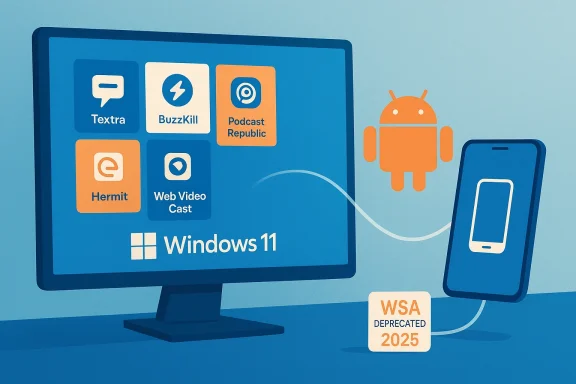
With Android still evolving faster than the PC app ecosystem, a short, useful list from BGR highlights five Android-first titles that Microsoft’s desktop platform doesn’t match natively — and that matters more now that Microsoft has announced the end of the Windows Subsystem for Android (WSA). The BGR roundup names Textra SMS, BuzzKill Notification Manager, Podcast Republic, Hermit (Lite Apps Browser), and Web Video Cast as examples of mobile-first utilities that offer unique experiences Windows users may miss — a useful starting point for anyone deciding whether to keep a phone in their workflow or chase Android features on a PC. ww.bgr.com/2071783/best-android-apps-not-on-windows/)
The idea that mobile apps can deliver services desktop software cannot is nothing new, but context has shifted sharply in recent months. Microsoft’s Windows Subsystem for Android — the Windows 11 feature that brought the Amazon Appstore (and many Android apps) to the desktop — has been moved to deprecated status and will no longer be supported after March 5, 2025. That change removes the simplest pathway for running Android apps inside Windows and raises the bar for users who relied on ingrained mobile experiences on a PC. Major outlets documented Microsoft’s decision and its implications. The BGR list is timely because it focuses on apps that deliver mobile-centric interactions — notification filtering, SMS-first workflows, cast-to-TV convenience, specialized podcast management, and ultra-lightweight web-app wrappers — features that are rarely delivered as polished, independent Windows Store apps. For readers who want to preserve those capabilities on a PC, the practical choices fall into two buckets: run Android apps on Windows through third-party emulation or phone-mirroring solutions, or replace the mobile app with a Windows alternative that approximates the same functions. Both paths have trade-offs in convenience, privacy, and reliability.
This feature walks through each of the five apps BGR highlights, verifies the platform claims, explains what makes each app uniquely mobile, and assesses the realistic options for Windows users — including security and operational risks that matter if you’re integrating Android tools into a desktop workflow.
Appendix: verification notes (short)
Source: bgr.com 5 Of The Best Android Apps You Won't Find On Windows - BGR
 Background / Overview
The idea that mobile apps can deliver services desktop software cannot is nothing new, but context has shifted sharply in recent months. Microsoft’s Windows Subsystem for Android — the Windows 11 feature that brought the Amazon Appstore (and many Android apps) to the desktop — has been moved to deprecated status and will no longer be supported after March 5, 2025. That change removes the simplest pathway for running Android apps inside Windows and raises the bar for users who relied on ingrained mobile experiences on a PC. Major outlets documented Microsoft’s decision and its implications. The BGR list is timely because it focuses on apps that deliver mobile-centric interactions — notification filtering, SMS-first workflows, cast-to-TV convenience, specialized podcast management, and ultra-lightweight web-app wrappers — features that are rarely delivered as polished, independent Windows Store apps. For readers who want to preserve those capabilities on a PC, the practical choices fall into two buckets: run Android apps on Windows through third-party emulation or phone-mirroring solutions, or replace the mobile app with a Windows alternative that approximates the same functions. Both paths have trade-offs in convenience, privacy, and reliability.This feature walks through each of the five apps BGR highlights, verifies the platform claims, explains what makes each app uniquely mobile, and assesses the realistic options for Windows users — including security and operational risks that matter if you’re integrating Android tools into a desktop workflow.
The list explained: what BGR picked and why it matters
The BGR article curated five Android-first apps you likely won’t find as native Windows Store apps: Textra SMS, BuzzKill Notification Manager, Podcast Republic, Hermit — Lite Apps Browser, and Web Video Cast — Browser to TV. Each targets a use case where the mobile form factor, access to Android OS hooks (notifications, SMS, casting), or low-footprint web wrapping creates an experience that’s hard to duplicate on Windows without the original Android app. The BGR roundup is concise and practical, and it’s useful as a discovery piece for users aware of the WSA changes. Below, each app is described in depth, including verification of platform availability and practical guidance for Windows users who want equivalent functionality.Textra SMS — a customizable SMS/MMS client
What it is
Textra is a third‑party SMS/MMS replacement for Android that focuses on fast performance, deep visual customization (themes, bubble styles, fonts), message scheduling, and file compression for media attachments. It has historically been popular for users who want more control than the default Android Messages app provides. BGR lists Textra as Android-only and notes the app’s millions of downloads and one‑time unlock license option.Verification and platform status
Textra’s developer documentation confirms there is no native desktop or browser client produced by the author; integrations rely on third‑party services (like Pushbullet or MightyText) or Microsoft’s Phone Link to expose messages on a computer. Textra’s official support base explicitly states the app has no standalone Windows client and suggests bridging tools for Desktop access. That means Textra’s full feature set — especially SMS composition and per‑conversation visual customization — is effectively Android‑native.Why Windows lacks an equivalent
On Windows, SMS is historically tied to phone‑to‑PC linking (Phone Link) or carrier‑provided web services. A native Windows app that manipulates device SMS directly must operate through phone linkages or rely on carriers. Textra’s deep access to local SMS storage and Android accessibility hooks makes a faithful desktop port complicated and, in many cases, impossible without an Android runtime.How to get Textra-like functionality on Windows
- Use Phone Link (or Your Phone) to mirror messages from an Android device to Windows. This preserves real-time SMS but depends on a nearby phone.
- Use third‑party bridging services (Pushbullet, MightyText) that forward messages to a web client you can access on Windows, at the cost of trusting another service with message metadata.
- Run Textra itself in an Android emulator (BlueStacks, Nox) or in a virtualized Android environment — practical if you need the exact Android UI, but less convenient than native apps.
Risks and trade‑offs
Running Textra via mirroring or emulation exposes message metadata to additional surfaces (emulator host, bridging service), which has privacy implications. Bridge services require account linkage and sometimes cloud storage; emulators increase the local attack surface. For secure messaging, these trade-offs matter.BuzzKill Notification Manager — fine‑grained notification control
What it is
BuzzKill is a focused Android utility that gives power users rule-based control over which notifications appear, when, and how often. It supports actions such as "cooldown" (suppress repeated pings), conditional delivery (only when specified keywords or mentions appear), automated replies, and advanced dismissal rules. BGR notes BuzzKill’s Time Magazine recognition as one of the best inventions of 2025 and highlights its privacy-first approach (no remote data collection).Verification and platform status
Time’s "Best Inventions of 2025" list includes BuzzKill among productivity and privacy-focused tools, corroborating BGR’s mention. BuzzKill is available for Android only; there’s no official Windows client that hooks into the same OS-level notification channels. The Play Store and developer pages confirm BuzzKill operates locally on device with no tracking.Why Windows lacks an equivalent
Windows has notification settings and Focus Assist rules, but it lacks the same, easy-to-author plain‑language filtering applied to per‑notification content that BuzzKill offers on Android. On Windows, deep notification automation usually requires third‑party automation tools (Power Automate, AutoHotkey) with more setup and less reliability for mobile‑style events.How to get BuzzKill-like control on Windows
- Recreate rules with Windows Focus Assist + third‑party automations (but this is fragile and often limited to app-level, not content-level, filtering).
- Mirror Android notifications to Windows (Phone Link) and manage them on the phone instead of the PC.
- Run BuzzKill inside an Android emulator on Windows to keep rules local to an Android runtime.
Risks and trade‑offs
BuzzKill’s strengths are its local, privacy‑first model and access to Android’s notification listener API. Recreating that behavior on Windows either increases complexity or exposes notification content to cloud services. Emulation preserves the app’s local model, but adds the standard emulator attack surface.Podcast Republic — podcast discovery and control built for mobile
What it is
Podcast Republic is a podcast directory and player with deep features that target on‑the‑go listening: automated downloads, advanced playback options (variable speed, volume boost), Chromecast/Android Auto support, SD card and local file handling, and a large directory of content. BGR recommendscommends it for users who found Google Podcasts discontinued and prefer a dedicated app.Verification and platform status
Podcast Republic is primarily an Android app and has historically been available through Google Play and, for a time, via the Amazon Appstore (which allowed running the app on Windows via WSA for some users). Community reports show some users were able to install Podcast Republic on Windows 11 through the Amazon Appstore while WSA was available, but a native Windows Store client does not exist independently. That means Podcast Republic’s tailored mobile features remain Android-first; any Windows option required the Android runtime.Why Windows lacks an equivalent
Desktop podcast apps exist (several web players and native clients), but Podcast Republic’s mobile-only integrations (Android Auto, Chromecast built-in features, device-based download management) rely on Android services that don’t translate cleanly to a standalone Windows app.How to get Podcast Republic on Windows
- If you already installed the app before WSA deprecation, it may continue to run until Microsoft’s cut-off date; beyond that, Amazon/Microsoft removal will make it impractical to use via WSA.
- Mirror your phone to the PC or use the app on the phone for a synced listening experience.
- Use desktop podcast players or web-based players with account sync as substitutes.
Risks and trade‑offs
Relying on WSA or Amazon Appstore availability to keep Podcast Republic on a PC is now fragile given WSA’s announced end-of-life. Users should plan a migration path for subscriptions and local downloads to avoid data loss.Hermit — Lite Apps Browser (micro‑webapps)
What it is
Hermit is an Android browser that creates ultra‑lightweight "lite apps" — single-purpose web-app wrappers with per-site settings, feed support, and notifications. The core idea is to replace heavy native apps with a fast, privacy-oriented wrapper that behaves like an app but is actually a site in a minimal container. BGR highlights Hermit as a way to run web services with app-like convenience and small storage footprint.Verification and platform status
Hermit’s developer site (Chimbori) and Play Store listing confirm its focus on Android and on creating web‑based lite apps with per‑site customization. Hermit is designed explicitly for smartphones and accesses Android‑specific integrations like shortcuts, notifications, and account isolation. There’s no official native Windows version; desktop browsers can create site shortcuts but lack the per‑site runtime and notification integrations Hermit offers on Android.Why Windows lacks an equivalent
Desktop browsers let you "install" web apps (PWA), but Windows PWAs typically run in browser sandboxes and don’t offer the same granular per‑site behavior, light footprint, or convenience Hermit offers for users that prefer single-purpose windows with simple settings.How to get Hermit-like behavior on Windows
- Use browser PWAs for single-site apps (Chrome, Edge). PWAs can approximate the experience for many services.
- If you need Hermit’s Android‑level conveniences, run Hermit in an emulator or rely on a mobile device for the lite-app experience.
Risks and trade‑offs
Hermit’s main value is the lightweight local wrapper with privacy-minded settings. PWAs and desktop shortcuts reduce friction but may reintroduce tracking or more resource usage than Hermit’s minimalist approach.Web Video Cast — Browser to TV (cast from device to TV)
What it is
Web Video Cast is a mobile app that scans web pages for media and sends compatible streams to streaming devices (Chromecast, Roku, Fire TV, DLNA, some Smart TVs). It’s popular for sending local or web-hosted videos and supports subtitles and multiple file types. BGR calls it a powerful mobile companion for casting to TVs that has no native Windows equivalent in the Microsoft Store.Verification and platform status
Web Video Cast is available on Android and iOS; its developer (InstantBits) documents supported devices and features in store pages and on the product site. The app is not a Microsoft Store native app, and desktop alternatives typically rely either on browser-based casting (Chrome, Edge) or device-specific casting apps. Tools like Web Video Cast are commonly used on phones and tablets to cast where browser tab-casting is inadequate.Why Windows lacks an equivalent
Browsers on Windows offer tab casting (Chromecast) and native casting capability for some devices, but the app’s approach of extracting embedded media and handing a direct stream to the casting device is something typically done by mobile apps with tight webview and media-parsing code — not by Windows desktop browsers, which focus on tab-based casting.How to get Web Video Cast functionality on Windows
- Use desktop browser casting extensions for Chromecast or built-in casting features for many modern browsers.
- Keep Web Video Cast on a phone or tablet for edge cases where embedded streams hide video URLs or when you need a mobile-first scanning/casting workflow.
- Run the Android app inside an emulator on Windows to preserve the exact app behavior.
Risks and trade‑offs
Casting from a Windows browser is often the simplest and most secure choice; third‑party casting apps may attempt to parse protected streams or rely on less robust handling of authentication, so users must be cautious when casting content that requires logins or DRM.Practical options for Windows users who want these Android apps
With WSA deprecated, Windows users have a few realistic routes to preserve Android-first experiences:- Emulators and virtualization
- BlueStacks, NoxPlayer, LDPlayer and other emulators run Android on Windows and can host the apps listed above with varying levels of performance and compatibility. Emulators are the most straightforward way to run the original Android package, but they introduce a larger local attack surface and sometimes include telemetry or bundled software in free builds.
- Android-x86 or Genymotion virtual machines
- More advanced users can install Android-x86 in a VM or use desktop virtualization that provides better control and isolation, but setup is more technical.
- Phone mirroring and bridge services
- Microsoft Phone Link, Pushbullet, or MightyText: these mirror phone notifications and messages to the PC and can preserve workflow continuity without running the app on the PC itself. They rely on a connected phone and often on cloud services.
- Native Windows alternatives and PWAs
- For lightweight web-based workflows, desktop PWAs and native apps can replicate a subset of behavior. They won’t, however, always match Android-specific hooks (SMS APIs, Android Auto, native notification listeners).
Security, privacy, and data‑integrity considerations
- Emulators and third‑party app stores: Running Android apps on an emulator or downloaded APKs increases the risk of installing outdated or tampered code. Use official Play Store or developer-signed APKs when possible, and keep the emulator and guest OS patched.
- Bridge services (Pushbullet, MightyText): These services forward messages and notifications through cloud accounts; review their privacy policies and apply least-privilege settings where possible.
- WSA deprecation: If you rely on WSA-installed apps, export subscriptions and local data now. Podcast downloads, local media caches, and any app-specific backups should be moved to a platform-agnostic format before the subsystem becomes unsupported. Community reports show some apps were accessible through Amazon Appstore on Windows while WSA was live, but that path is unreliable going forward.
- Permissions creep: Mobile apps that require accessibility or notification listener privileges can do a lot; review rules and avoid granting permissions that aren’t necessary for an app’s core function.
Strengths and notable limits of the BGR roundup
Strengths
- The selection emphasizes usefulness and real-world utility — not just trendy apps. These are apps many users actually rely on daily.
- Each entry is practical: BGR notes in-app purchase models and highlights features that justify using the original Android app instead of hunting for a Windows port.
- The piece helps Windows users realize that some mobile‑first experiences genuinely add value, guiding reasonable decisions about whether to replicate or replace them on desktop.
Limits and caveats
- App statistics (download counts, ratings) are time‑sensitive and can change; those numbers should be treated as snapshots rather than permanent facts. Any claim about specific counts or ratings is verifiable only against the app store at the time of checking.
- The BGR list assumes a willingness to accept mobile-only workflows; enterprise or privacy-sensitive users will weigh these apps differently.
- The wildcard is platform support: the WSA deprecation significantly changes the calculus for whether it’s worth trying to “bring” these Android apps to Windows. Users should treat WSA as no longer a sustainable long-term solution and plan accordingly.
Recommendation: practical next steps for Windows users
- Inventory your needs
- If you rely on SMS-centric features, advanced notification rules, or cast-to-TV workflows, identify which specific functions are non-negotiable.
- Export data now
- For podcast libraries, saved podcasts, or other local data in Android apps, export or back up to a PC‑friendly location before you lose access through WSA or Amazon store paths.
- Choose your integration path
- For fidelity to the Android app: emulators or Android VMs.
- For convenience with security: phone mirroring or bridge tools.
- For long‑term stability: find native Windows apps or PWAs that can replicate core workflows migration.
- Vet tools and vendors
- Use trusted emulators, prefer official store installs, and audit bridging services for data handling.
- Test in a controlled environment
- If you need these apps for work, test the chosen solution on a non-critical machine or VM first.
Conclusion
The BGR list is a helpful reminder that mobile platforms still innovate in ways desktop platforms don’t always match. Textra, BuzzKill, Podcast Republic, Hermit, and Web Video Cast each solve specific problems tied to mobile APIs, compact UI needs, or lean web‑app wrappers. With Microsoft ending WSA support, Windows users who want these exact Android experiences must either keep a phone as part of the workflow or use emulation and bridging strategies that come with trade‑offs in performance, privacy, and complexity. The BGR roundup gives readers a quick map to what they’ll miss on Windows — the practical question now is not whether the apps are better, but how much effort and risk you’re comfortable accepting to keep their workflows alive on a PC.Appendix: verification notes (short)
- BGR’s “5 Android apps” list is published and current; the article’s entries and descriptions were consulted for this feature.
- Microsoft’s announcement and multiple independent reports confirm the WSA deprecation and the March 5, 2025 deprecation date.
- Textra developer guidance confirms no native Windows client; bridging options are documented.
- BuzzKill’s inclusion in TIME’s Best Inventions of 2025 is publicly listed by Time magazine.
- Hermit’s developer site documents the Android-first design; Web Video Cast is available on mobile platforms but not as a Microsoft Store native app.
- Any specific download counts, star ratings, or one-time purchase prices cited in the BGR article are subject to change; treat those as time‑bounded and verify directly in the app store before making purchase decisions.
Source: bgr.com 5 Of The Best Android Apps You Won't Find On Windows - BGR
