

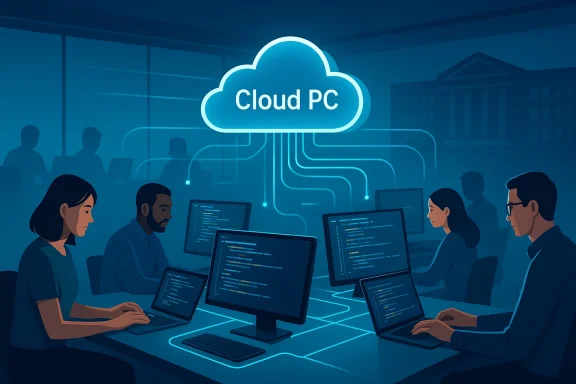
ABN AMRO’s move to Windows 365 for 3,500 offshore developers is more than a desktop swap — it’s a deliberate modernization of the bank’s developer workplace designed to cut latency, simplify operations, and align global teams on a single, cloud‑first platform.
ABN AMRO, one of the Netherlands’ major banks, has been steadily shifting core developer and cloud infrastructure toward Microsoft technologies. The bank’s recent rollout of Windows 365 Cloud PCs for a large offshore developer population based in India aims to replace an ageing virtual desktop infrastructure that, according to the vendor brief, was producing poor performance and high network latency for critical development tasks.
This project targeted roughly 3,500 developers in India and — in the vendor account — delivered a consistent Cloud PC experience, faster provisioning, and improved operational control through Microsoft Endpoint Manager and Azure tooling. ABN AMRO’s Area Lead for Digital Workplace characterized the move as an opportunity to modernize workplace services and streamline developer operations rather than just "giving people a new virtual cloud PC."
What makes this deployment noteworthy for Windows administrators and architects is the scale (thousands of Cloud PCs), the user profile (developers with heavy IDE, build, and source-control usage), and the geographic challenge (offshore teams accessing corporate resources across continents). These are precisely the types of scenarios where DaaS (Desktop as a Service) debates intensify: can the cloud deliver native-like developer experience at scale while keeping security, cost, and governance under control?
Key operational drivers for the project included:
Best practices for performance, which ABN AMRO appears to have considered, include:
Strengths demonstrated by ABN AMRO’s approach include improved operational consistency and a clearer security baseline across a globally distributed development organization. Putting developer desktops under the same management and compliance stack as production infrastructure reduces operational drift and makes audits and incident response more straightforward.
However, heavy caveats remain. The quality of developer experience still depends on thoughtful engineering choices — particularly around region placement, network design, and build architecture. A naive Cloud PC deployment that ignores co‑location of build agents or that provisions under‑powered SKUs risks reproducing the same productivity problems the migration intended to solve.
Finally, while Microsoft’s documentation and feature roadmap (RDP Multipath, TURN relays, improved connection insights) materially improve the viability of Cloud PCs for latency‑sensitive developer tasks, administrators must remain vigilant. Real‑world deployments require:
Specific claims about ABN AMRO’s internal metrics (the precise number of developers migrated, user satisfaction improvements, or specific latency reductions) are reported in Microsoft’s customer story as direct customer quotes. Independent public verification of granular internal outcomes (for example exact eNPS improvements or quantifiable build-time reductions at ABN AMRO) is limited in the public domain. Treat such customer-reported results as vendor‑published case outcomes: valuable and indicative, but not independently audited unless ABN AMRO or an independent third party publishes validation data.
Where precise numbers or ROI statements matter for procurement or governance decisions, insist on getting:
The takeaways for IT leaders and Windows administrators planning similar moves:
Source: Microsoft ABN AMRO transforms the workplace for 3,500 offshore developers with Windows 365 | Microsoft Customer Stories
 Background / Overview
ABN AMRO, one of the Netherlands’ major banks, has been steadily shifting core developer and cloud infrastructure toward Microsoft technologies. The bank’s recent rollout of Windows 365 Cloud PCs for a large offshore developer population based in India aims to replace an ageing virtual desktop infrastructure that, according to the vendor brief, was producing poor performance and high network latency for critical development tasks.This project targeted roughly 3,500 developers in India and — in the vendor account — delivered a consistent Cloud PC experience, faster provisioning, and improved operational control through Microsoft Endpoint Manager and Azure tooling. ABN AMRO’s Area Lead for Digital Workplace characterized the move as an opportunity to modernize workplace services and streamline developer operations rather than just "giving people a new virtual cloud PC."
What makes this deployment noteworthy for Windows administrators and architects is the scale (thousands of Cloud PCs), the user profile (developers with heavy IDE, build, and source-control usage), and the geographic challenge (offshore teams accessing corporate resources across continents). These are precisely the types of scenarios where DaaS (Desktop as a Service) debates intensify: can the cloud deliver native-like developer experience at scale while keeping security, cost, and governance under control?
Why ABN AMRO picked Windows 365: the vendor story and the technical rationale
The problem space: aging VDI, latency and developer productivity
Large development teams are sensitive to interactive latency. Slow file system access, laggy IDE responsiveness, and delayed build feedback loops directly erode developer productivity and increase cycle times. ABN AMRO’s motivation — as presented in the Microsoft case narrative — was clear: replace an aging virtual desktop stack that couldn’t provide a consistent, low-latency experience for developers in India, and align the offshore developer experience with colleagues elsewhere.Key operational drivers for the project included:
- Reduce network latency and improve responsiveness for builds, IDEs, and test runs.
- Provide a consistent, managed development environment to simplify onboarding and dev environment standardization.
- Lower operational overhead by shifting desktop lifecycle management (images, updates, security) to a cloud-managed model.
- Improve security posture through central management, conditional access, and endpoint protection integration.
The chosen architecture: Windows 365 Cloud PCs and Microsoft management stack
Windows 365 Cloud PCs are positioned as a simplified DaaS offering that abstracts many of the AVD (Azure Virtual Desktop) operational tasks and delivers Cloud PCs as per-user, persistently provisioned virtual desktops. For enterprises, Windows 365 Enterprise ties into:- Microsoft Endpoint Manager (Intune) for device and policy management.
- Azure Active Directory (Azure AD/Entra) for identity and conditional access.
- Microsoft Defender for Endpoint and Microsoft Purview DLP for endpoint and data protection.
- Azure regions and Microsoft’s backbone optimizations (RDP Shortpath, TURN relays, and more) to reduce round-trip times and improve session reliability.
How Windows 365 addresses developer needs (and where it still needs architectural attention)
Performance and latency: not magic, but significantly improved with the right choices
Cloud PC responsiveness depends on two things: where the Cloud PC runs (Azure region / proximity to app and data) and how the remote protocol is optimized. Microsoft has invested in enhancements — RDP Shortpath, RDP Multipath, TURN relay expansions, and connection quality telemetry — that improve remote session performance and resilience. These features help mitigate the classic DaaS pain points (disconnects, visual lag, choppy audio) and are especially important for distributed teams.Best practices for performance, which ABN AMRO appears to have considered, include:
- Provision Cloud PCs in Azure regions that minimize network hops between the Cloud PC, source control servers, build farms, and artifact repositories.
- Use RDP Shortpath and enable RDP Multipath where supported to leverage Microsoft’s optimized transport and multiple network paths for resilience.
- Avoid proxy and traffic‑inspection bottlenecks for RDP traffic — pass‑through and bypass settings are critical to minimize added latency.
- Monitor Connection Quality Reports and Cloud PC telemetry to proactively identify network and device issues.
Security and governance: Zero Trust aligned, but governance work remains
Windows 365 integrates tightly with Microsoft’s identity and endpoint stack, enabling a modern Zero Trust posture:- Authentication and access gates via Azure AD (Entra): conditional access, MFA, device compliance checks.
- Centralized device management via Microsoft Endpoint Manager (Intune) for update rings, security baselines, and configuration profiles.
- Endpoint defense via Microsoft Defender for Endpoint and integration with Microsoft Purview DLP to limit data exfiltration vectors (clipboard, drive redirection, printing).
Developer workflows: provisioning, IDE performance, and build systems
The developer experience on Cloud PCs can approach that of a local machine if several conditions are met:- Cloud PC sizing must match developer workload: CPU and memory pockets for simultaneous IDE, local build, and containerized test runs.
- Storage performance matters — Cloud PCs use managed disks; I/O latency and throughput must be sized for heavy developer tasks. Consider premium SSD tiers for fast disk I/O.
- Integration with CI/CD, artifact caches (Nexus, Artifactory), and source control mirrors (local proxies) reduces round trips to global servers.
- Support for GPU workloads (for teams needing hardware acceleration) requires specialized Cloud PC SKUs or integrations (recent previews and partner solutions expand GPU options for Windows 365).
Strengths: what this modernization delivers
- Faster onboarding and consistent environments. Cloud PCs enable IT to provision ready-to-code desktops with the organisation’s images, packages, and policies. This reduces first‑day friction for new or rotating developers.
- Centralized security and compliance. Using Endpoint Manager, Azure AD, and Defender, Windows 365 provides centralized policy enforcement, simplified audit trails, and the ability to quickly isolate or reprovision compromised endpoints.
- Simplified lifecycle management. Image updates, software rollouts, and OS patching become a centralized operations activity rather than a distributed help-desk burden.
- Potential for measurable productivity gains. Reduced time lost to slow VDI sessions and environment inconsistencies can translate directly into faster iteration and shorter release cycles for developer teams.
- Operational elasticity. Cloud PCs can be reprovisioned or right‑sized on demand, enabling seasonal or project-based scaling without complex hardware procurement cycles.
Risks and trade-offs: where organizations must be cautious
1. Network dependency and single point of failure
Cloud PCs are only useful when users can reliably reach them. If an offshore team experiences intermittent internet or poor last-mile connectivity, Cloud PCs may worsen the experience vs. a local workstation. Contingency planning (local fallbacks, offline dev tools, or selectively hybrid approaches) is essential.2. Cloud cost and licensing complexity
Shifting thousands of developer seats into per‑user Cloud PC licensing and premium Azure resources can materially change operational cost profiles. Without governance (tagging, auto-suspend, rightsizing) cloud spend can balloon. Licensing for Windows 365 Enterprise, Intune, and Azure network resources requires careful contract and TCO analysis.3. Vendor lock‑in and operational specialization
Adopting a managed Microsoft Cloud PC model simplifies some tasks but concentrates dependency on Microsoft’s tooling, region availability, and feature roadmap. Organizations must weigh the convenience of managed services against the flexibility of self‑managed AVD or hybrid models.4. Data residency and compliance nuance
For financial institutions, code, build artifacts, and logs can include sensitive information. Ensuring that Cloud PC data paths and storage meet contractual or regulatory data‑residency requirements is crucial. Placement of Cloud PCs and storage within compliant Azure geographies must be validated.5. Developer tooling and build scale constraints
Large-scale builds, container-heavy workflows, or embedded device builds can demand local hardware performance (disk I/O, CPU, GPU) that Cloud PCs may not match at scale unless provisioned with significant premium resources. For CI/CD integration, consider moving heavy build workloads to Azure-native build agents co-located with Cloud PCs to avoid cross‑region latency.6. Security of development pipelines and secrets
A remote Cloud PC model centralizes endpoints but does not remove supply‑chain risks: developers still check in secrets, authenticate to repositories, and access production artifacts. Robust secret management, ephemeral credentials, and service principals with least privilege must be enforced to reduce risk.Practical recommendations and implementation checklist for large developer fleets
- Region and co‑location strategy
- Evaluate where builds, artifact repositories, and key services run and provision Cloud PCs in the same Azure region or in regions with minimal network hops.
- Use Azure region availability and proximity data to guide placement decisions for scale deployments.
- Network optimization
- Enable RDP Shortpath and RDP Multipath where available to leverage Microsoft’s optimized transport protocols.
- Configure proxies, firewalls, and traffic inspection devices to bypass RDP flows where recommended.
- Monitor Connection Quality Reports and use telemetry to spot degraded subnets or ISPs.
- Right‑size images and SKUs
- Provide a tiered SKU model (lightweight for documentation testers, heavy for core developers) and enforce quotas to balance cost and performance.
- Use premium managed disks for developers with high I/O needs.
- Automate provisioning and image lifecycle
- Bake developer stacks into golden images and automate patching and image refresh cycles.
- Use infrastructure as code and CI/CD for image building and validation.
- Harden identity and endpoint controls
- Apply Conditional Access policies (MFA, device compliance, location controls) and use role-based access for Cloud PC administrators.
- Integrate Defender for Endpoint and Purview DLP to protect source and artifact leaks.
- Secret and artifact management
- Replace embedded secrets with secret stores (Key Vault, HashiCorp Vault) and ephemeral tokens.
- Co-locate artifact caches and mirrors to reduce cross-region artifact pulls.
- Cost governance and reporting
- Implement tagging, spend limits, and power management (suspend idle Cloud PCs automatically) to control monthly costs.
- Regularly review Cloud PC utilization reports and adjust SKU allocations.
- Pilot, measure, iterate
- Start with a pilot group representative of the heaviest workloads (core backend developers, integration engineers) and monitor key metrics (build times, latency, defect triage time).
- Use that telemetry to refine region placement, SKUs, and network settings before broad rollout.
Critical analysis: what ABN AMRO’s deployment tells us about Cloud PC suitability for developers
ABN AMRO’s decision to use Windows 365 for a 3,500‑person developer team highlights an important trend: enterprises are increasingly willing to treat developer desktops as centrally provisioned, managed cloud services. That model aligns with modern DevOps practices where environments must be reproducible, secure, and automatable.Strengths demonstrated by ABN AMRO’s approach include improved operational consistency and a clearer security baseline across a globally distributed development organization. Putting developer desktops under the same management and compliance stack as production infrastructure reduces operational drift and makes audits and incident response more straightforward.
However, heavy caveats remain. The quality of developer experience still depends on thoughtful engineering choices — particularly around region placement, network design, and build architecture. A naive Cloud PC deployment that ignores co‑location of build agents or that provisions under‑powered SKUs risks reproducing the same productivity problems the migration intended to solve.
Finally, while Microsoft’s documentation and feature roadmap (RDP Multipath, TURN relays, improved connection insights) materially improve the viability of Cloud PCs for latency‑sensitive developer tasks, administrators must remain vigilant. Real‑world deployments require:
- ongoing telemetry and user feedback loops,
- granular cost controls,
- and a hybrid mindset where not every workload belongs in a Cloud PC.
Where public verification is strong — and where claims should be treated cautiously
Microsoft’s technical documentation and product blogs provide authoritative detail on Windows 365 features (for example, Cloud PC management via Microsoft Endpoint Manager, RDP Shortpath/Multipath, and connection telemetry). Those technical claims are verifiable in Microsoft Learn and Azure architecture guidance and match independent DaaS analysis from industry press that recognizes latency, network configuration, and co‑location as core determinants of success.Specific claims about ABN AMRO’s internal metrics (the precise number of developers migrated, user satisfaction improvements, or specific latency reductions) are reported in Microsoft’s customer story as direct customer quotes. Independent public verification of granular internal outcomes (for example exact eNPS improvements or quantifiable build-time reductions at ABN AMRO) is limited in the public domain. Treat such customer-reported results as vendor‑published case outcomes: valuable and indicative, but not independently audited unless ABN AMRO or an independent third party publishes validation data.
Where precise numbers or ROI statements matter for procurement or governance decisions, insist on getting:
- raw telemetry samples (build time comparisons pre/post),
- a cost breakdown showing licensing + infra + ops vs. previous VDI costs,
- and a proof of concept with your own workloads before full scale purchase.
Conclusion: Windows 365 can work for developers — but success is in the architecture
ABN AMRO’s Cloud PC rollout shows that banks and regulated enterprises are willing to scale Windows 365 to thousands of developer seats when the program is treated as a strategic modernization rather than a one-off desktop swap. The combination of Microsoft’s Cloud PC management, identity integration, and RDP transport improvements makes Windows 365 an increasingly credible choice for interactive workloads — including many developer use cases.The takeaways for IT leaders and Windows administrators planning similar moves:
- Start with a realistic assessment of where developer workloads run today and place Cloud PCs accordingly.
- Prioritize network architecture and telemetry — RDP enhancements help, but co‑location with CI/CD and artifact storage is decisive.
- Establish strong cost governance and automation to avoid license and cloud spend surprises.
- Harden identity, endpoint protection, and secret management to match the heightened risk profile of developer access.
- Pilot aggressively with the heaviest users and iterate based on hard metrics, not anecdotes.
Source: Microsoft ABN AMRO transforms the workplace for 3,500 offshore developers with Windows 365 | Microsoft Customer Stories
