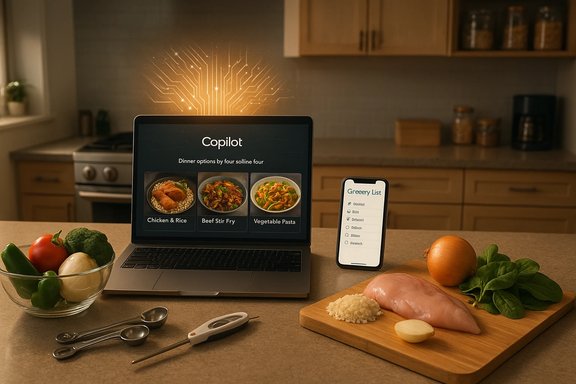
Shopify’s new Agentic Storefronts and the co‑developed Universal Commerce Protocol mark a decisive step toward making AI assistants not just discovery surfaces but full shopping environments — letting Google’s Gemini, Microsoft Copilot, ChatGPT and other agents find, present and complete purchases while keeping merchants as the merchant of record. The announcements bundle three technical primitives — canonical, machine‑readable product catalogs; delegated, tokenized checkout rails; and conversational orchestration with provenance — into a single merchant‑controlled workflow that is already rolling into pilots and early rollouts.
Shopify’s Winter ’26 “Agentic Storefronts” is positioned as a “configure once, distribute everywhere” solution: merchants prepare a single, canonical catalog inside Shopify, add brand voice and policy content, then toggle which AI assistants may read and present their products. Shopify says orders that originate in AI conversations will flow back into the Shopify admin with attribution and full merchant control of fulfillment and returns. The Winter ’26 announcement (December 10, 2025) and subsequent platform updates accelerate that strategy into production pilots and partner rollouts. Concurrently, Shopify and Google unveiled the Universal Commerce Protocol (UCP) — advertised as an open, extensible standard to unify how agents and merchant backends exchange product data, build carts, handle discounts and loyalty, and initiate delegated checkouts. Google has already signalled native shopping integrations for Gemini’s AI Mode and the Gemini app, and independent reporting at the National Retail Federation’s conference confirms major retailers and marketplaces are among the early UCP backers. Microsoft’s Copilot Checkout and OpenAI’s Instant Checkout sit alongside these moves, creating a multi‑platform competition to own the agentic shopping moment. Why this matters now: conversational AI has matured into a discovery surface that can ask clarifying questions, compare products and carry contextual intent across multiple turns — shortening the path from research to purchase. The technical breakthrough enabling in‑chat buying is not a single invention but the disciplined combination of clean product feeds, secure delegated payments, and auditable orchestration. Shopify’s productization of those primitives is intended to make agentic commerce accessible to millions of merchants without bespoke engineering work for each assistant.
For merchants, the immediate imperative is pragmatic: clean the data, test payments and instrument outcomes. For platform and payments teams, the work is governance and standards—ensure transparent enrollment mechanics, clear fee economics and auditor‑friendly provenance logs. If executed with strong guardrails and transparent terms, UCP and agentic storefronts can unlock new discovery channels and faster conversions. If mishandled, they risk creating new operational burdens, unexpected fees and regulatory headaches.
Merchants and IT teams should treat the next 60–120 days as a phase of careful pilots and measured rollouts: validate conversion lifts, monitor dispute behavior, and hold platforms to auditable guarantees before scaling into broad participation. The places agents can act will quickly become places where sales happen — and the early movers who prepared for this era will have a material advantage.
Source: SMBtech https://smbtech.au/uncategorized/sh...ct-merchants-to-google-microsoft-and-chatgpt/
 Background / Overview
Shopify’s Winter ’26 “Agentic Storefronts” is positioned as a “configure once, distribute everywhere” solution: merchants prepare a single, canonical catalog inside Shopify, add brand voice and policy content, then toggle which AI assistants may read and present their products. Shopify says orders that originate in AI conversations will flow back into the Shopify admin with attribution and full merchant control of fulfillment and returns. The Winter ’26 announcement (December 10, 2025) and subsequent platform updates accelerate that strategy into production pilots and partner rollouts. Concurrently, Shopify and Google unveiled the Universal Commerce Protocol (UCP) — advertised as an open, extensible standard to unify how agents and merchant backends exchange product data, build carts, handle discounts and loyalty, and initiate delegated checkouts. Google has already signalled native shopping integrations for Gemini’s AI Mode and the Gemini app, and independent reporting at the National Retail Federation’s conference confirms major retailers and marketplaces are among the early UCP backers. Microsoft’s Copilot Checkout and OpenAI’s Instant Checkout sit alongside these moves, creating a multi‑platform competition to own the agentic shopping moment. Why this matters now: conversational AI has matured into a discovery surface that can ask clarifying questions, compare products and carry contextual intent across multiple turns — shortening the path from research to purchase. The technical breakthrough enabling in‑chat buying is not a single invention but the disciplined combination of clean product feeds, secure delegated payments, and auditable orchestration. Shopify’s productization of those primitives is intended to make agentic commerce accessible to millions of merchants without bespoke engineering work for each assistant.How Agentic Storefronts and UCP Work (Technical Anatomy)
1. Canonical, machine‑readable catalogs
At the foundation is rich, normalized product metadata: SKUs, GTINs, images, live inventory, dimensions, shipping options, tax rules, and merchant policies. Shopify Catalog performs deduplication and attribute inference so agents can reliably match intent to product records rather than hallucinating or misattributing items. This canonicalization is the practical antidote to the “broken data chain” that sabotages many early agentic experiments.2. Conversational orchestration and brand control
Agents — whether Gemini, Copilot, ChatGPT or Perplexity — run the front‑end discovery and question flows. Brand voice, FAQs and policies pushed from Shopify’s Knowledge Base are exposed so agent responses remain consistent with merchant tone and rules. Microsoft’s Brand Agents and Copilot Studio templates are examples of how platforms let merchants shape responses while retaining conversational context. The orchestration layer asks clarifying questions (size, color, delivery constraints) and surfaces only rows from the canonical catalog that match the answers.3. Delegated, tokenized checkout
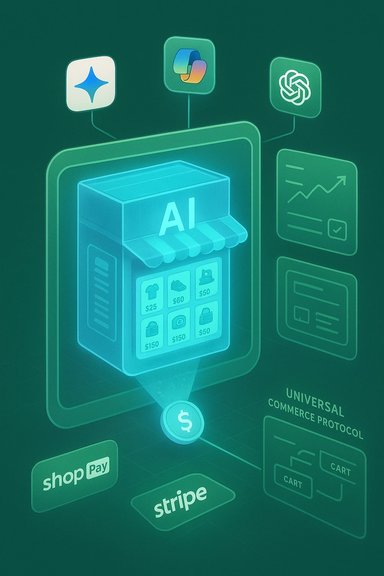
When a shopper confirms an item, the assistant typically requests a short‑lived checkout token from a payments provider (Shop Pay, Stripe, PayPal, or platform-specific token APIs). That token delegates settlement and fraud checks to the PSP or merchant system while preventing the assistant from handling raw card data. The merchant completes the settlement and remains the merchant of record; order details and attribution flow back into the merchant admin. This delegated payment pattern is the security backbone that makes in‑chat checkout tolerable for regulators and payments firms.4. Universal Commerce Protocol (UCP)
UCP is a specification intended to provide a common language for agents and merchant backends: product discovery, cart building, identity/loyalty linking, discount negotiation, checkout initiation and recovery paths for failed steps. The goal is to remove bespoke integrations between every assistant and every merchant, enabling rapid scale across platforms. Shopify presents UCP as extensible: universal primitives plus custom extensions for complex commerce features. Independent outlets reporting on NRF coverage corroborate Google and Shopify’s public push for such a standard.What Shopify, Google and Microsoft Announced — The Practical Details
- Shopify Agentic Storefronts: Merchants set up a single Agentic Storefront, choose channel toggles, and publish a Shopify Catalog feed optimized for agents. Orders from AI channels are attributed in the Shopify admin.
- Universal Commerce Protocol: Co‑developed with Google, UCP is described as an open protocol to handle cart semantics, discounts, loyalty and checkout flows across agent platforms.
- Google / Gemini integrations: Google is rolling UCP‑powered shopping into Gemini (AI Mode and Gemini app) and piloting merchant partnerships for instant, inline checkout without leaving the chat. News coverage and Google partner statements indicate Walmart, Wayfair and others are participating in pilot programs.
- Microsoft / Copilot Checkout: Microsoft’s Copilot Checkout embeds a branded checkout widget inside Copilot conversations; Shopify merchants will be automatically enrolled after an opt‑out window. Copilot Launch partners include PayPal and Stripe. Microsoft also introduced Brand Agents to let merchants shape in‑conversation experiences.
- OpenAI / Instant Checkout: OpenAI’s Instant Checkout program (built on Stripe’s Agentic Commerce Protocol concepts) already supports a set of merchants and has been expanding eligibility to Shopify sellers; its delegated payment model is aligned with the same tokenization patterns.
Business and Merchant Implications
Faster conversion, new discovery surfaces
Agentic commerce can materially shorten the path from intent to purchase by moving discovery, clarification and checkout into a single conversational flow. For merchants with clean product data and competitive fulfillment, agentic channels can provide incremental, high‑intent sessions and higher conversion velocity compared with traditional search or social referrals. Shopify management has publicly described sharp increases in AI‑attributed traffic and orders as early indicators of momentum, though those specific multipliers are company‑reported and require independent validation.Centralization vs. distribution tradeoff
Shopify’s pitch — one integration to serve many agents — is attractive for scale. It reduces engineering overhead and lowers the barrier for smaller merchants to appear in AI channels. But it also concentrates gatekeeping on a small number of platforms and protocols, making merchant economics dependent on placement rules, default enrollment mechanics, and fee structures defined outside the merchant’s direct control.Payments and monetization
Tokenized delegated checkout is the monetization fulcrum. When Shop Pay or other Shopify-aligned payment rails are used for in‑chat purchases, Shopify captures merchant‑services revenue and valuable signal data. Platforms may also introduce new promotional placements inside chats (advertising or “preferred merchant” slots), creating a new ad surface and potential incremental fees. Merchants should expect negotiation around fees, chargeback rules, and settlement timings to matter materially.Risks, Operational Headaches and Governance Concerns
While the technical blueprint is sensible, execution risks are real and immediate.- Data quality and catalog hygiene: Agents depend on high‑fidelity metadata. Poor SKUs, mismatched GTINs, inconsistent dimensions, or stale inventory will lead to bad customer experiences and returns. Fixing data at scale is non‑trivial for many SMBs.
- Fraud, disputes and chargebacks: Delegated tokens reduce assistant exposure to card data but transfer settlement and fraud responsibility to PSPs and merchants. Patterns of higher conversion from agents may also correlate with different types of disputes; merchants should expect new fraud‑mitigation rules and possible underwriting changes from payment processors.
- Opt‑out enrollment and default settings: Automatic enrollment (Shopify merchants being auto‑enrolled into Copilot Checkout after an opt‑out window, for example) accelerates reach but raises governance questions. Merchants must watch default toggles, channel visibility rules, pricing display, and the mechanics of withdrawal.
- Fee economics and disclosure: If platforms take placement fees, add checkout fees, or introduce promotional ad pricing inside agents, the net economics for SMB merchants could erode margins. Merchants should negotiate clear, auditable terms and monitor attribution carefully.
- Regulatory and privacy scrutiny: New checkout surfaces and the linkage of identity, loyalty and payment tokens will invite regulator attention. Rules about disclosure (making clear the assistant is acting as a transactional agent), liability allocation, and consumer protections will evolve quickly and may differ across jurisdictions.
Practical Steps for Merchants: A Checklist
- Audit and normalize your catalog now
- Ensure accurate GTINs, SKUs, weights, dimensions, images, and live inventory.
- Consolidate duplicate variants and fix common schema errors.
- Publish clear policy and FAQ content
- Use the Knowledge Base or similar tools to expose return rules, shipping windows, and brand voice so agents can answer follow‑ups consistent with your policies.
- Validate checkout and payments flows in a sandbox
- Test delegated token flows, chargeback handling, and settlement timing with your PSP (Shop Pay, Stripe, PayPal).
- Run fraud and dispute simulations.
- Review default channel enrollees and opt‑out windows
- Confirm whether your platform automatically enrolls you in Copilot Checkout, Gemini integrations, or other agents and adjust toggles intentionally.
- Instrument attribution and analytics
- Establish A/B tests to compare agentic channel conversion, return rates, lifetime value, and dispute incidence versus existing channels.
- Negotiate commercial terms and fee transparency
- If platforms offer promotional placement or new ad surfaces, demand audit logs, clear pricing, and attribution guarantees.
- Plan a staged rollout
- Start with a conservative pilot: select a subset of SKUs with robust margins and simple shipping rules.
- Expand based on controlled results and independent measurements.
What IT, Payments, and Platform Teams Should Monitor
- Conversion vs. returns/disputes: a high conversion rate that is accompanied by higher return or dispute rates may indicate poor intent quality or catalog‑matching issues.
- PSP rule changes: payment providers may revise token semantics or underwriting if fraud patterns emerge.
- Platform policy evolution: watch default visibility rules, promotional placement mechanics and ad introductions that could change economics.
- Regulatory guidance: stay current with consumer protection agencies and payments regulators that will likely issue clarifications on agentic checkout liability and disclosure.
- Standards evolution: both UCP and Agentic Commerce Protocol (ACP) specifications are early stage; monitor updates and multi‑vendor interoperability tests.
Early Verdict — Strengths and Weaknesses
Strengths- Practical standardization: UCP and Shopify’s Agentic Storefronts address the fragmentation problem head‑on by standardizing catalog semantics and checkout handoffs. This lowers engineering friction for merchants and increases the probability that AI channels will scale beyond bespoke pilots.
- Merchant control on paper: Shopify’s design preserves merchant‑of‑record responsibilities, attribution and data flows into the admin — a critical requirement for merchants who must manage fulfillment, returns and customer relationships.
- Payments security architecture: Delegated, tokenized checkout patterns reduce exposure of raw card data and align with current PSP capabilities, which makes in‑chat checkout operationally feasible now.
- Data hygiene requirement: Many SMBs lack the catalog discipline necessary to appear reliably in agent queries; fixing this at scale will be costly.
- Operational responsibility shifts: Fraud, chargebacks and settlement now sit squarely with merchants and PSPs, potentially changing underwriting and cost structures in the medium term.
- Concentration and commercial leverage: Default enrollments and new internal ad surfaces give platform owners leverage to extract fees or change placement economics quickly. Merchants must retain contractual levers and data access.
Conclusion
Agentic commerce is no longer an experiment — it has graduated to productization and standardization. Shopify’s Agentic Storefronts and the Universal Commerce Protocol, combined with Google’s Gemini shopping rollout and Microsoft’s Copilot Checkout, create a credible path for AI agents to perform discovery, comparison and checkout in one seamless flow. That path relies on disciplined catalog management, robust delegated payment rails and auditable orchestration — all areas where merchants must invest before expecting reliable returns.For merchants, the immediate imperative is pragmatic: clean the data, test payments and instrument outcomes. For platform and payments teams, the work is governance and standards—ensure transparent enrollment mechanics, clear fee economics and auditor‑friendly provenance logs. If executed with strong guardrails and transparent terms, UCP and agentic storefronts can unlock new discovery channels and faster conversions. If mishandled, they risk creating new operational burdens, unexpected fees and regulatory headaches.
Merchants and IT teams should treat the next 60–120 days as a phase of careful pilots and measured rollouts: validate conversion lifts, monitor dispute behavior, and hold platforms to auditable guarantees before scaling into broad participation. The places agents can act will quickly become places where sales happen — and the early movers who prepared for this era will have a material advantage.
Source: SMBtech https://smbtech.au/uncategorized/sh...ct-merchants-to-google-microsoft-and-chatgpt/