

The Server Side’s recent roundup of sample AI‑102 practice questions and the market around third‑party exam materials delivers a useful, candid snapshot: the AI‑102 (Azure AI Engineer Associate) exam tests applied, operational skills across Azure’s AI stack, and while reputable practice exams accelerate preparation, the growing trade in “actual exam” dumps poses legal, ethical, and career risks that candidates and hiring managers must treat as real and immediate.
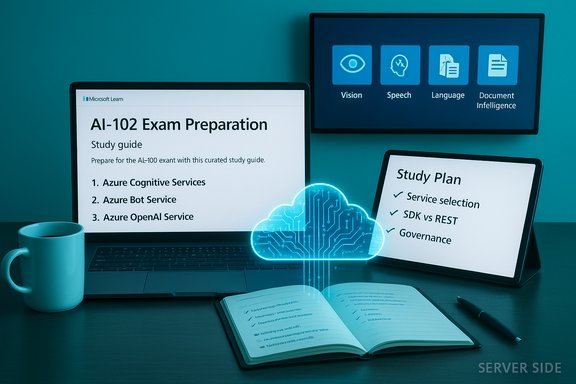
Microsoft’s official study guide for Exam AI‑102 frames the credential as a role‑based validation for professionals who design, build, deploy, and operate AI solutions on Azure. The exam’s skills outline spans planning and governance, generative AI, agents, computer vision, speech and language, and knowledge‑mining/document intelligence — with explicit weightings for each domain that guide focused study. The Server Side piece examined a published set of representative practice items and the Q&A that accompanied them, extracting patterns and practical clarifications that are exactly the kinds of things the exam stresses: service selection (which Azure capability fits a scenario), SDK vs REST tradeoffs, configuration details (what the API call actually needs), and responsible AI operations such as PII detection and fairness monitoring. That analysis also flagged a parallel market selling purported “real exam” banks and dumps — materials that offer short‑term convenience at long‑term risk.
However, the market for “actual exam” dumps poses concrete harms:
Source: The Server Side AI-102 Azure AI Engineer Practice Tests on Exam Topics
 Background
Microsoft’s official study guide for Exam AI‑102 frames the credential as a role‑based validation for professionals who design, build, deploy, and operate AI solutions on Azure. The exam’s skills outline spans planning and governance, generative AI, agents, computer vision, speech and language, and knowledge‑mining/document intelligence — with explicit weightings for each domain that guide focused study. The Server Side piece examined a published set of representative practice items and the Q&A that accompanied them, extracting patterns and practical clarifications that are exactly the kinds of things the exam stresses: service selection (which Azure capability fits a scenario), SDK vs REST tradeoffs, configuration details (what the API call actually needs), and responsible AI operations such as PII detection and fairness monitoring. That analysis also flagged a parallel market selling purported “real exam” banks and dumps — materials that offer short‑term convenience at long‑term risk.What the Server Side sample questions actually teach
Applied, scenario‑first design
The sample questions tilt heavily toward applied reasoning rather than isolated trivia: scenarios present a business need (phone transcription, contract parsing, or a retrieval‑augmented generation pipeline) and then ask which Azure service, SDK class, or architecture choice provides the best trade‑off for accuracy, cost, latency, or operational simplicity. This mirrors the exam’s role focus and rewards engineers who can translate real requirements into platform choices.Key recurring patterns
- Service selection: choosing between Azure OpenAI, Azure AI Language, Azure AI Vision, Azure AI Speech, and Azure AI Document Intelligence for a given requirement.
- SDK vs REST: questions test whether an SDK object (for example, a speech recognizer) or a REST endpoint is the simpler, production‑ready option.
- Operational parameters: details like the required Azure OpenAI deployment identifier, endpoint, and API key are present in sample Q&A to teach what a working call must include.
- Governance and monitoring: PII categories, fairness/inclusiveness monitoring goals, and container billing metadata are tested, emphasizing operational readiness.
Technical clarifications verified against official docs
The Server Side Q&A distills several practical rules that candidates should internalize. Each claim below is verified against Microsoft documentation and community guidance.1) Live/streaming transcription: use SpeechRecognizer (Speech SDK) for minimal‑work real‑time scenarios
The Speech SDK’s SpeechRecognizer supports continuous recognition, event callbacks for intermediate (recognizing) and final (recognized) transcriptions, and built‑in controls for starting and stopping long sessions — making it the straightforward choice for live phone or meeting transcription. Microsoft’s Speech documentation shows continuous recognition examples and describes the Recognizing/Recognized events and StopContinuousRecognitionAsync semantics. For streaming scenarios that require low latency and incremental transcription, the SDK object is both simpler and more robust than crafting a custom HTTP streaming flow.2) Azure OpenAI requests require a resource endpoint, an API key (or token), and a deployment identifier
When calling Azure OpenAI, clients target a specific deployment resource (the deployment name you created in the Azure portal), not just a model ID. Practical SDK and integration examples require the Azure OpenAI endpoint, the API key (or managed identity credentials), and the deployment name. This is a consistent, widely documented requirement in Microsoft and third‑party integration guides: the deployed model is referenced by its deployment name at request time.3) OCR / Vision vs Form Recognizer: choose Read/Computer Vision for photographic OCR; use Form Recognizer / Document Intelligence for structured forms and key‑value extraction
- Computer Vision’s Read/OCR capability is optimized for extracting printed and handwritten text from images and photographs — useful for sale tags, photos, and unstructured documents. Microsoft’s Read API docs and demos emphasize image OCR and handwriting extraction.
- Form Recognizer (now Azure AI Document Intelligence) is built for structured or semi‑structured documents (invoices, receipts, contracts) and shines when you need key‑value pairs, table extraction, or custom fields. For scenarios where layout and field semantics matter, a trained Document Intelligence model is often the correct choice.
- The Server Side guidance aligns with this: for photographic OCR, prefer Computer Vision Read; for structured data extraction use Form Recognizer / Document Intelligence.
4) Cognitive Services (AI) containers must be run with billing/metering configuration
Azure Cognitive Services containers require explicit billing/metering parameters at runtime so usage is attributed to your Azure subscription; the container will attempt to report usage periodically and disable serving if the billing endpoint is not reachable. Microsoft’s container docs show the required docker run parameters (e.g., Billing or apikey) and explain the metering behavior. This is operationally important for on‑prem or offline deployments.5) Custom Document Intelligence models: add representative samples and retrain versions rather than create a separate model whenever possible — but note how model IDs are managed
The recommended pragmatic approach when supporting a new contract layout is to include representative examples of the new layout in the project’s training set and retrain the model so the single pipeline can handle both layouts. This minimizes runtime routing and operational complexity. Microsoft’s community documentation for Document Intelligence clarifies that each train operation produces a new model identifier (ModelId) — a new version — and that the service design historically issues new model keys for each training event (though you can manage friendly names and model management at the project level). In practice, teams treat retrain cycles as a versioning workflow rather than endlessly provisioning discrete models for every minor layout. Flag: exact model‑id reuse behavior has changed over time and should be verified against the service’s current API and release notes before designing a production‑level model registry.Why reputable practice tests matter — and where they fall short
The Server Side editorial and the community responses make a pragmatic point: reputable practice exams — from vendors that produce original question banks and thorough explanations — are highly useful when combined with hands‑on labs and Microsoft Learn tracks. They help with pacing, exam phrasing, and remediation loops that turn errors into learning opportunities.However, the market for “actual exam” dumps poses concrete harms:
- Violation risk: Microsoft’s candidate agreements treat exam content as vendor IP; distributing or using leaked content can result in invalidation or revocation of certification. The Server Side specifically flags vendor policies and the forensic mechanisms vendors use to detect misuse.
- Fragile competence: passing via memorized dumps yields a brittle signal. Candidates who memorize Q&A without applying concepts often fail live interviews and early‑job on‑ramps. The article highlights the employer perspective: request artifacts and demonstrations rather than relying solely on a badge.
- Staleness and inaccuracy: cloud AI services evolve rapidly. Static dumps can quickly become obsolete and misleading; the Server Side recommends anchoring study with vendor docs and sandboxes.
A practical, high‑yield study plan (mapped to Server Side recommendations and Microsoft’s blueprint)
This plan synthesizes the Server Side’s balanced advice and Microsoft Learn’s skills outline so you get exam‑ready while building durable, production‑useful skills. Adjust the timeline to your experience level.Phase 0 — Prep and diagnostic (1 week)
- Review the AI‑102 study guide and skills outline.
- Take one reputable diagnostic practice test to identify weak domains (avoid dumps).
Phase 1 — Core hands‑on skills (4–6 weeks)
- Follow Microsoft Learn role paths that map to AI‑102 objectives: Azure AI Vision, Azure AI Speech, Azure AI Language, Azure AI Document Intelligence, Azure AI Search, and Azure OpenAI.
- Build three compact projects and publish them (GitHub):
- A RAG pipeline: embeddings + retrieval + Azure OpenAI for synthesis.
- A vision/form demo: Computer Vision Read for photographic OCR, and a Document Intelligence custom model for structured extractions.
- A conversational agent: Azure Bot Service or Azure AI Foundry agent integrated with an LLM endpoint and NLU entities (currency, geography).
- Keep notebooks, deployment scripts (ARM/Bicep or Terraform), and short README architecture notes.
Phase 2 — MLOps, monitoring, and governance (2–3 weeks)
- Deploy a simple model to Azure Machine Learning or a managed endpoint and implement basic telemetry: latency, error counts, and data drift signals.
- Implement responsible AI checks: PII detection, fairness monitoring, access control, and an approval workflow for model updates. Microsoft’s exam blueprint emphasizes responsible AI and operational controls.
Phase 3 — Timed practice and remediation (2–3 weeks)
- Use trusted practice providers (MeasureUp, Whizlabs, A Cloud Guru) that explicitly publish original questions and strong explanations. After each timed test, document every incorrect question and map it back to the relevant Microsoft Learn module or lab.
- Revisit tricky scenarios in small demo repos to convert short‑term mistakes into long‑term understanding.
Phase 4 — Final verification (1 week)
- Revisit the official skills outline and take one final full‑length timed practice test from a reputable vendor.
- Prepare a concise set of demo artifacts (3‑page README + link to deployment) to show employers or interviewers if asked.
Employer guidance: vetting AI‑102 claims responsibly
Hiring teams should treat a certification as one credible signal among several. The Server Side recommends a pragmatic three‑part vetting strategy that reduces the value of rote memorization:- Verify the digital badge using vendor verification tools and require candidates to link to their official certification profile.
- Require a short take‑home or live lab task (30–90 minutes) that mirrors the role’s responsibilities — e.g., deploy a simple RAG pipeline or demonstrate how a Document Intelligence model was trained and validated.
- Probe applied architectural thinking in interviews: ask situational questions about monitoring, rollback strategies, cost trade‑offs, and privacy controls. Candidates who learned via projects and labs will articulate trade‑offs convincingly; candidates who memorized dumps will struggle.
Strengths, trade‑offs, and practical risks for candidates and teams
Strengths of the current exam design and sample materials
- Role alignment: the exam’s scenario‑driven questions map to real work tasks — designing pipelines, selecting services, and governing deployments — which produces a useful hiring signal when combined with artifacts.
- Operational orientation: inclusion of container billing, deployment identifiers, SDK objects, and telemetry topics moves certification toward deployable competence rather than trivia.
- Responsible AI coverage: the exam measures governance topics — PII detection, fairness monitoring, and incident workflows — reflecting enterprise needs.
Practical risks and failure modes
- Dump market erosion: the growth of commercial “exam dump” sellers threatens the long‑term value of the credential and exposes candidates to vendor enforcement and reputational harm. The Server Side documents this market and urges caution.
- Staleness: static PDFs and old practice sets risk teaching out‑of‑date API names, SDK classes, or operational flows. Always confirm critical technical details with Microsoft docs and test in a sandbox.
- Vendor lock and portability: deep platform investment in Azure managed services is powerful but requires balancing with transferable skills (infrastructure as code, orchestration) to retain market mobility.
Quick verification checklist for exam‑relevant technical claims
- Azure OpenAI calls need: endpoint, API key (or managed identity token), and the deployment name you created in the portal; check the resource’s Keys & Endpoint page before calling.
- For live transcription, validate that your Speech SDK version supports continuous recognition features you plan to use (semantic segmentation, continuous LID) and test Recognizing/Recognized callbacks in a sandbox.
- Cognitive Services containers must run with billing/metering parameters and be able to reach the billing endpoint periodically, or they will stop serving queries. Confirm docker run syntax in the container docs.
- When adding a new document layout to a Document Intelligence pipeline, prefer adding representative samples to the project and retraining (model versioning) rather than creating a second model that complicates runtime routing — but confirm the service’s current model version management behavior for your team’s governance pattern.
Conclusion
The Server Side’s coverage of AI‑102 practice questions delivers a useful, practical reading of what the Azure AI Engineer exam measures: applied architectural reasoning, service selection, and the operational skills required to deploy and govern AI systems on Azure. Those sample items — when used with Microsoft Learn, hands‑on projects, and reputable timed practice tests — accelerate learning and produce durable competence. At the same time, the rise of commercial “actual exam” dumps is a material, verifiable risk: these products tempt short‑term gains but threaten revocation, employer distrust, and brittle competence. The sound path is clear: learn with vendor content and sandboxes, test using high‑quality practice vendors that publish original material, and build a short portfolio of demonstrable projects you can show to employers. The Server Side’s balanced guidance — use sample questions as learning artifacts not shortcuts — is the most durable preparation strategy for both passing AI‑102 and performing effectively in the job the certification represents.Source: The Server Side AI-102 Azure AI Engineer Practice Tests on Exam Topics
