

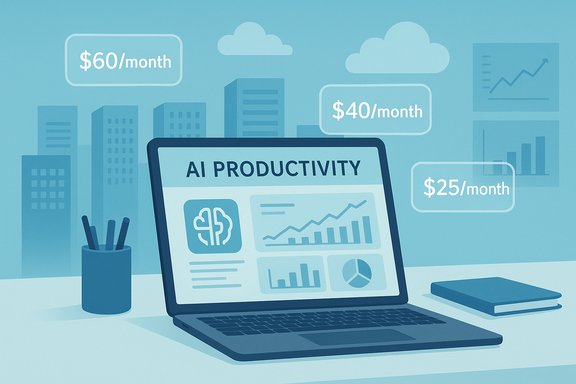
Big tech’s AI arms race is no longer just a back‑office capital story — it’s showing up on consumer bills and business invoices as companies weave generative AI into the software people use every day, then raise prices or fold AI into new subscription tiers so the cost of massive datacenter builds and GPU fleets is effectively underwritten by end users.
Background: the economics behind the AI push
The industry’s sprint to build AI‑grade infrastructure is driven by a simple math problem: training and serving modern large models costs enormous amounts of capital, power and specialized hardware. Hyperscalers and major software vendors are investing billions to secure capacity — GPUs, networking, purpose‑built racks, power and rapid expansion of regional data centers — and those costs are visible in quarterly capital expenditures and guidance. Microsoft, for example, reported a quarterly capital‑spend spike that drew investor attention: capex of roughly $34.9 billion in a recent quarter as the company expanded AI infrastructure. At the same time, the vendors that built the cloud and the productivity stacks are trying to convert that infrastructure investment into stable, recurring revenue. The result is two complementary trends: (1) heavy upfront capex by cloud and platform owners; and (2) new or reworked subscription pricing that bakes AI features — often deeply integrated and difficult to opt out of — into everyday software packages used by consumers and businesses.How AI is being bundled into subscriptions
Microsoft: Copilot moves from add‑on to central plank
Microsoft’s strategy is emblematic. The company has folded its Copilot capabilities deeper into Microsoft 365 and repositioned consumer offerings to reflect that change. Microsoft 365 Premium — launched as a consumer tier — bundles Copilot functionality with the traditional Office suite at $19.99 per month for individuals/families. That effectively collapses what was once a separate Copilot add‑on into the base subscription for the new premium tier, and Microsoft communicated that Copilot Pro will be rolled into this new consumer premium bundle. The launch was framed as more integration and value, but it also removes a previous separation between Office apps and paid AI access for many users. Why this matters: previously, consumers who wanted Copilot features might have paid for a standalone Copilot Pro subscription and a separate Microsoft 365 license; now many of those functions are consolidated and priced as one package, making it harder to use Office without contributing to AI infrastructure costs. This reduces “opt‑out” flexibility for users who prefer to avoid AI features but still need Office apps.Google: Gemini becomes part of Workspace (and the price tag follows)
Google reworked its Workspace offerings to include Gemini capabilities in Business and Enterprise plans, replacing a higher‑priced add‑on model with modest permanent per‑user increases. The company made Gemini features broadly available across Gmail, Docs, Sheets and Meet and updated plan pricing — roughly a $2–$4 per user per month increase depending on the tier — rather than continuing to charge $20 per user for a separate add‑on. That change was pitched as simplifying access to AI tools while redistributing AI costs across subscribers. The effect is similar to Microsoft’s: basic inclusion of AI in core productivity tools plus a higher recurring fee. For businesses, those per‑user increases compound quickly across teams and departments, and the AI features are largely non‑optional once included in a plan.Adobe: Creative Cloud becomes “Pro” with generative AI built in
Adobe rebranded Creative Cloud All Apps to Creative Cloud Pro, raising the sticker price in North America from $59.99 to $69.99 per month for the annual, billed‑monthly subscription, while adding expanded generative AI benefits (including access to Firefly generation tools and higher AI credit allotments). Adobe also introduced a lower‑cost “Creative Cloud Standard” tier for users who want core apps with limited AI. The new Pro tier bundles unlimited standard image and vector generation and thousands of premium credits for advanced features — a clear case of AI being used as a value justification for price increases.What vendors say, and what the data shows
Executives and CFOs at large vendors have openly tied increased spending to capacity needed for AI. Microsoft and Meta have both signaled multi‑billion or multi‑tens‑of‑billions capex plans for AI infrastructure; Meta acknowledged a $66–72 billion capex range in a year when it aggressively scaled data centers to support AI models, while Microsoft’s recent quarter showed a dramatic capex spike that company commentary attributed largely to cloud and AI buildouts. These public figures show a clear line between infrastructure expenses and subsequent product packaging decisions. But the link between capex and consumer bills is not a direct one‑for‑one transfer. Capital expenses fund long‑lived assets (data centers, networking) plus shorter‑lived items (GPUs, servers). Companies argue that amortizing those costs over millions of users and many years is essential to sustain service delivery and future innovation. Consumers, however, experience the result as either steeper subscription prices or fewer no‑AI options.Consumer and enterprise impacts
Price impact: incremental and sticky
- For consumers, incremental price changes are frequently small per month but add up over time. Microsoft’s $19.99 Premium, Google Workspace’s $2–$4 per user hike, and Adobe’s $10/month increase are examples where vendors converted AI investments into recurring income streams.
- For businesses, even modest per‑user increases scale quickly: a 50‑person team facing a $4/month bump per user sees $2,400 in annual increased costs — a nontrivial line item over several teams.
Opt‑out friction and product dependency
Vendors are designing bundles that make AI features integral to workflows — summaries in email, auto‑generated slides, code assistance or image generation that integrate directly into apps. That integration increases utility, but it also raises the switching costs for customers who want to avoid paying for AI. In many cases, the AI is not something you can simply turn off without losing tightly coupled features (for example, platform‑level integrations and collaborative behaviors that expect the AI to be present). A consumer who wants Office desktop apps without AI may find fewer attractive options as vendors deprecate perpetual licenses in favor of cloud‑centric subscriptions.The personalization argument: long‑term value (and vendor rationale)
Some CIOs and vendors argue that long‑running subscriptions enable personalized AI that improves over time, justifying subscription economics: the more a model sees a user’s data and preferences (under consent and governance models), the more valuable its personalized suggestions become. That argument positions subscription fees as investments in an improving, personalized experience rather than a pure surcharge. The counterargument is that perceived “personalization” is often incremental and may not justify the price increases for all users.The marketing angle: perceived value vs. measurable outcomes
AI carries a strong marketing premium: anything labeled “AI‑powered” benefits from a perceived‑value boost that can make price increases easier to sell. Behavioral researchers call this perceived value bias: customers assume AI labels mean superior outcomes even when the change to their day‑to‑day experience is marginal. Vendors exploit that bias to position higher tiers as the obvious upgrade. This dynamic helps explain why firms can introduce higher‑priced bundles without detailed, immediately measurable ROI for many users. Still, some businesses are pushing back or demanding clearer outcome‑based pricing. A growing chorus in the industry — from subscription platform vendors to analytics firms — is testing usage‑based AI pricing where customers pay for outcomes (e.g., AI‑resolved support tickets, tokens processed or inference calls) rather than flat subscription increases. That model promises tighter linkage between value received and cost paid, but it also requires vendors to instrument and demonstrate those outcomes clearly. Expect experimentation here, especially among smaller vendors who need to win trust.Risks and downsides
1. Subscription fatigue and churn risk
Consumers already juggle many recurring services (streaming, productivity, cloud storage). Piling AI‑enabled price increases on top of existing subscriptions risks accelerating churn or encouraging customers to rationalize and cut nonessential services. Vendors that misread customer tolerance for price increases could see adoption stall or higher voluntary downgrades.2. Equity of access and digital divide impacts
Embedding AI features in the default paid tiers intensifies a two‑tier world: users who can afford premium, AI‑enhanced tools get productivity advantages, while budget‑constrained users must rely on feature‑limited tiers. This raises concerns about equitable access to AI productivity tools in education, small business and non‑profit contexts.3. Transparency and consent issues
When AI is bundled and opt‑out is hard, transparency about what the AI does, how it uses data, and what opting out means becomes crucial. Users may unknowingly accept AI behaviors (data retention, model‑training policies, third‑party model access) bundled into a subscription. Regulators and customer advocates are increasingly focused on clarity around data uses and the ability to control what a model learns or stores. Vendors that fail to provide clear controls risk backlash, regulatory scrutiny or class‑action exposure.4. Environmental and operational externalities
Large GPU clusters consume significant power and create environmental impact. While vendors sometimes point to renewable‑energy commitments, the scale of datacenter deployments has material sustainability implications that companies are being asked to quantify and mitigate. Those operational costs — and reputational risks — are part of what customers are effectively underwriting through subscription price increases.Strengths of the bundling approach
- Predictable revenue: Subscriptions smooth revenue streams and help companies finance long‑term capex and operations.
- Simpler customer experience: Bundling reduces fragmentation — one bill for office software plus AI features can be simpler for many organizations.
- Faster innovation loop: Recurring revenue funds ongoing R&D and quicker rollouts of new features without requiring discrete product purchases.
Practical guidance for consumers and IT buyers
- Audit subscriptions quarterly. Track per‑user costs and AI features rolled into each plan.
- Calculate outcomes. When possible, estimate time saved or business value produced by AI features — use that to justify premium tiers, or to guide downgrading decisions.
- Negotiate enterprise terms. Large buyers should negotiate usage limits, opt‑out clauses and price caps tied to measurable outcomes.
- Explore alternatives and partial‑opt‑out strategies. Vendors often offer lower‑cost, no‑AI tiers or perpetual licenses for specific workflows — evaluate whether these meet core needs.
- Demand transparency. Ask vendors for precise descriptions of how user data is used, whether it trains models, and how retention and deletion requests are handled.
Where this could go next
The market is likely to evolve along three paths — not mutually exclusive:- Continued bundling and tiering: Large vendors keep integrating AI and leaning on brand, convenience and perceived value to support higher subscription prices.
- Outcome‑based pricing experiments: Some vendors — especially those that directly measure AI outcomes (customer support resolution, content generation counts, inference volume) — will trial usage‑ or outcome‑based charges that create tighter value linkage for buyers. This is already being promoted by subscription monetization platforms and enterprise software providers.
- Consumer resistance and unbundling pressure: If customers push back hard enough, we could see a market for “AI‑free” premium products or third‑party tools that provide narrowly scoped AI capabilities at lower incremental costs. Niche vendors and open‑source alternatives may accelerate here.
Verifiable facts, cross‑checked
- Microsoft reported a dramatic capital‑spend quarter with capex figures widely reported at about $34.9 billion for the period that ended Sept. 30, reflecting heavy AI and datacenter buildout activity. This figure is consistent across company filings and multiple market reports.
- Microsoft launched Microsoft 365 Premium for consumers at $19.99 per month and repositioned Copilot Pro functionality into that bundle; official Microsoft store information and coverage in major outlets confirm the price and the strategic move.
- Google integrated Gemini into Workspace and increased plan prices by roughly $2–$4 per user per month for Business and Enterprise editions instead of continuing to sell separate $20‑per‑user add‑ons; Google’s Workspace blog and reporting from the tech press corroborate this change and implementation timing in early 2025.
- Adobe renamed Creative Cloud All Apps to Creative Cloud Pro and raised its North American monthly price to $69.99 for the all‑apps bundle while adding expanded generative AI features; Adobe’s official blog and help pages detail the pricing and feature differences.
Critical analysis — strengths, weaknesses and consumer risk
The industry’s approach has pragmatic logic: vendors need sustainable business models to support costly AI infrastructure, and subscription bundling helps convert capex into recurring revenue. For organizations that extract clear productivity gains from AI assistants, that model can be a win: better outcomes, fewer point tools, consolidated management.But the approach has meaningful downsides:
- Bundling reduces consumer choice and increases switching friction, particularly for users who want core software without AI.
- Perceived value bias can mask marginal real‑world improvements; marketing will often outpace measurable productivity gains.
- The pricing changes are regressive in effect: small businesses and individual creatives feel price jumps more acutely than large enterprises, especially when per‑seat fees are multiplied across teams.
- Environmental and governance externalities are not priced into subscriptions in a transparent way; customers may be funding carbon‑intensive infrastructure without clear visibility on offsets or efficiency improvements.
Conclusion
The cost of the AI arms race is showing up in everyday software bills. Big vendors are rationalizing multi‑billion dollar datacenter buildouts by folding AI into subscription bundles and nudging prices upward. For buyers and consumers, the imperative is to treat AI‑infused price increases as a line‑item to be justified: demand outcomes, audit usage, and preserve bargaining power where possible. For vendors, the test is whether AI can deliver repeatable, demonstrable value that customers explicitly recognize and are willing to pay for — or whether they’ll encounter growing resistance in a market that is already wary of subscription creep.What’s clear is that the debate over who ultimately pays for AI infrastructure — shareholders, enterprise customers, or individual consumers — is no longer academic: it is playing out in product pages, renewal notices and corporate capex statements right now.
Source: CNBC https://www.cnbc.com/2025/10/31/big...-microsoft-google-software-subscriptions.html


