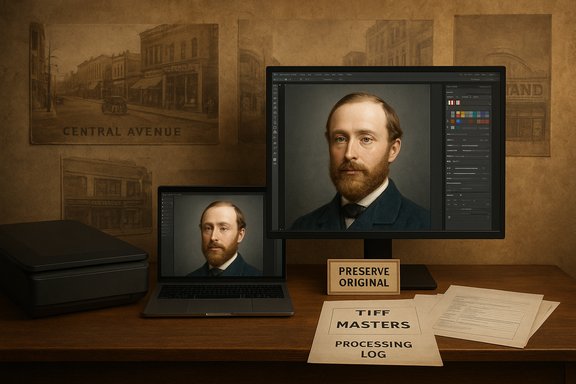
Neil Headrick’s quiet hobby has become a vivid public service: using readily available AI tools to repair, colourize and animate century-old photographs from Prince Albert’s archives, turning fragile black‑and‑white images into striking, shareable windows on local history.
For decades the Prince Albert Historical Museum and the Prince Albert Historical Society have held large reserves of photographs, negatives and family albums documenting the city’s past. Staff and volunteers say the museum’s photographic holdings are substantial and that many items sit in archival storage, unseen by most residents. Neil Headrick, a local resident and amateur restorer, has taken a hands-on approach: scanning physical prints, removing creases and scratches, then using a mix of tools—traditional editors like Photoshop and consumer AI apps—to add colour and subtle motion to faces and streetscapes. He posts his results online and plans to work with the Historical Society to make more of the collection accessible.
This is a local story with technical and ethical echoes that matter to archives, historians, and anyone who cares about how AI reshapes our view of the past. The rest of this feature explains how Headrick achieves those results, verifies the technical claims about methods and tools, weighs the benefits and risks, and offers concrete best practices for museums, hobbyists and communities thinking about AI‑enhanced historic photos.
But the technology’s strengths are two sides of the same coin. The very realism that makes AI‑enhanced images compelling also makes them easy to misinterpret. The responsibility to preserve the original document and to document every enhancement is not optional: it is the professional standard that safeguards museums, researchers and the public from mistaking a compelling image for definitive historical evidence.
For Prince Albert, the combination of volunteer passion, institutional archives and accessible AI tools offers a real opportunity: tens of thousands of photographs may become living memory again, not by replacing the original record but by using modern tools to invite people back to it—so they can look more closely, ask better questions, and help preserve the real things that matter.
Source: saskNOW Local resident brings historic Prince Albert to life using AI
 Background / Overview
For decades the Prince Albert Historical Museum and the Prince Albert Historical Society have held large reserves of photographs, negatives and family albums documenting the city’s past. Staff and volunteers say the museum’s photographic holdings are substantial and that many items sit in archival storage, unseen by most residents. Neil Headrick, a local resident and amateur restorer, has taken a hands-on approach: scanning physical prints, removing creases and scratches, then using a mix of tools—traditional editors like Photoshop and consumer AI apps—to add colour and subtle motion to faces and streetscapes. He posts his results online and plans to work with the Historical Society to make more of the collection accessible.This is a local story with technical and ethical echoes that matter to archives, historians, and anyone who cares about how AI reshapes our view of the past. The rest of this feature explains how Headrick achieves those results, verifies the technical claims about methods and tools, weighs the benefits and risks, and offers concrete best practices for museums, hobbyists and communities thinking about AI‑enhanced historic photos.
How Headrick is bringing Prince Albert’s past to life
The workflow: scan, restore, colourize, animate
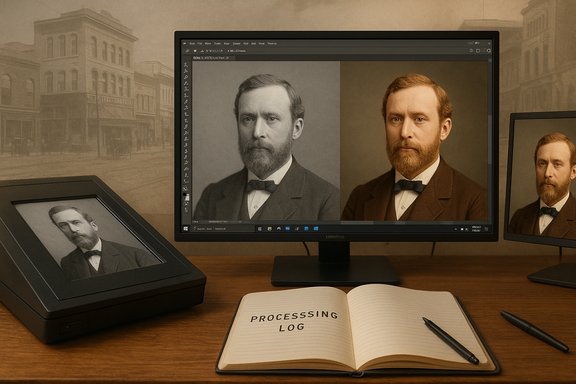
Headrick’s process follows a familiar archive‑to‑digital workflow, adapted to consumer AI:- Scan or photograph the original print at high resolution to preserve detail.
- Use image editors (Photoshop and modern native Windows tools) to remove dust, creases and scratches, and correct contrast.
- Apply AI colorization to generate a plausible colour version of the grayscale image.
- Optionally add subtle motion—eye blinks, head movements, or atmospheric motion—to create a short animated clip suitable for social sharing.
Tools he mentions and what they actually do
In interviews Headrick names Microsoft Copilot, Google Gemini, and Grok among his preferred apps; he also uses Photoshop for cleanup. Those names map onto current, widely available capabilities—but with important caveats.- Microsoft Copilot (and Copilot-enabled Paint/Photos): Microsoft has layered generative features into Paint, the Microsoft 365 ecosystem and Windows Copilot integrations. Recent Windows Insider builds have expanded in‑app generative tools—Image Creator, Generative Erase and AI-assisted background removal—making quick restoration and prompt‑driven edits available natively on Windows. These Copilot features are intended to speed routine fixes and creative edits inside Microsoft apps.
- Google Gemini (Imagen/Veo family): Google’s Gemini family now supports robust image editing and short video generation. Gemini’s image editing features permit conversational, multi‑step edits (object removal, in‑painting, selective replacements) and Google’s Veo/Imagen models provide short text‑to‑video and image‑to‑video capabilities for creating brief animated sequences. Gemini’s image editing rollout and Veo experimentation make it a plausible choice for users who want to both colorize and add motion.
- Grok / Grok Imagine (xAI): xAI’s Grok has rapidly expanded multimodal capabilities; its Imagine family offers image‑to‑video and text‑to‑video features that are explicitly designed to convert static images into short animated clips. Multiple hands‑on reports and product writeups indicate Grok Imagine can animate photos into short sequences and produce audio‑synced clips in modern releases. That capability explains why hobbyists use Grok to create movement from stills.
- DeOldify / MyHeritage / consumer colorizers: For pure colourization, the open‑source project DeOldify remains one of the backbone models behind many web services and apps (and underpins commercial offerings such as MyHeritage’s earlier colourization stack). DeOldify-style models predict colours from grayscale images based on learned patterns; they are convenient and produce eye‑catching results but do not guarantee historical accuracy. Commercial apps such as MyHeritage have combined colorization with animation features (Deep Nostalgia) and, in some cases, colour‑restoration workflows built from licensed code.
Verifying the local history details
Headrick demonstrates the value of combining AI with local knowledge—for instance, he showed how an annotated AI description could correctly identify Central Avenue and the Strand Theatre, and estimate a photo’s era by the theatre marquee. Local historical sources back up those identifications: the Strand Theatre in Prince Albert opened in 1919 and closed in April 1977, a fact recorded in local historic listings and cinema databases. Likewise, a prominent subject Headrick colorized—Samuel McLeod—was indeed a major civic figure in Prince Albert: McLeod served as a town councillor in 1894/95, mayor in 1896 and again in 1919–20, and was active in business and provincial politics through the early 20th century. Those facts are recorded in local histories and provincial biographical records.Why these techniques matter for community archives
Benefits: accessibility, engagement, and new research leads
- Readability and engagement: Colour and motion make historic images legible to broader audiences. A family picture or street scene that would otherwise be ignored in a file cabinet is suddenly shareable and emotionally resonant, which helps museums and societies attract public interest.
- Discovery and contextual clues: AI‑driven image analysis and captioning can surface metadata clues—storefront names, vehicle styles, signage that help date a photo or associate it with known events. These automated leads can accelerate research when combined with human verification.
- Low barrier to entry: Many effective colorization and restoration tools are available as affordable or free apps; this reduces the cost barrier for volunteer‑run institutions to experiment with digitization and public outreach.
Real limits and unavoidable caveats
- AI is suggestive, not definitive: Colorization algorithms typically guess plausible colours from context and learned priors. They can look authentic without being historically correct. That pattern is well‑documented in reviews of DeOldify and similar models: outputs are visually pleasing but can be inaccurate, especially for uniforms, paint colours and archival detail that require documentary proof. Users must treat colorized images as interpretive derivatives, not factual reproductions.
- Animation can mislead: Subtle movement applied to a still portrait creates the impression of life—not just visual dynamism but psychological presence. That can be powerful, but it raises the risk that viewers interpret the animated clip as authentic footage. Archives must mark such enhancements clearly.
- Provenance and metadata matter: If a digital derivative is made public without clear provenance and processing notes, the community loses the ability to distinguish original evidence from interpretive retouching. That matters for research, education and legal uses.
The ethics of colorization and animation: a balanced view
The historian’s argument: preserve the original record
Purists argue that black‑and‑white photographs are historical documents and should be preserved and presented in their original state. Colorizing or animating an archival picture changes its material characteristics and, if presented without disclosure, can mislead viewers about the photograph’s content or historical certainty.The public‑history argument: make the past accessible
Proponents argue that colour and motion are valid interpretive strategies to make archives relevant and to spark curiosity that leads to deeper engagement with primary sources. When used transparently—by publishing both the unchanged original and the enhanced derivative, and by documenting the changes—colorization and animation can be powerful outreach tools.Where major platforms stand
Companies that commercialize colorization and animation have grappled with these issues. For example, firms that licensed DeOldify‑derived colorization have acknowledged limits in colour accuracy and in some cases added watermarks or explicit disclaimers to distinguish their outputs and preserve transparency. Historians and digital humanists likewise caution that AI introduces biases—from training‑data skew to modern assumptions about clothing and skin tones—that must be disclosed.Practical ethical rules for community use
- Always retain and publish the original scan alongside the AI‑enhanced version.
- Document every processing step (software, model, prompts, parameters, operator).
- Add a visible note or watermark stating the image has been colorized/animated and is an interpretive derivative.
- When possible, corroborate colors with documentary evidence (textual records, surviving uniforms, paint samples, contemporaneous colour photos).
- Obtain clear permissions for family photos where privacy or living persons are concerned.
Technical accuracy: what AI can and cannot verify
Colour accuracy and historical validation
AI colorizers do not “know” the true historical palette unless trained on images with known colour labels. They extrapolate from statistical patterns. This can produce plausible, lifelike colours in many cases, but it can also produce anachronisms—period clothing or signage in shades that never existed in that time or place. Digital‑restoration experts advise treating AI colorization as interpretive restoration rather than primary evidence.Scratch and crease removal
Modern editors (both AI‑assisted and manual) are highly effective at removing scratches, tears and density irregularities—especially when the operator retains a high‑resolution TIFF master. These are mostly cosmetic restorations that improve legibility without altering recorded content, provided the restorations do not invent missing features.Animation and face recreation
Tools that add subtle motion (eye blinks, head tilts, breath) rely on facial alignment and learned motion priors. They can be extremely convincing for portraits but are also the most ethically fraught: breathing motion can appear to authenticate a figure in ways that a static image does not. For that reason, the standard practice among responsible institutions is to publish an unanimated master and to label animated derivatives conspicuously.Local example: Samuel McLeod and the Strand Theatre (verified)
Two concrete claims from local reporting are easy to verify and show the combined value of AI‑assisted identification plus documentary checks:- Samuel McLeod: Local histories and provincial biographical entries show McLeod served as town councillor (1894–95), mayor in 1896, and again as mayor and alderman in later years; he also served in the Northwest Territories Legislative Assembly before Saskatchewan became a province. That timeline confirms the identity and civic prominence of the subject Headrick colorized.
- Strand Theatre: The Strand on Central Avenue in Prince Albert opened in 1919 (replacing an earlier “Star” theatre), served as a single‑screen cinema and closed in April 1977; the building later saw retail reuse. Those dates are corroborated in independent cinema registries and local downtown heritage notes.
Practical guide: how community archives should handle AI enhancements
Minimum technical standards for a DIY digitization project
- Scan originals at high resolution (600–1,200 dpi for small photos). Keep lossless masters (TIFF or high‑quality PNG).
- Store originals and scans in a secure, backed‑up archive with clearly linked identifiers.
- Produce any AI‑enhanced derivatives as separate files and link them in the archive database.
- Maintain a plain‑text “processing log” that records date, operator, software version, model name, key prompts and parameters.
- Publish both original scans and derivatives together with a short explanatory caption that lists processing steps.
Recommended file and metadata policies
- Master file: uncompressed TIFF with original filename and unique archive ID.
- Derivatives: web‑optimized JPEG/PNG/MP4 with embedded metadata fields showing processing provenance.
- Metadata fields to record: scanner make/model, dpi, date scanned, operator name, software used, AI model name/version, full prompt text (redact personal data if needed), and date of enhancement.
Community disclosure language (short, readable)
“This image is a digitally enhanced derivative of an original historic photograph held in the Prince Albert Historical Museum. The original black‑and‑white scan is preserved in our archives. The colourization and any motion were produced using contemporary AI tools; colours and movement are interpretive and not guaranteed historically exact.”Legal and privacy considerations
- Copyright: Many archival photos are still under copyright; institutions should check ownership before publishing high‑resolution derivatives. If the archive owns the material, policy must govern public release and commercial use.
- Privacy: Photos featuring living persons or sensitive contexts require consent or careful redaction, even if uploaded to public platforms.
- Model data policies: Uploading scans to consumer AI apps may involve sending images to third‑party servers. Institutions should review privacy and training‑data policies for the services used (some vendors permit opting out of training pipelines; others do not).
Risks and how to mitigate them
- Misattribution: AI‑generated tags or captions can confidently assert incorrect identifications. Mitigation: human verification and a requirement that all AI‑derived attributions be flagged as “probable” until archival confirmation.
- Overtrust by audiences: Animated images invite literal interpretation. Mitigation: always publish the unchanged original and a clear statement that the enhanced piece is an interpretive reconstruction.
- Data leakage: Uploading sensitive or private photos to free cloud services can expose personal data. Mitigation: use offline tools when possible and read vendor privacy terms; prefer institutional agreements that forbid model training on uploaded content.
Where to go next: community projects and governance
- Establish an internal “AI and Digitization” protocol for any local museum, library or historical society that covers scanning standards, allowed tools, metadata requirements and who signs off on public release.
- Run small pilots—select a representative set of photos, create documented derivatives, and measure public response while tracking whether any errors or misconceptions arise.
- Partner with universities or digital‑humanities groups for research‑grade colorization projects that attempt to validate colours against documentary sources.
- Publish both the originals and the enhanced versions, using clear labels and visible provenance tags; this practice increases public trust and preserves the archive’s evidentiary function.
Conclusion
Neil Headrick’s project is emblematic of a larger, accelerating trend: AI tools have dropped the technical barrier to creating arresting, shareable versions of the past. When used thoughtfully—paired with archival discipline, provenance tracking and transparent labelling—colorization and animation can broaden access to historical photos and help small museums tell richer stories.But the technology’s strengths are two sides of the same coin. The very realism that makes AI‑enhanced images compelling also makes them easy to misinterpret. The responsibility to preserve the original document and to document every enhancement is not optional: it is the professional standard that safeguards museums, researchers and the public from mistaking a compelling image for definitive historical evidence.
For Prince Albert, the combination of volunteer passion, institutional archives and accessible AI tools offers a real opportunity: tens of thousands of photographs may become living memory again, not by replacing the original record but by using modern tools to invite people back to it—so they can look more closely, ask better questions, and help preserve the real things that matter.
Source: saskNOW Local resident brings historic Prince Albert to life using AI