PCMag’s “All About AI” framing arrives at a moment when the PC market is redefining itself around on‑device intelligence, and the result is a new purchasing calculus: raw CPU/GPU numbers still matter, but NPUs, TOPS, and Copilot+ integration now shape which machines deliver genuinely different experiences for productivity, creativity, and privacy-sensitive workflows.
PCs have historically evolved in discrete leaps: faster CPUs, integrated GPUs, then powerful discrete graphics for gaming and content creation. The most recent leap is the addition of a third, AI‑specialist co‑processor—the Neural Processing Unit (NPU)—and an ecosystem of OS‑level features (notably Microsoft’s Copilot/Copilot+ program) that attempt to turn silicon advances into everyday value. PCMag’s “All About AI” series is an editorial effort to make sense of this transition for consumers and IT buyers: explain what the new specs mean in practice, list the real features that change workflows, and offer buying guidance for different user types. This article synthesizes the core technical claims, verifies them against independent reporting and vendor materials, and evaluates the strengths, tradeoffs, and risks for everyday Windows users and enterprise buyers.
Key takeaways PCMag and related guides offer:
PCMag’s “All About AI” is a useful consumer compass at a confusing inflection point—its direction is clear: AI is not a feature you add, it’s a platform layer that changes how PCs are built and used. The practical advice is straightforward: understand what on‑device AI will do for your real tasks, validate the exact SKU and its independent benchmarks, and plan governance for any data the AI will retain. Those steps separate useful, productivity‑boosting devices from expensive hype.
Source: PCMag https://www.pcmag.com/series/all-about-artificial-intelligence]
 Overview
PCs have historically evolved in discrete leaps: faster CPUs, integrated GPUs, then powerful discrete graphics for gaming and content creation. The most recent leap is the addition of a third, AI‑specialist co‑processor—the Neural Processing Unit (NPU)—and an ecosystem of OS‑level features (notably Microsoft’s Copilot/Copilot+ program) that attempt to turn silicon advances into everyday value. PCMag’s “All About AI” series is an editorial effort to make sense of this transition for consumers and IT buyers: explain what the new specs mean in practice, list the real features that change workflows, and offer buying guidance for different user types. This article synthesizes the core technical claims, verifies them against independent reporting and vendor materials, and evaluates the strengths, tradeoffs, and risks for everyday Windows users and enterprise buyers.Background: W product category now
What changed in silicon and software
Two trends converged to create the AI PC moment:- Chip vendors started integrating dedicated NPUs into laptop SoCs, measured and marketed in TOPS (trillions of operations per second). NPUs accelerate the low‑precision linear algebra workloads common to modern inference tasks, making some AI features efficient enough to run locally without continuous cloud trips.
- Operating systems and app ecosystems (most visibly Windows with Copilot/Copilot+) began shipping features designed specifically to exploit local NPU acceleration—things like real‑time translation, on‑device summarization, and creative tools thar reduce data sent to the cloud.
The practical threshold: Microsoft’s 40 TOPS rule
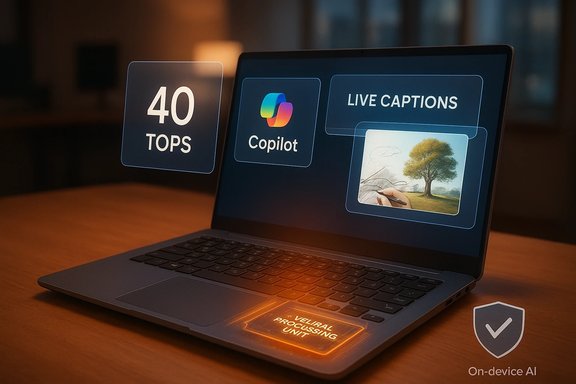
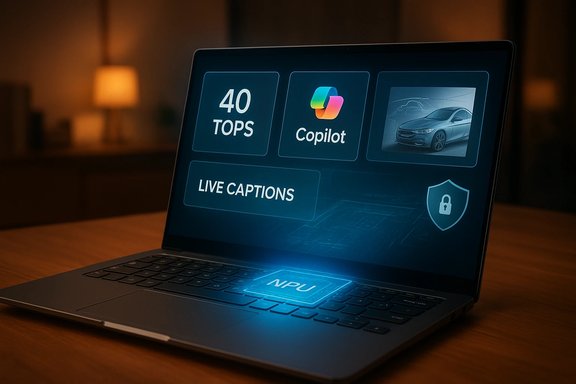
Microsoft’s Copilot+ guidance set a practical baseline—roughly 40 TOPS on an NPU—as the performance level that enables a useful subset of on‑device experiences. Multiple trade‑press and independent outlets report and confirm this threshold as a de facto industry target for consumer Copilot+ experiences. This is not an absolute scientific limit; rather, it’s a pragmatic bar Microsoft and OEMs used to decide which SKUs earn the Copilot+ label. Treat the 40 TOPS figure as a helpful specification when shopping, but remember that real user experience depends on software optimization, thermal hage speed as much as raw TOPS.What PCMag’s “All About AI” emphasizes (summary)
PCMag’s coverage groups AI into approachable categories: conversational/chat assistants, productivity/knowledge tools (summaries, recall), generative media (images/video), and platform/OS level features (Windows Copilot, device‑level recall). The series highlights practical use cases—writing assistance, meeting transcription and summary, image co‑creation, and searching and “recalling” past work—as the places readers are most likely to notice immediate benefit. The series also frames the conversation around buyer questions: when does on‑device AI help enough to justify paying a premium, and what tradeoffs should buyers expect?Key takeaways PCMag and related guides offer:
- On‑device AI reduces latency and can protect sensitive data by avoiding round trips to the cloud.
- A Copilot+‑qualified laptop (40+ TOPS, 16 GB RAM minimum recommended) unlocks a suite of Windows features that are truly different from the old experience: real‑time captions with translation, “Recall,” Cocreator tools in Paint, and more.
- Not all users need a Copilot+ device—many workflows remain well served by modern Intel/AMD laptops without a high‑TOPS NPU.
Technical reality check: verifying the claims
NPUs, TOPS, and real‑world meaning
- TOPS is a convenient marketing metric but is not a direct measure of real‑world performance. It quantifies theoretical integer operation throughput; actual inference speed, latency, and energy use depend on model architecture, quantization, memory bandwidth, driver and runtime optimizations, and thermal design. Independent coverage from Tom’s Hardware and Wired underlines this point: vendor TOPS figures are directional, not apples‑to‑apples benchmarks.
- NPUs do excel at low‑precision workloads (INT8/INT4) that many quantized LLMs and multimodal models use. For features like live captions, background noise suppression, and small model inference (e.g., 7B–13B quantized models), an NPU in thebe a practical enabler. However, for very large models (30B+), NPUs in consumer laptops will still rely on model distillation, quantization, or cloud offload.
Are vendor claims like “58% faster than MacBook Air” credible?
Vendor comparisons—e.g., claims that certain Copilot+ systems outperform specific MacBook models by percentages—are common. Independent writers and testers caution that:- Benchmark conditions vary (task selection, dataset, thermal/throttling behavior).
- Performance gains are task‑dependent: an AI‑optimized inference task may run much faster on an NPU‑enabled system but that advantage may not transfer to raw CPU‑bound workloads.
In short, vendor performance claims are worth noting but should be validated by independent reviews that test the exact SKU under realistic mixed workloads.
What Copilot+ actually offers on Windows (practical feature list)
Microsoft and OEM partners promote a focused set of features that are emphasized across the trade press and platform documentation. These are the experiences most likely to feel materially “new” to users:- Recall: a device‑level memory of past actions and content to surface relevant files, snippets, or previous edits.
- Cocreator / Creative Assist: tools in apps (e.g., Paint Cocreator) that transform quick sketches and text prompts into refined images using local model inference.
- Live Captions & Live Translate: real‑time captions and translation for audio captured by the device, often with low latency when performed locally.
- Windows Studio Effects: camera and audio enhancements applied in real time for video calls.
- Click to Do: context‑aware suggestions and one‑click automations within apps.
The buyer’s guide: who should pay for Copilot+ and when to wait
Who benefits now
- Professionals who routinely handle long meetings, need fast, accurate transcripts and summaries, or who work with sensitive content that should not be sent to third‑party clouds.
- Creators who want quick iteration on images or who benefit from on‑device creative tooling that saves time and bandwidth.
- Travelers or field workers whose workflows must work offline or with limited bandwidth.
Who should wait or skip
- Users whose primary tasks are legacy x86 enterprise applications with compatibility concerns, or heavy GPU rendering where raw GPU throughput (discrete GPUs) matters more than NPU‑based assistance.
- Budget buyers who mainly use web, email, and office apps; a modern non‑NPU laptop still delivers excellent value.
- Buyers who prioritize or AAA gaming or professional 3D rendering; current NPU‑driven gains are orthogonal to high‑end discrete GPU performance.
A practical buying checklist
- Verify the exact SKU—many model names include multiple configurations; Copilot+ support is SKU‑specific.
- Confirm the NPU TOPS rating and vendor specification if you plan to rely heavily on local inference.
- Target 16 GB RAM or more for general Copilot+ use; opt for 32 GB if you’ll run local LLMs or heavy multitasking.
- Prefer NVMe SSD and 512 GB+ storage for Recall‑heavy users.
- Read independent mixed‑use battery tests rather than vendor “up to” claims.
Notable device and market examples (verified claims)
- Snapdragon X Elite / X Plus: Qualcomm’s laptop chips have been used in the earliest Copilot+ devices; Hexagon NPUs in Snapdragon X series are regularly cited near the 40–50 TOPS class. Tom’s Hardware and other outlets documented the early Snapdragon‑first Copilot+ wave.
- Intel Core Ultra / Lunar Lake: Intel’s “Panther Lake/Lunar Lake/Core Ultra” class chips include integrated NPUs and are marketed for improved AI capabilities; coverage confirms Intel’s positioning around on‑device AI and growing TOPS figures.
- AMD Ryzen AI family: AMD’s Ryzen AI chips are an alternative that pairs Zen cores with an integrated NPU block; some laptop SKUs claim NPU ratings in the 40–50 TOPS range.
- Lenovo ThinkPad X1 Carbon (Aura Edition): PCMag and other reviews place the X1 Carbon Aura as a premium business pick with Intel Core Ultra silicon, OLED options, and an integrated NPU in the high‑30s/low‑50s TOPS range depending on configuration—benchmarks and battery results vary by SKU. Independent lab tests emphasize evaluating the exact configuration you intend to buy.
Strengths: what’s most promising
- Latency and offline capability: On‑device inference makes AI feel instantaneous for many tasks and enables features without an internet connection—important for privacy and reliability.
- Energy efficiency for sustained tasks: When properly optimized, NPUs can do continuous audio transcription or live video effects with less power than a CPU‑oriented approach.
- New class of productivity features: Systems that combine Recall, Cocreator, and Click to Do can change day‑to‑day workflows by reducing friction in content creation and information retrieval.
Risks, caveats and remaining questions
- Vendor claims vs. independent testing: TOPS numbers, battery “up to” hours, and percent‑faster claims are vendor metrics; independent benchrent mixed‑use results. Buyers should lean on third‑party reviews for SKU‑level validation.
- Ecosystem and app support: Raw NPU power is useless without software that uses it. Many Copilot+ experiences require vendor and app updates; eounter uneven support across apps.
- Security, privacy and governance: On‑device AI reduces cloud exposure, but it also raises questions about local data retention (Recall) and enterprise govertention policies, how is local data encrypted, and how does IT audit AI‑generated outputs? Enterprises must define governance and retention policies before broad rollouts.
- Environmental cost and upgrade cycles: High‑end Copilot+ SKUs push prices up and can accelerate device replacement cycles; organizations should weigh e‑waste and cost against productivity gains.
- The NPU vs GPU reality: Some independent analysts argue that GPUs still power many practical local AI workloads better than consumer NPUs today; NPUs are optimized for efficiency in targeted tasks but do not universally replace GPU inferencing for larger or more flexible models. This tension suggests NPUs will complement, not fully replace, GPU capabilities for the foreseeable future.
Deployment advice for IT and enterprise buyers
- Run a pilot with a representative subset of users and workloads before full procurement. Test meeting transcall behavior, and compatibility with your core business apps.
- Define governance for Recall and AI‑created artifacts: retention, access controls, and audit trails.
- Validate vendor update cadence and driver support—Copilot+ experiences depend on firmware and OS updates, so vendor responsiveness matters.
- Consider total cost of ownership: premium Copilot+ SKUs have higher upfront costs, but may save time on productivity tasks; quantify expected time savings before committing.
Practical tips for consumers
- If you primarily use your laptop for email, web browsing, and occasional streaming, a modern midrange laptop without a high TOPS NPU will still serve you well.
- If you want on‑device AI for travel or privacy reasons, prioritize battery life figures from independent mixed‑use tests and confirm the exact SKU’s NPU rating.
- For hobbyist local LLM experiments, choose a machine with more RAM and fast NVMe storage and plan to use quantized models (7B–13B range) for responsive results.
The long view: where AI PCs fit in the ecosystem
AI is becoming the new baseline platform capability—like adding integrated GPUs a generation ago. That doesn’t mean every PC will need a 50 TOPS NPU forever. Rather, expect increasing specialization: some devices (ultracompact, battery‑focused machines) will lean on highly efficient NPUs; workstations and gaming rigs will prioritize GPUs and discrete accelerators; and cloud services will continue to host the largest models. The real consumer change is the emergence of features that can now run locally and afford new privacy‑preserving use cases. PCMag’s “All About AI” series captures that shift by focusing on user‑facing outcomes rather than vanity specs alone.Final verdict
PCMag’s “All About AI” advocacy is timely: it explains the what and the why of an industry pivot that matters to buyers. The headline technical facts—NPUs, TOPS, Copilot+ features and the 40 TOPS practical threshold—are largely correct as industry markers, but they come with important qualifiers. Real world experience depends on SKU details, software optimization, and independent testing. For buyers whose workflows map to the new Copilot+ experiences (meeting recall, offline creative iteration, low‑latency transcription), Copilot+ laptops are worth serious consideration. For everyone else, the best device remains the one aligned with your primary tasks, bud needs. Always verify the exact SKU, read independentd account for governance and privacy when planning rollouts or purchases.Quick checklist (one‑page buyer’s summary)
- Confirm the SKU is labeled Copilot+ or lists an NPU rated ≥40 T
- Target 16 GB RAM minimum; 32 GB if you plan on local LLM work.
- Prefer NVMe SSD (512 GB+) for Recall heavy use.
- Read independent battery and mixed‑use tests rather than vendor “up to” numbers.
- Define data governance for Recall and AI outputs if deploying at scale.
PCMag’s “All About AI” is a useful consumer compass at a confusing inflection point—its direction is clear: AI is not a feature you add, it’s a platform layer that changes how PCs are built and used. The practical advice is straightforward: understand what on‑device AI will do for your real tasks, validate the exact SKU and its independent benchmarks, and plan governance for any data the AI will retain. Those steps separate useful, productivity‑boosting devices from expensive hype.
Source: PCMag https://www.pcmag.com/series/all-about-artificial-intelligence]