

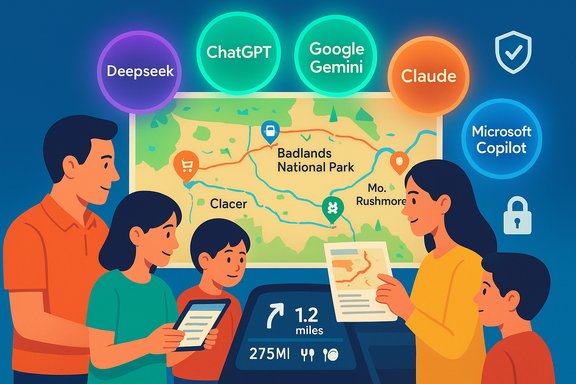
When five modern chatbots were asked to plan a four‑day family road trip to the Black Hills, the Badlands and Mount Rushmore, the hands‑on result upended expectations: Deepseek — a scrappy newcomer — produced the most practical, usable itinerary, while household names like ChatGPT and even ecosystem giants like Google Gemini and Microsoft Copilot showed important but divergent strengths and weaknesses.
Background
Planning a short road trip with kids, fuel limits and lodging constraints is a good stress test for today’s conversational AIs. The Tom’s Guide hands‑on experiment asked five chatbots (ChatGPT, Google Gemini, Deepseek, Claude and Microsoft Copilot) to build a four‑day itinerary from a home near Minneapolis to the Black Hills and Mount Rushmore in South Dakota, with an explicit list of constraints: include a stop at the Badlands without adding excessive mileage, keep the entire round trip under 1,400 miles, provide a grocery list and meals, and identify places to stop for gas and quick food. The reviewer then compared the outputs and used one of the plans on an actual family trip.This real‑world comparison illustrates a broader truth about consumer AI in 2025: tools are increasingly competent at creative and planning tasks, but capability does not equal reliability. Travel planning exposes three operational axes where chatbots differ most: routing & grounding, practical detail (pitstop, fuel, meals), and provenance/privacy. Each assistant prioritized these differently in the Tom’s Guide test — and the results are instructive for anyone using AI as a travel co‑pilot.
Overview: what the bots did best (and worst)
- Deepseek (winner for practicality) — picked a sensible home base in the Black Hills (camper cabins at Custer State Park), routed the Badlands as a side trip rather than a place to overnight, produced day‑by‑day meals and themes, and delivered the most usable, family‑friendly itinerary.
- Google Gemini (best at maps & routing UI) — integrated mapping directly into chat and used geolocation to create a route from the reviewer’s house, a clear UX advantage for navigation. However, Gemini was less helpful with granular meal plans and refused to list specific pitstop businesses in that session, nudging the user to the standalone Google Maps app instead.
- Claude (best pitstop suggestions) — excelled at listing gas and food stops near highways and gave clear drive‑time guidance for when to depart each day. It stumbled on the choice of where to overnight: the suggested Wall/Badlands overnight didn’t match the logical Black Hills home‑base choice.
- ChatGPT (most inconsistent in this test) — produced a grocery list but not day‑by‑day cooked meals, had mapping glitches in early attempts and suggested a less‑practical overnight at the Badlands, which didn’t match family needs. Overall, the results were serviceable but clumsy compared with Deepseek and Claude.
- Microsoft Copilot (worst for this use case) — despite being a Microsoft product that runs on sophisticated models, Copilot outsourced routing to a third party and produced scattered pitstop and grocery suggestions that were not well integrated into a single, executable itinerary.
Why maps and grounding matter — Google Gemini’s advantage
The practical advantage Gemini delivered was not magic reasoning; it was grounding. Google has been working to integrate its Gemini models with Maps and geospatial services so the assistant can produce route maps and location‑aware suggestions directly inside the conversation interface. That integration is the reason Gemini could show a native map route from the reviewer’s house while other bots had to include a link or list directions. For travel planning, that UX difference matters in three ways:- It reduces friction: a parent can see turn‑by‑turn routing and distance estimates without switching apps.
- It supports precision: when an assistant knows your start address or current location it can compute drive times and fuel stops more accurately.
- It ties to live data: Maps can show closures, gas prices, and up‑to‑date business hours — if the assistant surfaces those layers.
Deepseek: the unglamorous winner — why practical beats polished
Deepseek’s victory in the Tom’s Guide test was simple: its plan matched the user constraints and the realities of traveling with children. The bot:- Chose Custer State Park as the trip’s home base instead of encouraging nights in the Badlands.
- Produced an actual meal plan (breakfast/lunch/dinner) and a shopping list tailored to those meals.
- Divided each day into themes (scenic first day, monuments second day), which helped the family sequence activities.
- Kept the route within the 1,400‑mile cap the reviewer set.
That said, Deepseek is also the subject of intense scrutiny in 2025 for privacy and security concerns. Independent reporting and regulator actions have flagged potential data‑handling and national‑security risks connected to the company’s infrastructure and telemetry. Those are not theoretical concerns if you’re deciding whether to use an app that may handle sensitive travel or household data — they’re practical risk factors that should weigh into your choice of assistant. Multiple outlets and investigations have documented both Deepseek’s meteoric rise and the surveillance/privacy questions that followed. These are non‑trivial trade‑offs to consider before entrusting itinerary planning and travel‑log data to a single vendor.
Distances and constraints: checking the numbers
One important reason the Deepseek plan worked was that it kept driving within the 1,400‑mile limit the reviewer set. That’s verifiable using published distance calculators.Key measured legs (rounded and independently checked):
- Minneapolis → Mount Rushmore: approximately ~596–598 miles one‑way (typical driving estimates put the trip right at about 598 miles / ~9 hours).
- Minneapolis → Badlands National Park (Wall, SD): approximately ~503–509 miles one‑way (varies by route and exact origin within the Twin Cities).
- Badlands National Park → Mount Rushmore (Badlands near Wall to Keystone/Mount Rushmore): estimates vary by routing between ~83–98 miles and roughly 1 hour 20 minutes to 1 hour 45 minutes of driving. Differences arise from the specific start/end coordinates and the chosen highways.
- Minneapolis → Badlands: ~503 miles
- Badlands → Mount Rushmore: ~98 miles
- Mount Rushmore → Minneapolis: ~598 miles
Tool‑by‑tool analysis — deeper technical scrutiny
Google Gemini — mapping & ecosystem strength
- What it did well: showed a native map inside the chat and used account/signed‑in context to route from the user’s house. That’s a UX advantage for itinerary visualization.
- Where it fell short: refused to itemize specific gas or food stops in the test session, and deferred some operational tasks back to the Google Maps app instead of delivering a fully consolidated itinerary in chat. This behavior reflects a design trade‑off: Google often channels users into Maps for live discovery and into Gemini for higher‑level synthesis.
- Practical takeaway: if you want a route you can immediately follow in a car, Gemini + Google Maps is very strong; if you want a single text plan that lists meals, specific pitstops and a grocery checklist, Gemini in chat may still fall short.
Claude (Anthropic) — safety and practical pitstops
- What it did well: precise pitstop suggestions (named gas stations/restaurants), and clear day‑by‑day scheduling guidance with departure times.
- Weakness: tried to put a night in Wall/Badlands that didn’t make sense for the family’s constraints — a planning misstep rooted in route interpretation rather than local knowledge.
- Practical takeaway: Claude is an excellent fact‑structured assistant for the operational pieces (fuel stops, timing windows), but you should check routing assumptions if a suggested overnight seems out of sync with geographic logic.
ChatGPT — capable but inconsistent for multi‑constraint travel
- What it did well: general creativity and broad travel suggestions.
- What went wrong in the test: mapping links failed in early runs and the itinerary didn’t provide day‑by‑day meal plans — it supplied a grocery list instead of cooked‑meal recipes and timing.
- Practical takeaway: ChatGPT remains a strong generalist, but for multi‑constraint operational plans (fuel stops, family pacing, short windows) it sometimes needs more explicit, stepwise prompts or plugged‑in tools to reach parity with itinerary‑focused assistants.
Microsoft Copilot — tied to ecosystem, but inconsistent outputs
- What it did well: surfaced some cost‑effective lodging options and is strongest when the user is embedded in Microsoft 365 workflows.
- What it did wrong in the test: failed to present an exact route or total time estimates and relied on a third‑party routing source; grocery lists lacked meal plans; listed gas stations not on the route.
- Technical note on Copilot’s models: Copilot historically has used OpenAI models (GPT‑4 family and successors) as part of its backend mix, but Microsoft also orchestrates multi‑model pipelines and has been adding other vendors and its own models into Copilot. That means Copilot’s behavior can vary across releases and tenant settings — it is not a single monolithic “ChatGPT” clone. Verify the specific Copilot model and grounding behavior for your account if you rely on it for operational routing.
Privacy, security and the governance tradeoffs
The Tom’s Guide test thought‑experiment surfaced an operational paradox: the assistant that gave the most usable itinerary (Deepseek) is also the one that has attracted the most regulatory and security scrutiny. Deepseek’s meteoric growth in early 2025 prompted government and corporate cautionary measures in several countries; independent security researchers flagged data‑handling questions and possible telemetry behavior that could exfiltrate user inputs. Reuters, AP and other outlets have reported investigations and restrictions on Deepseek in some public sectors. That’s not a reason to reject the output, but it is a reason to treat vendor selection as risk‑sensitive: choose the assistant that aligns to your privacy posture and the sensitivity of the data you’ll share. Practical privacy guidance for travel planning:- Avoid pasting sensitive PII (passport/ID numbers, or booking confirmation strings) into consumer chatbots.
- Prefer assistants with explicit non‑training guarantees or enterprise data‑residency contracts for business travel that involves corporate data.
- Use local maps and airline/hotel websites to verify hard facts (hours, reservations, current closures) before you leave home.
- Keep an auditable copy (screenshot or exported itinerary) of AI‑generated plans if you rely on them for multi‑stage trips.
Hallucination risk and verification checklist
AI models can invent plausible‑sounding but incorrect details — a fatal flaw if you depend on the assistant for safety or logistics. The Tom’s Guide test exposed low‑risk hallucinations (e.g., poor ordering of suggested stops) rather than dangerous fabrications, but the same failure mode can produce harmful outcomes if left unchecked. The following verification checklist is recommended for any AI‑generated itinerary:- Confirm driving distances and total time in a live mapping app (Google Maps, Apple Maps, or Waze).
- Verify lodging availability and cancellation policy on the lodging provider’s official site.
- Check attraction hours and reservation requirements on official park or attraction pages.
- Confirm gas stations, medical clinics and grocery stores are actually open where and when you plan to use them.
- Keep a human backup planner — a tangible list or PDF you can reference offline if mobile connectivity fails.
Practical recipe: how to prompt an AI travel planner for reliable results
If you plan to use AI to help plan your own trip, use these prompt techniques to reduce hallucination and make outputs actionable:- Start with explicit constraints: dates, total round‑trip mileage cap, max daily drive hours, number of travelers and special needs (car seat, stroller).
- Ask for an output with structured fields: day, start time, end time, mileage for the day, fuel stop with distance from route, exact lodging name and booking site, grocery list tied to daily meals.
- Request map links for every day and a consolidated mileage total.
- Ask the assistant to flag any recommendations it is uncertain about and to provide sources or “last‑verified” timestamps for live data.
- Run the returned itinerary through a map app and cross‑check critical items (reservations, open hours, closures).
Balanced verdict and recommendations for readers
- For users who value actionable, plug‑and‑play itineraries, Deepseek produced the best single pass in the Tom’s Guide test. Its strengths are a reminder that niche or emerging tools can out‑perform generalists on task‑specific prompts. But Deepseek carries real privacy and security trade‑offs that travelers should weigh carefully.
- For users who want the best mapping integration and live navigation, Google Gemini + Google Maps is the pragmatic pick — especially for in‑car navigation and reroute resilience. Gemini’s integration makes on‑the‑fly navigation and discovery smoother, though you may need to stitch meal and grocery details from other sources.
- For users invested in the Microsoft ecosystem, Copilot is useful when it remains inside Microsoft 365 workflows, but for standalone travel planning its outputs may be too fragmented unless you enable specific Copilot agents or add trusted plugins. Copilot’s model mix is evolving; Microsoft continues to blend OpenAI, Anthropic and its own models to optimize tasks. Verify your tenant settings for which models and data‑handling policies are in use.
- For those prioritizing safety and conservative outputs, Claude is a strong middle ground — it is less flashy but often better anchored when you ask for specific stops and times. Still, validate the routing assumptions.
Final notes: where AI travel planning is heading
The travel assistant landscape is converging on a few predictable innovations:- Tighter map grounding — conversational models will increasingly integrate with mapping stacks to present live, click‑to‑navigate routes inside chat. Gemini’s Maps work is a clear leading example.
- Hybrid multi‑model orchestration — large platforms will automatically route queries to the most appropriate model (fast chat model for quick answers, a deeper reasoning model for multi‑step plans). Microsoft’s Copilot and other vendors are moving in this direction.
- Differentiation by governance — enterprise and privacy‑sensitive users will prefer assistants that offer contractual non‑training guarantees and data residency controls; consumer users will choose by convenience and UX.
- A rising role for niche assistants — specialized or regional assistants (like Deepseek) can beat generalists on vertical tasks, but they also raise governance and trust questions that must be answered with transparency and audits.
Conclusion
The Tom’s Guide experiment is a practical snapshot of AI travel planning in 2025: tools are useful and improving quickly, but no single assistant is the “final authority.” Deepseek won this particular family trip test by aligning intent, geography and pragmatics — and the reviewer used its itinerary successfully. Gemini demonstrated the power of in‑chat mapping, Claude excelled at pitstops, and Copilot showed the limits of an assistant that tries to be everything without a single‑pane operational plan. ChatGPT — capable across many tasks — lagged here because the test favored operational detail over broad creativity.The practical takeaway for travelers is simple and actionable: use AI to draft and inspire, then verify. Run the AI plan through a live map, confirm lodge and attraction hours, and keep a human‑verified backup. When those steps are followed, AI can be a brilliant trip co‑pilot rather than a navigational liability.
Source: Tom's Guide https://www.tomsguide.com/ai/i-made...gpt-or-gemini-that-gave-me-the-best-response/
